
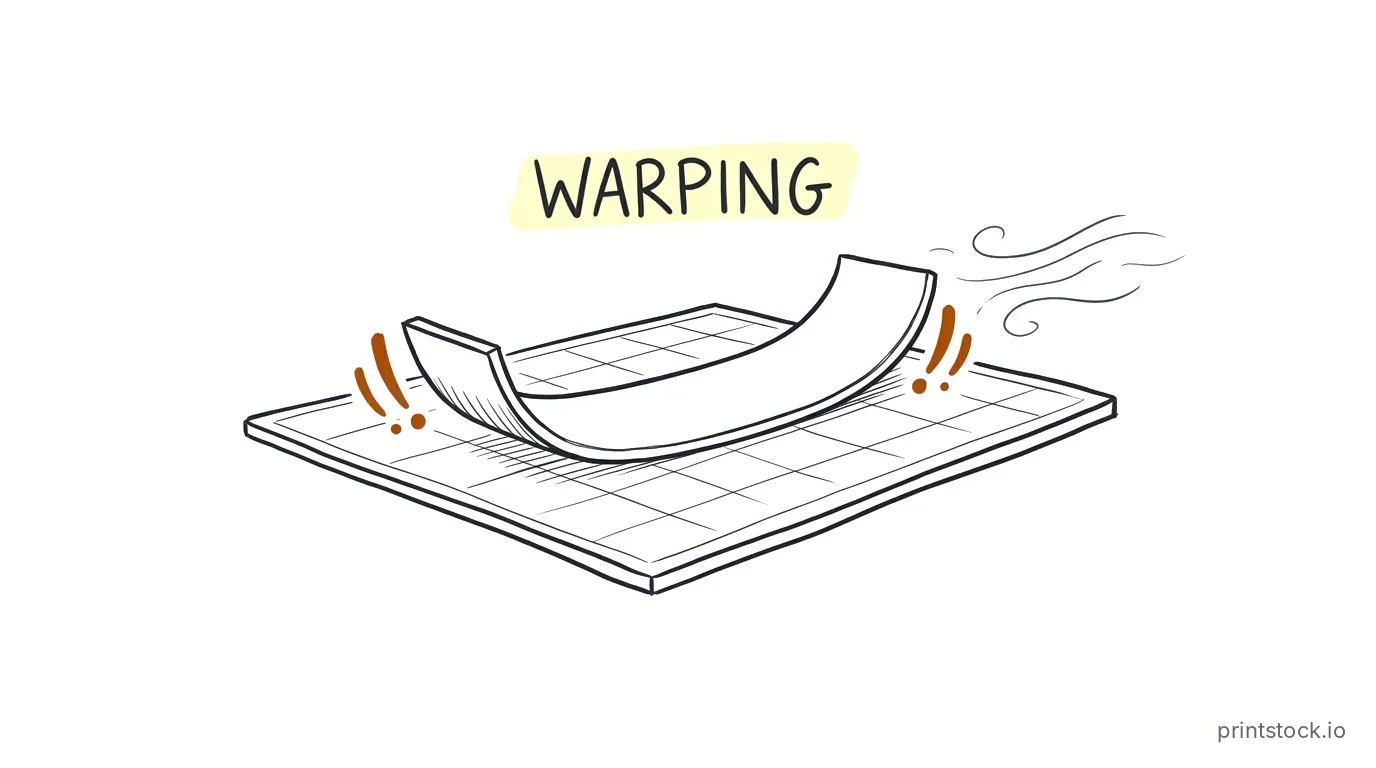
The print started perfectly, then halfway up you notice a corner curling off the bed. By the end the base is bent like a banana, or the whole part has popped loose. That is warping, and it is one of the most common problems with large prints and with materials such as ABS. The cause is simple physics, which means the fixes are predictable once you know what is going on.
What is warping in 3D printing?
Warping is when the corners or edges of a print lift off the build plate as the part grows, leaving a curved, distorted base. It happens because plastic shrinks as it cools.
Every layer is laid down hot and then contracts as it cools. Each new layer pulls on the layers below it, and the pull adds up as the part gets taller. The forces concentrate at the corners, where the plastic is pulled from two directions. As long as the first layer grips harder than the shrinkage pulls, the part stays flat. When the pull wins, a corner lifts.
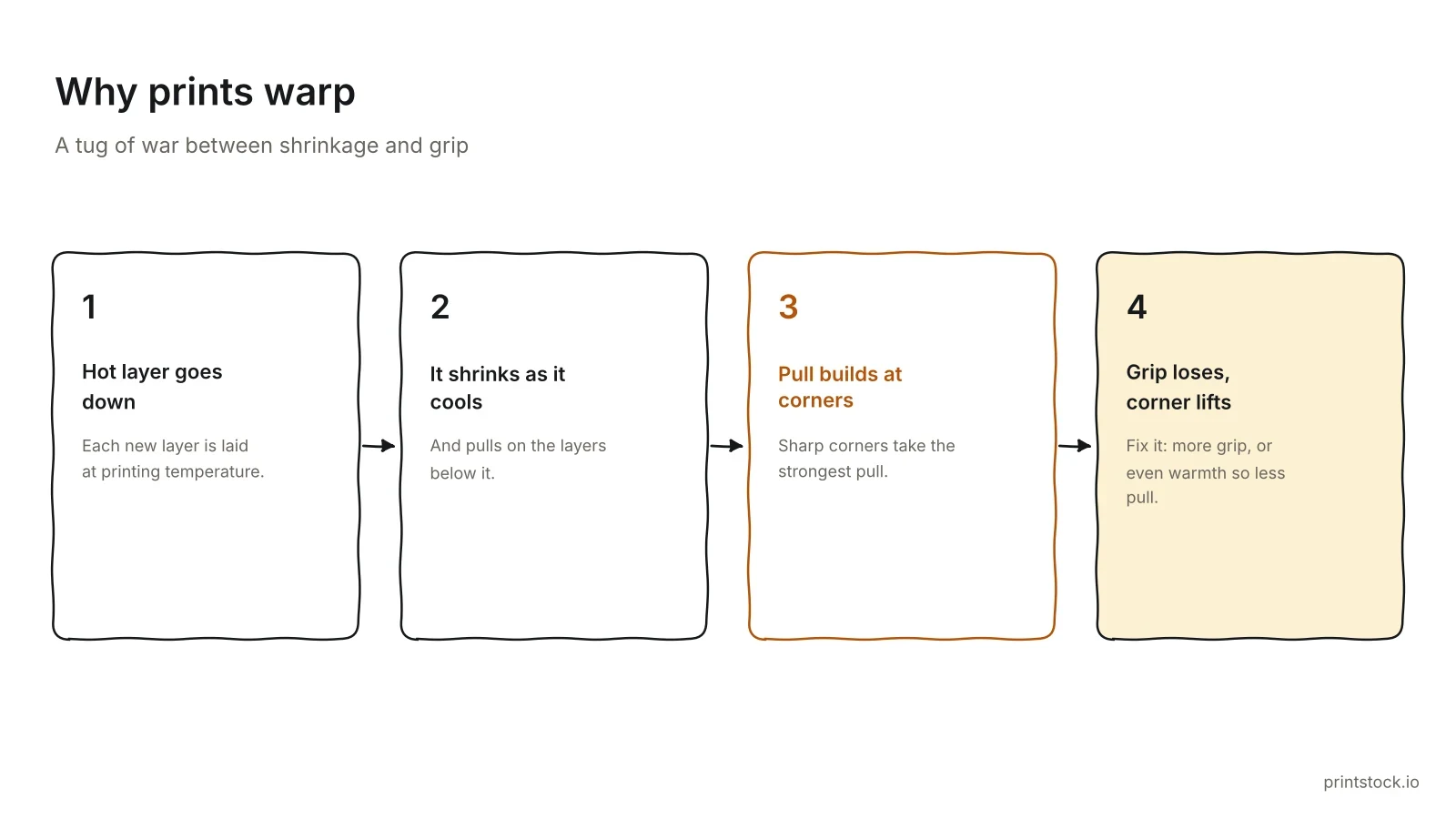
That gives you the two ways to fix warping: increase the grip on the first layer, or reduce the pull by keeping the part evenly warm so it does not shrink unevenly while printing.
Which prints warp most?
Large, flat parts with sharp corners, printed in high-temperature materials, warp the most. Prusa's troubleshooting guide notes that corners lifting is mostly a problem with large objects in materials such as PC blend, ASA and ABS.
Size matters because shrinkage scales with length: a 200 mm long part shrinks far more in absolute terms than a 20 mm one. Material matters because ABS, ASA, nylon and polycarbonate shrink more than PLA and are printed hotter, so the gap between the part's temperature and the room is bigger. And geometry matters because a sharp 90° corner concentrates the pull in a tiny area.
How to stop warping: increase the grip
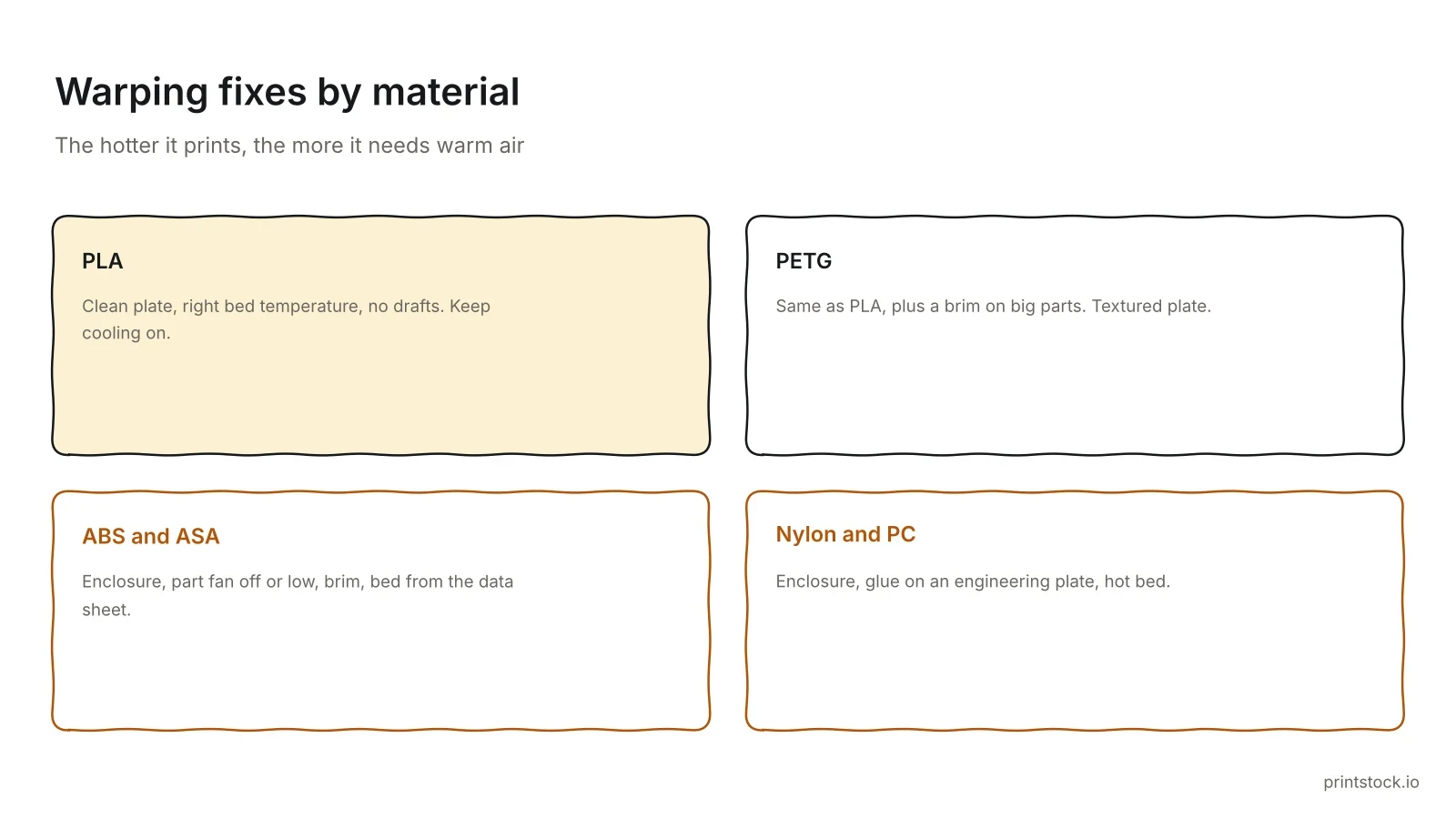
A clean plate, a correct first layer and the right bed temperature give the first layer the grip it needs. These are the same fundamentals that fix poor bed adhesion, and they solve most PLA and PETG warping on their own.
- Clean the plate. Wash it with warm water and dish soap, then wipe with 90% or stronger isopropyl alcohol. Our guide to prints not sticking to the bed covers this in detail.
- Set the first layer. It should be squashed onto the plate, with no gaps between lines.
- Use the filament's bed temperature. From the data sheet: for example, Prusa gives about 80 °C for its PETG, and Bambu Lab 80 to 100 °C for its ABS.
- Add a brim. A brim of 5 to 10 mm of extra first layer around the part adds grip exactly where corners lift. Mouse ears, small discs at each corner, do the same with less cleanup.
- Use the right plate. Textured PEI grips most materials well; nylon and polycarbonate usually need glue on an engineering plate.
How to stop warping: reduce the pull
Keep the whole part evenly warm so it does not shrink unevenly while it prints. This is the key for ABS and ASA, and it helps large PLA and PETG parts too.
- Block drafts. Keep the printer away from open windows, doors, fans and air conditioning vents. A draft cools one side of the part and pulls that side up.
- Use an enclosure for ABS, ASA, nylon and PC. It keeps the air around the part warm. Bambu Lab's ABS data sheet lists a chamber temperature of 45 to 60 °C, and Prusa recommends an enclosure for warping-prone materials.
- Turn part cooling off or low for ABS and ASA. Cooling those materials fast is exactly what makes them shrink unevenly. PLA and PETG are the opposite: they need cooling, and Prusa suggests checking the print fan if PLA or PETG corners curl.
- Print several parts together. Prusa also suggests printing more objects at once, which gives each layer more time to cool gradually between passes.
These are the enclosures, chamber heaters and bed adhesives in our catalog, each matched to the printers it fits:
How to design parts that do not warp
Rounded corners, thinner bases and shorter flat runs reduce warping before you even slice the model. If you design your own parts, these small changes make a big difference.
Round the vertical edges at the base with a small fillet, so the pull spreads over a curve instead of a sharp point. Avoid huge solid flat bases; a slightly hollowed or ribbed underside shrinks less. Split very long flat parts into sections that join with pins or dovetails. And orient the part so the largest flat face is not necessarily the one on the bed if that face is very long and thin.
Is warping a sign my printer is faulty?
Rarely. Warping is mostly a combination of material, part size and environment, not a fault in the printer. A printer without an enclosure is not broken because ABS warps on it; it simply is not the right tool for large ABS parts.
It is worth checking the printer if warping suddenly appears with a material and part that used to print fine. Look at the plate for wear, re-run levelling, and check whether the room has become colder or draftier, which is common in winter. Some printers are known for warping or bed temperature problems in owner reports. Here are the models in our catalog where owners report warping or lifting:
Owners report this on 18 of the 370 printers we track
- Anycubic Kobra 3 Max V2: Large bed may arrive warped
- Bambu Lab P1P: Warping with ABS and ASA on the open frame
- Bambu Lab P1S: Heat creep clogs with PLA in a closed chamber
- Bambu Lab X2D: Auto-cooling knocks PETG off the plate
- Creality Ender-5 Max: Glass bed warps when hot
- Creality K1C: Some 2024 beds ship bent
- Creality K2 Plus: Warped bed out of the box
- Creality K2 Pro: Print starts before the chamber is warm
- Elegoo Centauri Carbon 2: No chamber heating and leaky filter
- Elegoo Neptune 3 Pro: Warped bed with no adjustment
- Elegoo Neptune 4 Max: Bed flatness and heat-up on the large plate
- Elegoo Neptune 4 Pro: Bed knobs loosen and plate warps
And 6 more; see each printer page.
Common mistakes
The most common mistake is fighting ABS warping with glue and bed temperature alone, without an enclosure. You can win small parts that way, but large ones need warm surrounding air.
- Running full part cooling with ABS or ASA. It causes the very shrinkage you are fighting.
- Printing next to a window or air conditioner. Even an enclosure leaks some draft.
- Skipping the brim to save a minute. On large parts it is the cheapest insurance.
- Raising the bed far above the data sheet. It can soften the base and cause bulging without fixing the corners.
- Opening the enclosure to check on a print. A blast of cool air mid-print can start a corner lifting.
Where to go from here
If your prints come loose from the start rather than curling later, see prints not sticking to the bed. For choosing a material that warps less, read PLA vs PETG vs ABS, and browse enclosures and chamber heaters for your printer in our catalog.
Printing ABS or ASA without an enclosure is the most common cause of warping; see do you need an enclosure. If the base bulges outward rather than lifting, that is elephant's foot.