$61.60 as of Nov 11, 2026Check price
Bambu Lab
Bambu Lab P1S
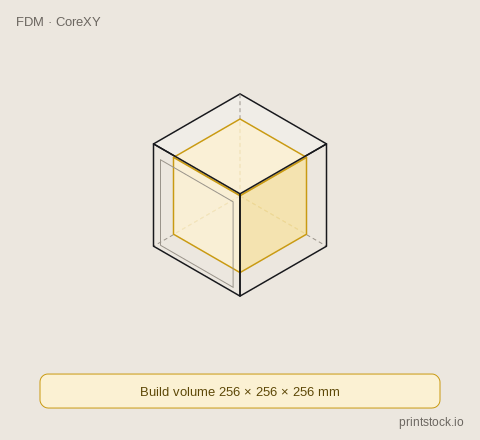
FDMCoreXYEnclosed256 × 256 × 256 mm
Enclosed 256 mm CoreXY printer that made Bambu Lab's name: 500 mm/s, prints PLA through ABS and ASA, up to 16 colors with AMS units. Replaced by the P2S but still sold at a lower price.
- Most nozzles of the 38 FDM printers under $500 we list
Where to buy
Prices as of Nov 11, 2026Taxes, shipping and any import duties are worked out by the store at checkout and depend on your country; ask the store if in doubt.
Store links may be affiliate links: we may earn a commission, and it does not change your price. Affiliate disclosure
Price history, 90 days
Lowest: $349 · Highest: $509Overview
The P1S is the enclosed CoreXY printer that put Bambu Lab on most shortlists: a 256 mm cube build volume, 500 mm/s and 20,000 mm/s² acceleration, a plastic and glass enclosure, and support for the AMS multi-material system (up to four AMS units, 16 colors).
It has since been replaced by the P2S, which adds a hardened-steel nozzle, a servo extruder, a quick-swap hotend and a touch screen. The P1S stays on sale for $100 less at our last check ($349 against $449 for the P2S at the Bambu Lab US store), and for PLA, PETG, ABS and ASA that gap buys mostly convenience rather than better prints.
Two things matter before buying. The stock nozzle is stainless steel, so carbon and glass fiber filaments need the optional hardened-steel hotend. And the enclosure that helps ABS can hurt PLA: on long PLA prints with the lid closed the chamber gets warm enough to cause heat creep clogs, which Bambu itself names as the most common clog cause on the P1S.
Best for
- An enclosed printer for PLA, PETG, ABS and ASA at a lower price than the P2S
- Multi-color printing with the AMS (P1S Combo), expandable to 16 colors
- Owners who value a large community, mods and spare-parts supply
Look elsewhere if
- You will print mostly carbon or glass fiber filaments: the P2S ships with hardened steel
- You only print PLA and PETG: the open A1 has the same build volume for less
- You want a touch screen and the newest features: the P2S is the current model
Before you buy
- Prop the lid or open the door for long PLA prints to avoid heat creep; keep it closed for ABS and ASA.
- The P1S has no chamber temperature sensor, so you cannot read the chamber temperature in the app.
- The stock stainless steel nozzle wears on abrasive filaments; budget for a hardened-steel hotend if you plan to use them.
- Combos differ: the P1S AMS Combo includes the original AMS, the AMS 2 Pro Combo includes the newer AMS with filament drying.
Pros and cons
Pros
- Proven CoreXY platform with a large owner community
- Enclosed for ABS and ASA
- Expandable to 16 colors with AMS units
- Lower price than the P2S
Cons
- Heat creep clogs on long enclosed PLA prints
- Stainless steel nozzle not suited to abrasive filaments
- Button screen instead of a touch screen; low-frame-rate camera
Maker's test data
- Hotend flow
- 32 mm³/s maximum in Bambu Lab's test: ABS, 150 x 150 mm single-wall model, 280°C. Not directly comparable with the P2S figure, which used a different test model.
Published by the manufacturer from its own tests. PrintStock has not verified these figures; owner reports below may confirm or contradict them.
What owners like
Real-world speed and a polished ecosystem
Praised by most ownersReviewers say the speed holds up at real settings and the software ecosystem is polished.
ABS and ASA without extra purchases
Often praisedThe enclosure handles ABS, ASA and PA-CF out of the box.
Collected the same way as known issues: from independent reviews, owner reports and public discussions, merged and grouped.
Known issues
Last reviewed Nov 13, 2026Popular models have longer lists simply because more people own them and talk about them. Severity and status show how much each problem matters today.
Heat creep clogs with PLA in a closed chamber
Moderate (affects prints)Workaround availableBambu's wiki names heat buildup in the enclosure as the most common reason for hotend or extruder clogs on the P1S and X1C. Owners avoid it by opening the door or lifting the lid for PLA and by keeping the hotend fan clean.
Firmware 01.09 locks out third-party slicers
Moderate (affects prints)Still reportedFrom firmware 01.09 the printer requires Bambu cloud authorization, which stopped OrcaSlicer and other tools from connecting directly. Developer Mode restores local access; updates cannot be rolled back.
Heavy purge waste on multicolor prints
Moderate (affects prints)Workaround availableEach AMS color change purges the nozzle; Bambu's own example is 83 g of waste for an 11 g multicolor cube. Lower flushing volumes and flushing into infill help.
AMS communication or feeding errors after updates
Minor (annoyance)Still reportedSome owners report AMS communication errors after firmware updates, to the point of printing from an external spool. Most owners update without problems; undoing mods that touch the printer's power or bus wiring is a common suggestion.
Purge chute clogs
Minor (annoyance)Workaround availablePurge waste sticks to the chute walls and jams the wiper, causing homing or purge errors. A firmware update and aluminium tape lining reduce it.
Panels and top glass rattle at speed
Minor (annoyance)Workaround availableSide panels are held only at the edges and the top glass is loose, so they rattle at high speed. Clips and feet reduce it.
Loud fans with PLA
Minor (annoyance)Workaround availableOwners say the three fans run at full speed on PLA profiles and make most of the noise; motor noise cancellation in firmware helped, and lowering fan speeds helps more.
Bed capped at 100 C
Minor (annoyance)Still reportedOwners ask for 110 C for ABS and ASA adhesion; the firmware will not go above 100 C.
Slower bed heating on 110 V
Minor (annoyance)Still reportedOn 110 V mains the bed gets about half the heating power it gets on 230 V, so heat-up and chamber soak take longer.
Already fixed: 1 (show)
Frame knocked out of square in shipping
Moderate (affects prints)Fixed in a hardware revisionSome units arrive with an uneven top glass and parallelogram-shaped prints because the frame was knocked out of square. It is covered by warranty.
How we build this list: we collect independent reviews, owner reports and public discussions on forums and social networks, merge duplicates and group them by cause. Only serious or recurring problems make the list, so a single complaint will not appear here, and a listed problem does not mean every unit is affected.
Specs
Printing
- Type
- FDM
- Build volume
- 256 × 256 × 256 mm
- Kinematics
- CoreXY
- Max speed
- 500 mm/s
- Max acceleration
- 20,000 mm/s²
- Multi-color
- Yes
- Nozzles / toolheads
- 1
- Materials
- PLA, PETG, TPU, PVA, PET, ABS, ASA
- Max toolhead speed
- 500 mm/s
- Max hotend flow
- 32 mm³/s (ABS, 280 °C, manufacturer test)
- Filament diameter
- 1.75 mm
- Materials
- Ideal: PLA, PETG, TPU, PVA, PET, ABS, ASA. Capable: PA, PC
Extruder and bed
- Extruder
- Direct drive
- Stock nozzle
- 0.4 mm
- Nozzle / hotend
- Stainless steel nozzle, all-metal hotend
- Max nozzle temp
- 300 °C
- Filament
- 1.75 mm
- Build plate
- Flexible steel plate (textured PEI or cool plate)
- Max bed temp
- 100 °C
- Bed leveling
- Automatic
- Enclosure
- Yes
Control and sensors
- Screen
- Screen with buttons, 2.7 in
- Features
- Input shapingFlow calibrationAir filterFilament runout sensorPower-loss recovery
Files and setup
- Files the slicer opens
- STL, OBJ, AMF, 3MF
- Variants
- P1S, P1S AMS Combo, P1S AMS 2 Pro Combo
Hotend
- Filament cutter
- Yes
Bed
- Max bed temperature
- 100 °C
Features
- Camera
- Low-rate 1280 × 720 at 0.5 fps, timelapse
- Sensors
- Filament run-out, power loss recovery; filament odometry with AMS
- Control
- Button screen, app, PC
Physical
- Max power draw
- 1000 W at 220 V; 350 W at 110 V
From maker and store specifications, checked Nov 12, 2026. Power, size, network and warranty are in their own blocks below.
Power and setup
Electricity
- Mains input
- 100 to 240 V (universal)
- Rated power
- 1,100 W at 220 to 240 V, 350 W at 110 to 120 V
- Average while printing
- 105 W
- Idle
- 6 W
- Note
- ABS about 140 W on average (maker test)
Network and cloud
- Works without internet
- Yes, fully (SD card / USB / LAN)
- Maker account
- Only for cloud / remote features
- Local control for other software
- Limited or behind a special mode
- Slicers from other makers
- Supported
- Built-in camera
- Yes
- Note
- Full control from third-party software needs LAN-only mode with Developer Mode (firmware since 2025)
Space and room
- Size (W × D × H)
- 389 × 389 × 458 mm
- Weight
- 12.95 kg
On a standard power circuit
- US 15 A / 120 V standard circuit: fine, and about 1,050 W stays free for other things on that circuit while it heats up
- EU/UK 16 A / 230 V standard circuit: fine, and about 1,800 W stays free for other things on that circuit while it heats up
- A 10-hour run (for example, several figures printed one after another): about 1.1 kWh. Multiply by your price per kWh for the cost.
Our calculation from the maker's rated power and average power while printing, keeping a circuit at 80% for long loads.
Safety and support
Safety
- Air filtration
- Activated carbon filter
Computer you need
- Runs on
- Windows, macOS (Apple silicon)
Warranty and repair
- Warranty
- 24 months; for consumers in the EU, Switzerland, Norway, Iceland, the US and Canada (US and Canada extended from 12 months in 2026); receipts only from Bambu Lab or authorized resellers
- Spare parts store
- Official page ↗
- Repair guides
- Official page ↗
- Open source
- No
Running costs
| PLA filament, per kg | Cheapest in our catalog: Elegoo PLA Basic | $9.34 |
|---|---|---|
| Spare nozzle or hotend | Bambu Hotend - P1 Series | $14.99 |
| Spare build plate | Bambu 3D Effect Plate | $11.99 |
Starter budget: about $373 for the printer at its best listed price, 1 kg of PLA and a spare nozzle.
Cheapest compatible items in our catalog, USD prices as last checked. Prices change; see each item for the date.
Software and firmware
- Slicer / control software
- Bambu Studio (official); OrcaSlicer and other slicers via Bambu Connect or LAN Developer Mode
- Firmware
- Closed source; Authorization Control since P-series firmware 01.08.02.00, with an optional LAN-only Developer Mode
- Connectivity
- Wi-Fi, Bambu Handy app and cloud, LAN mode, microSD card
Official firmware and downloads ↗ We never host firmware files.
Questions people ask
Bambu Lab P1S or P2S?
The P2S is the newer model with a hardened-steel nozzle, servo extruder, quick-swap hotend and touch screen. The P1S has the same build volume and costs about $100 less ($349 vs $449 at our last check). Choose the P2S for abrasive filaments or heavy daily use.
Bambu Lab A1 or P1S?
Same 256 mm build volume. The A1 is open and meant for PLA, PETG and TPU; the P1S is enclosed CoreXY and also handles ABS and ASA. If you never print those materials, the A1 is the cheaper choice.
What are the dimensions of the Bambu Lab P1S?
The printer measures 389 × 389 × 458 mm and weighs 12.95 kg. The AMS on top adds height, so check shelf clearance.
Can the P1S print carbon fiber?
Yes, with the optional hardened-steel hotend. The stock stainless steel nozzle wears quickly on carbon or glass fiber filaments.
Should I print PLA with the P1S lid closed?
Not for long prints. Bambu's own guidance links enclosure heat to heat creep clogs, so owners open the door or lift the lid for PLA and keep it closed for ABS and ASA.
Models proven to print on the Bambu Lab P1S
Coming soonFilaments that fit (74)
Matched by PrintStock from published specs: filament diameter, the materials Bambu Lab lists for this printer. Not a print test.
- PETG
- Anycubic PETG, Bambu Lab PETG Basic, Bambu Lab PETG Matte, Creality Hyper PETG, Elegoo PETG Pro, Elegoo Rapid PETG, eSUN PETG, eSUN PETG-Matte, Overture High Speed PETG, Polymaker PETG, Polymaker PolyLite PETG, Prusament PETG, Spectrum PETG, Spectrum PETG Premium High Speed, SUNLU PETG, SUNLU PETG 2.0
- PLA
- Anycubic PLA+, Anycubic PLA Basic, Anycubic PLA High Speed, Anycubic PLA Silk, Bambu Lab PLA Basic, Bambu Lab PLA Matte, Bambu Lab PLA Silk+, Bambu Lab PLA Translucent, Creality Hyper PLA, Creality Hyper PLA RFID, Elegoo PLA, Elegoo PLA Basic, Elegoo PLA Matte, Elegoo PLA Pro, Elegoo PLA Silk, eSUN PLA+, eSUN PLA Basic, eSUN PLA+HS, eSUN PLA-Matte, eSUN PLA-Silk Rainbow, Overture Easy PLA, Overture Matte PLA Dual Colors, Overture PLA+, Overture Silk PLA Gradient, Polymaker Panchroma PLA, Polymaker Panchroma PLA Matte, Polymaker Panchroma PLA Silk, Polymaker PLA Pro, Polymaker PolyLite PLA, Polymaker PolyLite PLA Pro, Polymaker PolyLite Silk PLA, Polymaker PolyMax PLA, Polymaker PolyTerra PLA, Prusament PLA, Spectrum Huracan PLA, Spectrum PLA, Spectrum PLA Pro, Spectrum Premium PLA High Speed, SUNLU High-Speed PLA, SUNLU PLA+ 2.0, SUNLU Silk PLA+ 2.0
- ABS
- Bambu Lab ABS, Creality Hyper ABS, Elegoo ABS, Polymaker PolyLite ABS, Siraya Tech Fibreheart ABS HT HF, SUNLU ABS
Compatible accessories
Everything that fits the Bambu Lab P1S
$21.58 as of Nov 11, 2026Check price
$14.99 as of Nov 11, 2026Check price
$11.99 as of Nov 11, 2026Check price
$23.99 as of Nov 11, 2026Check price
$24.49 as of Nov 11, 2026Check price
Closest alternatives by price
Compare all side by side