$27.71 as of Nov 11, 2026Check price
Creality
Creality K2
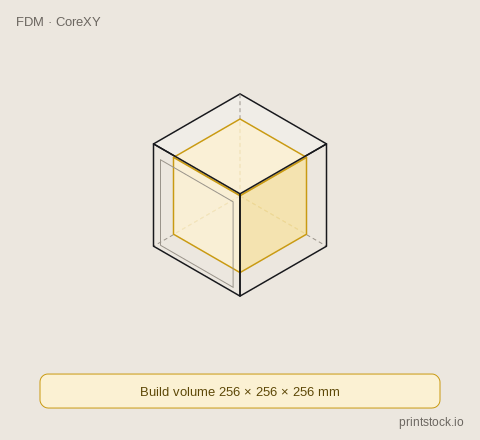
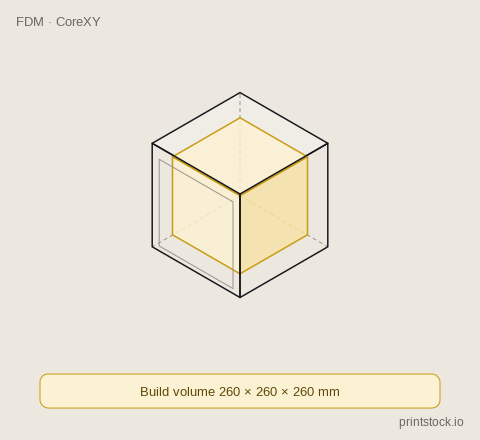
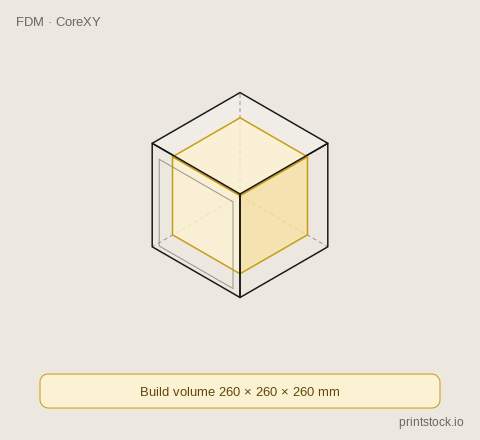
FDMCoreXYEnclosed260 × 260 × 260 mm
The entry model of Creality's K2 family: enclosed CoreXY, 260 × 260 × 260 mm, 600 mm/s, quick-swap Unicorn nozzle up to 300 °C, CFS support for up to 16 colors. No chamber heater.
- Most nozzles of the 38 FDM printers under $500 we list
Where to buy
Prices as of Nov 11, 2026Taxes, shipping and any import duties are worked out by the store at checkout and depend on your country; ask the store if in doubt.
Store links may be affiliate links: we may earn a commission, and it does not change your price. Affiliate disclosure
Price history, 90 days
Lowest: $335.49 · Highest: $549Overview
The Creality K2 is the smallest enclosed member of the K2 family, sitting below the K2 Pro (300 mm) and K2 Plus (350 mm). It keeps the family's 600 mm/s CoreXY motion, quick-swap Unicorn nozzle and support for Creality's CFS multi-color system, which stacks up to four units for 16 colors, but on a 260 mm cube and at a lower price: Creality listed it at $399 in September 2026, against $599 for the K2 Pro.
The savings come from the thermal and smart features. The K2 has no active chamber heater, a 300 °C nozzle, a 100 °C bed, 8 GB of storage and a chamber camera only, while the K2 Pro adds a 60 °C heated chamber, a nozzle camera, RFID reader and Ethernet. For PLA, PETG and occasional ABS the K2 is enough; for ASA, nylon and carbon composites the Pro's heated chamber matters.
As a newer model it has less owner history than the K1 series. Bigger K2s have had CFS jam and strain gauge complaints, so check reviews of your exact unit and keep firmware current.
Best for
- Multi-color PLA and PETG in an enclosed printer
- Buyers moving up from a K1 or K1C
- Budget CFS setups up to 16 colors
Look elsewhere if
- You print ASA, nylon or CF composites often: the K2 Pro's heated chamber helps
- You want a nozzle camera, RFID filament detection and Ethernet: those are on the K2 Pro and Plus
Before you buy
- Decide if you need the Combo with CFS or will add it later.
- There is no chamber heater; ABS needs patience.
- Update firmware before setting up the CFS.
- Compare with the Bambu Lab P2S Combo at a similar price.
Pros and cons
Pros
- Enclosed CoreXY with CFS support
- Quick-swap hardened nozzle
- Lower price than the K2 Pro
Cons
- No chamber heater or nozzle camera
- Only 8 GB storage
- Shorter track record
What owners like
Beginner-friendly multicolor
Often praisedNotebookcheck praises easy, dependable multicolor printing with the CFS and good print quality.
Collected the same way as known issues: from independent reviews, owner reports and public discussions, merged and grouped.
Known issues
Last reviewed Nov 13, 2026Popular models have longer lists simply because more people own them and talk about them. Severity and status show how much each problem matters today.
CFS feeding problems seen across the K2 family
Moderate (affects prints)Still reportedOn the larger K2 Plus, CFS jams on feed and retract are the most common owner complaint; keep CFS firmware current and check the filament path when setting up.
Heat break clogs with hot composites
Moderate (affects prints)Workaround availableThe K2 line shares a tendency for plastic to creep up the heat break with high-temperature composites in a heated chamber, making the extruder click and flow stop.
Firmware 1.1.4.8 system errors
Moderate (affects prints)Still reportedOwners of K2-family printers report repeated XS and CFS errors after firmware 1.1.4.8; rolling back to 1.1.3.13 is the documented workaround but wipes calibration.
Purge waste with the CFS
Moderate (affects prints)Workaround availableNotebookcheck found more purge waste than dual-nozzle or toolchanger systems, depending on the job.
AI camera false alarms
Minor (annoyance)Workaround availableThe detector can pause good prints with dark filament, glare or complex shapes; sensitivity can be lowered or auto-pause turned off.
Slow support and warranty disputes
Minor (annoyance)Still reportedTrustpilot reviewers often describe slow replies, generic advice and trouble getting warranty claims accepted; buying from a local retailer can make returns easier.
Already fixed: 1 (show)
Nozzle strikes the bed during leveling
Moderate (affects prints)Fixed in a hardware revisionAcross the K2 line a worn wiper, shifted strain gauge or faulty cable can make the head hit the bed during leveling; Creality supplies warranty parts.
How we build this list: we collect independent reviews, owner reports and public discussions on forums and social networks, merge duplicates and group them by cause. Only serious or recurring problems make the list, so a single complaint will not appear here, and a listed problem does not mean every unit is affected.
Specs
Printing
- Type
- FDM
- Build volume
- 260 × 260 × 260 mm
- Kinematics
- CoreXY
- Max speed
- 600 mm/s
- Max acceleration
- 20,000 mm/s²
- Multi-color
- Yes
- Nozzles / toolheads
- 1
Extruder and bed
- Extruder
- Direct drive
- Stock nozzle
- 0.4 mm
- Nozzle / hotend
- Unicorn quick-swap nozzle
- Max nozzle temp
- 300 °C
- Filament
- 1.75 mm
- Max bed temp
- 110 °C
- Bed leveling
- Automatic
- Enclosure
- Yes
Control and sensors
- Screen
- Touchscreen, 4 in
- Features
- Filament runout sensorAI print failure detectionAir filter
Files and setup
- Files the slicer opens
- STL, OBJ, STEP, 3MF
- Arrives
- Ships assembled
- Variants
- Standard, Combo
Enclosure
- Chamber
- Enclosed, no active heater (heater on K2 Pro and K2 Plus)
Features
- Camera
- Chamber AI camera; nozzle camera only on K2 Pro and K2 Plus
- Air filter
- Carbon filter
Multi-color
- Multi-material
- CFS, up to four units for 16 colors
Electronics
- Storage
- 8 GB
Software
- Firmware
- Creality OS (Klipper based)
From maker and store specifications, checked Nov 12, 2026. Power, size, network and warranty are in their own blocks below.
Power and setup
Electricity
- Mains input
- 100 to 240 V (universal)
- Rated power
- 1,350 W at 220 to 240 V, 450 W at 110 to 120 V
- Note
- Rated 1350 W at 220 V and 450 W at 110 V (100-240 V AC, 50/60 Hz).
Network and cloud
- Works without internet
- Yes, fully (SD card / USB / LAN)
- Maker account
- Only for cloud / remote features
- Local control for other software
- Open (documented or open source)
- Slicers from other makers
- Supported
- Built-in camera
- Yes
- Note
- Klipper-based Creality OS with Moonraker and a Fluidd web page on port 4408 built in; Creality Cloud is optional. Orca Slicer can send jobs over the LAN, while the tightest camera and CFS integration stays with Creality Print. Root access is an official option in the settings menu.
Space and room
- Size (W × D × H)
- 404 × 436 × 545 mm
- Weight
- 18 kg
On a standard power circuit
- US 15 A / 120 V standard circuit: fine, and about 950 W stays free for other things on that circuit while it heats up
- EU/UK 16 A / 230 V standard circuit: fine, and about 1,550 W stays free for other things on that circuit while it heats up
Our calculation from the maker's rated power, keeping a circuit at 80% for long loads.
Safety and support
Safety
- Safety and conformity marks
- CE (EU)
Computer you need
- Runs on
- Windows, macOS (Apple silicon)
Warranty and repair
- Warranty
- 12 months; 24 months in the EU, Switzerland, Iceland and Norway; wear parts shorter
- Spare parts store
- Official page ↗
- Repair guides
- Official page ↗
Running costs
| PLA filament, per kg | Cheapest in our catalog: Elegoo PLA Basic | $9.34 |
|---|---|---|
| Spare nozzle or hotend | "Unicorn" Quick-Swap Nozzle Kit for K2 / K2 Plus / Creality Hi | $11.09 |
| Spare build plate | K2/K2 Pro PEI Double-Sided Frosted Build Plate | $19.99 |
Starter budget: about $356 for the printer at its best listed price, 1 kg of PLA and a spare nozzle.
Cheapest compatible items in our catalog, USD prices as last checked. Prices change; see each item for the date.
Software and firmware
- Slicer / control software
- Creality Print (official), OrcaSlicer
- Firmware
- Creality OS (Klipper based)
- Connectivity
- Wi-Fi, USB
Official firmware and downloads ↗ We never host firmware files.
Questions people ask
K2 vs K2 Pro vs K2 Plus?
The K2 prints 260 mm cubes without chamber heating; the K2 Pro prints 300 mm with a 60 °C heated chamber, camera and RFID; the K2 Plus prints 350 mm with a 350 °C hotend and 120 °C bed.
Can the Creality K2 print multi-color?
Yes, with the CFS. Up to four units connect for 16 colors.
Does the Creality K2 have a heated chamber?
No. Active chamber heating is only on the K2 Pro and K2 Plus.
Models proven to print on the Creality K2
Coming soonFilaments that fit (80)
Matched by PrintStock from published specs: filament diameter, maximum nozzle and bed temperature and enclosure. Not a print test.
- PETG
- Anycubic PETG, Bambu Lab PETG Basic, Bambu Lab PETG Matte, Creality Hyper PETG, Elegoo PETG Pro, Elegoo Rapid PETG, eSUN PETG, eSUN PETG-Matte, Overture High Speed PETG, Polymaker PETG, Polymaker PolyLite PETG, Prusament PETG, Spectrum PETG, Spectrum PETG Premium High Speed, SUNLU PETG, SUNLU PETG 2.0
- PLA
- Anycubic PLA+, Anycubic PLA Basic, Anycubic PLA High Speed, Anycubic PLA Silk, Bambu Lab PLA Basic, Bambu Lab PLA Matte, Bambu Lab PLA Silk+, Bambu Lab PLA Translucent, Creality Hyper PLA, Creality Hyper PLA RFID, Elegoo PLA, Elegoo PLA Basic, Elegoo PLA Matte, Elegoo PLA Pro, Elegoo PLA Silk, eSUN PLA+, eSUN PLA Basic, eSUN PLA+HS, eSUN PLA-Matte, eSUN PLA-Silk Rainbow, Overture Easy PLA, Overture Matte PLA Dual Colors, Overture PLA+, Overture Silk PLA Gradient, Polymaker Panchroma PLA, Polymaker Panchroma PLA Matte, Polymaker Panchroma PLA Silk, Polymaker PLA Pro, Polymaker PolyLite PLA, Polymaker PolyLite PLA Pro, Polymaker PolyLite Silk PLA, Polymaker PolyMax PLA, Polymaker PolyTerra PLA, Prusament PLA, Spectrum Huracan PLA, Spectrum PLA, Spectrum PLA Pro, Spectrum Premium PLA High Speed, SUNLU High-Speed PLA, SUNLU PLA+ 2.0, SUNLU Silk PLA+ 2.0
- ABS
- Bambu Lab ABS, Creality Hyper ABS, Elegoo ABS, Polymaker PolyLite ABS, Siraya Tech Fibreheart ABS HT HF, SUNLU ABS
Compatible accessories
Everything that fits the Creality K2
$32.99 as of Nov 11, 2026Check price
$23.59 as of Nov 11, 2026Check price
$11.09 as of Nov 11, 2026Check price
$19.99 as of Nov 11, 2026Check price
$12.99 as of Nov 11, 2026Check price
Closest alternatives by price
Compare all side by side