$19.99 as of Nov 11, 2026Check price
Elegoo
Elegoo Neptune 4 Pro
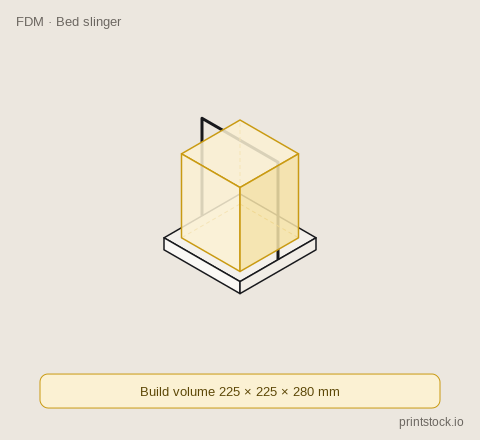
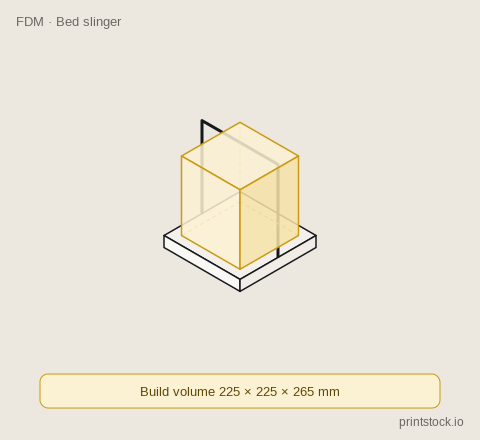
FDMBed slinger225 × 225 × 265 mm
Elegoo's budget Klipper bed slinger: 225 × 225 × 265 mm, 500 mm/s peak (250 mm/s recommended), 300 °C hotend, two-zone heated bed and 121-point auto leveling.
- Most nozzles of the 21 FDM printers under $300 we list
Where to buy
Prices as of Nov 11, 2026Taxes, shipping and any import duties are worked out by the store at checkout and depend on your country; ask the store if in doubt.
Store links may be affiliate links: we may earn a commission, and it does not change your price. Affiliate disclosure
Overview
The Neptune 4 Pro was Elegoo's answer to the wave of fast printers in 2023: a familiar open bed slinger shape, but with Klipper preinstalled on an ARM board, input shaping and pressure advance. Elegoo rates it at 500 mm/s peak but recommends 250 mm/s, which is the realistic figure for good quality.
Compared with the plain Neptune 4 it adds a segmented bed, where a small center zone heats first for small prints, and metal guide rails on the axes. A 300 °C hotend and 110 °C bed cover PLA, PETG, TPU and, with care, ABS and ASA, though there is no enclosure.
It sells for well under most CoreXY rivals, which is the reason to buy one. The trade-off is polish: Klipper is Elegoo's own locked down build, the hotend ribbon cable and fans are frequent complaints, and many owners end up tuning the bed mesh and Z offset by hand. Tinkerers usually enjoy it; buyers who want a printer that simply works out of the box should compare it with a Bambu Lab A1.
Best for
- Budget buyers who want Klipper speed features without building a printer
- Tinkerers comfortable tuning Klipper settings and Z offset
- PLA, PETG and TPU printing at moderate size
Look elsewhere if
- You want a plug-and-play experience: a Bambu Lab A1 is easier
- You print mainly ABS or ASA: an enclosed printer handles warping better
Before you buy
- Use Elegoo's firmware for the exact model and board version; Neptune 4 firmware packages are not interchangeable.
- Plan to recalibrate Z offset and the bed mesh after any nozzle change.
- Check whether your unit has the ribbon cable or the later Type-C printhead cable.
- Elegoo's own Cura build works, but OrcaSlicer has good Neptune 4 profiles.
Pros and cons
Pros
- Klipper with input shaping at a low price
- 300 °C hotend
- Segmented heated bed
- Large community and cheap spare parts
Cons
- Loud fans
- Locked down Klipper build
- Bed mesh and Z offset need tuning
- Open frame
What owners like
Fast, precise and user-friendly
Praised by most ownersReviewers praise speed, precision, a powerful direct drive extruder and a surprisingly low price.
Easy setup for beginners
Often praisedSetup takes about half an hour and the automatic leveling makes it a solid first printer.
Collected the same way as known issues: from independent reviews, owner reports and public discussions, merged and grouped.
Known issues
Last reviewed Nov 13, 2026Popular models have longer lists simply because more people own them and talk about them. Severity and status show how much each problem matters today.
Firmware revisions and update order
Major (repair or return)Workaround availableTwo hardware revisions need different firmware, a wrong update order freezes the screen, and updating through Fluidd can break Klipper.
First layer inconsistency and Z offset drift
Moderate (affects prints)Workaround availableOwners frequently report uneven first layers even after auto leveling, usually fixed by re-running the mesh at printing temperature and saving a fresh Z offset.
Heat creep from the PTFE-lined hotend
Moderate (affects prints)Workaround availableA plug forms in the hotend on some prints; check the heat-break fan and reseat the tube.
Mesh not loaded and edges extrapolated
Moderate (affects prints)Workaround availableStart G-code lacks a mesh load command and autoload expects a mesh named 6, so saved leveling may be ignored.
Hidden extruder tension and under-extrusion
Moderate (affects prints)Workaround availableArbitrary factory gear pressure and the stock rotation distance cause slipping and under-extrusion until calibrated.
Bed knobs loosen and plate warps
Moderate (affects prints)Workaround availableVibration loosens the spring-mounted bed, Y belt tails press on the bed, and some plates are wavy.
Loud cooling fans
Minor (annoyance)Workaround availableThe hotend and mainboard fans are loud at full speed; many owners swap fans or lower idle speeds in the Klipper config.
Bed reads low and caps near 100 degrees C
Minor (annoyance)Workaround availableThe bed reads 5 to 7 degrees low, and slicers only heat the center zone.
500 mm/s is unrealistic
Minor (annoyance)Still reportedThe hotend tops out around 25 to 27 mm3/s, so 150 to 250 mm/s is the practical speed.
Dry metal wheels grind
Minor (annoyance)Workaround availableThe metal U-wheels howl on steel rails without regular greasing.
No built-in Wi-Fi
Minor (annoyance)Workaround availableNetwork needs a compatible dongle or Ethernet, and few dongles work.
Already fixed: 1 (show)
Printhead ribbon cable failures
Moderate (affects prints)Fixed in a hardware revisionEarly units use a flat ribbon cable to the printhead that can wear or come loose; Elegoo later moved to a Type-C cable on newer production.
How we build this list: we collect independent reviews, owner reports and public discussions on forums and social networks, merge duplicates and group them by cause. Only serious or recurring problems make the list, so a single complaint will not appear here, and a listed problem does not mean every unit is affected.
Specs
Printing
- Type
- FDM
- Build volume
- 225 × 225 × 265 mm
- Kinematics
- Bed slinger
- Max speed
- 500 mm/s
- Multi-color
- No
- Nozzles / toolheads
- 1
- Acceleration
- Up to 20,000 mm/s² (claimed)
Extruder and bed
- Extruder
- Direct drive
- Stock nozzle
- 0.4 mm
- Max nozzle temp
- 300 °C
- Filament
- 1.75 mm
- Build plate
- Magnetic PEI spring steel plate
- Max bed temp
- 110 °C
- Bed leveling
- Automatic, 121 points
- Enclosure
- No
Control and sensors
- Screen
- Touchscreen, 4.3 in
- Features
- Power-loss recoveryFilament runout sensorInput shapingFlow calibration
- Screen languages
- EnglishFrenchGermanRussianItalianSpanishJapaneseChinese
Files and setup
- Files the slicer opens
- STL, OBJ
Motion
- Rails
- All-metal linear guide rails
Software
- Firmware
- Klipper preinstalled, input shaping and pressure advance
Features
- Extras
- Filament sensor, gantry LED strip, removable screen
From maker and store specifications, checked Nov 12, 2026. Power, size, network and warranty are in their own blocks below.
Power and setup
Electricity
- Rated power
- 310 W
- Note
- 310 W power supply; 250 W segmented heated bed.
Network and cloud
- Works without internet
- Yes, fully (SD card / USB / LAN)
- Maker account
- Not needed
- Local control for other software
- Open (documented or open source)
- Slicers from other makers
- Supported
- Note
- Runs Klipper with Moonraker and a Fluidd web page at the printer's IP address; no account needed.
Space and room
- Size (W × D × H)
- 475 × 445 × 515 mm
- Weight
- 8.9 kg
On a standard power circuit
- US 15 A / 120 V standard circuit: fine, and about 1,100 W stays free for other things on that circuit while it heats up
- EU/UK 16 A / 230 V standard circuit: fine, and about 2,600 W stays free for other things on that circuit while it heats up
Our calculation from the maker's rated power, keeping a circuit at 80% for long loads.
Safety and support
Computer you need
- Runs on
- Windows, macOS (Apple silicon)
Warranty and repair
- Warranty
- 12 months; main parts; hotend, plates and screens shorter; a longer period applies where local law requires it
- Spare parts store
- Official page ↗
Running costs
| PLA filament, per kg | Cheapest in our catalog: Elegoo PLA Basic | $9.34 |
|---|---|---|
| Spare nozzle or hotend | Multi-Size Brass Nozzle Kit for Neptune 4 Series | $10.99 |
| Spare build plate | Dual-Sided Build Plate for Neptune 4 Series | $19.99 |
Starter budget: about $185 for the printer at its best listed price, 1 kg of PLA and a spare nozzle.
Cheapest compatible items in our catalog, USD prices as last checked. Prices change; see each item for the date.
Software and firmware
- Slicer / control software
- Elegoo Cura, OrcaSlicer, PrusaSlicer
- Firmware
- Klipper (Elegoo build, Fluidd style web UI)
- Connectivity
- USB drive, Wi-Fi, LAN
Official firmware and downloads ↗ We never host firmware files.
Questions people ask
How fast is the Neptune 4 Pro really?
Elegoo rates it at 500 mm/s peak, but recommends 250 mm/s for normal printing. Real job times depend more on acceleration and model than on the peak number.
What is the difference between the Neptune 4 and 4 Pro?
The Pro adds a two-zone segmented heated bed and all-metal guide rails; size and Klipper firmware are the same.
Can it print ABS?
It reaches the temperatures, but without an enclosure ABS tends to warp and crack. Use a DIY enclosure or pick an enclosed printer.
Can I install mainline Klipper?
Community guides exist, but Elegoo's build is locked down and flashing the wrong package can brick the board. Back up the stock config first.
Models proven to print on the Elegoo Neptune 4 Pro
Coming soonFilaments that fit (67)
Matched by PrintStock from published specs: filament diameter, maximum nozzle and bed temperature and enclosure. Not a print test.
- PETG
- Anycubic PETG, Bambu Lab PETG Basic, Bambu Lab PETG Matte, Creality Hyper PETG, Elegoo PETG Pro, Elegoo Rapid PETG, eSUN PETG, eSUN PETG-Matte, Overture High Speed PETG, Polymaker PETG, Polymaker PolyLite PETG, Prusament PETG, Spectrum PETG, Spectrum PETG Premium High Speed, SUNLU PETG, SUNLU PETG 2.0
- PLA
- Anycubic PLA+, Anycubic PLA Basic, Anycubic PLA High Speed, Anycubic PLA Silk, Bambu Lab PLA Basic, Bambu Lab PLA Matte, Bambu Lab PLA Silk+, Bambu Lab PLA Translucent, Creality Hyper PLA, Creality Hyper PLA RFID, Elegoo PLA, Elegoo PLA Basic, Elegoo PLA Matte, Elegoo PLA Pro, Elegoo PLA Silk, eSUN PLA+, eSUN PLA Basic, eSUN PLA+HS, eSUN PLA-Matte, eSUN PLA-Silk Rainbow, Overture Easy PLA, Overture Matte PLA Dual Colors, Overture PLA+, Overture Silk PLA Gradient, Polymaker Panchroma PLA, Polymaker Panchroma PLA Matte, Polymaker Panchroma PLA Silk, Polymaker PLA Pro, Polymaker PolyLite PLA, Polymaker PolyLite PLA Pro, Polymaker PolyLite Silk PLA, Polymaker PolyMax PLA, Polymaker PolyTerra PLA, Prusament PLA, Spectrum Huracan PLA, Spectrum PLA, Spectrum PLA Pro, Spectrum Premium PLA High Speed, SUNLU High-Speed PLA, SUNLU PLA+ 2.0, SUNLU Silk PLA+ 2.0
Compatible accessories
Everything that fits the Elegoo Neptune 4 Pro
$10.99 as of Nov 11, 2026Check price
$11.99 as of Nov 11, 2026Check price
$19.99 as of Nov 11, 2026Check price
$39.99 as of Nov 11, 2026Check price
$43.99 as of Nov 11, 2026Check price
Closest alternatives by price
Compare all side by side