$11 as of Nov 12, 2026Check price
Creality
Creality Ender-3 V3 SE
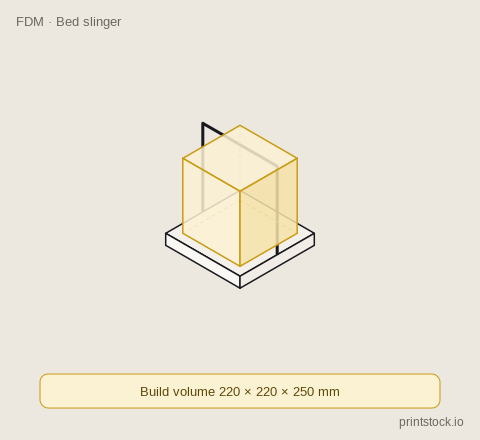
FDMBed slinger220 × 220 × 250 mm
Creality's best-selling budget bed slinger: 220 × 220 × 250 mm, Sprite direct-drive extruder, CR Touch plus strain-sensor auto leveling and Z offset, up to 250 mm/s. Open frame, no Wi-Fi out of the box.
- Most nozzles of the 21 FDM printers under $300 we list
Where to buy
Prices as of Nov 11, 2026Taxes, shipping and any import duties are worked out by the store at checkout and depend on your country; ask the store if in doubt.
Store links may be affiliate links: we may earn a commission, and it does not change your price. Affiliate disclosure
Price history, 90 days
Lowest: $157.84 · Highest: $199Overview
The Ender-3 V3 SE, released in August 2023, is the entry point of the Ender-3 line that taught a generation to 3D print. It keeps the classic open bed-slinger layout and 220 × 220 mm bed, but fixes the things that made old Enders frustrating: a CR Touch probe maps the bed and a strain sensor sets the Z offset automatically, the Sprite direct-drive extruder loads filament by itself and handles TPU, and dual Z lead screws keep the gantry square. Assembly takes about 20 minutes.
At 250 mm/s it is slower than CoreXY machines and Bambu's A1 series, and it has no Wi-Fi, camera or filament runout tricks unless you add Creality's Nebula Pad. It runs Marlin-based firmware with files from a microSD card. At our last check it sold for about $158 to $199, making it one of the cheapest printers with full auto leveling.
Its popularity cuts both ways: owners report the same handful of quirks (Z offset drift, Y-axis grinding, CR Touch errors), but fixes and upgrades are easy to find, and spare parts are cheap.
Best for
- First printer on the smallest budget
- Learners who want to understand and upgrade their machine
- PLA, PETG and TPU parts that fit in 220 mm
Look elsewhere if
- You want to print and forget: the Bambu Lab A1 mini or A1 is more automated
- You need multi-color or Wi-Fi out of the box
- You plan to print ABS or ASA: there is no enclosure
Before you buy
- Update to the latest firmware before tuning; early releases had leveling bugs.
- Expect to fine-tune the Z offset by hand on the first layer even with auto leveling.
- Wi-Fi, a camera and Klipper need the separate Nebula Pad.
- Check the Y-axis eccentric nuts and belt tension on arrival.
Pros and cons
Pros
- Very low price with real auto leveling
- Direct drive prints TPU
- Huge community and cheap parts
- Fast assembly
Cons
- Slower than CoreXY and newer bed slingers
- No Wi-Fi or camera without add-ons
- First-layer tuning still needed
What owners like
Real auto leveling at the lowest price
Praised by most ownersIt is the cheapest printer with 16-point leveling and automatic Z offset.
Easy for beginners
Praised by most ownersTechRadar calls it a superb, easy entry-level printer.
Collected the same way as known issues: from independent reviews, owner reports and public discussions, merged and grouped.
Known issues
Last reviewed Nov 13, 2026Popular models have longer lists simply because more people own them and talk about them. Severity and status show how much each problem matters today.
Z offset drift and uneven first layer
Moderate (affects prints)Workaround availableThe most common owner complaint: the auto Z offset is slightly off or drifts between prints. Update firmware, then nudge the Z offset by 0.05 to 0.1 mm during the first layer and re-run leveling to save a new mesh.
CR Touch errors and reboots during heating
Moderate (affects prints)Workaround availableOwners report CR Touch errors, often from a loose ribbon cable rather than the sensor, and reboots when the bed heats. Reseat the cables and check the power supply connections.
Leveling compensation exceeds 1.2 mm
Moderate (affects prints)Workaround availableProbe readings vary too much when the gantry is not square or the ribbon connection is poor; Creality's wiki covers squaring the gantry, and parts are replaced under warranty.
Gantry leans back
Moderate (affects prints)Workaround availablePrints skew when the Z column is not vertical from assembly error or a crooked cut; re-squaring fixes most, and Creality replaces bad profiles under warranty.
Y-axis grinding or noise out of the box
Minor (annoyance)Workaround availableSome units ship with a grinding Y axis or X-axis noise. Creality's troubleshooting guide covers checking the belt, pulleys and motor; slight noise improves after wear-in.
Blue screen after a firmware update
Minor (annoyance)Workaround availableThe printer hangs on the splash screen when firmware did not write fully, usually from an incompatible SD card; a FAT32 card of 32 GB or less with a short file name fixes it.
One fan for hotend and part cooling
Minor (annoyance)Still reportedA single fan cools both, so turning it down for less noise risks heat creep.
Slow support and warranty disputes
Minor (annoyance)Still reportedTrustpilot reviewers often describe slow replies, generic advice and trouble getting warranty claims accepted; buying from a local retailer can make returns easier.
Already fixed: 2 (show)
Auto-feed would not stop
Minor (annoyance)Fixed in firmwareA stop-condition bug kept filament feeding; firmware 1.0.6 fixed it.
Early Creality Print versions were buggy
Minor (annoyance)Fixed in firmwareA long-term reviewer hit several issues with Creality Print 4 that version 5 mostly fixed.
How we build this list: we collect independent reviews, owner reports and public discussions on forums and social networks, merge duplicates and group them by cause. Only serious or recurring problems make the list, so a single complaint will not appear here, and a listed problem does not mean every unit is affected.
Specs
Printing
- Type
- FDM
- Build volume
- 220 × 220 × 250 mm
- Kinematics
- Bed slinger
- Max speed
- 250 mm/s
- Max acceleration
- 2,500 mm/s²
- Multi-color
- No
- Nozzles / toolheads
- 1
- Accuracy
- ±0.1 mm
- Layer height
- 0.1 to 0.35 mm
Extruder and bed
- Extruder
- Direct drive
- Stock nozzle
- 0.4 mm
- Max nozzle temp
- 260 °C
- Filament
- 1.75 mm
- Build plate
- PC-coated spring steel plate
- Max bed temp
- 100 °C
- Bed leveling
- Automatic
- Enclosure
- No
Control and sensors
- Screen
- Screen with knob, 3.2 in
- Features
- Power-loss recoveryAutomatic filament loading
- Screen languages
- EnglishFrenchPortugueseTurkishGermanSpanishItalianRussianJapaneseChinese
Files and setup
- Files the slicer opens
- STL, OBJ, 3MF, AMF
Extrusion
- Materials
- PLA, PETG, TPU 95A
Motion
- Frame
- Open bed slinger, dual Z lead screws, dual Y linear shafts
From maker and store specifications, checked Nov 12, 2026. Power, size, network and warranty are in their own blocks below.
Power and setup
Electricity
- Rated power
- 350 W
Network and cloud
- Works without internet
- Yes, fully (SD card / USB / LAN)
- Maker account
- Not needed
- Local control for other software
- None
- Slicers from other makers
- Supported
- Note
- No Wi-Fi; prints from an SD card or over the USB-C cable. A Raspberry Pi with OctoPrint adds network control.
Space and room
- Size (W × D × H)
- 349 × 364 × 490 mm
- Weight
- 7.12 kg
On a standard power circuit
- US 15 A / 120 V standard circuit: fine, and about 1,050 W stays free for other things on that circuit while it heats up
- EU/UK 16 A / 230 V standard circuit: fine, and about 2,550 W stays free for other things on that circuit while it heats up
Our calculation from the maker's rated power, keeping a circuit at 80% for long loads.
Safety and support
Computer you need
- Runs on
- Windows, macOS (Apple silicon), Linux
Warranty and repair
- Warranty
- 12 months; 24 months in the EU, Switzerland, Iceland and Norway; wear parts shorter
- Spare parts store
- Official page ↗
- Repair guides
- Official page ↗
Running costs
| PLA filament, per kg | Cheapest in our catalog: Elegoo PLA Basic | $9.34 |
|---|
Starter budget: about $167 for the printer at its best listed price, 1 kg of PLA.
Cheapest compatible items in our catalog, USD prices as last checked. Prices change; see each item for the date.
Software and firmware
- Slicer / control software
- Creality Print (official), Cura, OrcaSlicer, PrusaSlicer
- Firmware
- Creality Marlin-based firmware via microSD; Klipper with the Nebula Pad
- Connectivity
- USB, microSD; optional Nebula Pad for Wi-Fi
Official firmware and downloads ↗ We never host firmware files.
Questions people ask
Is the Ender-3 V3 SE good for beginners?
Yes, it is one of the cheapest printers with full auto leveling and a direct-drive extruder. Expect some first-layer tuning; the Bambu Lab A1 mini needs less tinkering for a bit more money.
Ender-3 V3 SE vs V3 KE vs V3?
The SE (August 2023) is the cheapest, with 250 mm/s Marlin firmware. The KE adds Klipper, Wi-Fi and 500 mm/s. The V3 (February 2024) is a CoreXZ machine with up to 600 mm/s.
Does the Ender-3 V3 SE have Wi-Fi?
No. It prints from microSD or USB. Creality's Nebula Pad adds Wi-Fi, Klipper firmware, a camera option and faster printing.
Can the Ender-3 V3 SE print TPU?
Yes. The Sprite direct-drive extruder handles TPU 95A when printed slowly. It also prints PLA and PETG; ABS needs an enclosure.
Models proven to print on the Creality Ender-3 V3 SE
Coming soonFilaments that fit (66)
Matched by PrintStock from published specs: filament diameter, maximum nozzle and bed temperature and enclosure. Not a print test.
- PETG
- Anycubic PETG, Bambu Lab PETG Basic, Bambu Lab PETG Matte, Creality Hyper PETG, Elegoo PETG Pro, Elegoo Rapid PETG, eSUN PETG, eSUN PETG-Matte, Overture High Speed PETG, Polymaker PETG, Polymaker PolyLite PETG, Prusament PETG, Spectrum PETG, Spectrum PETG Premium High Speed, SUNLU PETG, SUNLU PETG 2.0
- PLA
- Anycubic PLA+, Anycubic PLA Basic, Anycubic PLA High Speed, Anycubic PLA Silk, Bambu Lab PLA Basic, Bambu Lab PLA Matte, Bambu Lab PLA Silk+, Bambu Lab PLA Translucent, Creality Hyper PLA, Creality Hyper PLA RFID, Elegoo PLA, Elegoo PLA Basic, Elegoo PLA Matte, Elegoo PLA Pro, Elegoo PLA Silk, eSUN PLA+, eSUN PLA Basic, eSUN PLA+HS, eSUN PLA-Matte, eSUN PLA-Silk Rainbow, Overture Easy PLA, Overture Matte PLA Dual Colors, Overture PLA+, Overture Silk PLA Gradient, Polymaker Panchroma PLA, Polymaker Panchroma PLA Matte, Polymaker Panchroma PLA Silk, Polymaker PLA Pro, Polymaker PolyLite PLA, Polymaker PolyLite PLA Pro, Polymaker PolyLite Silk PLA, Polymaker PolyMax PLA, Polymaker PolyTerra PLA, Prusament PLA, Spectrum Huracan PLA, Spectrum PLA, Spectrum PLA Pro, Spectrum Premium PLA High Speed, SUNLU High-Speed PLA, SUNLU PLA+ 2.0, SUNLU Silk PLA+ 2.0
Compatible accessories
Everything that fits the Creality Ender-3 V3 SE
$21.70 as of Nov 12, 2026Check price
$17.99 as of Nov 12, 2026Check price
$8.10 as of Nov 12, 2026Check price
$8.84 as of Nov 12, 2026Check price
Closest alternatives by price
Compare all side by side