$61.60 as of Nov 11, 2026Check price
Bambu Lab
Bambu Lab P1P
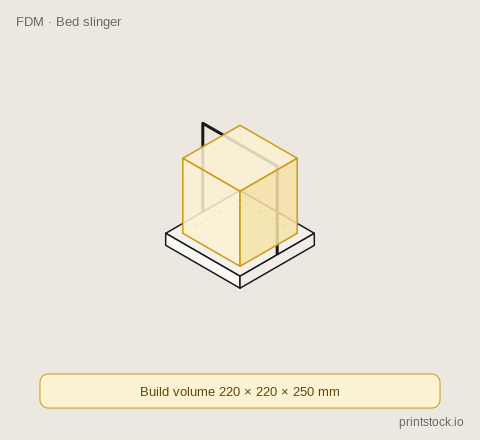
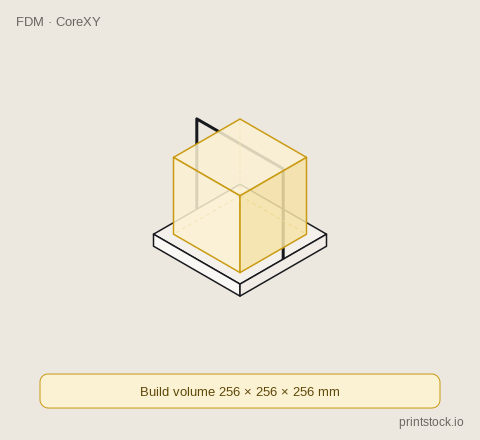
FDMCoreXY256 × 256 × 256 mm
Bambu's open-frame CoreXY (2022): the X1's speed and AMS support without the enclosure, 256 mm cube, 500 mm/s. Discontinued in February 2026 with parts and support to 2031; almost every part is shared with the P1S.
Discontinued. Bambu Lab no longer makes this model. Compatible accessories and parts are listed below. The current model is Bambu Lab P2S.
Where to buy
Discontinued: no longer sold new, and we track no store that still has it in stock. The current model is Bambu Lab P2S.
Overview
The Bambu Lab P1P launched in 2022 as the cost-reduced X1: the same CoreXY motion system, 256 mm cube and 500 mm/s speed, but an open frame, a simpler camera and no lidar. At $699 at launch, and much less later, it brought Bambu-level speed and AMS multi-color to a far wider audience, and its open design invited mods: Bambu even published the frame model and printable side panels.
The enclosed P1S arrived in 2023 for about $100 more and most buyers chose it. Bambu announced the end of the P1P in February 2026, pointing buyers to the P1S and the newer P2S, and committed to parts and support until 2031. Because the P1P and P1S share almost every part, from hotend and extruder to belts, plates, screen and fans, a P1P is easy to keep alive.
The main limit is the open frame: ABS and ASA warp without an enclosure. Bambu's enclosure kit, essentially the P1S panels, door, lid and filter, converts it, and firmware has a setting to enable it.
Best for
- Owners who need compatible parts, plates and AMS units
- Tinkerers who like an open, moddable frame
- PLA, PETG and TPU printing at high speed
Look elsewhere if
- You are buying new: the P1S or P2S costs about the same or less and is enclosed
- You print ABS or ASA regularly without planning an enclosure
Before you buy
- Used P1Ps only make sense well below the price of a new P1S.
- Add the official enclosure kit for ABS and ASA, and enable it in firmware.
- A hardened nozzle is needed for carbon-fiber filaments.
- Software support continues until 2031; existing functions keep working after that.
Pros and cons
Pros
- Same speed and quality as the P1S
- Almost all parts shared with the P1S
- Open frame is easy to mod
- AMS multi-color support
Cons
- Open frame limits ABS and ASA
- Basic camera
- Discontinued
Known issues
Last reviewed Nov 13, 2026Popular models have longer lists simply because more people own them and talk about them. Severity and status show how much each problem matters today.
Warping with ABS and ASA on the open frame
Moderate (affects prints)Workaround availableWithout an enclosure, high-temperature filaments warp and crack. Bambu's enclosure kit adds panels, door, lid, filter and chamber fans; owners upgrading need a firmware version with the enclosure toggle and a current slicer.
Third-party control limited by authorization firmware
Moderate (affects prints)Workaround availableFrom P-series firmware 01.08.02.00 unofficial software needs Bambu Connect or LAN-only Developer Mode.
Upgraded printers still report as P1P
Minor (annoyance)Workaround availableAfter the enclosure upgrade the printer keeps reporting itself as a P1P; with the enclosure option enabled it accepts P1S profiles. This is expected behavior.
Parts getting harder to find after discontinuation
Minor (annoyance)Still reportedThe P1P was discontinued in 2025; some parts are out of stock and clone electronics circulate that cannot be bound to the printer. Many mechanical P1S parts fit.
Slower bed heating on 110 V
Minor (annoyance)Still reportedOn 110 V mains the bed gets about half the heating power it gets on 230 V.
Already fixed: 2 (show)
Toolhead heater wires and bed cable wear out
Moderate (affects prints)Fixed in a hardware revisionWires flexing in the cable chain can break the ceramic heater leads after roughly 500 to 1,000 hours, and the heatbed signal cable fatigues from Z movement, causing heating errors and mid-print stops. Both are replaced, not repaired.
AP board failures
Moderate (affects prints)Fixed in a hardware revisionSome printers stop booting or connecting after a failed update or a power fault. The AP board is tied to the serial number, so Bambu support has to rebind the replacement.
How we build this list: we collect independent reviews, owner reports and public discussions on forums and social networks, merge duplicates and group them by cause. Only serious or recurring problems make the list, so a single complaint will not appear here, and a listed problem does not mean every unit is affected.
Specs
Printing
- Type
- FDM
- Build volume
- 256 × 256 × 256 mm
- Kinematics
- CoreXY
- Max speed
- 500 mm/s
- Multi-color
- Yes
- Nozzles / toolheads
- 1
- Materials
- PLA, PETG, TPU, PVA
Extruder and bed
- Extruder
- Direct drive
- Stock nozzle
- 0.4 mm
- Nozzle / hotend
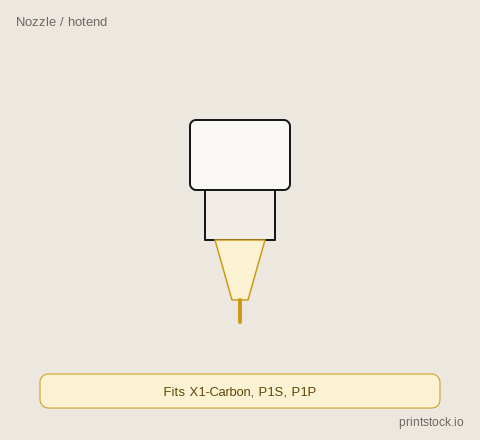
- Stainless steel nozzle, all-metal hotend
- Max nozzle temp
- 300 °C
- Filament
- 1.75 mm
- Max bed temp
- 100 °C
- Enclosure
- No
Control and sensors
- Screen
- Screen with buttons, 2.7 in
Extrusion
- Materials
- PLA, PETG, TPU, PVA; ABS and ASA only with an enclosure
Features
- Calibration
- Automatic bed leveling and vibration compensation
- Camera
- Low-resolution camera for time-lapse and monitoring
Frame
- Frame
- Open CoreXY with printable side panels; official enclosure kit available
Multi-color
- Multi-material
- AMS, AMS 2 Pro and AMS HT supported
Status
- Support
- Production ended February 2026; parts and support until 2031
From maker and store specifications, checked Nov 12, 2026. Power, size, network and warranty are in their own blocks below.
Power and setup
Electricity
- Mains input
- 100 to 240 V (universal)
- Rated power
- 1,100 W at 220 to 240 V, 350 W at 110 to 120 V
- Average while printing
- 110 W
- Idle
- 6 W
- Note
- ABS about 170 W on average (maker test)
Network and cloud
- Works without internet
- Yes, fully (SD card / USB / LAN)
- Maker account
- Only for cloud / remote features
- Local control for other software
- Limited or behind a special mode
- Slicers from other makers
- Supported
- Built-in camera
- Yes
- Note
- Full control from third-party software needs LAN-only mode with Developer Mode (firmware since 2025)
Space and room
- Size (W × D × H)
- 386 × 389 × 458 mm
- Weight
- 9.65 kg
On a standard power circuit
- US 15 A / 120 V standard circuit: fine, and about 1,050 W stays free for other things on that circuit while it heats up
- EU/UK 16 A / 230 V standard circuit: fine, and about 1,800 W stays free for other things on that circuit while it heats up
- A 10-hour run (for example, several figures printed one after another): about 1.1 kWh. Multiply by your price per kWh for the cost.
Our calculation from the maker's rated power and average power while printing, keeping a circuit at 80% for long loads.
Safety and support
Warranty and repair
- Warranty
- 24 months; for consumers in the EU, Switzerland, Norway, Iceland, the US and Canada (US and Canada extended from 12 months in 2026); receipts only from Bambu Lab or authorized resellers
- Spare parts store
- Official page ↗
- Repair guides
- Official page ↗
- Open source
- No
Running costs
| PLA filament, per kg | Cheapest in our catalog: Elegoo PLA Basic | $9.34 |
|---|---|---|
| Spare nozzle or hotend | Bambu Hotend - P1 Series | $14.99 |
| Spare build plate | Bambu 3D Effect Plate | $11.99 |
Cheapest compatible items in our catalog, USD prices as last checked. Prices change; see each item for the date.
Software and firmware
- Slicer / control software
- Bambu Studio (official), OrcaSlicer
- Firmware
- Bambu P1 series firmware
- Connectivity
- Wi-Fi, LAN mode, microSD
Official firmware and downloads ↗ We never host firmware files.
Questions people ask
Is the Bambu Lab P1P discontinued?
Yes. Bambu announced the end of the P1P in February 2026 and committed to parts and support until 2031.
P1P or P1S?
The P1S is a P1P with an enclosure, carbon filter and extra cooling fans, which make ABS and ASA practical. For a new purchase, the P1S or P2S is the better buy.
Can you upgrade a P1P to a P1S?
Yes. Bambu's enclosure kit adds the panels, door, lid and filter. Enable the enclosure option in firmware afterwards.
Are P1P parts still available?
Yes. Almost every part is shared with the P1S, and Bambu supports the P1P until 2031.
Models proven to print on the Bambu Lab P1P
Coming soonFilaments that fit (64)
Matched by PrintStock from published specs: filament diameter, the materials Bambu Lab lists for this printer. Not a print test.
- PETG
- Anycubic PETG, Bambu Lab PETG Basic, Bambu Lab PETG Matte, Creality Hyper PETG, Elegoo PETG Pro, Elegoo Rapid PETG, eSUN PETG, eSUN PETG-Matte, Overture High Speed PETG, Polymaker PETG, Polymaker PolyLite PETG, Prusament PETG, Spectrum PETG, Spectrum PETG Premium High Speed, SUNLU PETG, SUNLU PETG 2.0
- PLA
- Anycubic PLA+, Anycubic PLA Basic, Anycubic PLA High Speed, Anycubic PLA Silk, Bambu Lab PLA Basic, Bambu Lab PLA Matte, Bambu Lab PLA Silk+, Bambu Lab PLA Translucent, Creality Hyper PLA, Creality Hyper PLA RFID, Elegoo PLA, Elegoo PLA Basic, Elegoo PLA Matte, Elegoo PLA Pro, Elegoo PLA Silk, eSUN PLA+, eSUN PLA Basic, eSUN PLA+HS, eSUN PLA-Matte, eSUN PLA-Silk Rainbow, Overture Easy PLA, Overture Matte PLA Dual Colors, Overture PLA+, Overture Silk PLA Gradient, Polymaker Panchroma PLA, Polymaker Panchroma PLA Matte, Polymaker Panchroma PLA Silk, Polymaker PLA Pro, Polymaker PolyLite PLA, Polymaker PolyLite PLA Pro, Polymaker PolyLite Silk PLA, Polymaker PolyMax PLA, Polymaker PolyTerra PLA, Prusament PLA, Spectrum Huracan PLA, Spectrum PLA, Spectrum PLA Pro, Spectrum Premium PLA High Speed, SUNLU High-Speed PLA, SUNLU PLA+ 2.0, SUNLU Silk PLA+ 2.0
Compatible accessories
Everything that fits the Bambu Lab P1P
$21.58 as of Nov 11, 2026Check price
$14.99 as of Nov 11, 2026Check price
$11.99 as of Nov 11, 2026Check price
$23.99 as of Nov 11, 2026Check price
$24.49 as of Nov 11, 2026Check price
Closest alternatives by price
Compare all side by side