$15 as of Nov 11, 2026Check price
Anycubic
Anycubic Kobra 2 Neo
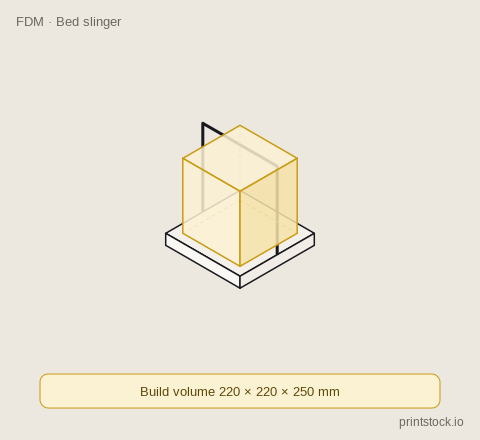
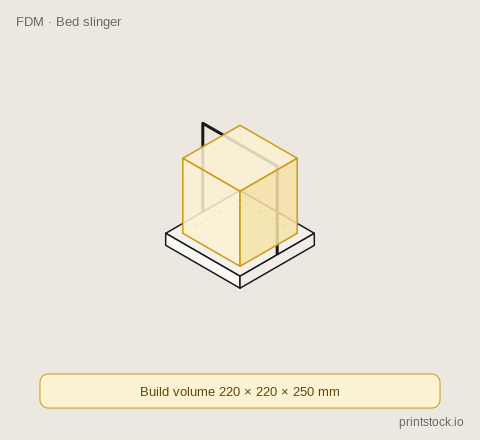
FDMBed slinger220 × 220 × 250 mm
Anycubic's entry-level Kobra 2: 220 × 220 × 250 mm bed slinger, 250 mm/s max (150 mm/s typical), direct drive, LeviQ 2.0 auto leveling with smart Z offset. Launched at $199.
- Most nozzles of the 21 FDM printers under $300 we list
Where to buy
Prices as of Nov 11, 2026Taxes, shipping and any import duties are worked out by the store at checkout and depend on your country; ask the store if in doubt.
Store links may be affiliate links: we may earn a commission, and it does not change your price. Affiliate disclosure
Overview
The Kobra 2 Neo is the cheapest model of the Kobra 2 series that Anycubic introduced in September 2023, launched at $199. It keeps the familiar open bed slinger shape with a 220 × 220 mm bed and a direct drive extruder, and adds automatic 25-point LeviQ 2.0 leveling with automatic Z offset, so a beginner does not need to level with paper. Anycubic rates it at 250 mm/s, five times the old Kobra Neo, and a Benchy in about 30 minutes.
It is a budget machine and it shows. Acceleration is limited to 2,500 mm/s², far below the Kobra 2 Pro's 20,000, so real speeds are moderate. There is a single Z lead screw, a small knob-driven screen and no Wi-Fi. The hotend tops out at 260 °C and has a PTFE tube running down to the nozzle, so it is best kept to PLA, PETG and TPU.
That PTFE liner is also the most common owner complaint: at higher temperatures it degrades and causes clogs, and many owners replace it or switch to an all-metal heatbreak. Other frequent issues are the Module Calibration Abnormal error and a Z offset that changes between prints. It is a fair first printer at a very low price, but a Bambu Lab A1 mini or a sale on a newer model is often worth the extra money.
Best for
- First printer on a minimal budget
- Students and kids' projects in PLA
- A spare second printer for simple jobs
Look elsewhere if
- You can spend a little more: newer printers are faster and more reliable
- You plan to print above 240 °C or with abrasive filament
Before you buy
- Keep nozzle temperatures moderate; the PTFE liner in the heatbreak degrades when hot.
- Buy a spare PTFE tube and nozzle with the printer.
- There is no Wi-Fi; prints come from a microSD card.
- Check that the Z offset is stable after leveling before long prints.
Pros and cons
Pros
- Very low price
- Automatic leveling and Z offset
- Direct drive handles TPU
- Easy assembly
Cons
- PTFE heatbreak limits temperature and clogs
- Low acceleration
- Single Z screw
- No network printing
Known issues
Last reviewed Nov 13, 2026Popular models have longer lists simply because more people own them and talk about them. Severity and status show how much each problem matters today.
PTFE liner in the heatbreak melts and clogs
Moderate (affects prints)Workaround availableThe heatbreak is not all metal: a PTFE tube runs close to the nozzle and swells or degrades at working temperatures, causing clogs. Replacing the tube or fitting an all-metal heatbreak fixes it.
Module Calibration Abnormal error
Moderate (affects prints)Workaround availableA common leveling error usually caused by a dirty nozzle tip, a loose sensor cable or bed contact problems.
Single-gear extruder slips
Moderate (affects prints)Workaround availableOne drive gear and loose tension stop feeding after 15 to 20 minutes on some units.
Uneven bed spacers and a bed hump when hot
Moderate (affects prints)Workaround availableFour rigid spacers of different heights tilt the bed with no leveling knobs, and the bed bows in the middle at temperature.
Printhead ribbon cable breaks
Moderate (affects prints)Workaround availableFlexing at one spot fractures the conductors and causes intermittent faults.
Z offset changes between prints
Minor (annoyance)Workaround availableOwners report a Z offset that drifts from print to print; cleaning the nozzle before leveling and updating firmware help.
Leveling runs on a cold bed
Minor (annoyance)Workaround availableAuto Z offset probes before the bed heats, so the offset is off once it expands.
Whining part fan and loud fans
Minor (annoyance)Workaround availableLow PWM frequency makes the part fan whine below full speed, and worn bearings make the board and PSU fans noisy.
Stock firmware frozen
Minor (annoyance)Still reportedFirmware 1.5.6.3 is the last official build and lacks some features such as proper pause commands.
How we build this list: we collect independent reviews, owner reports and public discussions on forums and social networks, merge duplicates and group them by cause. Only serious or recurring problems make the list, so a single complaint will not appear here, and a listed problem does not mean every unit is affected.
Specs
Printing
- Type
- FDM
- Build volume
- 220 × 220 × 250 mm
- Kinematics
- Bed slinger
- Max speed
- 250 mm/s
- Multi-color
- No
- Nozzles / toolheads
- 1
- Acceleration
- 2,500 mm/s²
Extruder and bed
- Extruder
- Direct drive
- Stock nozzle
- 0.4 mm
- Max nozzle temp
- 260 °C
- Filament
- 1.75 mm
- Build plate
- Magnetic PEI spring steel plate
- Max bed temp
- 110 °C
- Bed leveling
- Automatic
- Enclosure
- No
Control and sensors
- Screen
- Screen with knob, 2.4 in
Files and setup
- Files the slicer opens
- STL, OBJ
Motion
- Z axis
- Single lead screw and motor
From maker and store specifications, checked Nov 12, 2026. Power, size, network and warranty are in their own blocks below.
Power and setup
Electricity
- Rated power
- 400 W
- Note
- 400 W power adapter
Network and cloud
- Works without internet
- Yes, fully (SD card / USB / LAN)
- Maker account
- Not needed
- Local control for other software
- None
- Note
- No built-in Wi-Fi or Ethernet; prints from a memory card or over USB. A Raspberry Pi with OctoPrint on the USB port adds network control.
Space and room
- Size (W × D × H)
- 485 × 440 × 440 mm
- Weight
- 7.3 kg
On a standard power circuit
- US 15 A / 120 V standard circuit: fine, and about 1,000 W stays free for other things on that circuit while it heats up
- EU/UK 16 A / 230 V standard circuit: fine, and about 2,500 W stays free for other things on that circuit while it heats up
Our calculation from the maker's rated power, keeping a circuit at 80% for long loads.
Safety and support
Computer you need
- Runs on
- Windows, macOS (Apple silicon)
Warranty and repair
- Warranty
- 12 months; 12 months on main parts; print head, extruder, belts, motors, camera and screens 3 months; nozzles, PTFE and FEP not covered
- Spare parts store
- Official page ↗
- Repair guides
- Official page ↗
Running costs
| PLA filament, per kg | Cheapest in our catalog: Elegoo PLA Basic | $9.34 |
|---|---|---|
| Spare nozzle or hotend | Nozzle | $15 |
| Spare build plate | Spring Steel Magnetic Platform | $32.99 |
Starter budget: about $164 for the printer at its best listed price, 1 kg of PLA and a spare nozzle.
Cheapest compatible items in our catalog, USD prices as last checked. Prices change; see each item for the date.
Software and firmware
- Slicer / control software
- Anycubic Slicer Next, Cura, PrusaSlicer, OrcaSlicer
- Firmware
- Anycubic Marlin based firmware
- Connectivity
- microSD card
Official firmware and downloads ↗ We never host firmware files.
Questions people ask
How fast is the Kobra 2 Neo?
Anycubic rates it at 250 mm/s maximum and around 150 mm/s typical, with 2,500 mm/s² acceleration.
What is the difference between the Kobra 2 Neo and Kobra 2 Pro?
The Pro has much higher acceleration (20,000 mm/s²), dual Z rods and Wi-Fi; the Neo is the slower, cheaper entry model.
Can it print TPU?
Yes, the direct drive extruder handles TPU at slow speeds.
Models proven to print on the Anycubic Kobra 2 Neo
Coming soonFilaments that fit (66)
Matched by PrintStock from published specs: filament diameter, maximum nozzle and bed temperature and enclosure. Not a print test.
- PETG
- Anycubic PETG, Bambu Lab PETG Basic, Bambu Lab PETG Matte, Creality Hyper PETG, Elegoo PETG Pro, Elegoo Rapid PETG, eSUN PETG, eSUN PETG-Matte, Overture High Speed PETG, Polymaker PETG, Polymaker PolyLite PETG, Prusament PETG, Spectrum PETG, Spectrum PETG Premium High Speed, SUNLU PETG, SUNLU PETG 2.0
- PLA
- Anycubic PLA+, Anycubic PLA Basic, Anycubic PLA High Speed, Anycubic PLA Silk, Bambu Lab PLA Basic, Bambu Lab PLA Matte, Bambu Lab PLA Silk+, Bambu Lab PLA Translucent, Creality Hyper PLA, Creality Hyper PLA RFID, Elegoo PLA, Elegoo PLA Basic, Elegoo PLA Matte, Elegoo PLA Pro, Elegoo PLA Silk, eSUN PLA+, eSUN PLA Basic, eSUN PLA+HS, eSUN PLA-Matte, eSUN PLA-Silk Rainbow, Overture Easy PLA, Overture Matte PLA Dual Colors, Overture PLA+, Overture Silk PLA Gradient, Polymaker Panchroma PLA, Polymaker Panchroma PLA Matte, Polymaker Panchroma PLA Silk, Polymaker PLA Pro, Polymaker PolyLite PLA, Polymaker PolyLite PLA Pro, Polymaker PolyLite Silk PLA, Polymaker PolyMax PLA, Polymaker PolyTerra PLA, Prusament PLA, Spectrum Huracan PLA, Spectrum PLA, Spectrum PLA Pro, Spectrum Premium PLA High Speed, SUNLU High-Speed PLA, SUNLU PLA+ 2.0, SUNLU Silk PLA+ 2.0
Compatible accessories
Everything that fits the Anycubic Kobra 2 Neo
$15.99 as of Nov 11, 2026Check price
$32.99 as of Nov 11, 2026Check price
Closest alternatives by price
Compare all side by side