$15 as of Nov 11, 2026Check price
Anycubic
Anycubic Kobra 2 Pro
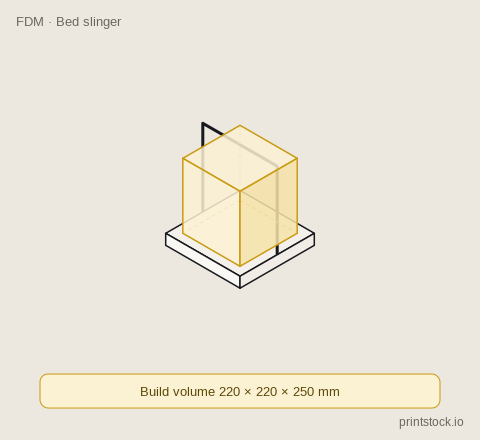
FDMBed slinger220 × 220 × 250 mm
The fast Kobra 2: 220 × 220 × 250 mm bed slinger with 500 mm/s max (300 typical) and 20,000 mm/s² acceleration, LeviQ 2.0 leveling, dual Z rods and Wi-Fi. Launched 2023 at $309.
- Most nozzles of the 21 FDM printers under $300 we list
Where to buy
Prices as of Nov 11, 2026Taxes, shipping and any import duties are worked out by the store at checkout and depend on your country; ask the store if in doubt.
Store links may be affiliate links: we may earn a commission, and it does not change your price. Affiliate disclosure
Overview
The Kobra 2 Pro was the speed model of the Kobra 2 series that Anycubic introduced in September 2023. It shares the Neo's 220 × 220 × 250 mm volume and LeviQ 2.0 automatic leveling, but raises acceleration from 2,500 to 20,000 mm/s² and the rated speed to 500 mm/s, about 300 mm/s on average, which made it one of the fastest budget bed slingers at launch. It adds a dual Z rod design and Wi-Fi with the Anycubic app.
In practice it brought fast printing to a $309 printer, with a direct drive extruder that handles TPU. Like the Neo, its hotend is limited to 260 °C, so it is meant for PLA, PETG and TPU.
In 2026 it has been overtaken by the Kobra 3 and Kobra 3 V2, which add multicolor and newer firmware for a similar price, and by newer budget CoreXY machines. It makes sense as a cheap, fast single-color printer when found on sale, or for owners looking for parts and settings.
Best for
- Fast single-color PLA and PETG on a budget
- Owners looking for parts and settings
- A cheap second printer
Look elsewhere if
- You want multicolor: the Kobra 3 V2 adds the ACE Pro
- You print above 260 °C
Before you buy
- Compare with the Kobra 3 V2, often at a similar price.
- Keep nozzle temperatures moderate.
- Wi-Fi printing needs the Anycubic app or Slicer Next.
- Check the Z offset after leveling before long prints.
Pros and cons
Pros
- High acceleration for the price
- Automatic leveling
- Wi-Fi
- Direct drive
Cons
- 260 °C hotend
- Superseded by Kobra 3
- Open frame
What owners like
Fast and user-friendly
Often praisedTechRadar praises its speed and user-friendly features, building on the Kobra 2 Neo.
Collected the same way as known issues: from independent reviews, owner reports and public discussions, merged and grouped.
Known issues
Last reviewed Nov 13, 2026Popular models have longer lists simply because more people own them and talk about them. Severity and status show how much each problem matters today.
Z-offset drifts from print to print
Moderate (affects prints)Workaround availableThe LeviQ probe heats up near the hotend, so the first-layer height changes between prints. A community start G-code fix for the whole Kobra 2 family heats and waits before probing; re-run auto-leveling after applying it.
Auto-leveling failures
Moderate (affects prints)Workaround availableAnycubic's own Kobra 2 leveling guide says mechanical causes (worn wheels, loose parts, a dirty nozzle tip) are the more common reason leveling fails; software faults go to support.
Closed firmware hides the bed mesh
Moderate (affects prints)Still reportedKobraOS is a modified Klipper, but owners cannot reach the mesh data, configuration or API.
No way to align the print plate
Minor (annoyance)Still reportedReviewers wanted a method of aligning the magnetic plate, which has to be placed by eye.
Top speed depends on the filament
Minor (annoyance)Still reportedSome quality filaments may keep up at high speeds and others will not, so the rated speed is not universal.
Already fixed: 1 (show)
2024 cloud security incident
Minor (annoyance)Fixed in firmwareA vulnerability in Anycubic's cloud server let a third party push a file to Kobra 2 Pro, Plus and Max printers in February 2024.
How we build this list: we collect independent reviews, owner reports and public discussions on forums and social networks, merge duplicates and group them by cause. Only serious or recurring problems make the list, so a single complaint will not appear here, and a listed problem does not mean every unit is affected.
Specs
Printing
- Type
- FDM
- Build volume
- 220 × 220 × 250 mm
- Kinematics
- Bed slinger
- Max speed
- 500 mm/s
- Max acceleration
- 20,000 mm/s²
- Multi-color
- No
- Nozzles / toolheads
- 1
Extruder and bed
- Extruder
- Direct drive
- Stock nozzle
- 0.4 mm
- Max nozzle temp
- 260 °C
- Filament
- 1.75 mm
- Build plate
- Magnetic PEI spring steel plate
- Max bed temp
- 110 °C
- Bed leveling
- Automatic
- Enclosure
- No
Control and sensors
- Screen
- Touchscreen, 4.3 in
- Features
- Input shapingFlow calibrationFilament runout sensor
Files and setup
- Files the slicer opens
- STL, OBJ
Motion
- Z axis
- Double rods with a single motor
From maker and store specifications, checked Nov 12, 2026. Power, size, network and warranty are in their own blocks below.
Power and setup
Electricity
- Rated power
- 400 W
- Note
- 400 W power adapter
Network and cloud
- Maker account
- Only for cloud / remote features
- Local control for other software
- Limited or behind a special mode
- Slicers from other makers
- Supported
- Note
- Connects over Wi-Fi. The Anycubic app adds remote control and monitoring and needs an account; Anycubic's slicer can send jobs on the local network. OrcaSlicer has ready-made profiles.
Space and room
- Size (W × D × H)
- 486 × 435 × 463 mm
- Weight
- 8.4 kg
On a standard power circuit
- US 15 A / 120 V standard circuit: fine, and about 1,000 W stays free for other things on that circuit while it heats up
- EU/UK 16 A / 230 V standard circuit: fine, and about 2,500 W stays free for other things on that circuit while it heats up
Our calculation from the maker's rated power, keeping a circuit at 80% for long loads.
Safety and support
Computer you need
- Runs on
- Windows, macOS (Apple silicon)
Warranty and repair
- Warranty
- 12 months; 12 months on main parts; print head, extruder, belts, motors, camera and screens 3 months; nozzles, PTFE and FEP not covered
- Spare parts store
- Official page ↗
- Repair guides
- Official page ↗
Running costs
| PLA filament, per kg | Cheapest in our catalog: Elegoo PLA Basic | $9.34 |
|---|---|---|
| Spare nozzle or hotend | Nozzle | $15 |
| Spare build plate | Spring Steel Magnetic Platform | $32.99 |
Starter budget: about $210 for the printer at its best listed price, 1 kg of PLA and a spare nozzle.
Cheapest compatible items in our catalog, USD prices as last checked. Prices change; see each item for the date.
Software and firmware
- Slicer / control software
- Anycubic Slicer Next, Cura, PrusaSlicer, OrcaSlicer
- Firmware
- Anycubic firmware
- Connectivity
- Wi-Fi, Anycubic app, USB
Official firmware and downloads ↗ We never host firmware files.
Questions people ask
How fast is the Kobra 2 Pro?
Rated at 500 mm/s with 20,000 mm/s² acceleration and about 300 mm/s average.
What is the difference from the Kobra 2 Neo?
Much higher acceleration, dual Z rods and Wi-Fi.
Is it still worth buying?
Only at a good discount; the Kobra 3 V2 adds multicolor for a similar price.
Models proven to print on the Anycubic Kobra 2 Pro
Coming soonFilaments that fit (66)
Matched by PrintStock from published specs: filament diameter, maximum nozzle and bed temperature and enclosure. Not a print test.
- PETG
- Anycubic PETG, Bambu Lab PETG Basic, Bambu Lab PETG Matte, Creality Hyper PETG, Elegoo PETG Pro, Elegoo Rapid PETG, eSUN PETG, eSUN PETG-Matte, Overture High Speed PETG, Polymaker PETG, Polymaker PolyLite PETG, Prusament PETG, Spectrum PETG, Spectrum PETG Premium High Speed, SUNLU PETG, SUNLU PETG 2.0
- PLA
- Anycubic PLA+, Anycubic PLA Basic, Anycubic PLA High Speed, Anycubic PLA Silk, Bambu Lab PLA Basic, Bambu Lab PLA Matte, Bambu Lab PLA Silk+, Bambu Lab PLA Translucent, Creality Hyper PLA, Creality Hyper PLA RFID, Elegoo PLA, Elegoo PLA Basic, Elegoo PLA Matte, Elegoo PLA Pro, Elegoo PLA Silk, eSUN PLA+, eSUN PLA Basic, eSUN PLA+HS, eSUN PLA-Matte, eSUN PLA-Silk Rainbow, Overture Easy PLA, Overture Matte PLA Dual Colors, Overture PLA+, Overture Silk PLA Gradient, Polymaker Panchroma PLA, Polymaker Panchroma PLA Matte, Polymaker Panchroma PLA Silk, Polymaker PLA Pro, Polymaker PolyLite PLA, Polymaker PolyLite PLA Pro, Polymaker PolyLite Silk PLA, Polymaker PolyMax PLA, Polymaker PolyTerra PLA, Prusament PLA, Spectrum Huracan PLA, Spectrum PLA, Spectrum PLA Pro, Spectrum Premium PLA High Speed, SUNLU High-Speed PLA, SUNLU PLA+ 2.0, SUNLU Silk PLA+ 2.0
Compatible accessories
Everything that fits the Anycubic Kobra 2 Pro
$15.99 as of Nov 11, 2026Check price
$32.99 as of Nov 11, 2026Check price
Closest alternatives by price
Compare all side by side