
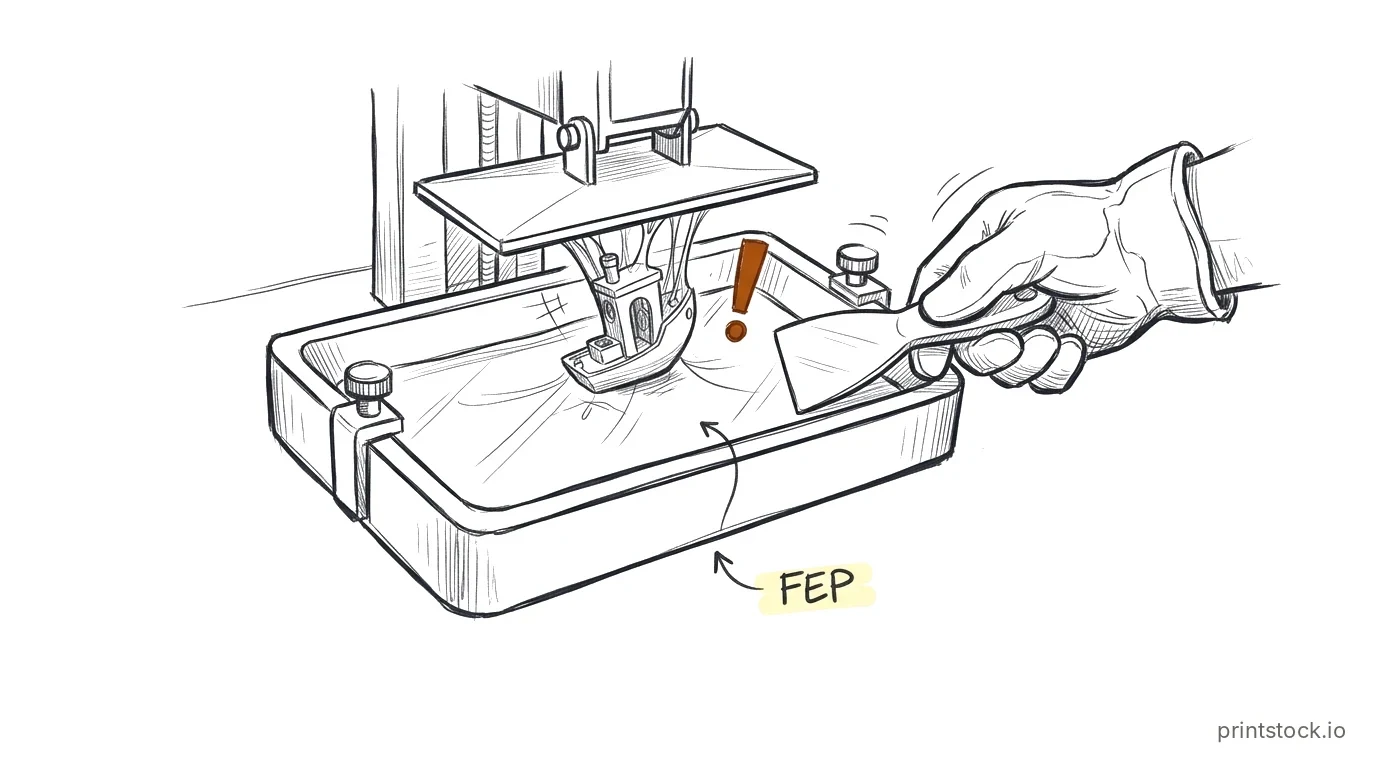
The clear film at the bottom of a resin printer's vat does the hardest work in the machine. Every layer is cured against it and then peeled off it, thousands of times per print. Sooner or later it gets scratched, cloudy or loose, and then prints start failing in strange ways. This guide shows how to judge the film, when to replace it, how to change it, and how to make the next one last longer.
What does the FEP film do?
The FEP film is the transparent, non-stick floor of the resin vat: UV light passes through it to cure each layer, and the layer then peels away from it. It has to stay clear, flat and tight for both jobs.
If the film gets cloudy or scratched, the UV light scatters and layers cure unevenly. If it gets loose, it stretches with each peel, which can make layers stick to the film instead of the print. And if it gets a hole, resin can leak onto the LCD screen underneath, which is far more expensive to replace than the film. That is why the film is treated as a consumable.
When should you replace the FEP film?
Replace the film when it has a hole, deep scratches or dents, cloudiness that blocks light, or when it has lost so much tension that prints stick to it. Light wear is normal and does not need a new film.
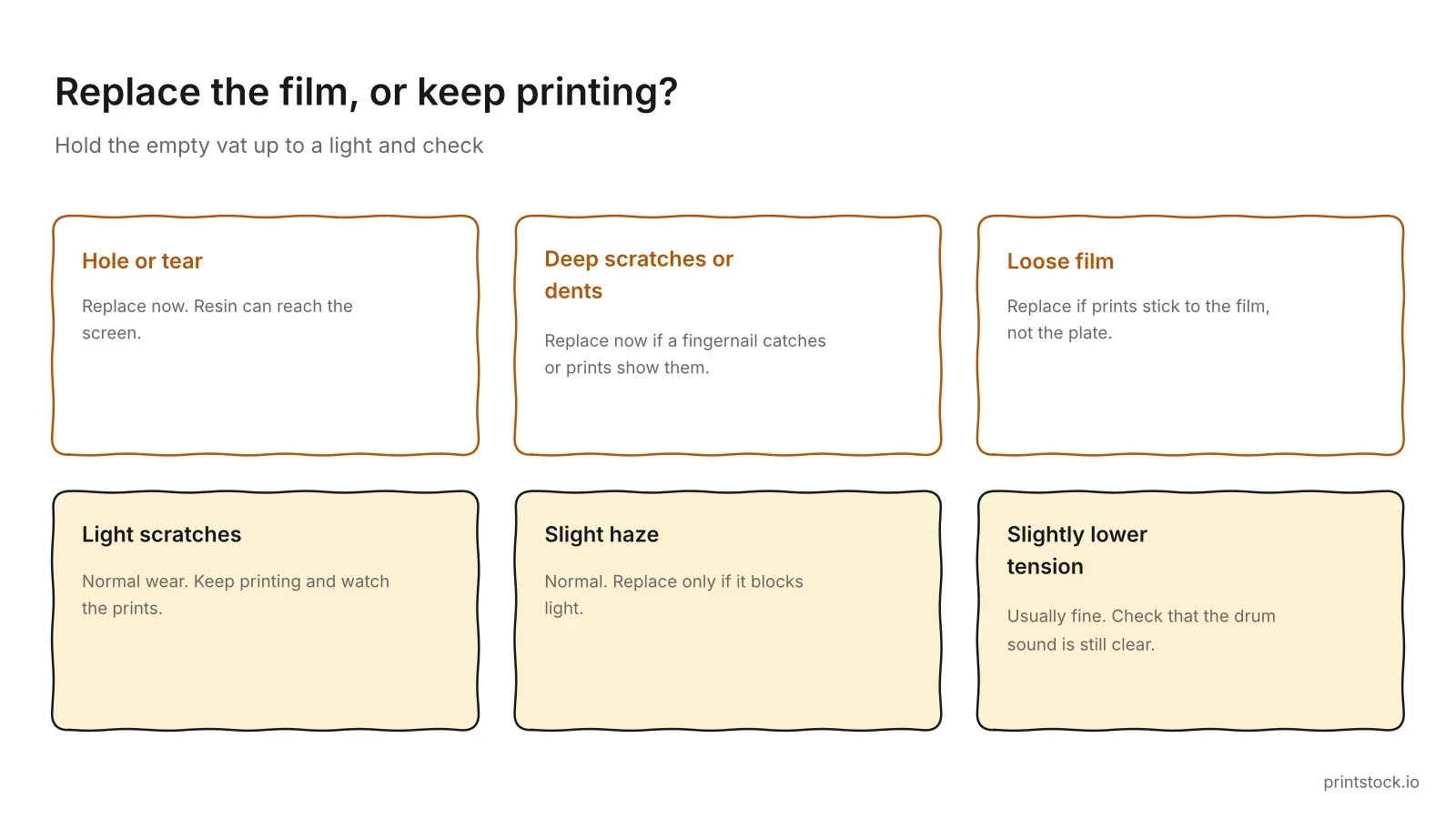
Printer makers give similar guidance. Phrozen's help center lists severe dents, bumps and scratches, too much cloudiness, loss of tension and holes as the signs to replace, and notes that minor scratches and slight loss of tension do not affect print quality. Anycubic gives its FEP a service life of about 30,000 layers, and adds that an undamaged film can stay in past that point.
The quickest check is to hold the empty vat up to a light. Look for haze, scratches and dents, and run a fingertip lightly over the surface: if a scratch catches your nail, it is deep. The definitive check is a print. Phrozen points out that a damaged film leaves scratches on the bottom surface of prints; if the same marks appear on every print, the film is the cause.
How to replace FEP film
Replacing a film takes about 20 to 30 minutes: empty the vat, swap the film in its frame, tension it evenly and leak-test it. Follow your printer maker's guide for screw counts and sizes; Elegoo, for example, lists 2.0, 2.5 and 3.0 mm hex keys, a utility knife, a foam block and gloves for the Saturn.
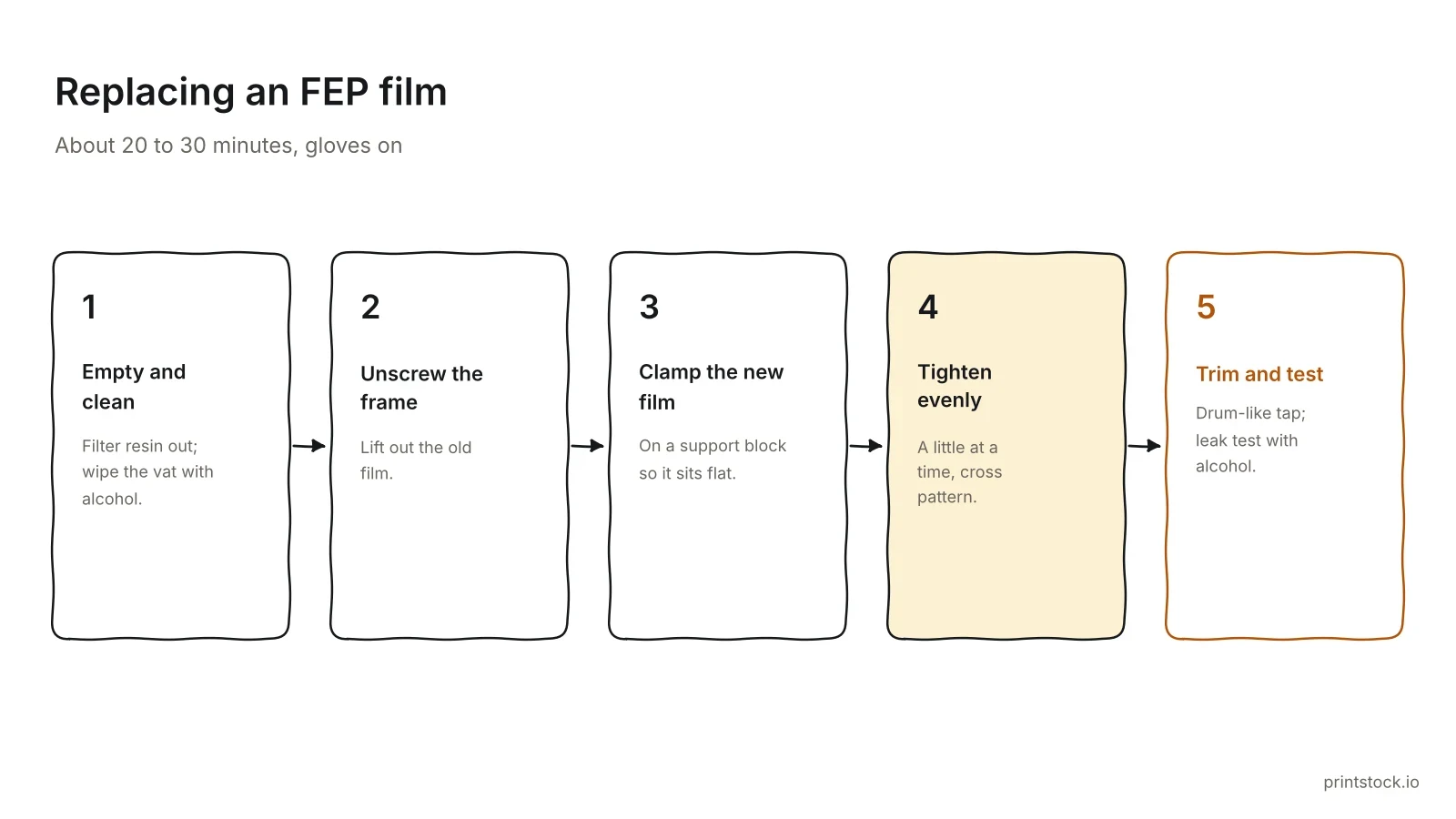
- Empty and clean the vat. Wearing nitrile gloves, filter the resin back into its bottle and wipe the vat clean with isopropyl alcohol or the resin maker's cleaner.
- Remove the frame. Unscrew the frame that clamps the film to the vat, then separate the two frame plates and lift out the old film.
- Fit the new film. Remove its protective layers, lay it between the frame plates, and place the vat on a support block slightly smaller than the opening so the film sits flat and gets a little pre-tension.
- Tighten evenly. Start all screws loosely, then tighten them a little at a time in a cross pattern so the film pulls evenly in every direction.
- Trim and check tension. Cut off the excess film. The surface should be flat with no wrinkles, and a light tap should give a clear, drum-like sound.
- Leak test. Pour in a little alcohol and check underneath for leaks before you add resin.
If your printer uses a pre-tensioned film module, the process is simpler: you swap the whole frame and film as one part.
FEP, nFEP or ACF: which film to buy?
FEP is the cheapest and most common; nFEP and ACF release with less force and usually last longer. Choose the type your vat is designed for, then decide on price versus performance.
| FEP | nFEP (PFA) | ACF |
|---|---|---|---|
Release force | Highest | Lower | Lowest |
Printing speed | Standard | Can be faster | Fastest |
Durability | Good | Better | Good to very good |
Price | Lowest | Medium | Highest |
Best for | Everyday printing | Large or fast prints | High-speed printers designed for it |
Anycubic's comparison for its Photon Mono M5s describes ACF as allowing lower release height and faster lifting, and FEP as the more affordable, simpler option. Some vats are designed for one type only, so check the compatibility of each film before buying. These are the release films in our catalog, matched to specific printers:
| Part | Fits | From |
|---|---|---|
| FEP FilmAnycubic | Anycubic Photon Mono 4 Ultra, Anycubic Photon Mono 4 | $15.99as of Nov 11, 2026 |
| FEP Film for Mars 4/5/5 Ultra (5 Pcs)Elegoo | Elegoo Mars 5 Ultra | $24.99as of Nov 11, 2026 |
| NOVA3D FEP / NFEP FilmNova3D | Nova3D Bene6 Mono, Nova3D Whale3 SE, Nova3D Whale4 Ultra 16K | $18as of Nov 12, 2026 |
| Phrozen ACF Film A4Phrozen | See part page | $57as of Nov 12, 2026 |
| NFEP FilmAnycubic | Anycubic Photon P1, Anycubic Photon Mono M7 Pro, Anycubic Photon P1 Max | $19.99as of Nov 11, 2026 |
| PFA Film for Jupiter 2 (3 Pcs)Elegoo | Elegoo Jupiter 2 | $74.99as of Nov 11, 2026 |
| Phrozen ACF Film (Mega Series)Phrozen | Phrozen Sonic Mega 8K S, Phrozen Sonic Mega 8K V2 | $95as of Nov 12, 2026 |
| Release-Assisted Textured FilmAnycubic | Anycubic Photon P1, Anycubic Photon P1 Max | $29as of Nov 11, 2026 |
| PFA Film for Saturn 4/4 Ultra/4 Ultra 16K (10 Pcs)Elegoo | Elegoo Saturn 4, Elegoo Saturn 4 Ultra, Elegoo Saturn 4 Ultra 16K +2 | $60as of Nov 11, 2026 |
| Phrozen ACF Film (Mighty Series)Phrozen | Phrozen Sonic Mighty Revo 16K | $66as of Nov 12, 2026 |
| Phrozen ACF Film (Mini Series)Phrozen | Phrozen Sonic Mini 8K S | $38as of Nov 12, 2026 |
| Phrozen FEP Film A4Phrozen | See part page | $10as of Nov 12, 2026 |
Live from our catalog. Open a part for every compatible printer and all prices.
How to make FEP film last longer
Most FEP damage comes from cured debris in the vat and from metal tools, both of which you can avoid. A film that is treated well can last many times longer than one that is not.
- Filter the resin after any failed print. A cured fragment pressed between the platform and the film is the most common cause of holes.
- Use only plastic or silicone scrapers in the vat. Never metal.
- Do not overfill or overtighten. Too much tension stretches and tears the film.
- Clean gently. Wipe with a soft, lint-free cloth and alcohol; do not soak the film for long in strong solvents.
- Keep the vat covered between prints so dust and light do not reach the resin and film.
Some printers are known for film and vat problems in owner reports. Here are the models in our catalog where owners report release film or vat issues:
Owners report this on 16 of the 370 printers we track
- Anycubic Photon Mono 4: Early LCD failure from resin leaks; Print will not start when a counter maxes out; Z axis does not stop at home
- Anycubic Photon Mono 4 Ultra: False residue and resin warnings; No vat heater
- Anycubic Photon Mono M7 Max: Prints do not stick in the middle of the plate; Screen sits low and the film sags; Auto-fill empties the bottle; Laborious film change
- Anycubic Photon Mono M7 Pro: Resin leaks into the chassis; Vat heater only works before the print starts; Noisy fans and heavy, unbalanced vat
- Anycubic Photon P1: Resin leaks under the vat; Dual mode limits
- Anycubic Photon P1 Max: No auto-refill and no dual vat
- Bambu Lab H2D Pro: Vision Encoder calibration drift
- Elegoo Jupiter 2: Exposure changes mid-print; Cumbersome vat removal
- Elegoo Mars 5 Ultra: Self-test messages block printing; Cold resin causes failures; Film counter misleads; Squeaks, knocking and banding
- Elegoo Saturn 2: Vat screws seize and snap; Center prints fail; Messy vat emptying
- Elegoo Saturn 3 Ultra: Frosted film blurs detail
- Elegoo Saturn 4: Prints fail on the same side of the plate; Vat leaks resin onto the glass
And 4 more; see each printer page.
What if resin leaked through the film?
Stop the printer, empty the vat and clean the screen before anything else. Resin on the LCD screen will cure under its light and can damage it.
Turn the printer off, remove the vat and wipe any resin from the screen and its protector with alcohol on a soft cloth, wearing gloves. Check the screen protector, if your printer has one, and replace it if resin got under it. Then replace the film before printing again. Our guide to resin vs filament printers explains the other wear parts of a resin printer, including the screen.
Common mistakes
The most common mistake is replacing the film because of light scratches while ignoring a loose film that actually causes failures. Judge the film by its tension and by your prints, not by how new it looks.
- Using a metal scraper in the vat. One slip can puncture the film.
- Tightening screws one side at a time. The film pulls unevenly and wrinkles.
- Skipping the leak test. A small leak becomes resin on the screen.
- Mixing film types without checking. Not every vat suits every film.
Where to go from here
Find the release films, vats and screens for your printer in our catalog, each matched to specific models with prices we check. If you are still deciding on a printer, see resin vs filament for what owning a resin printer involves.
Resin smells while it prints; our guide to enclosures, fumes and filters covers ventilation.