$25 as of Nov 11, 2026Check price
Anycubic
Anycubic Photon Mono 4
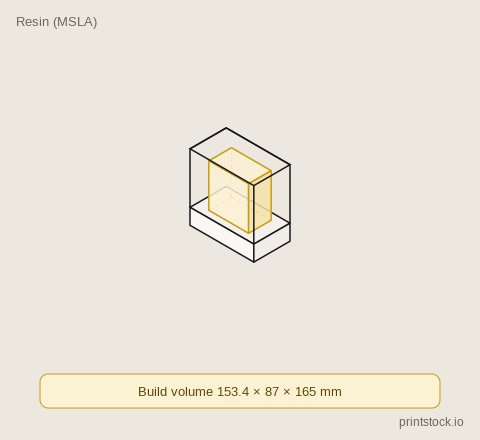
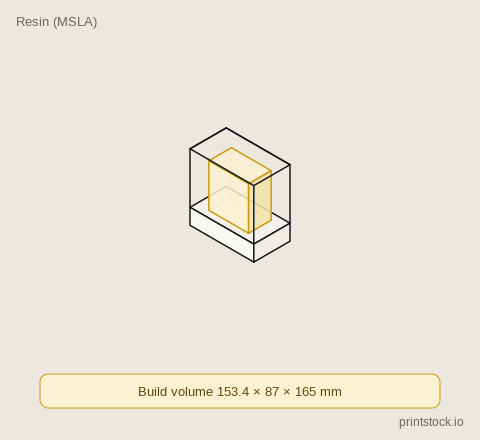
ResinMSLA153.4 × 87 × 165 mm
Budget 7-inch 10K resin printer: 153.4 × 87 × 165 mm, square 17 µm pixels, parallel matrix light, up to 50 mm/h, USB only. Launched September 2024.
Where to buy
Prices as of Nov 11, 2026Taxes, shipping and any import duties are worked out by the store at checkout and depend on your country; ask the store if in doubt.
Store links may be affiliate links: we may earn a commission, and it does not change your price. Affiliate disclosure
Overview
The Photon Mono 4, launched in September 2024, is Anycubic's entry resin printer and Elegoo Mars 5's direct rival. Its 7-inch 10K screen has square 17 µm pixels, as fine as many larger printers, which makes it an excellent low-cost miniature printer. The build volume is small at 153.4 × 87 × 165 mm.
It keeps things simple: a parallel matrix light source, manual four-point leveling, a 390 ml vat with standard FEP film, a small 2.8-inch control screen and USB only, with no Wi-Fi or app. It does resume after a power cut. Rated speed is a modest 50 mm/h.
For first-time resin printing on a tight budget it is hard to beat on detail per dollar. The Mono 4 Ultra adds a faster COB light source and more automation for a little more, and the larger M7 series or Photon P1 add heated vats and leveling-free plates.
Best for
- Beginners printing tabletop miniatures
- Lowest-cost high-detail resin printing
- A second printer for small parts
Look elsewhere if
- You want automation and Wi-Fi: the Mono 4 Ultra or M7
- You print large models
Before you buy
- Level the plate carefully using the 4-point method.
- Buy FEP film spares.
- Ventilate and wear gloves.
- Files use Photon Workshop formats; check slicer support.
Pros and cons
Pros
- Square 17 µm pixels
- Very low price
- Power loss resume
- Simple to maintain
Cons
- Small volume
- Manual leveling
- USB only, slow
What owners like
10K detail on a tight budget
Often praisedReviewers point to the best price-to-pixel ratio and a roomy build volume for its class.
Easy setup, respectable prints
Often praisedIt is easy to set up and prints well enough for most hobby use.
Collected the same way as known issues: from independent reviews, owner reports and public discussions, merged and grouped.
Known issues
Last reviewed Nov 13, 2026Popular models have longer lists simply because more people own them and talk about them. Severity and status show how much each problem matters today.
Early LCD failure from resin leaks
Major (repair or return)Workaround availableResin leaking through a torn film cures under the screen and burns out pixels; the LCD warranty is six months.
Print will not start when a counter maxes out
Moderate (affects prints)Workaround availableOwners in the comments of Anycubic's own page traced a refusal to start printing to the release-film life counter (or the layer counter) reaching its limit. The linked write-up shows how to reset it.
Prints letting go in the middle of the plate
Moderate (affects prints)Workaround availableA recurring owner complaint is prints detaching in the centre of the build plate, along with a dim exposure screen on older firmware. Updating the firmware fixes the dim screen.
Z axis does not stop at home
Moderate (affects prints)Still reportedA limit switch that fails to trigger lets the arm keep descending toward the vat; reseat or replace it.
Picky about USB drives and files
Minor (annoyance)Workaround availableThe printer reads only its own .pm4n slices, does not see files in nested folders, trips on special characters and long names, and does not work with drives of 32 GB or more. Re-slice with the Mono 4 profile and use a drive under 32 GB.
Printer slides and the plate is hard to peel
Minor (annoyance)Workaround availableThe light body moves when the plate bolt is tightened, and the rigid plate makes part removal harder.
Photon Workshop file picker closes
Minor (annoyance)Workaround availableThe load dialog closes instantly on Windows and Mac, and auto-supports are unreliable.
Already fixed: 1 (show)
Dark screen, lines or moire on early firmware
Moderate (affects prints)Fixed in firmwareEarly firmware and FPGA bugs caused dark exposure, lines and partial exposure. Fixed in firmware V0.0.038 and FPGA 0046.
How we build this list: we collect independent reviews, owner reports and public discussions on forums and social networks, merge duplicates and group them by cause. Only serious or recurring problems make the list, so a single complaint will not appear here, and a listed problem does not mean every unit is affected.
Specs
Printing
- Type
- Resin
- Build volume
- 153.4 × 87 × 165 mm
- Kinematics
- MSLA
- Resolution
- 10K (9024 × 5120), 17 µm
- XY resolution
- 17 × 17 µm (square)
- Speed
- Up to 50 mm/h
Hardware
- Build plate
- Laser-engraved build plate
- Bed leveling
- Manual, 4 points
Control and sensors
- Screen
- Touchscreen, 2.8 in
- Features
- Power-loss recovery
Screen
- LCD
- 7-inch 10K mono, 9024 × 5120
Light
- Light source
- Parallel matrix
Vat
- Release film
- FEP 0.15 mm, 390 ml vat
Features
- Power loss
- Resume after power loss
From maker and store specifications, checked Nov 12, 2026. Power, size, network and warranty are in their own blocks below.
Power and setup
Electricity
- Rated power
- 54 W
- Note
- Anycubic lists a 54 W power supply.
Network and cloud
- Works without internet
- Yes, fully (SD card / USB / LAN)
- Maker account
- Not needed
- Local control for other software
- None
- Note
- USB drive only; no Wi-Fi and no app.
Space and room
- Size (W × D × H)
- 230 × 235 × 391 mm
- Weight
- 4 kg
On a standard power circuit
- US 15 A / 120 V standard circuit: fine, and about 1,350 W stays free for other things on that circuit while it heats up
- EU/UK 16 A / 230 V standard circuit: fine, and about 2,850 W stays free for other things on that circuit while it heats up
Our calculation from the maker's rated power, keeping a circuit at 80% for long loads.
Safety and support
Warranty and repair
- Warranty
- 12 months; 12 months on main parts; print head, extruder, belts, motors, camera and screens 3 months; nozzles, PTFE and FEP not covered
- Spare parts store
- Official page ↗
- Repair guides
- Official page ↗
Running costs
| Standard resin, per kg | Cheapest in our catalog: Elegoo ABS-Like Resin V3.0 | $17.99 |
|---|---|---|
| Release film (FEP / nFEP) | Phrozen FEP Film A4 | $10 |
Starter budget: about $167 for the printer at its best listed price, 1 kg of resin.
Cheapest compatible items in our catalog, USD prices as last checked. Prices change; see each item for the date.
Software and firmware
- Slicer / control software
- Anycubic Photon Workshop, CHITUBOX, Lychee
- Firmware
- Anycubic firmware via USB
- Connectivity
- USB
Official firmware and downloads ↗ We never host firmware files.
Questions people ask
Mono 4 or Mono 4 Ultra?
The Ultra adds a faster COB plus Fresnel light source; the screen and volume are the same.
Is it good for miniatures?
Yes, its square 17 µm pixels give excellent detail on 28 to 32 mm figures.
Does it have Wi-Fi?
No, files are loaded by USB.
Models proven to print on the Anycubic Photon Mono 4
Coming soonCompatible accessories
Everything that fits the Anycubic Photon Mono 4
$64 as of Nov 11, 2026Check price
$99.99 as of Nov 11, 2026Check price
$28 as of Nov 11, 2026Check price
$15.99 as of Nov 11, 2026Check price
Closest alternatives by price
Compare all side by side