$25 as of Nov 11, 2026Check price
Anycubic
Anycubic Photon Mono M7 Max
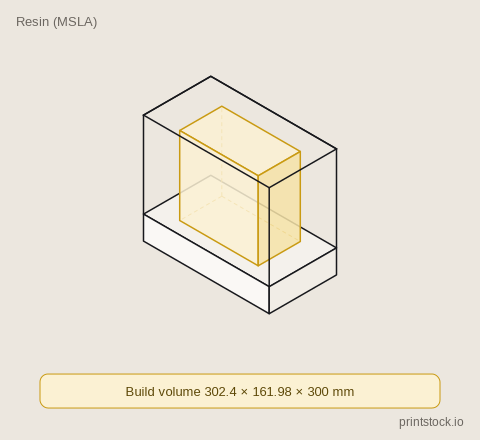
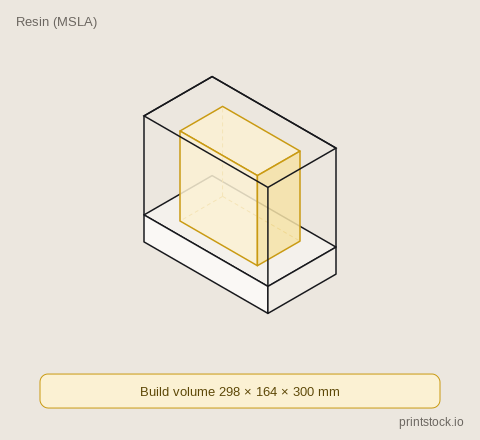
ResinMSLA298 × 164 × 300 mm
Large Anycubic resin printer: 13.6-inch 7K LCD, 298 × 164 × 300 mm, 46 µm pixels, dual Z linear rails; Tom's Hardware Editor's Choice. Replaced by the Photon P1 Max.
Where to buy
Prices as of Nov 11, 2026Taxes, shipping and any import duties are worked out by the store at checkout and depend on your country; ask the store if in doubt.
Store links may be affiliate links: we may earn a commission, and it does not change your price. Affiliate disclosure
Overview
The Photon Mono M7 Max, previewed in November 2024, was Anycubic's large-format resin printer before the Photon P1 Max replaced it. It offers a 298 × 164 × 300 mm volume on a 13.6-inch 7K screen, with dual Z linear rails to keep the heavy plate stable on tall prints.
Its pixels are 46 µm, roughly half the resolution of the M7 Pro, but Tom's Hardware found the difference hard to see with the naked eye on large models and gave it an Editor's Choice for big, fast prints. Unlike the smaller M7 models, the plate has to be leveled manually.
It is a good buy on discount for statues, busts, cosplay pieces and terrain where size matters more than fine texture. For miniatures, smaller 12K to 16K printers produce noticeably sharper detail, and the P1 Max now offers 12K on a large screen.
Best for
- Large statues, busts and terrain
- Cosplay pieces in resin
- Buyers who find it discounted
Look elsewhere if
- You print fine miniatures: choose a 12K to 16K printer
- You want the newest large printer: the Photon P1 Max
Before you buy
- Level the plate carefully; it is not leveling-free.
- Large prints need a lot of resin and a big wash station.
- Ventilate well.
- Compare prices with the Photon P1 Max.
Pros and cons
Pros
- Large volume
- Dual Z rails
- Fast for its size
- Good value on discount
Cons
- Only 7K, 46 µm pixels
- Manual leveling
- Replaced by the P1 Max
What owners like
Big prints with excellent detail
Praised by most ownersReviewers praise excellent detail on an extra-large build volume, calling it ruggedly built and right on nearly everything.
Arrives almost fully assembled
Noted by some ownersOnly the screen protector needs removing before fitting the vat and plate.
Collected the same way as known issues: from independent reviews, owner reports and public discussions, merged and grouped.
Known issues
Last reviewed Nov 13, 2026Popular models have longer lists simply because more people own them and talk about them. Severity and status show how much each problem matters today.
Concave build plate
Major (repair or return)Workaround availableSome factory plates dip in the middle, so center prints fail; warranty or lapping fixes it.
Prints do not stick in the middle of the plate
Moderate (affects prints)Workaround availableOwners report a slightly concave build plate and a recessed exposure screen (a gap of up to about 0.9 mm under the film). The default profile uses about 25 s bottom exposure; owners typically run 45 to 90 s to get reliable adhesion.
Screen sits low and the film sags
Moderate (affects prints)Workaround availableA gap of up to 0.9 mm under the film makes middle layers too thick; shims or a screen protector help.
Stock bottom exposure too short
Moderate (affects prints)Workaround availableLayers do not stick at the default 25 s; owners run 45 to 90 s.
Auto-fill empties the bottle
Moderate (affects prints)Workaround availableThe pump can keep running and fill the 1.3 L vat from one bottle, and it shares its port with the air purifier.
Laborious film change
Minor (annoyance)Still reportedChanging the film takes about 50 screws and a re-level.
Large and heavy
Minor (annoyance)Still reportedThe printer weighs 24 kg and stands 652 mm tall, and the fans run constantly.
Already fixed: 1 (show)
Vat heater only preheats and the far corner stays cold
Moderate (affects prints)Fixed in firmwareEarly firmware stopped heating at print start, and heating along one edge leaves the far corner colder. Firmware 4.0.9.8 added a hold mode.
How we build this list: we collect independent reviews, owner reports and public discussions on forums and social networks, merge duplicates and group them by cause. Only serious or recurring problems make the list, so a single complaint will not appear here, and a listed problem does not mean every unit is affected.
Specs
Printing
- Type
- Resin
- Build volume
- 298 × 164 × 300 mm
- Kinematics
- MSLA
- Resolution
- 7K, 46 µm
- XY resolution
- 46 × 46 µm
- Speed
- Up to 83 mm/h listed
Hardware
- Build plate
- Laser-engraved aluminum build plate
- Bed leveling
- Manual, 4 points
Control and sensors
- Screen
- Touchscreen, 4.3 in
- Screen languages
- ChineseEnglishGermanRussianSpanishFrenchJapaneseItalian
Screen
- LCD
- 13.6-inch 7K mono
Light
- Light source
- Lighturbo 3.0
Motion
- Z axis
- Dual linear rails
From maker and store specifications, checked Nov 12, 2026. Power, size, network and warranty are in their own blocks below.
Power and setup
Electricity
- Rated power
- 180 W
Network and cloud
- Works without internet
- Yes, fully (SD card / USB / LAN)
- Maker account
- Only for cloud / remote features
- Note
- Files by USB drive, Wi-Fi or LAN mode. Cloud printing goes through the Anycubic app, which needs an account.
Space and room
- Size (W × D × H)
- 425 × 362 × 652 mm
- Weight
- 24 kg
On a standard power circuit
- US 15 A / 120 V standard circuit: fine, and about 1,250 W stays free for other things on that circuit while it heats up
- EU/UK 16 A / 230 V standard circuit: fine, and about 2,750 W stays free for other things on that circuit while it heats up
Our calculation from the maker's rated power, keeping a circuit at 80% for long loads.
Safety and support
Warranty and repair
- Warranty
- 12 months; 12 months on main parts; print head, extruder, belts, motors, camera and screens 3 months; nozzles, PTFE and FEP not covered
- Spare parts store
- Official page ↗
- Repair guides
- Official page ↗
Running costs
| Standard resin, per kg | Cheapest in our catalog: Elegoo ABS-Like Resin V3.0 | $17.99 |
|---|---|---|
| Release film (FEP / nFEP) | Phrozen FEP Film A4 | $10 |
Starter budget: about $624 for the printer at its best listed price, 1 kg of resin.
Cheapest compatible items in our catalog, USD prices as last checked. Prices change; see each item for the date.
Software and firmware
- Slicer / control software
- Anycubic Photon Workshop, CHITUBOX, Lychee
- Firmware
- Anycubic firmware via USB or app
- Connectivity
- USB, Wi-Fi, Anycubic app
Official firmware and downloads ↗ We never host firmware files.
Questions people ask
Is 7K enough on a large printer?
For large models the difference is hard to see; for miniatures a 12K to 16K printer is sharper.
Does it need leveling?
Yes, unlike the M7 and M7 Pro it uses manual platform leveling.
What replaced it?
The Anycubic Photon P1 Max with a 14-inch 12K screen.
Models proven to print on the Anycubic Photon Mono M7 Max
Coming soonCompatible accessories
Everything that fits the Anycubic Photon Mono M7 Max
$25 as of Nov 11, 2026Check price
$99.99 as of Nov 11, 2026Check price
$28 as of Nov 11, 2026Check price
Closest alternatives by price
Compare all side by side