$25 as of Nov 11, 2026Check price
Anycubic
Anycubic Photon P1
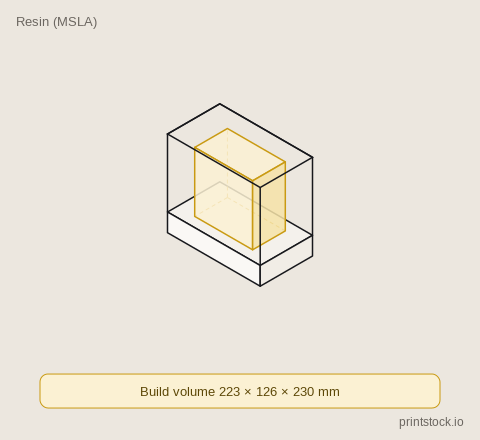
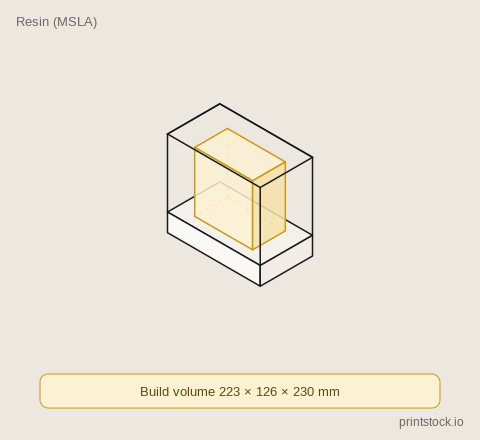
ResinMSLA223 × 126 × 230 mm
Anycubic's new prosumer resin printer: 10.1-inch 14K LCD, 223 × 126 × 230 mm, heated vat, Wave Release film, ball screw Z axis and dual-material printing. Tom's Hardware Editor's Choice.
Where to buy
Prices as of Nov 11, 2026Taxes, shipping and any import duties are worked out by the store at checkout and depend on your country; ask the store if in doubt.
Store links may be affiliate links: we may earn a commission, and it does not change your price. Affiliate disclosure
Overview
The Photon P1, launched in 2026, is a redesign of Anycubic's resin lineup aimed at makers and engineers who want a step up from hobby machines. It uses a 10.1-inch 14K LCD with the same build volume as the Photon Mono M7 series, and adds a heated vat, a ball screw Z axis and Wave Release Technology, a film and peeling approach that reduces suction forces so models release more gently.
Its unusual feature is dual-color and dual-material printing, rare in consumer MSLA. Tom's Hardware gave it an Editor's Choice for its technology, and TechRadar praised print quality. The vat and build plate latch in place, it levels itself, and it supports cloud and LAN printing.
FauxHammer described it as a very good consumer printer dressed as a prosumer machine: it looks and is priced like a professional tool, while the core printing experience is similar to good hobby printers. Anycubic's wiki notes the vat surface gets hot after long heating, so take care when handling it.
Best for
- Makers wanting a heated, automated resin printer
- Engineering prototypes and miniatures
- Experiments with dual-material resin printing
Look elsewhere if
- You only print miniatures on a budget: a Photon Mono 4 Ultra or M7 costs less
- You want a large volume: look at the Photon P1 Max
Before you buy
- Use Anycubic's resin parameter list as a starting point.
- Let the heated vat cool before handling it.
- Plan ventilation; there is a hose connection at the back.
- Check which dual-material workflows the current slicer supports.
Pros and cons
Pros
- 14K detail
- Heated vat and Wave Release
- Ball screw Z axis
- Dual-material capability
Cons
- Priced above hobby printers
- Same volume as the M7
- Some prosumer features feel cosmetic
What owners like
Exceptional detail, every print succeeded
Praised by most ownersTechRadar had a 100% print success rate and calls the 14K detail exceptional.
Highly detailed results
Often praisedFabbaloo's test prints came out near perfect and highly detailed.
Collected the same way as known issues: from independent reviews, owner reports and public discussions, merged and grouped.
Known issues
Last reviewed Nov 13, 2026Popular models have longer lists simply because more people own them and talk about them. Severity and status show how much each problem matters today.
Smart algorithms make layers inconsistent
Moderate (affects prints)Workaround availableAdaptive release and light-off compensation make identical layers print differently and confuse calibration tests; owners disable them.
Slow first layers and print speed
Moderate (affects prints)Workaround availableThe stock profile crawls through 15 transition layers, and overall speed of 22 to 35 mm/h is slower than buyers expect.
Resin leaks under the vat
Moderate (affects prints)Workaround availableResin cures on the screen film under the vat and blocks light in one zone.
Leveling screws stripped
Moderate (affects prints)Workaround availableFully loosening the screws during assisted leveling pushed readings out of range and stripped screws for some owners.
Models not sticking to the platform
Minor (annoyance)Workaround availableAnycubic's wiki has a dedicated guide for models detaching or half-sticking; recalibrating the platform and adjusting bottom exposure are the usual fixes.
Flat plate pools resin
Minor (annoyance)Workaround availableThe flat plate traps resin and its recessed screw holes mark direct-to-plate prints; a perforated plate is sold separately.
Dual mode limits
Minor (annoyance)Still reportedDual-material mode turns off vat heating and shrinks each zone to about 126 x 66 mm, and the kit is sold separately.
Already fixed: 1 (show)
Lid gap lets out smell and dust
Minor (annoyance)Fixed in a hardware revisionFumes escape and dust gets in through the lid gap; early units also leaked UV, fixed with a new cover.
How we build this list: we collect independent reviews, owner reports and public discussions on forums and social networks, merge duplicates and group them by cause. Only serious or recurring problems make the list, so a single complaint will not appear here, and a listed problem does not mean every unit is affected.
Specs
Printing
- Type
- Resin
- Build volume
- 223 × 126 × 230 mm
- Kinematics
- MSLA
- Resolution
- 10.1-inch 14K
- Layer height
- From 0.02 mm
Hardware
- Build plate
- Precision-ground steel quick-release plate
- Bed leveling
- Automatic
Control and sensors
- Screen
- Touchscreen, 4.5 in
- Features
- Power-loss recoveryAI print failure detection
Screen
- LCD
- 10.1-inch 14K mono
Vat
- Heating
- Heated resin vat
Release
- Release system
- Wave Release Technology film
Motion
- Z axis
- Ball screw with precision linear rails
Features
- Dual material
- Dual color and dual material printing
Software
- Remote printing
- Cloud and LAN printing
From maker and store specifications, checked Nov 12, 2026. Power, size, network and warranty are in their own blocks below.
Power and setup
Electricity
- Rated power
- 215 W
Network and cloud
- Maker account
- Only for cloud / remote features
- Local control for other software
- Limited or behind a special mode
- Note
- Wi-Fi and Ethernet. Cloud printing through the Anycubic app needs an account; LAN mode lets Photon Workshop send jobs and show progress and video locally, and turns the cloud off.
Space and room
- Size (W × D × H)
- 366 × 338 × 539 mm
- Weight
- 13.6 kg
On a standard power circuit
- US 15 A / 120 V standard circuit: fine, and about 1,200 W stays free for other things on that circuit while it heats up
- EU/UK 16 A / 230 V standard circuit: fine, and about 2,700 W stays free for other things on that circuit while it heats up
Our calculation from the maker's rated power, keeping a circuit at 80% for long loads.
Safety and support
Warranty and repair
- Warranty
- 12 months; 12 months on main parts; print head, extruder, belts, motors, camera and screens 3 months; nozzles, PTFE and FEP not covered
- Spare parts store
- Official page ↗
- Repair guides
- Official page ↗
Running costs
| Standard resin, per kg | Cheapest in our catalog: Elegoo ABS-Like Resin V3.0 | $17.99 |
|---|---|---|
| Release film (FEP / nFEP) | Phrozen FEP Film A4 | $10 |
Starter budget: about $438 for the printer at its best listed price, 1 kg of resin.
Cheapest compatible items in our catalog, USD prices as last checked. Prices change; see each item for the date.
Software and firmware
- Slicer / control software
- Anycubic Photon Workshop, CHITUBOX, Lychee
- Firmware
- Anycubic firmware via USB or app
- Connectivity
- USB, Wi-Fi, Anycubic app
Official firmware and downloads ↗ We never host firmware files.
Questions people ask
What is Wave Release Technology?
Anycubic's release film and peeling method that reduces suction forces when each layer separates.
Can the Photon P1 print two materials?
Yes, it supports dual-color and dual-material printing.
Photon P1 or Photon Mono M7 Pro?
The P1 adds a ball screw, Wave Release and dual material; the M7 Pro costs less with the same volume.
Models proven to print on the Anycubic Photon P1
Coming soonCompatible accessories
Everything that fits the Anycubic Photon P1
$100 as of Nov 11, 2026Check price
$29 as of Nov 11, 2026Check price
$99.99 as of Nov 11, 2026Check price
$28 as of Nov 11, 2026Check price
$19.99 as of Nov 11, 2026Check price
Closest alternatives by price
Compare all side by side