$59.99 as of Nov 11, 2026Check price
Prusa Research
Original Prusa MK4
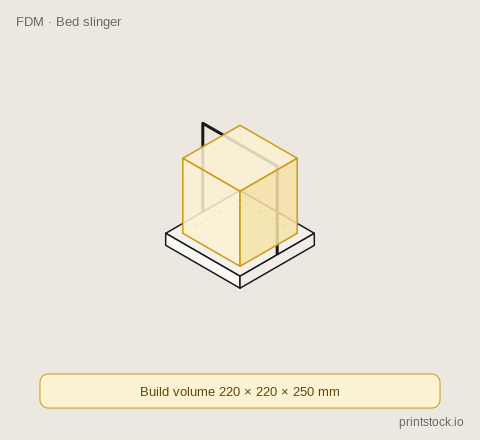
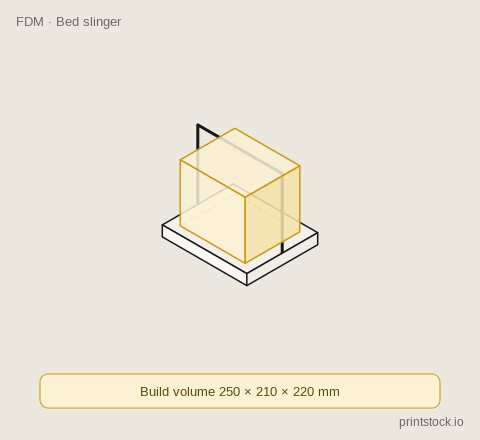
FDMBed slinger250 × 210 × 220 mm
Prusa's 2023 flagship bed slinger: Nextruder with load cell leveling, 250 × 210 × 220 mm, input shaping, 32-bit board and network printing. Replaced by the MK4S in late 2024; an upgrade kit brings any MK4 up to MK4S.
Discontinued. Prusa Research no longer makes this model. Compatible accessories and parts are listed below. The current model is Original Prusa MK4S.
Where to buy
Discontinued: no longer sold new, and we track no store that still has it in stock. The current model is Original Prusa MK4S.
Overview
The Original Prusa MK4 replaced the long-running MK3S+ in 2023 and brought Prusa into the fast-printing era. Its Nextruder has a 10:1 planetary gearbox, and a load cell built into the extruder lets the nozzle itself probe the bed, so the first layer calibrates automatically instead of with the old PINDA probe and manual Z adjust. Input shaping arrived in firmware later and roughly doubled practical speeds.
In late 2024 Prusa replaced it with the MK4S, which adds a stronger part cooling fan, a new heatsink and higher speeds. That launch came with a €109 MK4 to MK4S upgrade kit, and MK4 owners received a voucher. Build plates, the MMU3 and most spare parts are shared, and a kit also converts an MK4 into the enclosed CORE One.
Most owners report excellent first layers, but the load cell is also where problems show up: a minority of units on Prusa's forum had inconsistent first layers traced to a faulty load cell, fixed under warranty. Prusa still supports it with firmware, which matters for anyone buying a used MK4.
Best for
- Current owners looking for parts, plates and upgrade paths
- Buyers of used MK4s who want an open, repairable printer
- Users who value Prusa's support and documentation
Look elsewhere if
- You are buying new: the MK4S or CORE One costs little more and fixes the MK4's weak part cooling
- You want an enclosure out of the box: look at the Prusa CORE One
Before you buy
- Budget €109 for the MK4S upgrade kit if you buy a used MK4.
- Run the self test and load cell calibration first; a weak load cell reading means a warranty or part replacement.
- Check the firmware version and update from Prusa's download page.
- Steel sheets are shared with the MK4S and CORE One, so plates are easy to find.
Pros and cons
Pros
- Automatic first layer via load cell
- Open, repairable, well documented
- Upgrade path to MK4S and CORE One
- Shares parts with current Prusa models
Cons
- Weaker part cooling than the MK4S
- Slower than CoreXY rivals
- Discontinued
What owners like
Superb printing and truly automatic leveling
Praised by most ownersAll3DP praises superb print performance and leveling that needs no manual offset.
Collected the same way as known issues: from independent reviews, owner reports and public discussions, merged and grouped.
Known issues
Last reviewed Nov 13, 2026Popular models have longer lists simply because more people own them and talk about them. Severity and status show how much each problem matters today.
Inconsistent first layers from a faulty load cell
Moderate (affects prints)Workaround availableMost owners report perfect first layers, but threads on Prusa's forum describe units whose first layer was never right until the load cell was replaced. Prusa's load cell troubleshooting guide covers calibration and checks.
Load cell timeout error
Minor (annoyance)Workaround availableSome owners hit a load cell timeout at boot. Reseating the connector and updating firmware usually clears it.
Weaker cooling and speed than the MK4S
Minor (annoyance)Workaround availableOlder reviews found the MK4 slower with weaker part cooling; the MK4S upgrade addresses both.
Long kit assembly
Minor (annoyance)Still reportedThe kit takes about 8 hours to assemble.
How we build this list: we collect independent reviews, owner reports and public discussions on forums and social networks, merge duplicates and group them by cause. Only serious or recurring problems make the list, so a single complaint will not appear here, and a listed problem does not mean every unit is affected.
Specs
Printing
- Type
- FDM
- Build volume
- 250 × 210 × 220 mm
- Kinematics
- Bed slinger
- Multi-color
- Yes
- Nozzles / toolheads
- 1
- Motion
- Input shaping, 0.9° X/Y motors, 32-bit xBuddy board
Extruder and bed
- Extruder
- Direct drive
- Stock nozzle
- 0.4 mm
- Nozzle / hotend
- Nextruder quick-swap nozzle (V6 adapter available)
- Max nozzle temp
- 290 °C
- Filament
- 1.75 mm
- Build plate
- Removable PEI spring steel sheets on a magnetic bed
- Max bed temp
- 120 °C
- Bed leveling
- Automatic
- Enclosure
- No
Control and sensors
- Screen
- Touchscreen, 3.5 in
- Features
- Filament runout sensorPower-loss recoveryInput shapingFlow calibration
Multi-color
- Multi-material
- MMU3 for up to 5 filaments
Features
- Filament sensor
- Yes
Status
- Successor
- MK4S (late 2024); MK4 to MK4S upgrade kit €109
From maker and store specifications, checked Nov 12, 2026. Power, size, network and warranty are in their own blocks below.
Power and setup
Electricity
- Rated power
- 240 W
- Average while printing
- 80 W
- Note
- 24 V 240 W power supply (shared with MK3S+, XL, CORE One); typical draw while printing is far lower.
Network and cloud
- Works without internet
- Yes, fully (SD card / USB / LAN)
- Maker account
- Only for cloud / remote features
- Local control for other software
- Open (documented or open source)
- Note
- PrusaLink web interface and API on the local network; Prusa Connect cloud is optional
Space and room
- Size (W × D × H)
- 500 × 550 × 400 mm
- Weight
- 7 kg
On a standard power circuit
- US 15 A / 120 V standard circuit: fine, and about 1,200 W stays free for other things on that circuit while it heats up
- EU/UK 16 A / 230 V standard circuit: fine, and about 2,700 W stays free for other things on that circuit while it heats up
- A 10-hour run (for example, several figures printed one after another): about 0.8 kWh. Multiply by your price per kWh for the cost.
Our calculation from the maker's rated power and average power while printing, keeping a circuit at 80% for long loads.
Safety and support
Safety
- Safety and conformity marks
- UL 2904 / GREENGUARD emissions
Warranty and repair
- Warranty
- 12 months; optional +1 or +2 year extension for MK4S, +1 year for MINI+; printers bought from third parties: one year from delivery
- Repair guides
- Official page ↗
- Open source
- Firmware
Running costs
| PLA filament, per kg | Cheapest in our catalog: Elegoo PLA Basic | $9.34 |
|---|---|---|
| Spare build plate | Smooth PEI Print Sheet | $32.99 |
Cheapest compatible items in our catalog, USD prices as last checked. Prices change; see each item for the date.
Software and firmware
- Slicer / control software
- PrusaSlicer (official), OrcaSlicer
- Firmware
- Prusa firmware, open source, from Prusa's download page
- Connectivity
- USB drive, LAN, Wi-Fi, Prusa Connect
Official firmware and downloads ↗ We never host firmware files.
Questions people ask
Prusa MK4 or MK4S?
The MK4S adds a stronger part cooling fan, a new heatsink and higher speeds. For a new printer choose the MK4S; an MK4 can be upgraded with Prusa's €109 kit.
Is the Prusa MK4 discontinued?
Yes, the MK4S replaced it in late 2024. Prusa still releases firmware for the MK4 and sells parts and upgrade kits.
Can you upgrade an MK4 to a CORE One?
Yes. Prusa sells a kit that converts an MK4 or MK4S into the enclosed CoreXY CORE One, reusing many parts.
What is the MK4 build volume?
250 × 210 × 220 mm.
Models proven to print on the Original Prusa MK4
Coming soonFilaments that fit (66)
Matched by PrintStock from published specs: filament diameter, maximum nozzle and bed temperature and enclosure. Not a print test.
- PETG
- Anycubic PETG, Bambu Lab PETG Basic, Bambu Lab PETG Matte, Creality Hyper PETG, Elegoo PETG Pro, Elegoo Rapid PETG, eSUN PETG, eSUN PETG-Matte, Overture High Speed PETG, Polymaker PETG, Polymaker PolyLite PETG, Prusament PETG, Spectrum PETG, Spectrum PETG Premium High Speed, SUNLU PETG, SUNLU PETG 2.0
- PLA
- Anycubic PLA+, Anycubic PLA Basic, Anycubic PLA High Speed, Anycubic PLA Silk, Bambu Lab PLA Basic, Bambu Lab PLA Matte, Bambu Lab PLA Silk+, Bambu Lab PLA Translucent, Creality Hyper PLA, Creality Hyper PLA RFID, Elegoo PLA, Elegoo PLA Basic, Elegoo PLA Matte, Elegoo PLA Pro, Elegoo PLA Silk, eSUN PLA+, eSUN PLA Basic, eSUN PLA+HS, eSUN PLA-Matte, eSUN PLA-Silk Rainbow, Overture Easy PLA, Overture Matte PLA Dual Colors, Overture PLA+, Overture Silk PLA Gradient, Polymaker Panchroma PLA, Polymaker Panchroma PLA Matte, Polymaker Panchroma PLA Silk, Polymaker PLA Pro, Polymaker PolyLite PLA, Polymaker PolyLite PLA Pro, Polymaker PolyLite Silk PLA, Polymaker PolyMax PLA, Polymaker PolyTerra PLA, Prusament PLA, Spectrum Huracan PLA, Spectrum PLA, Spectrum PLA Pro, Spectrum Premium PLA High Speed, SUNLU High-Speed PLA, SUNLU PLA+ 2.0, SUNLU Silk PLA+ 2.0
Compatible accessories
Everything that fits the Original Prusa MK4
$54.99 as of Nov 11, 2026Check price
$32.99 as of Nov 11, 2026Check price
$36.99 as of Nov 11, 2026Check price
$43.99 as of Nov 11, 2026Check price
$389 as of Nov 11, 2026Check price
Closest alternatives by price
Compare all side by side