$59.99 as of Nov 11, 2026Check price
Prusa Research
Original Prusa MK4S
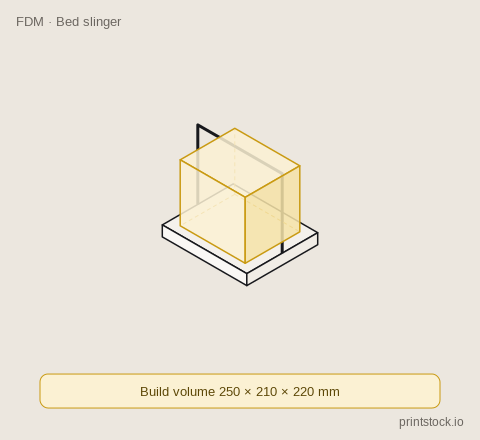
FDMBed slinger250 × 210 × 220 mm
Prusa's current bed slinger: the MK4 platform with a 360° turbine part cooling fan, a high-flow CHT nozzle and NFC Wi-Fi setup. 250 × 210 × 220 mm, load cell leveling, sold as a kit or assembled.
Where to buy
Prices as of Nov 11, 2026Taxes, shipping and any import duties are worked out by the store at checkout and depend on your country; ask the store if in doubt.
Store links may be affiliate links: we may earn a commission, and it does not change your price. Affiliate disclosure
Overview
The Original Prusa MK4S is the late 2024 refresh of the MK4 and is Prusa's current open-frame printer. The headline change is part cooling: the old side fan was replaced by a high-pressure turbine mounted at an angle in front of the Nextruder, with a duct that wraps almost all the way around the nozzle. Reviews report it normally runs at 60 to 70 percent and still lets the printer handle steep overhangs, around 75 degrees, without supports.
The second change is a high-flow CHT style nozzle as standard, which together with new profiles cuts print times noticeably compared with the MK4. The rest is familiar: load cell first layer calibration, input shaping, 0.9 degree motors, MMU3 support and Prusa's documentation and spare parts. Wi-Fi setup, long a weak spot on Prusa machines, now works by tapping a phone with NFC in the Prusa app.
It is not the fastest printer at its price: CoreXY machines from Bambu Lab and others finish jobs sooner and include an enclosure. People buy the MK4S for reliability, repairability, local network printing without a cloud account, and a long upgrade path. MK4 owners can upgrade with an official kit, and the MK4S itself can be converted into the enclosed CORE One.
Best for
- Buyers who want a reliable, repairable open printer with excellent documentation
- Print farms and workshops that prefer local network printing without a mandatory cloud
- Owners planning to add the MMU3 or later convert to the CORE One
Look elsewhere if
- You print mostly ABS or ASA: an enclosed printer like the CORE One is a better start
- Speed per dollar matters most: CoreXY rivals print faster for less
Before you buy
- Choose kit or assembled: the kit saves money but takes most of a day to build.
- For ABS, ASA or PA you need the Prusa enclosure with filtration or a different printer.
- Existing MK4 owners should price the upgrade kit before buying a new MK4S.
- Steel sheets, nozzles and the MMU3 are shared with other current Prusa printers.
Pros and cons
Pros
- Strong 360° part cooling for overhangs and bridges
- Automatic first layer via load cell
- Open, repairable, long spare parts support
- Upgrade path to CORE One
Cons
- Open frame, no enclosure included
- Slower than similarly priced CoreXY printers
- Assembled version costs noticeably more than the kit
What owners like
One of the best printers tested
Praised by most ownersTom's Hardware rated it 5/5, praising the high-flow nozzle, perfect first layers and speed that matches Bambu Lab.
Reliable long-term investment
Praised by most ownersTechRadar points to reliability, consistent prints and future-proofing; it was ready to print five minutes after unboxing.
Works fully offline
Often praisedIt runs without any cloud connection, which keeps files on site.
Collected the same way as known issues: from independent reviews, owner reports and public discussions, merged and grouped.
Known issues
Last reviewed Nov 13, 2026Popular models have longer lists simply because more people own them and talk about them. Severity and status show how much each problem matters today.
Inconsistent first layers from load cell calibration
Moderate (affects prints)Workaround availableThe MK4S keeps the MK4's load cell probing. A minority of owners report first layer problems that clear up after recalibration, cleaning the nozzle tip or replacing the load cell under warranty.
Clogs that support cannot quickly fix
Moderate (affects prints)Still reportedAn owner hit a clog in the first weeks that hours of support sessions did not solve, halting work until a replacement nozzle arrived.
Stuck-filament false alarms and PETG delamination
Moderate (affects prints)Still reportedReviewers note stuck-filament false alarms and delamination on large PETG parts.
First layer too low on stock settings
Minor (annoyance)Workaround availableA firmware issue reports the MK4S first layer coming out too low with default settings.
Quality drops at top speed
Minor (annoyance)Still reportedPrint quality suffers at the highest speeds.
Pricier than CoreXY rivals
Minor (annoyance)Still reportedThe bed slinger costs more than faster enclosed CoreXY printers.
Already fixed: 1 (show)
Wireless setup with PrusaSlicer was historically awkward
Minor (annoyance)Fixed in firmwareReviewers noted that connecting PrusaSlicer to the printer over Wi-Fi was harder than on rival brands. The MK4S adds NFC setup through the Prusa app, which simplifies the first connection.
How we build this list: we collect independent reviews, owner reports and public discussions on forums and social networks, merge duplicates and group them by cause. Only serious or recurring problems make the list, so a single complaint will not appear here, and a listed problem does not mean every unit is affected.
Specs
Printing
- Type
- FDM
- Build volume
- 250 × 210 × 220 mm
- Kinematics
- Bed slinger
- Multi-color
- Yes
- Nozzles / toolheads
- 1
- Motion
- Input shaping, 0.9° X/Y motors, 32-bit xBuddy board
Extruder and bed
- Extruder
- Direct drive
- Stock nozzle
- 0.4 mm (0.25 mm also available)
- Nozzle / hotend
- High-flow brass CHT nozzle (Nextruder)
- Max nozzle temp
- 290 °C
- Filament
- 1.75 mm
- Build plate
- Removable PEI spring steel sheets on a magnetic bed
- Max bed temp
- 120 °C
- Bed leveling
- Automatic
- Enclosure
- No
Control and sensors
- Screen
- Touchscreen, 3.5 in
- Features
- Filament runout sensorPower-loss recoveryInput shaping
Cooling
- Part cooling
- High-pressure turbine fan with a 360° shroud around the nozzle
Multi-color
- Multi-material
- MMU3 for up to 5 filaments
Features
- Sensors
- Filament sensor, power panic, fan RPM monitoring
From maker and store specifications, checked Nov 12, 2026. Power, size, network and warranty are in their own blocks below.
Power and setup
Electricity
- Mains input
- 100 to 240 V (universal)
- Rated power
- 240 W
- Average while printing
- 80 W
- Note
- Prusa measured 80 W printing PLA and 120 W printing ABS on its MK-series printers at 26 °C
Network and cloud
- Works without internet
- Yes, fully (SD card / USB / LAN)
- Maker account
- Only for cloud / remote features
- Local control for other software
- Open (documented or open source)
- Note
- PrusaLink web interface and API on the local network; Prusa Connect cloud is optional
Space and room
- Size (W × D × H)
- 500 × 550 × 400 mm
- Weight
- 7 kg
On a standard power circuit
- US 15 A / 120 V standard circuit: fine, and about 1,200 W stays free for other things on that circuit while it heats up
- EU/UK 16 A / 230 V standard circuit: fine, and about 2,700 W stays free for other things on that circuit while it heats up
- A 10-hour run (for example, several figures printed one after another): about 0.8 kWh. Multiply by your price per kWh for the cost.
Our calculation from the maker's rated power and average power while printing, keeping a circuit at 80% for long loads.
Safety and support
Safety
- Safety and conformity marks
- CE (EU), UL 2904 / GREENGUARD emissions
Warranty and repair
- Warranty
- 12 months; optional +1 or +2 year extension for MK4S, +1 year for MINI+; printers bought from third parties: one year from delivery
- Repair guides
- Official page ↗
- Open source
- Firmware
Running costs
| PLA filament, per kg | Cheapest in our catalog: Elegoo PLA Basic | $9.34 |
|---|---|---|
| Spare build plate | Smooth PEI Print Sheet | $32.99 |
Starter budget: about $1,008 for the printer at its best listed price, 1 kg of PLA.
Cheapest compatible items in our catalog, USD prices as last checked. Prices change; see each item for the date.
Software and firmware
- Slicer / control software
- PrusaSlicer, OrcaSlicer
- Firmware
- Prusa firmware (open source, Marlin based)
- Connectivity
- USB drive, Ethernet, Wi-Fi, Prusa Connect, Prusa app with NFC
Official firmware and downloads ↗ We never host firmware files.
Questions people ask
What is the difference between the MK4 and MK4S?
The MK4S adds a 360° turbine part cooling fan, a high-flow nozzle as standard, NFC Wi-Fi setup and faster profiles. The frame, bed, load cell and MMU3 support are the same.
Can I upgrade an MK4 to an MK4S?
Yes. Prusa sells an official MK4 to MK4S upgrade kit, and the MK4S can later be converted into the enclosed CORE One.
How many overhangs can the MK4S print without supports?
Reviews report clean overhangs up to about 75 degrees thanks to the new cooling, though results depend on material and model.
Does it need a cloud account?
No. It prints from a USB drive or over the local network; Prusa Connect is optional.
Models proven to print on the Original Prusa MK4S
Coming soonFilaments that fit (66)
Matched by PrintStock from published specs: filament diameter, maximum nozzle and bed temperature and enclosure. Not a print test.
- PETG
- Anycubic PETG, Bambu Lab PETG Basic, Bambu Lab PETG Matte, Creality Hyper PETG, Elegoo PETG Pro, Elegoo Rapid PETG, eSUN PETG, eSUN PETG-Matte, Overture High Speed PETG, Polymaker PETG, Polymaker PolyLite PETG, Prusament PETG, Spectrum PETG, Spectrum PETG Premium High Speed, SUNLU PETG, SUNLU PETG 2.0
- PLA
- Anycubic PLA+, Anycubic PLA Basic, Anycubic PLA High Speed, Anycubic PLA Silk, Bambu Lab PLA Basic, Bambu Lab PLA Matte, Bambu Lab PLA Silk+, Bambu Lab PLA Translucent, Creality Hyper PLA, Creality Hyper PLA RFID, Elegoo PLA, Elegoo PLA Basic, Elegoo PLA Matte, Elegoo PLA Pro, Elegoo PLA Silk, eSUN PLA+, eSUN PLA Basic, eSUN PLA+HS, eSUN PLA-Matte, eSUN PLA-Silk Rainbow, Overture Easy PLA, Overture Matte PLA Dual Colors, Overture PLA+, Overture Silk PLA Gradient, Polymaker Panchroma PLA, Polymaker Panchroma PLA Matte, Polymaker Panchroma PLA Silk, Polymaker PLA Pro, Polymaker PolyLite PLA, Polymaker PolyLite PLA Pro, Polymaker PolyLite Silk PLA, Polymaker PolyMax PLA, Polymaker PolyTerra PLA, Prusament PLA, Spectrum Huracan PLA, Spectrum PLA, Spectrum PLA Pro, Spectrum Premium PLA High Speed, SUNLU High-Speed PLA, SUNLU PLA+ 2.0, SUNLU Silk PLA+ 2.0
Compatible accessories
Everything that fits the Original Prusa MK4S
$54.99 as of Nov 11, 2026Check price
$32.99 as of Nov 11, 2026Check price
$36.99 as of Nov 11, 2026Check price
$43.99 as of Nov 11, 2026Check price
$389 as of Nov 11, 2026Check price
Closest alternatives by price
Compare all side by side