$199.99 as of Nov 11, 2026Check price
Prusa Research
Prusa CORE One+
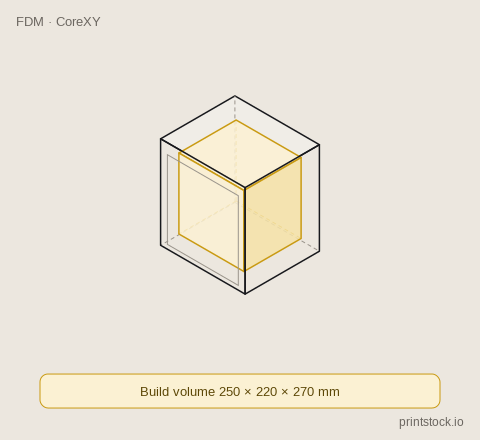
FDMCoreXYEnclosed250 × 220 × 270 mm
Prusa's enclosed CoreXY printer: 250 × 220 × 270 mm build volume, chamber temperature control up to 55 °C, open-source firmware, and an optional INDX toolchanger for up to 8 materials. Sold assembled or as a kit.
Where to buy
Prices as of Nov 11, 2026Taxes, shipping and any import duties are worked out by the store at checkout and depend on your country; ask the store if in doubt.
Store links may be affiliate links: we may earn a commission, and it does not change your price. Affiliate disclosure
Price history, 90 days
Lowest: $999 · Highest: $2,249Overview
The CORE One+ is Prusa's enclosed CoreXY printer and the current version of the CORE One. It packs a 250 × 220 × 270 mm build volume into a steel frame that Prusa says uses half the desk space of an MK4S inside an enclosure while printing 30% more volume. The chamber is regulated up to 55 °C for ABS, ASA, nylon and polycarbonate.
What sets it apart from Bambu and Creality is openness. The firmware is open source, it works offline, it accepts any filament brand and standard V6-style nozzles, and it is designed to be repaired and modified. You can buy it as a kit to build yourself or assembled. Multi-material printing comes through the MMU3 or the INDX toolchanger, which handles up to eight tools.
It is pricier than comparable Bambu printers: at our last check the Prusa store listed it at $1,299 assembled, $999 as a kit and $2,249 with the INDX 8-tool system. Early CORE One owners widely reported vertical fine artifacts (VFA) on walls; Prusa has since raised the recommended belt tension and the issue is covered under Known issues.
Best for
- Owners who want open-source firmware, offline use and repairable hardware
- ABS, ASA, PC and nylon in a temperature-controlled chamber
- People who enjoy building a printer from a kit
Look elsewhere if
- You want the most printer for the money: enclosed Bambu models cost much less
- You want multi-color printing without paying for the INDX or MMU3
- You want a printer that needs no belt tuning
Before you buy
- The kit takes several hours to build; the assembled version costs about $300 more.
- Check belt tension with Prusa's current recommendation after delivery; it was raised to reduce vertical fine artifacts.
- Multi-material needs the MMU3 or INDX, sold separately or as an INDX bundle.
- Because the printer accepts any filament and V6 nozzles, running costs depend on your choice of brands.
Pros and cons
Pros
- Open-source firmware and offline operation
- Temperature-controlled chamber up to 55 °C
- Compact footprint for its build volume
- Repairable, modifiable, standard nozzles
Cons
- Higher price than enclosed Bambu printers
- VFA artifacts on many early units
- Lower rated speed than Bambu and Creality rivals
Maker's test data
- Print speed
- 15 to 20% shorter print times than the MK4S depending on the project, per Prusa (figure published for the CORE One platform).
Published by the manufacturer from its own tests. PrintStock has not verified these figures; owner reports below may confirm or contradict them.
What owners like
Reliable, prints beautifully, open to any filament
Praised by most ownersA six-month owner review calls it an excellent, reliable enclosed CoreXY that stays fully open about filament.
Prusa quality with CoreXY speed
Praised by most ownersTom's Hardware says Prusa turned its classic i3 into a faster CoreXY with the quality expected of an industry leader, with a perfect first layer.
Repairable, quiet and works offline
Often praisedReviewers list repairability, low noise, an open-source slicer, component quality and offline use.
PLA with the door closed
Noted by some ownersThere is no need to crack the door open for PLA, and the chamber is easy to preheat for technical filaments.
Collected the same way as known issues: from independent reviews, owner reports and public discussions, merged and grouped.
Known issues
Last reviewed Nov 13, 2026Popular models have longer lists simply because more people own them and talk about them. Severity and status show how much each problem matters today.
Vertical fine artifacts (VFA) on walls
Moderate (affects prints)Workaround availableThe largest thread on Prusa's CORE One forum documents fine vertical lines on X and Y walls. Prusa acknowledged it publicly in mid-2025 and raised the recommended belt tension in firmware 6.3.4; owners report the issue is much reduced but not gone on every unit.
Failed Y calibration and gantry squareness
Moderate (affects prints)Workaround availableFailed Y-axis calibration on new printers and an out-of-square gantry are among the most discussed CORE One problems; a skewed gantry can also cause homing failures. Most fixes involve re-squaring and re-tensioning the belts.
Belt tensioner and idler failures
Moderate (affects prints)Workaround availableOwners report broken tension pulleys and tensioner screws seizing and damaging idler mounts.
Long jobs crash from static on the belts
Moderate (affects prints)Workaround availableSome long prints crashed, reportedly from static charge on the belts; grounding the X and Y motors helped.
Nozzle cleaning fails with PETG
Moderate (affects prints)Workaround availableAutomatic nozzle cleaning often fails with PETG, one of the most discussed threads.
Louder than the MK4S
Minor (annoyance)Workaround availableThe enclosure makes it about 4 to 6 dB louder than the MK4S, and some motors are loud; phase-stepping calibration in firmware 6.4.0 helps.
Chamber heated only by the bed
Minor (annoyance)Still reportedThere is no active chamber heater, so ABS, ASA and PA need about 10 minutes of warm-up and still warp if you skip it.
Long PTFE tube to the toolhead
Minor (annoyance)Workaround availableA filament break inside the long tube is a nuisance and soft TPU is fiddly.
Heavy, with shipping damage reported
Minor (annoyance)Still reportedAt 22.5 kg it is hard to move, and some units arrived with bent frame profiles or cracked panels.
Dated onboard interface and brass nozzle
Minor (annoyance)Still reportedThe onboard UI feels dated and a brass nozzle comes standard.
Already fixed: 1 (show)
Crash or restart on long diagonal moves
Minor (annoyance)Fixed in firmwareOwners report the printer crashing or restarting during long diagonal travel moves, along with load-cell nozzle cleaning failures. Firmware updates addressed several of these.
How we build this list: we collect independent reviews, owner reports and public discussions on forums and social networks, merge duplicates and group them by cause. Only serious or recurring problems make the list, so a single complaint will not appear here, and a listed problem does not mean every unit is affected.
Specs
Printing
- Type
- FDM
- Build volume
- 250 × 220 × 270 mm
- Kinematics
- CoreXY
- Multi-color
- Yes
- Nozzles / toolheads
- 1
- Materials
- PLA, PETG, TPU, ABS, ASA, PC, PA, PA-CF
- Layer height
- 0.05 to 0.30 mm
- Filament diameter
- 1.75 mm
- Materials
- PLA, PETG, ABS, ASA, PC, PA, TPU and fiber-filled grades
Extruder and bed
- Extruder
- Direct drive
- Stock nozzle
- 0.4 mm
- Nozzle / hotend
- High-flow brass CHT nozzle (Nextruder)
- Max nozzle temp
- 290 °C
- Filament
- 1.75 mm
- Build plate
- Removable PEI spring steel sheets on a magnetic bed
- Max bed temp
- 120 °C
- Bed leveling
- Automatic
- Enclosure
- Yes
Control and sensors
- Screen
- Touchscreen, 3.5 in
Files and setup
- Arrives
- Ships assembled
- Variants
- Assembled, Kit, INDX 8-Tool
Toolhead
- Nozzles
- E3D V6-compatible nozzles
Bed
- Max bed temperature
- 120 °C
Chamber
- Chamber temperature control
- Up to 55 °C, regulated with chamber sensor and fans
Multi-material
- Options
- MMU3 or INDX toolchanger (up to 8 tools)
Features
- Calibration
- Automatic calibration, input shaper
Connectivity
- Interfaces
- Wi-Fi, Ethernet, USB; offline operation supported
From maker and store specifications, checked Nov 12, 2026. Power, size, network and warranty are in their own blocks below.
Power and setup
Electricity
- Rated power
- 240 W
- Average while printing
- 90 W
Network and cloud
- Works without internet
- Yes, fully (SD card / USB / LAN)
- Maker account
- Only for cloud / remote features
- Local control for other software
- Open (documented or open source)
- Note
- PrusaLink web interface and API on the local network; Prusa Connect cloud is optional
Space and room
- Size (W × D × H)
- 415 × 444 × 555 mm
- Weight
- 22.5 kg
On a standard power circuit
- US 15 A / 120 V standard circuit: fine, and about 1,200 W stays free for other things on that circuit while it heats up
- EU/UK 16 A / 230 V standard circuit: fine, and about 2,700 W stays free for other things on that circuit while it heats up
- A 10-hour run (for example, several figures printed one after another): about 0.9 kWh. Multiply by your price per kWh for the cost.
Our calculation from the maker's rated power and average power while printing, keeping a circuit at 80% for long loads.
Safety and support
Safety
- Safety and conformity marks
- CE (EU)
Warranty and repair
- Warranty
- 12 months; optional +1 or +2 year extension for MK4S, +1 year for MINI+; printers bought from third parties: one year from delivery
- Repair guides
- Official page ↗
- Open source
- Firmware
Running costs
| PLA filament, per kg | Cheapest in our catalog: Elegoo PLA Basic | $9.34 |
|---|---|---|
| Spare nozzle or hotend | HT Hotend Upgrade (for CORE One/+ and CORE One L/+) | $199.99 |
| Spare build plate | CORE One Smooth PEI Print Sheet | $32.99 |
Starter budget: about $1,208 for the printer at its best listed price, 1 kg of PLA and a spare nozzle.
Cheapest compatible items in our catalog, USD prices as last checked. Prices change; see each item for the date.
Software and firmware
- Slicer / control software
- PrusaSlicer (official); OrcaSlicer, Cura and other G-code slicers
- Firmware
- Open source (Prusa Firmware Buddy)
- Connectivity
- Wi-Fi, Ethernet, USB, Prusa Connect, offline mode
Official firmware and downloads ↗ We never host firmware files.
Questions people ask
How much does the Prusa CORE One+ cost?
At our last check the Prusa store listed it at $1,299 assembled, $999 as a kit and $2,249 with the INDX 8-tool system.
Prusa CORE One+ or Bambu Lab P2S?
The P2S is cheaper, faster and has a slightly larger build area. The CORE One+ has open-source firmware, works fully offline, uses standard nozzles and regulates its chamber up to 55 °C. Pick on openness and repairability versus price and speed.
Can the Prusa CORE One+ print multi-color?
Yes, with the MMU3 multi-material unit or the INDX toolchanger, which supports up to eight tools.
Prusa CORE One+ or MK4S?
The CORE One+ is enclosed CoreXY with a 30% larger build volume and chamber temperature control; the MK4S is an open bed slinger. For ABS, ASA or nylon, or a smaller footprint with an enclosure, choose the CORE One+.
Models proven to print on the Prusa CORE One+
Coming soonFilaments that fit (85)
Matched by PrintStock from published specs: filament diameter, the materials Prusa Research lists for this printer. Not a print test.
- PETG
- Anycubic PETG, Bambu Lab PETG Basic, Bambu Lab PETG Matte, Creality Hyper PETG, Elegoo PETG Pro, Elegoo Rapid PETG, eSUN PETG, eSUN PETG-Matte, Overture High Speed PETG, Polymaker PETG, Polymaker PolyLite PETG, Prusament PETG, Spectrum PETG, Spectrum PETG Premium High Speed, SUNLU PETG, SUNLU PETG 2.0
- PLA
- Anycubic PLA+, Anycubic PLA Basic, Anycubic PLA High Speed, Anycubic PLA Silk, Bambu Lab PLA Basic, Bambu Lab PLA Matte, Bambu Lab PLA Silk+, Bambu Lab PLA Translucent, Creality Hyper PLA, Creality Hyper PLA RFID, Elegoo PLA, Elegoo PLA Basic, Elegoo PLA Matte, Elegoo PLA Pro, Elegoo PLA Silk, eSUN PLA+, eSUN PLA Basic, eSUN PLA+HS, eSUN PLA-Matte, eSUN PLA-Silk Rainbow, Overture Easy PLA, Overture Matte PLA Dual Colors, Overture PLA+, Overture Silk PLA Gradient, Polymaker Panchroma PLA, Polymaker Panchroma PLA Matte, Polymaker Panchroma PLA Silk, Polymaker PLA Pro, Polymaker PolyLite PLA, Polymaker PolyLite PLA Pro, Polymaker PolyLite Silk PLA, Polymaker PolyMax PLA, Polymaker PolyTerra PLA, Prusament PLA, Spectrum Huracan PLA, Spectrum PLA, Spectrum PLA Pro, Spectrum Premium PLA High Speed, SUNLU High-Speed PLA, SUNLU PLA+ 2.0, SUNLU Silk PLA+ 2.0
- ABS
- Bambu Lab ABS, Creality Hyper ABS, Elegoo ABS, Polymaker PolyLite ABS, Siraya Tech Fibreheart ABS HT HF, SUNLU ABS
- PA-CF
- Bambu Lab PA6-CF, Bambu Lab PAHT-CF, eSUN PA-CF, Polymaker Fiberon PA6-CF20, Prusament PA11 Carbon Fiber, SUNLU PA12-CF, SUNLU PA6-CF
Compatible accessories
Everything that fits the Prusa CORE One+
$32.99 as of Nov 11, 2026Check price
$59.99 as of Nov 11, 2026Check price
$54.99 as of Nov 11, 2026Check price
$36.99 as of Nov 11, 2026Check price
$43.99 as of Nov 11, 2026Check price
Closest alternatives by price
Compare all side by side