$14.99 as of Nov 11, 2026Check price
Creality
Creality Ender-3 S1 Pro
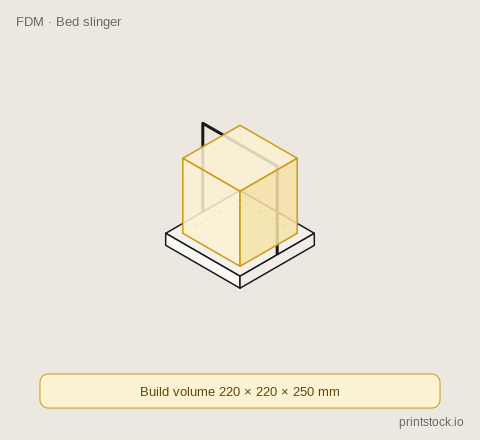
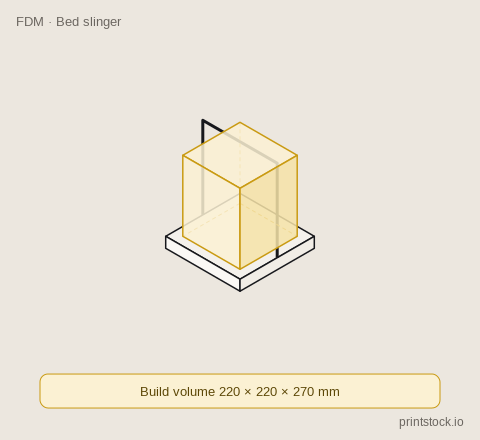
FDMBed slinger220 × 220 × 270 mm
The higher-temperature S1: 300 °C all-metal Sprite hotend, PEI spring steel plate, 4.3 in touchscreen, LED light, CR Touch and dual Z on a 220 × 220 × 270 mm bed slinger. Released early 2022, now discontinued.
Discontinued. Creality no longer makes this model. Compatible accessories and parts are listed below. The current model is Creality Ender-3 V3 SE.
Where to buy
Discontinued: no longer sold new, and we track no store that still has it in stock. The current model is Creality Ender-3 V3 SE.
Overview
The Creality Ender-3 S1 Pro arrived in early 2022 as the premium version of the S1. It keeps the Sprite direct-drive extruder, CR Touch auto leveling and dual Z lead screws, but upgrades the hotend to an all-metal design rated for 300 °C, swaps the plate for textured PEI spring steel, and adds a touchscreen and an LED light over the bed. The higher temperature opens up nylon and makes ABS and PETG more forgiving.
It cost noticeably more than the S1 at launch, and Creality later replaced the S-series with the faster Ender-3 V3 line. Retailers now list the S1 Pro as discontinued, often at clearance prices; 3DPros notes it was superseded by the Ender-3 V3 KE.
Owners face the same firmware caution as the S1, since both board variants exist, and the same fixes for leveling. As with every open bed slinger, ABS and nylon print better inside an enclosure.
Best for
- Owners maintaining an S1 who need parts and firmware
- Used buyers who want direct drive and auto leveling cheaply
- PLA, PETG and TPU on a budget
Look elsewhere if
- You are buying new: the Ender-3 V3 KE or SE is faster and cheaper
- You need multi-color or Wi-Fi out of the box
Before you buy
- Check the chip type before flashing firmware: firmware 1.x means STM32F1, 3.x means STM32F4.
- ABS needs an enclosure.
- Sprite extruder parts and plates are shared with the S1 Pro and V3 SE.
Pros and cons
Pros
- 300 °C all-metal hotend
- PEI plate and touchscreen
- Direct drive with auto leveling
Cons
- Slow by modern standards
- Two board variants complicate firmware
- Discontinued
What owners like
No upgrades needed
Praised by most ownersTom's Hardware calls it an Ender 3 that has it all, and TechRadar the best printer for the price at review time.
Quiet and reliable
Often praised3DSourced measured about 36 dB while printing, and All3DP found it prints beautifully and reliably.
Collected the same way as known issues: from independent reviews, owner reports and public discussions, merged and grouped.
Known issues
Last reviewed Nov 13, 2026Popular models have longer lists simply because more people own them and talk about them. Severity and status show how much each problem matters today.
Firmware must match the S1-series board chip
Moderate (affects prints)Workaround availableS1-series printers shipped with STM32F1 or STM32F4 boards that need different firmware files; flashing the wrong one fails or leaves a blank screen. Check the version shown on the screen and the board before flashing.
First-layer and leveling questions
Minor (annoyance)Workaround availableCreality collected 50 common S1 problems, many about CR Touch leveling, Z offset and adhesion. Run auto leveling with a heated bed and set the Z offset during the first layer.
Firmware ignores slicer speed settings
Minor (annoyance)Still reportedOwners report that a later firmware stopped following slicer speed settings, and others report the screen freezing.
Slow support and warranty disputes
Minor (annoyance)Still reportedTrustpilot reviewers often describe slow replies, generic advice and trouble getting warranty claims accepted; buying from a local retailer can make returns easier.
How we build this list: we collect independent reviews, owner reports and public discussions on forums and social networks, merge duplicates and group them by cause. Only serious or recurring problems make the list, so a single complaint will not appear here, and a listed problem does not mean every unit is affected.
Specs
Printing
- Type
- FDM
- Build volume
- 220 × 220 × 270 mm
- Kinematics
- Bed slinger
- Max speed
- 150 mm/s
- Multi-color
- No
- Nozzles / toolheads
- 1
Extruder and bed
- Extruder
- Direct drive
- Stock nozzle
- 0.4 mm
- Max nozzle temp
- 300 °C
- Filament
- 1.75 mm
- Build plate
- PEI spring steel plate
- Max bed temp
- 110 °C
- Bed leveling
- Automatic, 16 points
- Enclosure
- No
Control and sensors
- Screen
- Touchscreen, 4.3 in
- Features
- Power-loss recoveryFilament runout sensorBuilt-in lightSilent mode
- Screen languages
- ChineseEnglishGermanSpanishFrenchItalianPortugueseRussianTurkish
Files and setup
- Files the slicer opens
- STL, OBJ
Extrusion
- Materials
- PLA, PETG, TPU, ABS (enclosure recommended), PA
Motion
- Frame
- Dual Z lead screws with synchronized motors
Electronics
- Mainboard
- 32-bit; STM32F1 (firmware 1.x) or STM32F4 (firmware 3.x) depending on batch
From maker and store specifications, checked Nov 12, 2026. Power, size, network and warranty are in their own blocks below.
Power and setup
Electricity
- Mains input
- Separate 110 V and 220 V versions
- Rated power
- 350 W
- Note
- Rated input 115 V or 230 V set by a switch on the power supply; check it before plugging in
Network and cloud
- Works without internet
- Yes, fully (SD card / USB / LAN)
- Maker account
- Not needed
- Local control for other software
- None
- Note
- No built-in Wi-Fi or Ethernet; prints from a memory card or over USB. A Raspberry Pi with OctoPrint on the USB port adds network control.
Space and room
- Size (W × D × H)
- 490 × 455 × 625 mm
- Weight
- 8.6 kg
On a standard power circuit
- US 15 A / 120 V standard circuit: fine, and about 1,050 W stays free for other things on that circuit while it heats up
- EU/UK 16 A / 230 V standard circuit: fine, and about 2,550 W stays free for other things on that circuit while it heats up
Our calculation from the maker's rated power, keeping a circuit at 80% for long loads.
Safety and support
Safety
- Noise (maker figure)
- 50 dB, under 50 dB (maker)
Computer you need
- Runs on
- Windows, macOS (Apple silicon)
Warranty and repair
- Warranty
- 12 months; 24 months in the EU, Switzerland, Iceland and Norway; wear parts shorter
- Spare parts store
- Official page ↗
- Repair guides
- Official page ↗
Running costs
| PLA filament, per kg | Cheapest in our catalog: Elegoo PLA Basic | $9.34 |
|---|---|---|
| Spare nozzle or hotend | MK8 Nozzles Kit 24 pcs | $14.99 |
| Spare build plate | Smooth PEI Build Plate 235×235 mm | $17.99 |
Cheapest compatible items in our catalog, USD prices as last checked. Prices change; see each item for the date.
Software and firmware
- Slicer / control software
- Creality Print, Cura, PrusaSlicer, OrcaSlicer
- Firmware
- Creality Marlin; community firmware by mriscoc
- Connectivity
- microSD, USB
Official firmware and downloads ↗ We never host firmware files.
Questions people ask
Ender-3 S1 Pro or S1?
The S1 Pro adds a 300 °C all-metal hotend, PEI plate, touchscreen and LED light. The base S1 reaches 260 °C.
Is the Ender-3 S1 Pro discontinued?
Yes. Retailers list it as discontinued; it was superseded by the Ender-3 V3 KE.
Can the Ender-3 S1 Pro print nylon?
Yes, the 300 °C hotend handles nylon, though an enclosure and dry filament are needed for good results.
Models proven to print on the Creality Ender-3 S1 Pro
Coming soonFilaments that fit (67)
Matched by PrintStock from published specs: filament diameter, maximum nozzle and bed temperature and enclosure. Not a print test.
- PETG
- Anycubic PETG, Bambu Lab PETG Basic, Bambu Lab PETG Matte, Creality Hyper PETG, Elegoo PETG Pro, Elegoo Rapid PETG, eSUN PETG, eSUN PETG-Matte, Overture High Speed PETG, Polymaker PETG, Polymaker PolyLite PETG, Prusament PETG, Spectrum PETG, Spectrum PETG Premium High Speed, SUNLU PETG, SUNLU PETG 2.0
- PLA
- Anycubic PLA+, Anycubic PLA Basic, Anycubic PLA High Speed, Anycubic PLA Silk, Bambu Lab PLA Basic, Bambu Lab PLA Matte, Bambu Lab PLA Silk+, Bambu Lab PLA Translucent, Creality Hyper PLA, Creality Hyper PLA RFID, Elegoo PLA, Elegoo PLA Basic, Elegoo PLA Matte, Elegoo PLA Pro, Elegoo PLA Silk, eSUN PLA+, eSUN PLA Basic, eSUN PLA+HS, eSUN PLA-Matte, eSUN PLA-Silk Rainbow, Overture Easy PLA, Overture Matte PLA Dual Colors, Overture PLA+, Overture Silk PLA Gradient, Polymaker Panchroma PLA, Polymaker Panchroma PLA Matte, Polymaker Panchroma PLA Silk, Polymaker PLA Pro, Polymaker PolyLite PLA, Polymaker PolyLite PLA Pro, Polymaker PolyLite Silk PLA, Polymaker PolyMax PLA, Polymaker PolyTerra PLA, Prusament PLA, Spectrum Huracan PLA, Spectrum PLA, Spectrum PLA Pro, Spectrum Premium PLA High Speed, SUNLU High-Speed PLA, SUNLU PLA+ 2.0, SUNLU Silk PLA+ 2.0
Compatible accessories
Everything that fits the Creality Ender-3 S1 Pro
$17.99 as of Nov 11, 2026Check price
Closest alternatives by price
Compare all side by side