$14.99 as of Nov 11, 2026Check price
Creality
Creality Ender-3 S1
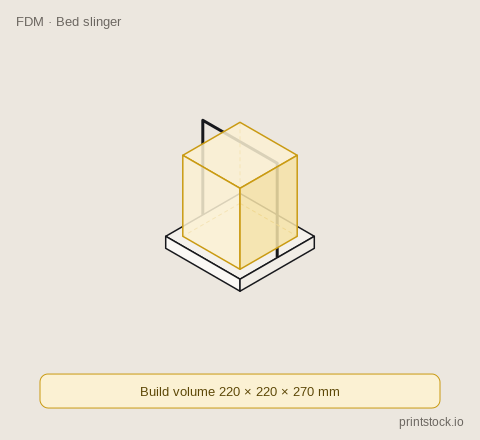
FDMBed slinger220 × 220 × 270 mm
The Ender that brought direct drive and auto leveling to the line in late 2021: Sprite extruder, CR Touch, dual Z lead screws, spring steel plate, 220 × 220 × 270 mm. Discontinued; the Ender-3 V3 SE inherited its key features.
Discontinued. Creality no longer makes this model. Compatible accessories and parts are listed below. The current model is Creality Ender-3 V3 SE.
Where to buy
Discontinued: no longer sold new, and we track no store that still has it in stock. The current model is Creality Ender-3 V3 SE.
Overview
The Creality Ender-3 S1, launched in December 2021, was the first Ender to ship with a direct-drive extruder and automatic bed leveling as standard. The Sprite extruder sits on the print head, so TPU and other flexible filaments feed reliably, and a CR Touch probe maps the bed. Dual Z lead screws keep the gantry level, and a spring steel plate makes prints easy to remove.
It was followed by the S1 Pro with a 300 °C hotend and PEI plate, and then by the Ender-3 V3 series, which kept the Sprite extruder and auto leveling and added more speed. Retailers now list the S1 as discontinued or end of life.
The main trap for owners is firmware: S1 units shipped with either an STM32F1 or STM32F4 chip, and they need different firmware files. Check the firmware version on the screen (1.x means F1, 3.x means F4) before flashing. Parts such as nozzles, plates and the Sprite extruder are shared with later models.
Best for
- Owners maintaining an S1 who need parts and firmware
- Used buyers who want direct drive and auto leveling cheaply
- PLA, PETG and TPU on a budget
Look elsewhere if
- You are buying new: the Ender-3 V3 SE is faster for less
- You want higher temperatures: the S1 Pro reaches 300 °C
Before you buy
- Check the chip type before flashing firmware: firmware 1.x means STM32F1, 3.x means STM32F4.
- ABS needs an enclosure.
- Sprite extruder parts and plates are shared with the S1 Pro and V3 SE.
Pros and cons
Pros
- Direct drive handles TPU
- CR Touch auto leveling
- Dual Z keeps the gantry level
Cons
- Slow by modern standards
- Two board variants complicate firmware
- Discontinued
What owners like
Direct drive and quiet operation
Often praisedTom's Hardware lists the direct drive extruder and quiet operation as reasons to buy, and found CR Touch leveling worked perfectly.
Collected the same way as known issues: from independent reviews, owner reports and public discussions, merged and grouped.
Known issues
Last reviewed Nov 13, 2026Popular models have longer lists simply because more people own them and talk about them. Severity and status show how much each problem matters today.
Wrong firmware for the board variant
Moderate (affects prints)Workaround availableS1 printers shipped with either an STM32F1 or an STM32F4 chip; flashing firmware for the wrong chip fails or bricks the screen. Firmware 1.x on the screen means F1, 3.x means F4.
First layer inconsistent even after leveling
Moderate (affects prints)Workaround availableA long-term owner kept seeing first-layer problems after setting leveling and Z offset, and needed to remove slop from the gantry before results became consistent.
First-layer and leveling questions
Minor (annoyance)Workaround availableCreality collected 50 common S1 problems, many about CR Touch leveling, Z offset and adhesion. Run auto leveling with a heated bed and set the Z offset during the first layer.
Build plate too sticky
Minor (annoyance)Workaround availableThe PC-coated plate grips PLA so well that parts can be hard to remove.
One-sided part cooling
Minor (annoyance)Workaround availableThe single part-cooling fan blows from one side, so overhangs facing away from it cool less evenly.
Knob screen with loud beeps
Minor (annoyance)Still reportedThe S1 uses a knob interface instead of a touchscreen, and the click beeps are loud and cannot be turned off in stock firmware.
Weak English manual
Minor (annoyance)Still reportedReviewers note the English manual needs work.
Slow support and warranty disputes
Minor (annoyance)Still reportedTrustpilot reviewers often describe slow replies, generic advice and trouble getting warranty claims accepted; buying from a local retailer can make returns easier.
How we build this list: we collect independent reviews, owner reports and public discussions on forums and social networks, merge duplicates and group them by cause. Only serious or recurring problems make the list, so a single complaint will not appear here, and a listed problem does not mean every unit is affected.
Specs
Printing
- Type
- FDM
- Build volume
- 220 × 220 × 270 mm
- Kinematics
- Bed slinger
- Max speed
- 150 mm/s
- Multi-color
- No
- Nozzles / toolheads
- 1
Extruder and bed
- Extruder
- Direct drive
- Stock nozzle
- 0.4 mm
- Max nozzle temp
- 260 °C
- Filament
- 1.75 mm
- Build plate
- PC-coated spring steel plate
- Max bed temp
- 100 °C
- Bed leveling
- Automatic, 16 points
- Enclosure
- No
Control and sensors
- Screen
- Screen with knob, 4.3 in
- Features
- Power-loss recoveryFilament runout sensorSilent mode
Files and setup
- Files the slicer opens
- STL, OBJ
- Arrives
- Partly assembled (quick setup)
Extrusion
- Materials
- PLA, PETG, TPU; ABS only with an enclosure
Motion
- Frame
- Dual Z lead screws with synchronized motors
Features
- Filament sensor
- Yes
Electronics
- Mainboard
- 32-bit; STM32F1 (firmware 1.x) or STM32F4 (firmware 3.x) depending on batch
From maker and store specifications, checked Nov 12, 2026. Power, size, network and warranty are in their own blocks below.
Power and setup
Electricity
- Mains input
- Separate 110 V and 220 V versions
- Rated power
- 350 W
- Note
- Rated input 115 V or 230 V set by a switch on the power supply; check it before plugging in
Network and cloud
- Works without internet
- Yes, fully (SD card / USB / LAN)
- Maker account
- Not needed
- Local control for other software
- None
- Note
- No built-in Wi-Fi or Ethernet; prints from a memory card or over USB. A Raspberry Pi with OctoPrint on the USB port adds network control.
Space and room
- Size (W × D × H)
- 487 × 453 × 622 mm
- Weight
- 9.1 kg
On a standard power circuit
- US 15 A / 120 V standard circuit: fine, and about 1,050 W stays free for other things on that circuit while it heats up
- EU/UK 16 A / 230 V standard circuit: fine, and about 2,550 W stays free for other things on that circuit while it heats up
Our calculation from the maker's rated power, keeping a circuit at 80% for long loads.
Safety and support
Safety
- Noise (maker figure)
- 50 dB, under 50 dB (store)
Computer you need
- Runs on
- Windows, macOS (Apple silicon)
Warranty and repair
- Warranty
- 12 months; 24 months in the EU, Switzerland, Iceland and Norway; wear parts shorter
- Spare parts store
- Official page ↗
- Repair guides
- Official page ↗
Running costs
| PLA filament, per kg | Cheapest in our catalog: Elegoo PLA Basic | $9.34 |
|---|---|---|
| Spare nozzle or hotend | MK8 Nozzles Kit 24 pcs | $14.99 |
| Spare build plate | Smooth PEI Build Plate 235×235 mm | $17.99 |
Cheapest compatible items in our catalog, USD prices as last checked. Prices change; see each item for the date.
Software and firmware
- Slicer / control software
- Creality Print, Cura, PrusaSlicer, OrcaSlicer
- Firmware
- Creality Marlin; community firmware by mriscoc
- Connectivity
- microSD, USB
Official firmware and downloads ↗ We never host firmware files.
Questions people ask
Ender-3 S1 or S1 Pro?
The S1 Pro adds a 300 °C all-metal hotend, PEI plate, touchscreen and LED light. The S1 tops out at 260 °C with a PC-coated plate.
Is the Ender-3 S1 discontinued?
Yes, retailers list it as discontinued or end of life. The Ender-3 V3 SE keeps the Sprite extruder and CR Touch and prints faster.
Can the Ender-3 S1 print TPU?
Yes. The Sprite direct-drive extruder feeds flexible filaments well at moderate speeds.
Models proven to print on the Creality Ender-3 S1
Coming soonFilaments that fit (66)
Matched by PrintStock from published specs: filament diameter, maximum nozzle and bed temperature and enclosure. Not a print test.
- PETG
- Anycubic PETG, Bambu Lab PETG Basic, Bambu Lab PETG Matte, Creality Hyper PETG, Elegoo PETG Pro, Elegoo Rapid PETG, eSUN PETG, eSUN PETG-Matte, Overture High Speed PETG, Polymaker PETG, Polymaker PolyLite PETG, Prusament PETG, Spectrum PETG, Spectrum PETG Premium High Speed, SUNLU PETG, SUNLU PETG 2.0
- PLA
- Anycubic PLA+, Anycubic PLA Basic, Anycubic PLA High Speed, Anycubic PLA Silk, Bambu Lab PLA Basic, Bambu Lab PLA Matte, Bambu Lab PLA Silk+, Bambu Lab PLA Translucent, Creality Hyper PLA, Creality Hyper PLA RFID, Elegoo PLA, Elegoo PLA Basic, Elegoo PLA Matte, Elegoo PLA Pro, Elegoo PLA Silk, eSUN PLA+, eSUN PLA Basic, eSUN PLA+HS, eSUN PLA-Matte, eSUN PLA-Silk Rainbow, Overture Easy PLA, Overture Matte PLA Dual Colors, Overture PLA+, Overture Silk PLA Gradient, Polymaker Panchroma PLA, Polymaker Panchroma PLA Matte, Polymaker Panchroma PLA Silk, Polymaker PLA Pro, Polymaker PolyLite PLA, Polymaker PolyLite PLA Pro, Polymaker PolyLite Silk PLA, Polymaker PolyMax PLA, Polymaker PolyTerra PLA, Prusament PLA, Spectrum Huracan PLA, Spectrum PLA, Spectrum PLA Pro, Spectrum Premium PLA High Speed, SUNLU High-Speed PLA, SUNLU PLA+ 2.0, SUNLU Silk PLA+ 2.0
Compatible accessories
Everything that fits the Creality Ender-3 S1
$17.99 as of Nov 11, 2026Check price
$11 as of Nov 12, 2026Check price
Closest alternatives by price
Compare all side by side