$15 as of Nov 11, 2026Check price
Anycubic
Anycubic Kobra 3
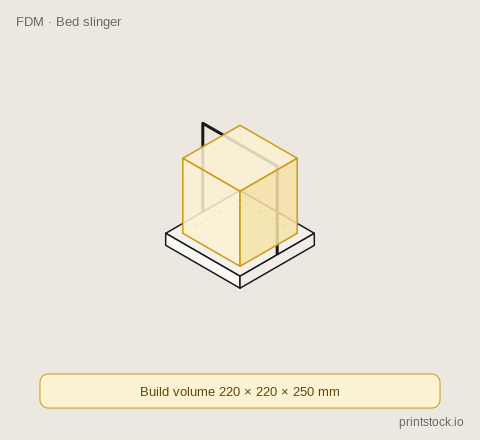
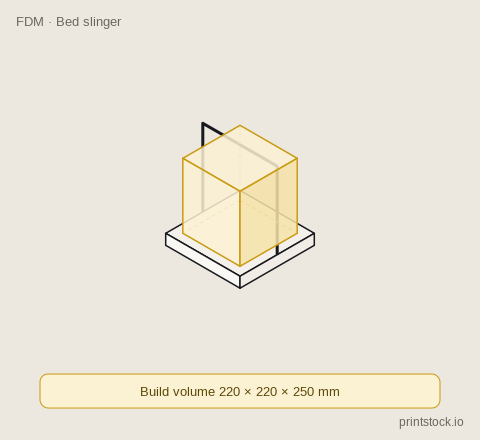
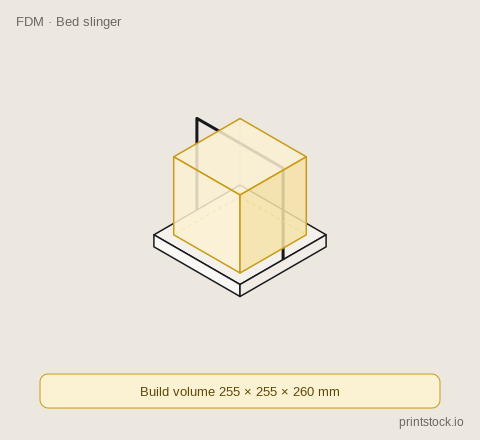
FDMBed slinger255 × 255 × 260 mm
Anycubic's first multi-color printer (2024): a fast bed slinger with the ACE Pro unit for 4 colors (8 with two units) and filament drying, 255 × 255 × 260 mm, up to 600 mm/s. Replaced in 2025 by the Kobra 3 V2.
Discontinued. Anycubic no longer makes this model. Compatible accessories and parts are listed below. The current model is Anycubic Kobra 3 V2.
Where to buy
Discontinued: no longer sold new, and we track no store that still has it in stock. The current model is Anycubic Kobra 3 V2.
Overview
The Anycubic Kobra 3, launched in 2024, was one of the cheapest ways into multi-color printing. It paired a fast bed slinger, rated up to 600 mm/s, with the ACE Pro, a box that holds four spools, switches between them automatically and dries filament at the same time. Two ACE Pro units give eight colors.
In 2025 Anycubic replaced it with the Kobra 3 V2, which looks almost identical but adds a built-in 720p camera, LeviQ 3.0 leveling with full Z offset compensation and many software fixes; Tom's Hardware notes most improvements are in software and some reach the original Kobra 3 too. Plates, nozzles and the print head are shared between the two.
One long-term test found that nearly all Kobra 3 errors come from the ACE Pro, not the printer: false tangle errors, clogs and heavy purge waste. Single-color printing is described as nearly flawless.
Best for
- Owners maintaining a Kobra 3 and ACE Pro
- Budget multi-color printing
- Used buyers who mostly print single-color
Look elsewhere if
- You are buying new: the Kobra 3 V2 adds a camera and better leveling for the same price
- You want reliable multi-color: Bambu Lab's A1 Combo is more mature
Before you buy
- Update firmware first; many ACE Pro fixes arrived in updates.
- Reduce purge volumes in the slicer to cut waste.
- TPU is single-color only; the ACE Pro cannot feed it.
- Plates and nozzles are shared with the Kobra 3 V2.
Pros and cons
Pros
- Cheap 4 to 8 color printing
- ACE Pro dries filament
- Fast for a bed slinger
Cons
- ACE Pro errors and purge waste
- No built-in camera
- Replaced by the V2
What owners like
Fast, with input shaping and a high-flow hotend
Praised by most ownersTom's Hardware lists speed, input shaping, the high-flow hotend and four-color ACE as reasons to buy.
Easy multicolor for beginners
Often praisedGamesRadar+ found multicolor printing easy and would recommend it even as a first printer, thanks to automatic bed calibration.
Workflow that sets a standard
Often praisedTechRadar calls it one of the best printers available, with a workflow that sets a standard.
Collected the same way as known issues: from independent reviews, owner reports and public discussions, merged and grouped.
Known issues
Last reviewed Nov 13, 2026Popular models have longer lists simply because more people own them and talk about them. Severity and status show how much each problem matters today.
ACE Pro jams and clogs (11518)
Major (repair or return)Workaround availableFilament strands get stuck in the ACE Pro gears or buffer and stop the print; the jam has to be cleared by hand.
Heavy purge waste on color changes
Moderate (affects prints)Workaround availableThe ACE Pro cannot pull filament back on a color change, so the whole strand is purged; owners report around 100 g of waste per multicolor print. Anycubic Slicer Next and lower flush volumes reduce it.
Purge chute throws waste and colors bleed
Moderate (affects prints)Workaround availableThe chute can fling purge blobs onto the bed, and dark-to-light changes leave muddy color. There is no waste bin in the box.
Nozzle leaks and melt builds up on the hotend
Moderate (affects prints)Workaround availablePlastic seeps from under the nozzle and cakes onto the hotend, which speeds up clogs. Firmware now cools the nozzle on pause and the V2 hotend seals better.
First layer drifts
Moderate (affects prints)Workaround availableLeviQ 2.0 levels the bed but does not set Z offset, and residue on the nozzle skews the strain gauge, so the first layer needs manual Z offset tuning and a clean nozzle.
Wrong color loaded, snapped filament, worn gears
Minor (annoyance)Workaround availableSingle-strand loading fails on some spools, and abrasive filaments wear the drive gears after about five or six spools.
Already fixed: 3 (show)
Layer shifts in multicolor prints and on the Y axis
Moderate (affects prints)Fixed in firmwareOwners saw skipped layers after power loss and in multicolor prints, and Y-axis shifts at high acceleration. Firmware 2.3.8 and 2.4.5 fixed most cases; lower acceleration helps.
False filament tangle alarms (11519)
Minor (annoyance)Fixed in firmwareThe ACE Pro sensor reported tangles while filament fed fine. Fixed in ACE Pro firmware 1.3.76 and later.
False spaghetti detection
Minor (annoyance)Fixed in firmwareAI detection was too sensitive and paused good prints. Firmware 2.4.1.9 added a sensitivity setting.
How we build this list: we collect independent reviews, owner reports and public discussions on forums and social networks, merge duplicates and group them by cause. Only serious or recurring problems make the list, so a single complaint will not appear here, and a listed problem does not mean every unit is affected.
Specs
Printing
- Type
- FDM
- Build volume
- 255 × 255 × 260 mm
- Kinematics
- Bed slinger
- Max speed
- 600 mm/s
- Max acceleration
- 20,000 mm/s²
- Multi-color
- Yes
- Nozzles / toolheads
- 1
Extruder and bed
- Extruder
- Direct drive
- Stock nozzle
- 0.4 mm
- Max nozzle temp
- 300 °C
- Filament
- 1.75 mm
- Max bed temp
- 100 °C
- Bed leveling
- Automatic
- Enclosure
- No
Control and sensors
- Screen
- Touchscreen, 4.3 in
- Features
- Power-loss recoveryFilament runout sensorInput shapingCamera as an add-on
Files and setup
- Files the slicer opens
- STL, OBJ
Multi-color
- Multi-material
- ACE Pro: 4 colors, 8 with two units, filament drying
Features
- Camera
- Optional (built in on the V2)
Software
- Firmware
- Klipper-go (Anycubic's Go port of Klipper)
From maker and store specifications, checked Nov 12, 2026. Power, size, network and warranty are in their own blocks below.
Power and setup
Electricity
- Rated power
- 400 W
Network and cloud
- Works without internet
- Yes, fully (SD card / USB / LAN)
- Maker account
- Only for cloud / remote features
- Local control for other software
- Limited or behind a special mode
- Note
- LAN mode sends prints from Anycubic Slicer Next, shows progress and video without an account; in LAN mode the cloud, the app and AI detection are off.
Space and room
- Size (W × D × H)
- 453 × 505 × 483 mm
- Weight
- 9.2 kg
On a standard power circuit
- US 15 A / 120 V standard circuit: fine, and about 1,000 W stays free for other things on that circuit while it heats up
- EU/UK 16 A / 230 V standard circuit: fine, and about 2,500 W stays free for other things on that circuit while it heats up
Our calculation from the maker's rated power, keeping a circuit at 80% for long loads.
Safety and support
Computer you need
- Runs on
- Windows, macOS (Apple silicon)
Warranty and repair
- Warranty
- 12 months; 12 months on main parts; print head, extruder, belts, motors, camera and screens 3 months; nozzles, PTFE and FEP not covered
- Spare parts store
- Official page ↗
- Repair guides
- Official page ↗
Running costs
| PLA filament, per kg | Cheapest in our catalog: Elegoo PLA Basic | $9.34 |
|---|---|---|
| Spare nozzle or hotend | Nozzle | $15 |
| Spare build plate | Spring Steel Magnetic Platform | $32.99 |
Cheapest compatible items in our catalog, USD prices as last checked. Prices change; see each item for the date.
Software and firmware
- Slicer / control software
- Anycubic Slicer Next, OrcaSlicer
- Firmware
- Anycubic firmware (Klipper-go)
- Connectivity
- Wi-Fi, USB, LAN
Official firmware and downloads ↗ We never host firmware files.
Questions people ask
Kobra 3 or Kobra 3 V2?
The V2 adds a built-in 720p camera, LeviQ 3.0 leveling and software improvements at a similar price. Buy the V2 new; an original Kobra 3 makes sense used.
Is the Anycubic Kobra 3 discontinued?
It was replaced by the Kobra 3 V2 in 2025. Many software improvements also reached the original.
How many colors can the Kobra 3 print?
Four with one ACE Pro, eight with two.
Models proven to print on the Anycubic Kobra 3
Coming soonFilaments that fit (67)
Matched by PrintStock from published specs: filament diameter, maximum nozzle and bed temperature and enclosure. Not a print test.
- PETG
- Anycubic PETG, Bambu Lab PETG Basic, Bambu Lab PETG Matte, Creality Hyper PETG, Elegoo PETG Pro, Elegoo Rapid PETG, eSUN PETG, eSUN PETG-Matte, Overture High Speed PETG, Polymaker PETG, Polymaker PolyLite PETG, Prusament PETG, Spectrum PETG, Spectrum PETG Premium High Speed, SUNLU PETG, SUNLU PETG 2.0
- PLA
- Anycubic PLA+, Anycubic PLA Basic, Anycubic PLA High Speed, Anycubic PLA Silk, Bambu Lab PLA Basic, Bambu Lab PLA Matte, Bambu Lab PLA Silk+, Bambu Lab PLA Translucent, Creality Hyper PLA, Creality Hyper PLA RFID, Elegoo PLA, Elegoo PLA Basic, Elegoo PLA Matte, Elegoo PLA Pro, Elegoo PLA Silk, eSUN PLA+, eSUN PLA Basic, eSUN PLA+HS, eSUN PLA-Matte, eSUN PLA-Silk Rainbow, Overture Easy PLA, Overture Matte PLA Dual Colors, Overture PLA+, Overture Silk PLA Gradient, Polymaker Panchroma PLA, Polymaker Panchroma PLA Matte, Polymaker Panchroma PLA Silk, Polymaker PLA Pro, Polymaker PolyLite PLA, Polymaker PolyLite PLA Pro, Polymaker PolyLite Silk PLA, Polymaker PolyMax PLA, Polymaker PolyTerra PLA, Prusament PLA, Spectrum Huracan PLA, Spectrum PLA, Spectrum PLA Pro, Spectrum Premium PLA High Speed, SUNLU High-Speed PLA, SUNLU PLA+ 2.0, SUNLU Silk PLA+ 2.0
Compatible accessories
Everything that fits the Anycubic Kobra 3
$34.99 as of Nov 11, 2026Check price
$34.99 as of Nov 11, 2026Check price
$34.99 as of Nov 11, 2026Check price
$32.99 as of Nov 11, 2026Check price
$13.99 as of Nov 11, 2026Check price
Closest alternatives by price
Compare all side by side