$15 as of Nov 11, 2026Check price
Anycubic
Anycubic Kobra 3 V2
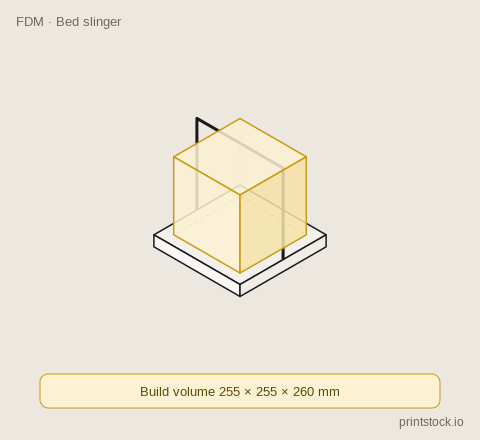
FDMBed slinger255 × 255 × 260 mm
Updated Kobra 3 bed slinger: 255 × 255 × 260 mm, 600 mm/s max (300 recommended), wider bed rails, improved leveling, 720p camera and support for two ACE Pro units for 8-color printing.
- Highest rated speed of the 20 FDM printers under $300 we list
- Most nozzles of the 21 FDM printers under $300 we list
Where to buy
Prices as of Nov 11, 2026Taxes, shipping and any import duties are worked out by the store at checkout and depend on your country; ask the store if in doubt.
Store links may be affiliate links: we may earn a commission, and it does not change your price. Affiliate disclosure
Price history, 90 days
Lowest: $214 · Highest: $307.45Overview
The Kobra 3 V2 is Anycubic's 2025 revision of the Kobra 3, its budget multicolor bed slinger. Anycubic described it as a response to owner complaints: the bed sits on rails 20 mm farther apart for stability, leveling was improved, a 720p camera was added, and the printer accepts two ACE Pro units for up to eight colors in one job. Launch prices were $299 for the printer and around $379 for the ACE Pro combo, which made it one of the cheapest multicolor printers available.
As a single-color printer it is easy to recommend. Tom's Hardware praised the software improvements, and Creative Bloq found it printed single-color jobs flawlessly over months of testing. It ships mostly assembled with the gantry installed.
The weak point is the ACE Pro. Long-term testers report filament jams, tangles and slow color changes, and multicolor jobs waste noticeably more filament than on rivals with smarter purging. Anycubic has improved purge control in Slicer Next, and many owners make it work well, but buyers who mainly want hassle-free multicolor printing should also look at the Bambu Lab A1 Combo.
Best for
- Budget buyers who print mostly in one color
- Hobbyists who want occasional multicolor prints at a low price
- Upgraders from older Kobra printers
Look elsewhere if
- Reliable multicolor printing is your main goal: the ACE Pro is finicky
- You need an enclosure for ABS or ASA
Before you buy
- Decide on the combo only if you will print multicolor regularly; the printer alone costs much less.
- Use dry filament with the ACE Pro; its dryer helps but jams are common with damp spools.
- TPU works only fed directly to the printer, not through the ACE Pro.
- Kobra 3 V2 uses its own firmware branch; download the V2 package.
Pros and cons
Pros
- Low price
- Easy setup, gantry preinstalled
- Up to 8 colors with two ACE Pro units
- Built-in camera
Cons
- ACE Pro jams and tangles
- Slow color changes and high purge waste
- Open frame
What owners like
New slicer unlocks its potential
Praised by most ownersTom's Hardware says the updated Anycubic Slicer lets the Kobra lineup finally live up to its potential, making the V2 a strong multicolor choice.
Collected the same way as known issues: from independent reviews, owner reports and public discussions, merged and grouped.
Known issues
Last reviewed Nov 13, 2026Popular models have longer lists simply because more people own them and talk about them. Severity and status show how much each problem matters today.
ACE Pro feed errors 11518 and 11519
Major (repair or return)Workaround availablePrints pause mid-feed because of buffer jams, pinched filament or tangled spools; a long-term reviewer called the ACE Pro problematic at best and multicolor the printer's weak point.
Filament fragments block the path after color changes
Moderate (affects prints)Workaround availableBroken pieces lodge in the runout sensor, merge hub or behind a dull cutter and stop extrusion (11511, 11512). Regular hub and cutter upkeep is needed.
Purge waste can exceed the part's weight
Moderate (affects prints)Workaround availableGenerous flush volumes and re-purging after every pause or resume, even without a color change, waste a lot of filament; one print wasted nearly 100 g.
Purge wiper flings molten plastic
Moderate (affects prints)Workaround availableBlobs land on the bed or the part because the wiper sits too far from the nozzle, and the throw gets longer as prints get taller.
Wear parts in the extruder
Moderate (affects prints)Still reportedThe metal runout sensor flap and the merge hub wear out, causing cut, retraction and "filament broken" errors; the flap is only sold as part of a full extruder.
Error 10409 restarts and update regressions
Moderate (affects prints)Workaround availableLink faults between the ACE Pro, mainboard and toolhead restart prints, and some firmware updates brought clogs or adhesion loss. Firmware 1.1.2.8 is the recommended branch; a few units went black after an update and needed support.
Unreliable AI detection and app
Minor (annoyance)Still reportedThe spaghetti detection raises false alarms, and the app's camera view loads slowly with timeouts and false notifications.
Messy cabling and awkward layout
Minor (annoyance)Still reportedFour filament tubes and a cable bunch up on the toolhead, the ACE Pro cable needs routing around the printer, and the camera housing has to be printed by the owner.
TPU and filled filaments not supported in the ACE Pro
Minor (annoyance)Workaround availablePLA-CF, glass-filled filament and soft TPU jam or wear the ACE Pro channel; feed them directly instead.
How we build this list: we collect independent reviews, owner reports and public discussions on forums and social networks, merge duplicates and group them by cause. Only serious or recurring problems make the list, so a single complaint will not appear here, and a listed problem does not mean every unit is affected.
Specs
Printing
- Type
- FDM
- Build volume
- 255 × 255 × 260 mm
- Kinematics
- Bed slinger
- Max speed
- 600 mm/s
- Max acceleration
- 20,000 mm/s²
- Multi-color
- Yes
- Nozzles / toolheads
- 1
Extruder and bed
- Extruder
- Direct drive
- Stock nozzle
- 0.4 mm
- Nozzle / hotend
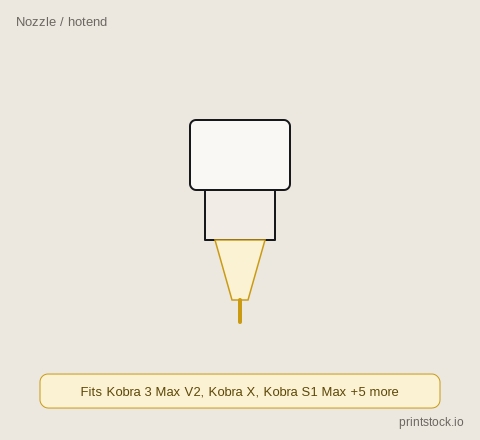
- All-metal quick-swap hotend
- Max nozzle temp
- 300 °C
- Filament
- 1.75 mm
- Max bed temp
- 110 °C
- Bed leveling
- Automatic
- Enclosure
- No
Control and sensors
- Screen
- Touchscreen, 4.3 in
- Features
- Power-loss recoveryAutomatic filament loadingAI print failure detectionCamera as an add-on
Files and setup
- Files the slicer opens
- STL, OBJ, PLY
- Variants
- Standard, Combo
Motion
- Y rails
- Bed rails 20 mm wider than on the Kobra 3
Multi-color
- Multi-material
- ACE Pro: 4 colors, two units for 8 colors
Monitoring
- Camera
- 720p HD camera
Materials
- Filaments
- PLA, PETG, TPU on the printer; TPU not through the ACE Pro
Software
- Slicer
- Anycubic Slicer Next
From maker and store specifications, checked Nov 12, 2026. Power, size, network and warranty are in their own blocks below.
Power and setup
Electricity
- Rated power
- 400 W
Network and cloud
- Works without internet
- Yes, fully (SD card / USB / LAN)
- Maker account
- Only for cloud / remote features
- Local control for other software
- Limited or behind a special mode
- Note
- LAN mode sends prints from Anycubic Slicer Next, shows progress and video without an account; in LAN mode the cloud, the app and AI detection are off.
Space and room
- Size (W × D × H)
- 452.9 × 504.7 × 483 mm
- Weight
- 9.37 kg
On a standard power circuit
- US 15 A / 120 V standard circuit: fine, and about 1,000 W stays free for other things on that circuit while it heats up
- EU/UK 16 A / 230 V standard circuit: fine, and about 2,500 W stays free for other things on that circuit while it heats up
Our calculation from the maker's rated power, keeping a circuit at 80% for long loads.
Safety and support
Computer you need
- Runs on
- Windows, macOS (Apple silicon)
Warranty and repair
- Warranty
- 12 months; 12 months on main parts; print head, extruder, belts, motors, camera and screens 3 months; nozzles, PTFE and FEP not covered
- Spare parts store
- Official page ↗
- Repair guides
- Official page ↗
Running costs
| PLA filament, per kg | Cheapest in our catalog: Elegoo PLA Basic | $9.34 |
|---|---|---|
| Spare nozzle or hotend | Nozzle | $15 |
| Spare build plate | Spring Steel Magnetic Platform | $32.99 |
Starter budget: about $238 for the printer at its best listed price, 1 kg of PLA and a spare nozzle.
Cheapest compatible items in our catalog, USD prices as last checked. Prices change; see each item for the date.
Software and firmware
- Slicer / control software
- Anycubic Slicer Next (official), OrcaSlicer
- Firmware
- Anycubic firmware (Kobra 3 V2 branch)
- Connectivity
- Wi-Fi, Anycubic app, USB
Official firmware and downloads ↗ We never host firmware files.
Questions people ask
What changed from the Kobra 3?
Wider bed rails, improved leveling, a camera, support for two ACE Pro units and software updates. Some features were also brought to the original Kobra 3.
Can it print 8 colors?
Yes, with two ACE Pro units and the filament hub.
Can I print TPU?
Yes, but only fed directly to the printhead in single color, not through the ACE Pro.
Models proven to print on the Anycubic Kobra 3 V2
Coming soonFilaments that fit (67)
Matched by PrintStock from published specs: filament diameter, maximum nozzle and bed temperature and enclosure. Not a print test.
- PETG
- Anycubic PETG, Bambu Lab PETG Basic, Bambu Lab PETG Matte, Creality Hyper PETG, Elegoo PETG Pro, Elegoo Rapid PETG, eSUN PETG, eSUN PETG-Matte, Overture High Speed PETG, Polymaker PETG, Polymaker PolyLite PETG, Prusament PETG, Spectrum PETG, Spectrum PETG Premium High Speed, SUNLU PETG, SUNLU PETG 2.0
- PLA
- Anycubic PLA+, Anycubic PLA Basic, Anycubic PLA High Speed, Anycubic PLA Silk, Bambu Lab PLA Basic, Bambu Lab PLA Matte, Bambu Lab PLA Silk+, Bambu Lab PLA Translucent, Creality Hyper PLA, Creality Hyper PLA RFID, Elegoo PLA, Elegoo PLA Basic, Elegoo PLA Matte, Elegoo PLA Pro, Elegoo PLA Silk, eSUN PLA+, eSUN PLA Basic, eSUN PLA+HS, eSUN PLA-Matte, eSUN PLA-Silk Rainbow, Overture Easy PLA, Overture Matte PLA Dual Colors, Overture PLA+, Overture Silk PLA Gradient, Polymaker Panchroma PLA, Polymaker Panchroma PLA Matte, Polymaker Panchroma PLA Silk, Polymaker PLA Pro, Polymaker PolyLite PLA, Polymaker PolyLite PLA Pro, Polymaker PolyLite Silk PLA, Polymaker PolyMax PLA, Polymaker PolyTerra PLA, Prusament PLA, Spectrum Huracan PLA, Spectrum PLA, Spectrum PLA Pro, Spectrum Premium PLA High Speed, SUNLU High-Speed PLA, SUNLU PLA+ 2.0, SUNLU Silk PLA+ 2.0
Compatible accessories
Everything that fits the Anycubic Kobra 3 V2
$15.99 as of Nov 11, 2026Check price
$34.99 as of Nov 11, 2026Check price
$34.99 as of Nov 11, 2026Check price
$34.99 as of Nov 11, 2026Check price
$32.99 as of Nov 11, 2026Check price
Closest alternatives by price
Compare all side by side