$21.99 as of Nov 11, 2026Check price
Elegoo
Elegoo Neptune 4 Plus
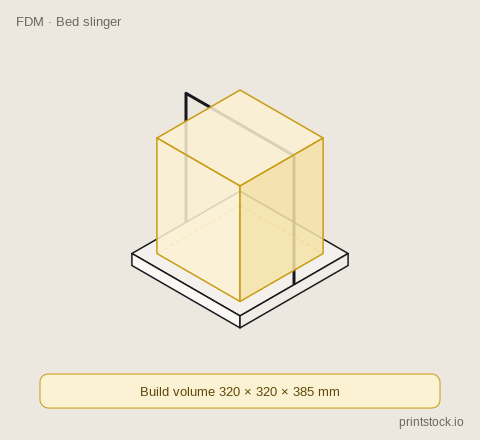
FDMBed slinger320 × 320 × 385 mm
The mid-size Neptune 4: 320 × 320 × 385 mm, Klipper preinstalled, 500 mm/s peak (250 recommended), 12,000 mm/s² acceleration, 300 °C hotend and 100 °C bed.
- Largest build volume of the 21 FDM printers under $300 we list
- Most nozzles of the 21 FDM printers under $300 we list
Where to buy
Prices as of Nov 11, 2026Taxes, shipping and any import duties are worked out by the store at checkout and depend on your country; ask the store if in doubt.
Store links may be affiliate links: we may earn a commission, and it does not change your price. Affiliate disclosure
Overview
The Neptune 4 Plus takes the Neptune 4 recipe to a 320 mm square bed. It keeps Klipper on an ARM board, input shaping and pressure advance, and adds accelerometers on the X and Y axes so resonance compensation can be measured instead of guessed. Elegoo rates it at 500 mm/s peak with 12,000 mm/s² acceleration, but recommends 250 mm/s for everyday printing.
Two details differ from the small Neptune 4 models. X and Y home without limit switches, using the stall when the carriage reaches the end, and the nozzle is a custom length part, so generic V6 or MK8 nozzles do not fit without changing the Z offset. Two hardware revisions exist: early units with a ribbon cable to the printhead and later ones with a Type-C cable.
At its price it is one of the cheapest ways to get a large, fast printer for cosplay parts, helmets and big functional prints. The usual Neptune 4 caveats apply: a big moving bed limits real speed on tall prints, fans are loud, and the firmware is Elegoo's own Klipper build.
Best for
- Large prints such as helmets, props and enclosures on a budget
- Tinkerers who want Klipper features at a low price
- Users who print mostly PLA and PETG
Look elsewhere if
- You want the fastest large printer: a CoreXY with a fixed bed is quicker on tall parts
- You need an enclosure for ABS or ASA
Before you buy
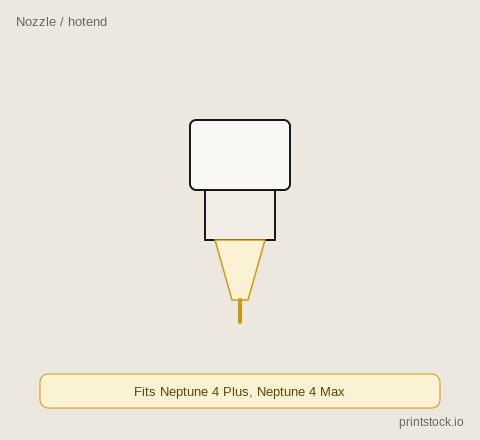
- Buy Elegoo nozzles made for the Neptune 4 Plus and 4 Max; generic nozzles have a different length.
- Firmware for the Plus and the Max is different; flashing the wrong one can brick the board.
- Leave room: the bed travels a long way front to back.
- Check whether you are getting the ribbon cable or Type-C revision.
Pros and cons
Pros
- Large build volume for the price
- Klipper with measured input shaping
- 300 °C hotend
- Cheap spare parts
Cons
- Custom nozzles
- Loud fans
- Large footprint from the moving bed
- Locked down firmware
What owners like
Best balance of size, speed and price
Praised by most ownersTom's Hardware calls it the best compromise between size, speed and price it has seen in a desktop filament printer.
Reliable large prints
Often praisedReviewers found large models print reliably and quickly, with quick filament changes.
Collected the same way as known issues: from independent reviews, owner reports and public discussions, merged and grouped.
Known issues
Last reviewed Nov 13, 2026Popular models have longer lists simply because more people own them and talk about them. Severity and status show how much each problem matters today.
Two hardware revisions, incompatible firmware
Major (repair or return)Workaround availableThe wrong fix pack can brick a Type-C unit, and mainboard and screen firmware must be a matched pair.
Bed harness chafes the rear panel
Major (repair or return)Still reportedA sharp bend wears the insulation, causing lockups and in one case smoke; the official fix is a new bed assembly.
Custom nozzle length
Moderate (affects prints)Workaround availableElegoo states the Neptune 4 Plus and 4 Max nozzles are custom made and differ in length from standard nozzles, so a generic nozzle can crash into the bed or leave a gap.
Homing faults from sensorless homing
Moderate (affects prints)Workaround availableBecause X and Y use stall detection instead of switches, loose belts or binding can trigger false homing errors or grinding at the end of travel.
Wheels wear in about five months
Moderate (affects prints)Workaround availablePOM wheels wear and eccentrics loosen, so play appears on a hot bed.
Bed mesh and first layer variation
Minor (annoyance)Workaround availableThe large bed can be uneven across the surface; owners re-run the mesh at temperature and tune Z offset per sheet.
Acceleration below spec
Minor (annoyance)Still reportedThe shipped config caps acceleration at 3000 against 12000 advertised.
Runout sensor false triggers
Minor (annoyance)Workaround availablePoor soldering makes the sensor trigger when the cable moves.
Loud power supply fan
Minor (annoyance)Still reportedThe PSU fan runs constantly and silent mode does not affect it.
Frame shakes on light tables
Minor (annoyance)Workaround availableThe tall frame rocks at speed on a light or folding table.
How we build this list: we collect independent reviews, owner reports and public discussions on forums and social networks, merge duplicates and group them by cause. Only serious or recurring problems make the list, so a single complaint will not appear here, and a listed problem does not mean every unit is affected.
Specs
Printing
- Type
- FDM
- Build volume
- 320 × 320 × 385 mm
- Kinematics
- Bed slinger
- Max speed
- 500 mm/s
- Max acceleration
- 12,000 mm/s²
- Multi-color
- No
- Nozzles / toolheads
- 1
Extruder and bed
- Extruder
- Direct drive
- Stock nozzle
- 0.4 mm
- Max nozzle temp
- 300 °C
- Filament
- 1.75 mm
- Build plate
- Magnetic PEI spring steel plate
- Max bed temp
- 110 °C
- Bed leveling
- Automatic, 121 points
- Enclosure
- No
Control and sensors
- Screen
- Touchscreen
- Features
- Input shapingFlow calibrationBuilt-in light
Files and setup
- Files the slicer opens
- STL, OBJ
Motion
- Homing
- Sensorless X/Y homing, accelerometers on X and Y
Software
- Firmware
- Klipper preinstalled, input shaping and pressure advance
From maker and store specifications, checked Nov 12, 2026. Power, size, network and warranty are in their own blocks below.
Power and setup
Electricity
- Rated power
- 400 W
- Note
- Built-in 24 V 400 W power supply (genuine Elegoo part shared by the 4 Plus and 4 Max).
Network and cloud
- Works without internet
- Yes, fully (SD card / USB / LAN)
- Maker account
- Not needed
- Local control for other software
- Open (documented or open source)
- Slicers from other makers
- Supported
- Note
- Runs Klipper with Moonraker and a Fluidd web page at the printer's IP address; no account needed.
Space and room
- Size (W × D × H)
- 533 × 517 × 638 mm
On a standard power circuit
- US 15 A / 120 V standard circuit: fine, and about 1,000 W stays free for other things on that circuit while it heats up
- EU/UK 16 A / 230 V standard circuit: fine, and about 2,500 W stays free for other things on that circuit while it heats up
Our calculation from the maker's rated power, keeping a circuit at 80% for long loads.
Safety and support
Computer you need
- Runs on
- Windows, macOS (Apple silicon)
Warranty and repair
- Warranty
- 12 months; main parts; hotend, plates and screens shorter; a longer period applies where local law requires it
- Spare parts store
- Official page ↗
Running costs
| PLA filament, per kg | Cheapest in our catalog: Elegoo PLA Basic | $9.34 |
|---|---|---|
| Spare nozzle or hotend | Multi-Size Brass Nozzle Kit for Neptune 4 Series | $10.99 |
| Spare build plate | Dual-Sided Build Plate for Neptune 4 Series | $19.99 |
Starter budget: about $244 for the printer at its best listed price, 1 kg of PLA and a spare nozzle.
Cheapest compatible items in our catalog, USD prices as last checked. Prices change; see each item for the date.
Software and firmware
- Slicer / control software
- Elegoo Cura, OrcaSlicer, PrusaSlicer
- Firmware
- Klipper (Elegoo build, Fluidd style web UI)
- Connectivity
- USB drive, Wi-Fi, LAN
Official firmware and downloads ↗ We never host firmware files.
Questions people ask
What is the difference between the Neptune 4 Plus and 4 Max?
The Plus has a 320 × 320 × 385 mm volume and up to 12,000 mm/s² acceleration; the Max is 420 × 420 × 480 mm with lower acceleration.
Can I use standard V6 nozzles?
Not directly: the Neptune 4 Plus nozzle is a custom length. Use Elegoo's nozzle kit for the 4 Plus and 4 Max.
Is the Neptune 4 Plus+ a different printer?
It is a later revision with a Type-C cable to the printhead instead of the ribbon cable; the rest is very similar.
Models proven to print on the Elegoo Neptune 4 Plus
Coming soonFilaments that fit (67)
Matched by PrintStock from published specs: filament diameter, maximum nozzle and bed temperature and enclosure. Not a print test.
- PETG
- Anycubic PETG, Bambu Lab PETG Basic, Bambu Lab PETG Matte, Creality Hyper PETG, Elegoo PETG Pro, Elegoo Rapid PETG, eSUN PETG, eSUN PETG-Matte, Overture High Speed PETG, Polymaker PETG, Polymaker PolyLite PETG, Prusament PETG, Spectrum PETG, Spectrum PETG Premium High Speed, SUNLU PETG, SUNLU PETG 2.0
- PLA
- Anycubic PLA+, Anycubic PLA Basic, Anycubic PLA High Speed, Anycubic PLA Silk, Bambu Lab PLA Basic, Bambu Lab PLA Matte, Bambu Lab PLA Silk+, Bambu Lab PLA Translucent, Creality Hyper PLA, Creality Hyper PLA RFID, Elegoo PLA, Elegoo PLA Basic, Elegoo PLA Matte, Elegoo PLA Pro, Elegoo PLA Silk, eSUN PLA+, eSUN PLA Basic, eSUN PLA+HS, eSUN PLA-Matte, eSUN PLA-Silk Rainbow, Overture Easy PLA, Overture Matte PLA Dual Colors, Overture PLA+, Overture Silk PLA Gradient, Polymaker Panchroma PLA, Polymaker Panchroma PLA Matte, Polymaker Panchroma PLA Silk, Polymaker PLA Pro, Polymaker PolyLite PLA, Polymaker PolyLite PLA Pro, Polymaker PolyLite Silk PLA, Polymaker PolyMax PLA, Polymaker PolyTerra PLA, Prusament PLA, Spectrum Huracan PLA, Spectrum PLA, Spectrum PLA Pro, Spectrum Premium PLA High Speed, SUNLU High-Speed PLA, SUNLU PLA+ 2.0, SUNLU Silk PLA+ 2.0
Compatible accessories
Everything that fits the Elegoo Neptune 4 Plus
$10.99 as of Nov 11, 2026Check price
$11.99 as of Nov 11, 2026Check price
$19.99 as of Nov 11, 2026Check price
Closest alternatives by price
Compare all side by side