$35 as of Nov 12, 2026Check price
Flashforge
Flashforge Creator 5
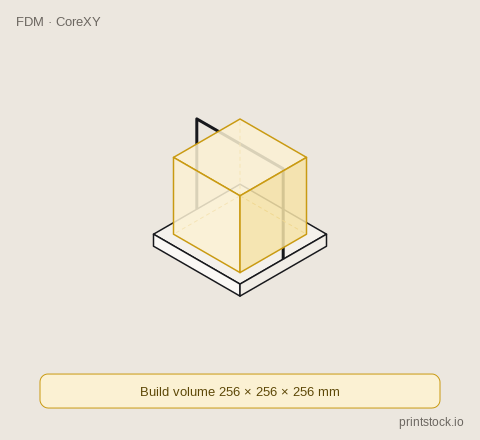
FDMCoreXY256 × 256 × 256 mm
Open-frame four-toolhead tool changer from Flashforge (2026): 256 mm cube, 600 mm/s, four hardened 320 °C toolheads for multi-color and multi-material printing with almost no purge waste.
- Most nozzles of the 52 FDM printers under $800 we list
Where to buy
Prices as of Nov 11, 2026Taxes, shipping and any import duties are worked out by the store at checkout and depend on your country; ask the store if in doubt.
Store links may be affiliate links: we may earn a commission, and it does not change your price. Affiliate disclosure
Overview
The Flashforge Creator 5, launched in spring 2026, is Flashforge's move from IDEX dual extruders to a four-toolhead tool changer, aimed squarely at the Snapmaker U1. Instead of one nozzle fed by a filament switcher, it parks four independent direct-drive toolheads and picks up the one it needs, which Flashforge calls FlashSwap. Each head keeps its own filament loaded, so color changes waste almost no plastic and are much faster than purging a single nozzle, and different materials such as PLA with soluble or TPU parts can share one print.
The base model is open frame, without a door or lid, so it suits PLA, PETG and TPU; the Creator 5 Pro adds the enclosure and heated chamber for engineering materials. Both share a 256 mm cube, 600 mm/s with 30,000 mm/s² acceleration, hardened 320 °C nozzles and a 120 °C bed. Launch pricing started at $649; at our last check the catalog listed $699.
Tool changers are mechanically more complex than single-nozzle printers, and this platform only started shipping in May 2026, so long-term reliability is still unproven.
Best for
- Multi-color prints without purge waste
- Multi-material prints with soluble supports or flexible parts
- Users who print mostly PLA and PETG
Look elsewhere if
- You rarely print in more than one color: a single-nozzle printer is cheaper and simpler
- You print ABS, ASA or nylon: the Creator 5 Pro adds the heated enclosure
Before you buy
- Four toolheads mean four nozzles to maintain and calibrate.
- The platform began shipping in May 2026; check recent owner reports.
- Compare with the Snapmaker U1, the main rival tool changer.
Pros and cons
Pros
- Near-zero purge waste
- Fast color changes
- Hardened 320 °C nozzles
- Low price for a tool changer
Cons
- More mechanical complexity
- New platform
- Open frame limits ABS and ASA
What owners like
Toolchanger features at a low price
Noted by some ownersOne reviewer found it beats some gold-standard machines in a few practical respects, held back mainly by a less mature ecosystem.
Collected the same way as known issues: from independent reviews, owner reports and public discussions, merged and grouped.
Known issues
Last reviewed Nov 13, 2026Popular models have longer lists simply because more people own them and talk about them. Severity and status show how much each problem matters today.
XY skew on some units
Major (repair or return)Workaround availableSquares print as rhombuses because the X rail is not square to the Y rods; warranty replacement or skew correction.
Tools fail to pick up or dock (E0127 to E0146)
Major (repair or return)Workaround availableA locking motor, board, harness or missing magnet stops tool pickup; parts are replaced under warranty.
Warped bed corner
Moderate (affects prints)Workaround availableOne corner can miss the first layer; level with the four nuts and shim.
Prime tower waste with third-party filament
Moderate (affects prints)Workaround availableFlush volumes are tuned for Flashforge filament, so other brands over-purge; default priming waste is high.
Purge waste lands in the frame
Minor (annoyance)Workaround availableNo waste bin ships and early firmware dropped waste toward a fan; firmware 1.9.4 moved the drop point.
VFA banding and loud direction changes
Minor (annoyance)Workaround availableResonance leaves lines on flat walls and the light frame thuds at high acceleration; firmware 1.9.6 added compensation and a silent mode.
Manual filament handling and long prep
Minor (annoyance)Still reportedThere is no auto-feed, RFID or nozzle cleaning, and print preparation takes a long time.
Arrives unlubricated
Minor (annoyance)Workaround availableThe X bearings rattle until the supplied grease is applied.
5 GHz Wi-Fi drops
Minor (annoyance)Workaround availableThe printer loses 5 GHz links within seconds; use 2.4 GHz or Ethernet.
Open frame limits materials
Minor (annoyance)Still reportedFlashforge recommends the enclosed Pro for ABS, ASA and nylon, and the base model cannot be upgraded to a Pro.
How we build this list: we collect independent reviews, owner reports and public discussions on forums and social networks, merge duplicates and group them by cause. Only serious or recurring problems make the list, so a single complaint will not appear here, and a listed problem does not mean every unit is affected.
Specs
Printing
- Type
- FDM
- Build volume
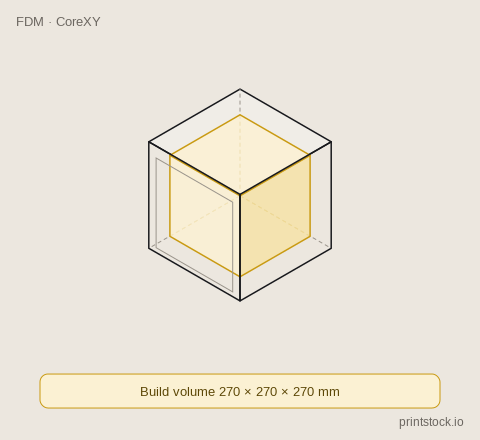
- 256 × 256 × 256 mm
- Kinematics
- CoreXY
- Max speed
- 600 mm/s
- Max acceleration
- 30,000 mm/s²
- Multi-color
- Yes
- Nozzles / toolheads
- 4
- Layer height
- 0.1 to 0.4 mm
Extruder and bed
- Extruder
- Direct drive
- Stock nozzle
- 0.4 mm (0.25, 0.6 and 0.8 mm)
- Nozzle / hotend
- Four tool heads, hardened steel removable nozzles
- Max nozzle temp
- 320 °C
- Filament
- 1.75 mm
- Build plate
- Textured PEI flexible steel plate
- Max bed temp
- 120 °C
- Bed leveling
- Automatic
- Enclosure
- No
Control and sensors
- Screen
- Touchscreen, 4 in
- Features
- Flow calibrationFilament runout sensorPower-loss recoveryBuilt-in lightSilent mode
Extrusion
- Toolheads
- 4 independent direct-drive toolheads, FlashSwap tool changer
- Nozzles
- Hardened steel, up to 320 °C; 0.4 mm standard, 0.25, 0.6, 0.8 mm optional
- Flow
- 32 mm³/s per toolhead
From maker and store specifications, checked Nov 12, 2026. Power, size, network and warranty are in their own blocks below.
Power and setup
Electricity
- Rated power
- 700 W
Network and cloud
- Maker account
- Only for cloud / remote features
- Local control for other software
- Limited or behind a special mode
- Note
- Flashforge's Flash Studio Desktop sends jobs through the cloud (Flashforge account) or in LAN Only mode; third-party tools reach it in LAN-only mode with the LAN access code.
Space and room
- Size (W × D × H)
- 436 × 432 × 480 mm
- Weight
- 14 kg
On a standard power circuit
- US 15 A / 120 V standard circuit: fine, and about 700 W stays free for other things on that circuit while it heats up
- EU/UK 16 A / 230 V standard circuit: fine, and about 2,200 W stays free for other things on that circuit while it heats up
Our calculation from the maker's rated power, keeping a circuit at 80% for long loads.
Safety and support
Safety
- Noise (maker figure)
- 55 dB, below 55 dB in silent mode (maker)
Warranty and repair
- Warranty
- 12 months; 12-month limited warranty on the printer, 3 months on extruder parts; only for authorised dealers and the official store
Running costs
| PLA filament, per kg | Cheapest in our catalog: Elegoo PLA Basic | $9.34 |
|---|---|---|
| Spare nozzle or hotend | Flashforge Creator 5 Nozzle Assembly | $35 |
Starter budget: about $743 for the printer at its best listed price, 1 kg of PLA and a spare nozzle.
Cheapest compatible items in our catalog, USD prices as last checked. Prices change; see each item for the date.
Software and firmware
- Slicer / control software
- Orca-Flashforge, FlashPrint
- Firmware
- Flashforge firmware with OTA updates
- Connectivity
- Wi-Fi, Ethernet, USB
Official firmware and downloads ↗ We never host firmware files.
Questions people ask
Creator 5 or Creator 5 Pro?
Both have four toolheads and a 256 mm cube. The Pro adds a full enclosure, 65 °C chamber heating and a HEPA plus carbon filter for engineering materials.
Creator 5 or Snapmaker U1?
Both are four-toolhead tool changers aimed at waste-free multi-color printing. Compare current prices and the Pro's heated chamber if you need engineering materials.
How much does the Creator 5 cost?
Launch pricing started at $649 with a deposit.
Models proven to print on the Flashforge Creator 5
Coming soonFilaments that fit (67)
Matched by PrintStock from published specs: filament diameter, maximum nozzle and bed temperature and enclosure. Not a print test.
- PETG
- Anycubic PETG, Bambu Lab PETG Basic, Bambu Lab PETG Matte, Creality Hyper PETG, Elegoo PETG Pro, Elegoo Rapid PETG, eSUN PETG, eSUN PETG-Matte, Overture High Speed PETG, Polymaker PETG, Polymaker PolyLite PETG, Prusament PETG, Spectrum PETG, Spectrum PETG Premium High Speed, SUNLU PETG, SUNLU PETG 2.0
- PLA
- Anycubic PLA+, Anycubic PLA Basic, Anycubic PLA High Speed, Anycubic PLA Silk, Bambu Lab PLA Basic, Bambu Lab PLA Matte, Bambu Lab PLA Silk+, Bambu Lab PLA Translucent, Creality Hyper PLA, Creality Hyper PLA RFID, Elegoo PLA, Elegoo PLA Basic, Elegoo PLA Matte, Elegoo PLA Pro, Elegoo PLA Silk, eSUN PLA+, eSUN PLA Basic, eSUN PLA+HS, eSUN PLA-Matte, eSUN PLA-Silk Rainbow, Overture Easy PLA, Overture Matte PLA Dual Colors, Overture PLA+, Overture Silk PLA Gradient, Polymaker Panchroma PLA, Polymaker Panchroma PLA Matte, Polymaker Panchroma PLA Silk, Polymaker PLA Pro, Polymaker PolyLite PLA, Polymaker PolyLite PLA Pro, Polymaker PolyLite Silk PLA, Polymaker PolyMax PLA, Polymaker PolyTerra PLA, Prusament PLA, Spectrum Huracan PLA, Spectrum PLA, Spectrum PLA Pro, Spectrum Premium PLA High Speed, SUNLU High-Speed PLA, SUNLU PLA+ 2.0, SUNLU Silk PLA+ 2.0
Compatible accessories
Everything that fits the Flashforge Creator 5
$16.90 as of Nov 12, 2026Check price
$9.90 as of Nov 12, 2026Check price
$29.90 as of Nov 12, 2026Check price
$9.90 as of Nov 12, 2026Check price
$49.90 as of Nov 12, 2026Check price
Closest alternatives by price
Compare all side by side