$39.99 as of Nov 12, 2026Check price
QIDI Tech
QIDI Plus5
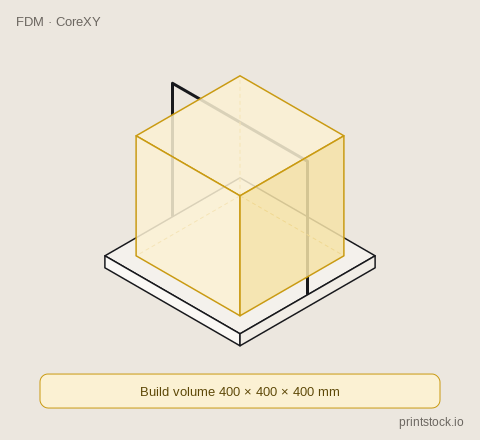
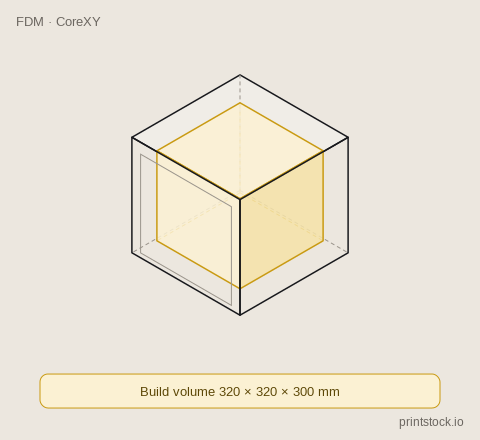
FDMCoreXYEnclosed320 × 320 × 300 mm
QIDI's large enclosed CoreXY for engineering materials: 320 × 320 × 300 mm, 370 °C nozzle, 120 °C bed, actively heated 65 °C chamber, load cell leveling, 1080p AI camera, optional QIDI Box multicolor.
- Hottest nozzle of the 73 FDM printers we list
Where to buy
Prices as of Nov 11, 2026Taxes, shipping and any import duties are worked out by the store at checkout and depend on your country; ask the store if in doubt.
Store links may be affiliate links: we may earn a commission, and it does not change your price. Affiliate disclosure
Price history, 90 days
Lowest: $653.22 · Highest: $793.39Overview
The Plus5, launched on August 5, 2026, replaces QIDI's popular Plus4. It keeps the formula of a big enclosed CoreXY with a genuinely heated chamber at a mid-range price, and stretches the build to 320 × 320 × 300 mm in nearly the same footprint. Tom's Hardware said it goes toe to toe with Bambu Lab's H2 series for nearly half the price.
The upgrades are practical: a third-generation 550 W chamber heater QIDI rates as much more efficient, a full-surface 500 W bed heater for even heat, a 370 °C hotend, load cell leveling built into the hotend, a 1080p camera with spaghetti detection, and 5 GHz Wi-Fi. It handles PLA, PETG, ABS, ASA, TPU, PA, PC and fiber-filled blends, and the optional QIDI Box adds multicolor and tangle detection.
It runs QIDI's Klipper-based firmware with QIDI Studio, and OrcaSlicer and PrusaSlicer also work. It is heavy at 29 kg. QIDI's own guidance is to keep the chamber about 10 °C below a filament's softening point, and no hotter than 45 °C for PLA, so the heater is not something to leave at maximum.
Best for
- ABS, ASA, nylon and PC on a mid-range budget
- Large functional parts
- Users wanting Klipper with a polished app
Look elsewhere if
- You mainly need multicolor: a Bambu AMS setup is smoother
- You need a light, portable printer
Before you buy
- Plan for 29 kg; get help unboxing.
- Keep chamber heat low for PLA (45 °C max).
- Decide now whether you want the QIDI Box Combo.
- Use the built-in AI camera for long engineering prints.
Pros and cons
Pros
- Heated chamber at a mid price
- 370 °C hotend
- Load cell leveling
- Large build
Cons
- Heavy
- Multicolor needs extra box
- QIDI Box adds cost
Maker's test data
- Chamber heating
- A 550 W third-generation heater that QIDI rates at 38% higher heating efficiency than the Plus 4's 400 W unit; the ceiling stays at 65°C.
Published by the manufacturer from its own tests. PrintStock has not verified these figures; owner reports below may confirm or contradict them.
What owners like
High-temperature workhorse
Often praisedTom's Hardware called it a high-temperature workhorse and one of the best printers it had seen, for large functional parts.
Quick setup, easy belt tensioning
Noted by some ownersSetup took about 15 minutes, and belts can be tensioned without disassembly.
Collected the same way as known issues: from independent reviews, owner reports and public discussions, merged and grouped.
Known issues
Last reviewed Nov 13, 2026Popular models have longer lists simply because more people own them and talk about them. Severity and status show how much each problem matters today.
QIDI Box stalls before the head
Moderate (affects prints)Still reportedFilament stalls about 13 cm from the head, linked to bent PTFE or a loose hub clamp.
Bed higher in the center
Moderate (affects prints)Workaround availableOwners report 0.3 to 0.8 mm bed deviation out of the box.
No jam detection without the Box
Moderate (affects prints)Still reportedThe standalone sensor only detects run-out, so slipping gears go unnoticed.
PLA heat creep with a hot chamber
Minor (annoyance)Workaround availableRunning the chamber too warm with PLA softens filament and can clog; QIDI advises 45 °C maximum for PLA.
200 mm purge before each print
Minor (annoyance)Still reportedThe hotend cleaning step extrudes a lot of filament.
TPU clogs on stock profile
Minor (annoyance)Workaround availableDefault TPU speeds of 200 to 300 mm/s overwhelm the extruder.
Heavy
Minor (annoyance)Still reportedThe printer weighs about 64 lb and may need two people.
How we build this list: we collect independent reviews, owner reports and public discussions on forums and social networks, merge duplicates and group them by cause. Only serious or recurring problems make the list, so a single complaint will not appear here, and a listed problem does not mean every unit is affected.
Specs
Printing
- Type
- FDM
- Build volume
- 320 × 320 × 300 mm
- Kinematics
- CoreXY
- Max speed
- 600 mm/s
- Max acceleration
- 20,000 mm/s²
- Multi-color
- Yes
- Nozzles / toolheads
- 1
Extruder and bed
- Extruder
- Direct drive
- Stock nozzle
- 0.4 mm (0.2, 0.6 and 0.8 mm)
- Nozzle / hotend
- Bimetal nozzle
- Max nozzle temp
- 370 °C
- Filament
- 1.75 mm
- Build plate
- Double-sided textured PEI plate
- Max bed temp
- 120 °C
- Bed leveling
- Automatic
- Enclosure
- Yes
- Heated chamber
- Up to 65 °C
Control and sensors
- Screen
- Touchscreen, 4 in
- Features
- AI print failure detectionInput shapingPower-loss recoveryFilament runout sensor
Files and setup
- Files the slicer opens
- STL, OBJ, PLY
- Arrives
- Ships assembled
- Variants
- Standard, Combo
Monitoring
- Camera
- 1080p with AI spaghetti detection
Multicolor
- Multicolor
- Optional QIDI Box
Connectivity
- Network
- Dual-band Wi-Fi, USB
From maker and store specifications, checked Nov 12, 2026. Power, size, network and warranty are in their own blocks below.
Power and setup
Electricity
- Rated power
- 1,200 W
- Note
- 150 W printer, 550 W chamber heater and 500 W heated bed as listed by QIDI
Network and cloud
- Works without internet
- Yes, fully (SD card / USB / LAN)
- Maker account
- Only for cloud / remote features
- Local control for other software
- Open (documented or open source)
- Slicers from other makers
- Supported
- Note
- Runs QIDI's Klipper and Moonraker with Fluidd; prints over Wi-Fi, Ethernet or from a USB drive. QIDI Cloud and the QIDI Link app need an account; OrcaSlicer and PrusaSlicer also work.
Space and room
- Size (W × D × H)
- 500 × 488 × 558 mm
- Weight
- 29 kg
On a standard power circuit
- US 15 A / 120 V standard circuit: fine, and about 200 W stays free for other things on that circuit while it heats up
- EU/UK 16 A / 230 V standard circuit: fine, and about 1,700 W stays free for other things on that circuit while it heats up
Our calculation from the maker's rated power, keeping a circuit at 80% for long loads.
Safety and support
Safety
- Air filtration
- Pre-filter + HEPA filter + Activated carbon filter
Computer you need
- Runs on
- Windows, macOS (Apple silicon), Linux
Warranty and repair
- Warranty
- 12 months; 1 year for consumers worldwide, up to 2 years in the EU, Switzerland, Norway and Iceland; consumables not covered; no cross-region service
- Spare parts store
- Official page ↗
- Repair guides
- Official page ↗
Running costs
| PLA filament, per kg | Cheapest in our catalog: Elegoo PLA Basic | $9.34 |
|---|---|---|
| Spare nozzle or hotend | QIDI Bimetal Nozzles for Q2 / Plus5 (2 pcs) | $29.99 |
| Spare build plate | QIDI Plus5 Dual-sided PEI Plate | $39.99 |
Starter budget: about $693 for the printer at its best listed price, 1 kg of PLA and a spare nozzle.
Cheapest compatible items in our catalog, USD prices as last checked. Prices change; see each item for the date.
Software and firmware
- Slicer / control software
- QIDI Studio, OrcaSlicer, PrusaSlicer
- Firmware
- Klipper-based QIDI firmware
- Connectivity
- Dual-band Wi-Fi, USB, QIDI Maker app
Official firmware and downloads ↗ We never host firmware files.
Questions people ask
Does the Plus5 have a heated chamber?
Yes, an active 550 W heater reaching about 65 °C.
Can it print multicolor?
With the optional QIDI Box.
What replaced the Plus4?
The Plus5 is its direct successor; the Plus4 is discontinued.
Models proven to print on the QIDI Plus5
Coming soonFilaments that fit (80)
Matched by PrintStock from published specs: filament diameter, maximum nozzle and bed temperature and enclosure. Not a print test.
- PETG
- Anycubic PETG, Bambu Lab PETG Basic, Bambu Lab PETG Matte, Creality Hyper PETG, Elegoo PETG Pro, Elegoo Rapid PETG, eSUN PETG, eSUN PETG-Matte, Overture High Speed PETG, Polymaker PETG, Polymaker PolyLite PETG, Prusament PETG, Spectrum PETG, Spectrum PETG Premium High Speed, SUNLU PETG, SUNLU PETG 2.0
- PLA
- Anycubic PLA+, Anycubic PLA Basic, Anycubic PLA High Speed, Anycubic PLA Silk, Bambu Lab PLA Basic, Bambu Lab PLA Matte, Bambu Lab PLA Silk+, Bambu Lab PLA Translucent, Creality Hyper PLA, Creality Hyper PLA RFID, Elegoo PLA, Elegoo PLA Basic, Elegoo PLA Matte, Elegoo PLA Pro, Elegoo PLA Silk, eSUN PLA+, eSUN PLA Basic, eSUN PLA+HS, eSUN PLA-Matte, eSUN PLA-Silk Rainbow, Overture Easy PLA, Overture Matte PLA Dual Colors, Overture PLA+, Overture Silk PLA Gradient, Polymaker Panchroma PLA, Polymaker Panchroma PLA Matte, Polymaker Panchroma PLA Silk, Polymaker PLA Pro, Polymaker PolyLite PLA, Polymaker PolyLite PLA Pro, Polymaker PolyLite Silk PLA, Polymaker PolyMax PLA, Polymaker PolyTerra PLA, Prusament PLA, Spectrum Huracan PLA, Spectrum PLA, Spectrum PLA Pro, Spectrum Premium PLA High Speed, SUNLU High-Speed PLA, SUNLU PLA+ 2.0, SUNLU Silk PLA+ 2.0
- ABS
- Bambu Lab ABS, Creality Hyper ABS, Elegoo ABS, Polymaker PolyLite ABS, Siraya Tech Fibreheart ABS HT HF, SUNLU ABS
Compatible accessories
Everything that fits the QIDI Plus5
$59.99 as of Nov 12, 2026Check price
$29.99 as of Nov 12, 2026Check price
$39.99 as of Nov 12, 2026Check price
$49.99 as of Nov 12, 2026Check price
$49.99 as of Nov 12, 2026Check price
Closest alternatives by price
Compare all side by side