$15.99 as of Nov 12, 2026Check price
Snapmaker
Snapmaker U1
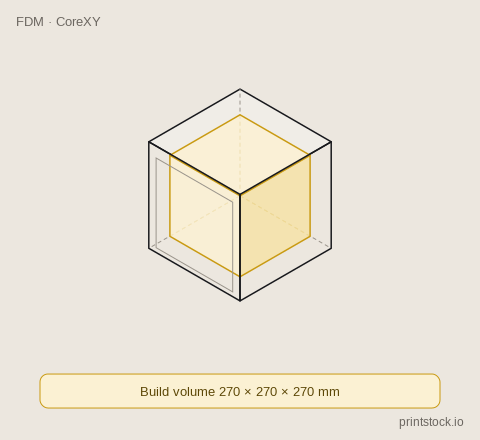
FDMCoreXYEnclosed270 × 270 × 270 mm
Four-toolhead CoreXY toolchanger with a 270 mm cube build volume: each color or material gets its own nozzle, so multi-color prints need almost no purging. Open frame, Klipper-based firmware.
- Most nozzles of the 52 FDM printers under $800 we list
Where to buy
Prices as of Nov 11, 2026Taxes, shipping and any import duties are worked out by the store at checkout and depend on your country; ask the store if in doubt.
Store links may be affiliate links: we may earn a commission, and it does not change your price. Affiliate disclosure
Overview
The Snapmaker U1 is a toolchanger: instead of one nozzle that is flushed between colors, it parks four complete toolheads and picks up the one it needs in about five seconds. Each filament stays in its own hot nozzle, so a four-color print needs only a small prime for each tool rather than a large purge tower. Snapmaker's own tests found the U1 used roughly 17% to 47% of the filament single-nozzle printers needed for the same multi-color prints.
It is also a capable single-color printer: CoreXY motion, 500 mm/s, 20,000 mm/s² and a 270 mm cube build volume, slightly larger than Bambu's 256 mm machines. The firmware is based on Klipper, and it slices in Snapmaker Orca or standard OrcaSlicer.
The U1 is open on all sides and does not ship with an enclosure, so ABS and ASA are not its strength; Snapmaker lists PLA, PETG, TPU, PVA and PCTG. Mixing materials works well, for example PETG with TPU, or PLA with PVA supports. It launched on Kickstarter and reached retail at $999; owners report more early hardware and software issues than with an AMS-style printer (see Known issues).
Best for
- Frequent multi-color prints where purge waste and color-change time add up
- Mixed-material prints: rigid plus flexible, or soluble PVA supports
- Owners who like Klipper and OrcaSlicer and do not mind tinkering
Look elsewhere if
- You mainly print ABS or ASA: the U1 is open and has no enclosure in the box
- You want an appliance-like experience with no troubleshooting
- Space is tight: it is 730 mm tall and weighs 18.2 kg
Before you buy
- It connects to 2.4 GHz Wi-Fi only; mesh routers with band steering can cause connection trouble.
- The enclosure and top cover are separate purchases.
- Keep Snapmaker Orca updated: older versions had a bug that stopped it connecting to the printer.
- Each toolhead has its own nozzle to maintain, and spare toolheads cost more than a single nozzle.
Pros and cons
Pros
- Four toolheads with almost no purge waste
- Fast color changes (about 5 s)
- 270 mm cube build volume
- Open, Klipper-based firmware and OrcaSlicer support
Cons
- No enclosure included
- Early units and firmware had a range of issues
- Large and heavy for a 270 mm printer
Maker's test data
- Tool change time
- About 5 seconds per color or material change, versus roughly 2 minutes on filament-swapping systems, per Snapmaker.
- Waste and print time
- Snapmaker's side-by-side tests against a filament-swapping printer: a castle tower in 11 h 43 min with 87 g of waste vs 39 h 55 min and 586 g (85% less waste); a 4-color dragon with 74% less waste and 68% faster.
Published by the manufacturer from its own tests. PrintStock has not verified these figures; owner reports below may confirm or contradict them.
What owners like
Affordable toolchanger with little waste
Praised by most ownersReviewers call it the smallest, cheapest and most accessible multi-head printer, with very little purge waste and fast multicolor printing.
Polished and ready to go
Often praisedReviewers found it polished from unboxing to first print, with sensible defaults for newcomers.
Runs well even with one tool
Often praisedEven using a single tool, it prints well and consistently.
Collected the same way as known issues: from independent reviews, owner reports and public discussions, merged and grouped.
Known issues
Last reviewed Nov 13, 2026Popular models have longer lists simply because more people own them and talk about them. Severity and status show how much each problem matters today.
Units arriving damaged or with axis defects
Major (repair or return)Still reportedSome forum posts describe homing problems, a defective Z axis or units damaged in shipping, and a few owners went through several replacements. Snapmaker handles these through its U1 troubleshooting request form.
Burned toolhead chips and failed setups
Major (repair or return)Still reportedEarly owners report burned chips in a toolhead, Wi-Fi that would not connect and failed initial setups.
Toolhead contact (Pogo pin) errors
Moderate (affects prints)Workaround availableThe most common U1 errors relate to picking, parking and the spring-loaded contacts that connect each toolhead. An owner review reports a recurring Pogo pin contact error since firmware 1.0.0; Snapmaker's error code wiki covers the fixes, and some cases needed replacement parts.
Snapmaker Orca crashes
Moderate (affects prints)Still reportedThe Snapmaker Orca fork crashed on a common action for a long time after firmware 1.0.0.
Open frame limits materials
Minor (annoyance)Still reportedThe open frame and add-ons needed for some materials limit engineering filaments.
No timelapse download
Minor (annoyance)Still reportedThe modified Fluidd interface did not offer timelapse download to a PC at review time.
Software development still lagging
Minor (annoyance)Still reportedReviewers see Snapmaker's follow-through on software as the biggest risk.
Already fixed: 1 (show)
Slicer and cloud connection bugs
Minor (annoyance)Fixed in firmwareSnapmaker's own known-issues page lists a Snapmaker Orca connection bug in v2.1.1 and earlier and cloud connection problems in firmware before 0.9.0, both fixed by updating.
How we build this list: we collect independent reviews, owner reports and public discussions on forums and social networks, merge duplicates and group them by cause. Only serious or recurring problems make the list, so a single complaint will not appear here, and a listed problem does not mean every unit is affected.
Specs
Printing
- Type
- FDM
- Build volume
- 270 × 270 × 270 mm
- Kinematics
- CoreXY
- Max speed
- 500 mm/s
- Max acceleration
- 20,000 mm/s²
- Multi-color
- Yes
- Nozzles / toolheads
- 4
- Materials
- PLA, PETG, TPU, PVA
- Max toolhead speed
- 500 mm/s
- Max hotend flow
- 32 mm³/s
- Materials
- PLA, PETG, TPU, PVA, PCTG
Extruder and bed
- Extruder
- Direct drive
- Stock nozzle
- 0.4 mm
- Nozzle / hotend
- Four tool heads with stainless steel nozzles (SnapSwap)
- Max nozzle temp
- 300 °C
- Filament
- 1.75 mm
- Build plate
- Flexible PEI spring steel plate
- Max bed temp
- 100 °C
- Bed leveling
- Automatic
- Enclosure
- Yes
Control and sensors
- Screen
- Touchscreen, 3.5 in
Toolheads
- Toolheads included
- 4, SnapSwap toolchanger, about 5 s per swap
- Cooling
- Main and auxiliary part cooling fans
Bed
- Max bed temperature
- 100 °C
Features
- Detection
- Toolhead swap errors, build plate presence and obstruction
- Calibration
- Automatic XYZ offset alignment between toolheads, input shaping
Physical
- Frame
- Open frame; enclosure and top cover sold separately
Software
- Slicer
- Snapmaker Orca, OrcaSlicer
From maker and store specifications, checked Nov 12, 2026. Power, size, network and warranty are in their own blocks below.
Power and setup
Electricity
- Rated power
- 1,150 W
Network and cloud
- Works without internet
- Yes, fully (SD card / USB / LAN)
- Maker account
- Only for cloud / remote features
- Local control for other software
- Open (documented or open source)
- Slicers from other makers
- Supported
- Note
- Runs Klipper with a Fluidd web interface. LAN mode pairs Snapmaker Orca with a PIN instead of an account and turns off cloud features and the app outside the home network; stock Orca Slicer also has U1 profiles.
Space and room
- Size (W × D × H)
- 584 × 499 × 730 mm
- Weight
- 18.2 kg
On a standard power circuit
- US 15 A / 120 V standard circuit: fine, and about 250 W stays free for other things on that circuit while it heats up
- EU/UK 16 A / 230 V standard circuit: fine, and about 1,750 W stays free for other things on that circuit while it heats up
Our calculation from the maker's rated power, keeping a circuit at 80% for long loads.
Safety and support
Computer you need
- Runs on
- Windows, macOS (Apple silicon), Linux
Warranty and repair
- Warranty
- 12 months; 2 years in the EU, Switzerland, Norway and Iceland, 1 year elsewhere; extruders and filament holders 3 months; Snapmaker Care adds 12 months
- Repair guides
- Official page ↗
Running costs
| PLA filament, per kg | Cheapest in our catalog: Elegoo PLA Basic | $9.34 |
|---|---|---|
| Spare nozzle or hotend | Snapmaker U1 Hot End | $15.99 |
| Spare build plate | Snapmaker U1 Graphic Effect Plate | $19.99 |
Starter budget: about $679 for the printer at its best listed price, 1 kg of PLA and a spare nozzle.
Cheapest compatible items in our catalog, USD prices as last checked. Prices change; see each item for the date.
Software and firmware
- Slicer / control software
- Snapmaker Orca (official), OrcaSlicer
- Firmware
- Klipper-based; community firmwares add SSH, Mainsail and Fluidd
- Connectivity
- 2.4 GHz Wi-Fi, USB, Snapmaker app, Fluidd web interface
Official firmware and downloads ↗ We never host firmware files.
Questions people ask
How much does the Snapmaker U1 cost?
Snapmaker's launch retail price was $999, after an introductory $849. Prices at stores vary; see where to buy for the latest price we found.
What is the Snapmaker U1 build volume?
270 × 270 × 270 mm. The machine itself measures 584 × 499 × 730 mm and weighs 18.2 kg.
Snapmaker U1 or Bambu Lab P2S?
The P2S is enclosed and better for ABS and ASA, and its AMS swaps colors through one nozzle. The U1 is open but has four nozzles, so multi-color prints waste far less filament and finish faster. Choose by what you print most: engineering materials (P2S) or multi-color and mixed materials (U1).
Does the Snapmaker U1 need an enclosure?
Not for PLA, PETG, TPU and PVA. An enclosure and top cover are sold separately for people who want less noise, dust protection or warmer prints.
Which slicer does the Snapmaker U1 use?
Snapmaker Orca, Snapmaker's build of OrcaSlicer, with standard OrcaSlicer also supported.
Models proven to print on the Snapmaker U1
Coming soonFilaments that fit (64)
Matched by PrintStock from published specs: filament diameter, the materials Snapmaker lists for this printer. Not a print test.
- PETG
- Anycubic PETG, Bambu Lab PETG Basic, Bambu Lab PETG Matte, Creality Hyper PETG, Elegoo PETG Pro, Elegoo Rapid PETG, eSUN PETG, eSUN PETG-Matte, Overture High Speed PETG, Polymaker PETG, Polymaker PolyLite PETG, Prusament PETG, Spectrum PETG, Spectrum PETG Premium High Speed, SUNLU PETG, SUNLU PETG 2.0
- PLA
- Anycubic PLA+, Anycubic PLA Basic, Anycubic PLA High Speed, Anycubic PLA Silk, Bambu Lab PLA Basic, Bambu Lab PLA Matte, Bambu Lab PLA Silk+, Bambu Lab PLA Translucent, Creality Hyper PLA, Creality Hyper PLA RFID, Elegoo PLA, Elegoo PLA Basic, Elegoo PLA Matte, Elegoo PLA Pro, Elegoo PLA Silk, eSUN PLA+, eSUN PLA Basic, eSUN PLA+HS, eSUN PLA-Matte, eSUN PLA-Silk Rainbow, Overture Easy PLA, Overture Matte PLA Dual Colors, Overture PLA+, Overture Silk PLA Gradient, Polymaker Panchroma PLA, Polymaker Panchroma PLA Matte, Polymaker Panchroma PLA Silk, Polymaker PLA Pro, Polymaker PolyLite PLA, Polymaker PolyLite PLA Pro, Polymaker PolyLite Silk PLA, Polymaker PolyMax PLA, Polymaker PolyTerra PLA, Prusament PLA, Spectrum Huracan PLA, Spectrum PLA, Spectrum PLA Pro, Spectrum Premium PLA High Speed, SUNLU High-Speed PLA, SUNLU PLA+ 2.0, SUNLU Silk PLA+ 2.0
Compatible accessories
Everything that fits the Snapmaker U1
$34.99 as of Nov 12, 2026Check price
$19.99 as of Nov 12, 2026Check price
$33.99 as of Nov 12, 2026Check price
$24.99 as of Nov 12, 2026Check price
$16.99 as of Nov 12, 2026Check price
Closest alternatives by price
Compare all side by side