$39.99 as of Nov 11, 2026Check price
Elegoo
Elegoo Centauri Carbon
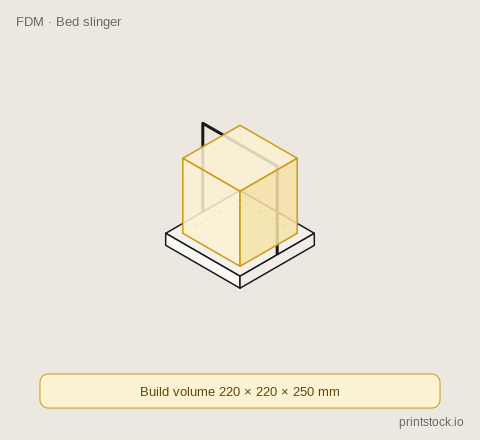
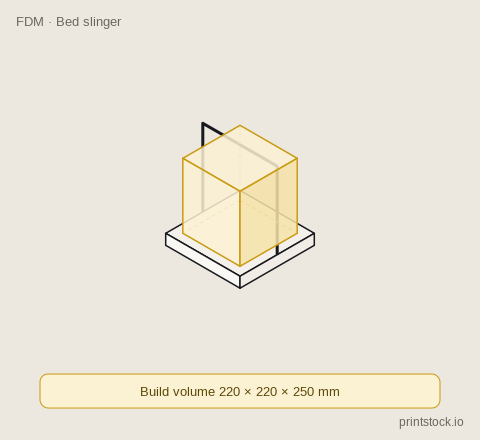
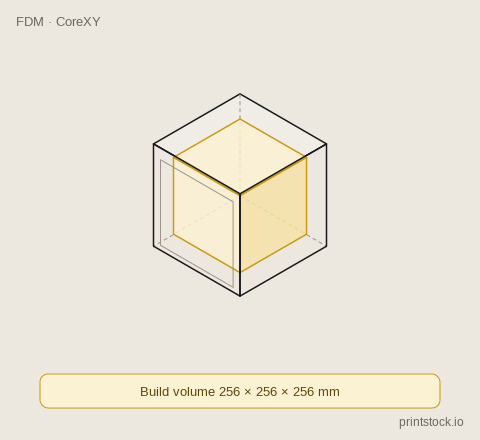
FDMCoreXYEnclosed256 × 256 × 256 mm
The printer that pushed enclosed CoreXY down to $299: 256 × 256 × 256 mm, 500 mm/s, 320 °C hardened steel nozzle, 110 °C bed, camera and auto calibration. Replaced in 2026 by the Centauri Carbon 2.
Discontinued. Elegoo no longer makes this model. Compatible accessories and parts are listed below. The current model is Elegoo Centauri Carbon 2.
Where to buy
Discontinued: no longer sold new, and we track no store that still has it in stock. The current model is Elegoo Centauri Carbon 2.
Overview
The Elegoo Centauri Carbon launched in early 2025 at $299 and changed what a budget printer could be. For the price of an open bed slinger it gave buyers an enclosed CoreXY with a 256 mm cube, 500 mm/s, a 320 °C hardened nozzle for carbon-fiber filaments, a camera and automatic calibration, and it shipped assembled. It sold out for months after launch.
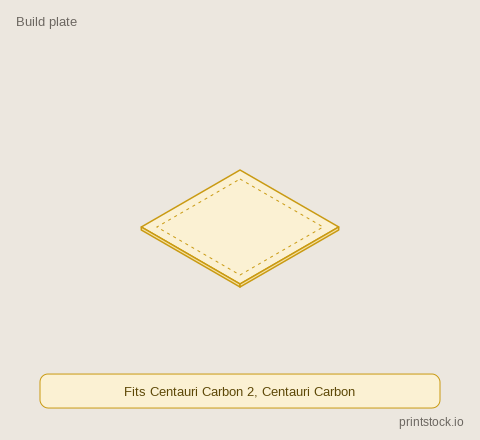
In 2026 Elegoo replaced it with the Centauri Carbon 2, which adds a 350 °C hotend, a HEPA filter, quieter running and better CANVAS multi-color integration on the same frame size. Elegoo's own pages now lead with the CC2; some stores still list remaining CC1 stock. The first-generation hotend does not fit the CC2, while the build plates are shared.
Early units had real teething problems. Owners report print head cable failures and error 103, a bed mesh always probed at 60 °C, Z offset drift, and one firmware release (1.1.25) carried a thermal runaway warning; extruder thermal protection arrived in 1.1.29. Elegoo shipped many OTA updates, so updating firmware first is essential.
Best for
- Owners who already have one and need parts, plates and fixes
- Budget buyers who find a discounted unit
- Enclosed CoreXY printing of PLA, PETG, ABS and CF filaments
Look elsewhere if
- You are buying new: the Centauri Carbon 2 fixes most CC1 issues for a small premium
- You want built-in multi-color: Bambu Lab's A1 Combo or P2S Combo is more mature
Before you buy
- Update firmware over Wi-Fi before the first print; early versions had a thermal runaway issue.
- Remove the three transport screws under the bed before first use.
- Check the print head cable for wear on used units.
- CC2 hotends do not fit; buy Centauri Carbon (first gen) hotend parts.
Pros and cons
Pros
- Enclosed CoreXY at a bed-slinger price
- Hardened 320 °C nozzle for CF filaments
- Auto calibration and camera
- Ships assembled
Cons
- Rough early firmware
- Print head cable failures reported
- No chamber heater
What owners like
Fast, enclosed CoreXY at a hard-to-beat price
Praised by most ownersTom's Hardware calls it the best out-of-the-box experience it has had with an Elegoo FDM printer, packed with speed and precision.
Build quality, speed and accuracy
Praised by most ownersTechRadar says it impresses with build quality, speed and accuracy, close to machines costing far more.
Nearly pre-assembled
Often praisedRemove three shipping screws and it is ready to calibrate.
No cloud account required
Noted by some ownersIt is controlled over the local network without a cloud account.
Collected the same way as known issues: from independent reviews, owner reports and public discussions, merged and grouped.
Known issues
Last reviewed Nov 13, 2026Popular models have longer lists simply because more people own them and talk about them. Severity and status show how much each problem matters today.
Print head cable failure and error 103
Major (repair or return)Workaround availablePrint head cable breaks are among the most reported failures, showing up as error 103 and heating faults. Strain relief mods and a replacement cable fix it.
Bed mesh at a fixed 60 °C and Z offset drift
Moderate (affects prints)Workaround availableThe printer probes the bed at 60 °C regardless of the print temperature, so first layers at other bed temperatures can be off. Owners tune the Z offset per material.
Uneven build plate
Moderate (affects prints)Workaround availableThe plastic carrier lip sits above the magnetic sheet and some plates have a crown; owners shim or file it.
Layer shift after a pause
Moderate (affects prints)Still reportedPrints resume about 2 mm off after a pause or filament change; the cause is unknown.
Head crashes on cancel or manual jog
Moderate (affects prints)Still reportedCancelling homes X and Y without lowering the bed, and jogging has no software limits.
Heat creep with PLA and TPU when closed
Moderate (affects prints)Workaround availableEnclosed heat causes creeping under-extrusion and jams; keep the lid open for these materials.
Firmware regressions
Moderate (affects prints)Workaround availableEach release fixes some bugs and breaks others, for example slicer connectivity in 1.4.44, fixed in 1.4.46.
Exhaust fan always at full speed
Minor (annoyance)Workaround availableAny non-zero setting runs the fan at full speed, and switching it off resets on the next layer.
Low chamber temperature
Minor (annoyance)Still reportedThe passive enclosure only reaches about 38 to 45 degrees C, and its sensor reads low.
Cutter stopper shrinks the build area
Minor (annoyance)Workaround availableThe filament cutter stopper takes part of the 256 mm print area.
Noise and toolhead rattle
Minor (annoyance)Workaround availableFans, a loose front cover and enclosure echo make the printer louder than expected.
Shipping damage
Minor (annoyance)Still reportedTransit can bend frames, jam the bed or break the glass; inspect on arrival.
Already fixed: 1 (show)
Thermal runaway warning in early firmware
Major (repair or return)Fixed in firmwareFirmware 1.1.25 from May 2025 carried a known thermal runaway issue; extruder thermal protection arrived in 1.1.29 in June 2025. Install the latest firmware over Wi-Fi.
How we build this list: we collect independent reviews, owner reports and public discussions on forums and social networks, merge duplicates and group them by cause. Only serious or recurring problems make the list, so a single complaint will not appear here, and a listed problem does not mean every unit is affected.
Specs
Printing
- Type
- FDM
- Build volume
- 256 × 256 × 256 mm
- Kinematics
- CoreXY
- Max speed
- 500 mm/s
- Max acceleration
- 20,000 mm/s²
- Multi-color
- Yes
- Nozzles / toolheads
- 1
- Layer height
- 0.1 to 0.4 mm (0.2 mm recommended)
Extruder and bed
- Extruder
- Direct drive
- Stock nozzle
- 0.4 mm
- Nozzle / hotend
- Bimetal nozzle (brass and steel)
- Max nozzle temp
- 320 °C
- Filament
- 1.75 mm
- Build plate
- Double-sided flexible magnetic plate
- Max bed temp
- 110 °C
- Bed leveling
- Automatic, 121 points
- Enclosure
- Yes
Control and sensors
- Screen
- Touchscreen, 4.3 in
- Features
- Power-loss recoveryFilament runout sensorInput shapingFlow calibrationNozzle wiper or cleanerAir filterSilent mode
Files and setup
- Files the slicer opens
- STL, OBJ, 3MF, STEP
Extrusion
- Materials
- PLA, PETG, TPU, ABS, ASA, carbon-fiber filled
Enclosure
- Chamber
- Enclosed, passively warm (about 41 °C), no heater
Features
- Camera
- Built-in camera; LED strips added in 2025 production
Multi-color
- Multi-material
- Optional CANVAS 4-spool unit
From maker and store specifications, checked Nov 12, 2026. Power, size, network and warranty are in their own blocks below.
Power and setup
Electricity
- Mains input
- 100 to 240 V (universal)
- Rated power
- 1,100 W at 220 to 240 V, 350 W at 110 to 120 V
Network and cloud
- Works without internet
- Yes, fully (SD card / USB / LAN)
- Maker account
- Only for cloud / remote features
- Local control for other software
- Limited or behind a special mode
- Built-in camera
- Yes
- Note
- Web page and print sending on the LAN without the cloud; other software talks to it through Elegoo's SDCP protocol.
Space and room
- Size (W × D × H)
- 398 × 404 × 490 mm
- Weight
- 17.5 kg
On a standard power circuit
- US 15 A / 120 V standard circuit: fine, and about 1,050 W stays free for other things on that circuit while it heats up
- EU/UK 16 A / 230 V standard circuit: fine, and about 1,800 W stays free for other things on that circuit while it heats up
Our calculation from the maker's rated power, keeping a circuit at 80% for long loads.
Safety and support
Safety
- Air filtration
- Activated carbon filter
- Noise (maker figure)
- 50 dB, below 50 dB (maker)
Computer you need
- Runs on
- Windows, macOS (Apple silicon)
Warranty and repair
- Warranty
- 12 months; main parts; hotend, plates and screens shorter; a longer period applies where local law requires it
- Spare parts store
- Official page ↗
Running costs
| PLA filament, per kg | Cheapest in our catalog: Elegoo PLA Basic | $9.34 |
|---|---|---|
| Spare build plate | Dual-Sided Build Plate for Centauri Series (Carbon Fiber Texture) | $22.99 |
Cheapest compatible items in our catalog, USD prices as last checked. Prices change; see each item for the date.
Software and firmware
- Slicer / control software
- ElegooSlicer (OrcaSlicer based), OrcaSlicer
- Firmware
- Elegoo OTA updates; community OpenCentauri firmware exists
- Connectivity
- Wi-Fi, USB
Official firmware and downloads ↗ We never host firmware files.
Questions people ask
Centauri Carbon or Centauri Carbon 2?
Same 256 mm volume and speed. The CC2 adds a 350 °C hotend, HEPA filter, quieter running and better CANVAS support. For a new purchase the CC2 is the better choice.
Is the Elegoo Centauri Carbon discontinued?
Elegoo replaced it with the Centauri Carbon 2 in 2026. Some stores still sell remaining stock, and Elegoo still publishes firmware for it.
Can the Centauri Carbon print multi-color?
Yes, with the separate CANVAS 4-spool unit made for the first-generation Centauri Carbon.
Can the Centauri Carbon print ABS and carbon fiber?
Yes. The hardened 320 °C nozzle handles CF filaments and the enclosure warms to about 41 °C, enough for ABS and ASA. Polycarbonate can lift without a chamber heater.
Models proven to print on the Elegoo Centauri Carbon
Coming soonFilaments that fit (80)
Matched by PrintStock from published specs: filament diameter, maximum nozzle and bed temperature and enclosure. Not a print test.
- PETG
- Anycubic PETG, Bambu Lab PETG Basic, Bambu Lab PETG Matte, Creality Hyper PETG, Elegoo PETG Pro, Elegoo Rapid PETG, eSUN PETG, eSUN PETG-Matte, Overture High Speed PETG, Polymaker PETG, Polymaker PolyLite PETG, Prusament PETG, Spectrum PETG, Spectrum PETG Premium High Speed, SUNLU PETG, SUNLU PETG 2.0
- PLA
- Anycubic PLA+, Anycubic PLA Basic, Anycubic PLA High Speed, Anycubic PLA Silk, Bambu Lab PLA Basic, Bambu Lab PLA Matte, Bambu Lab PLA Silk+, Bambu Lab PLA Translucent, Creality Hyper PLA, Creality Hyper PLA RFID, Elegoo PLA, Elegoo PLA Basic, Elegoo PLA Matte, Elegoo PLA Pro, Elegoo PLA Silk, eSUN PLA+, eSUN PLA Basic, eSUN PLA+HS, eSUN PLA-Matte, eSUN PLA-Silk Rainbow, Overture Easy PLA, Overture Matte PLA Dual Colors, Overture PLA+, Overture Silk PLA Gradient, Polymaker Panchroma PLA, Polymaker Panchroma PLA Matte, Polymaker Panchroma PLA Silk, Polymaker PLA Pro, Polymaker PolyLite PLA, Polymaker PolyLite PLA Pro, Polymaker PolyLite Silk PLA, Polymaker PolyMax PLA, Polymaker PolyTerra PLA, Prusament PLA, Spectrum Huracan PLA, Spectrum PLA, Spectrum PLA Pro, Spectrum Premium PLA High Speed, SUNLU High-Speed PLA, SUNLU PLA+ 2.0, SUNLU Silk PLA+ 2.0
- ABS
- Bambu Lab ABS, Creality Hyper ABS, Elegoo ABS, Polymaker PolyLite ABS, Siraya Tech Fibreheart ABS HT HF, SUNLU ABS
Compatible accessories
Everything that fits the Elegoo Centauri Carbon
$22.99 as of Nov 11, 2026Check price
$23.99 as of Nov 11, 2026Check price
$29.99 as of Nov 11, 2026Check price
Closest alternatives by price
Compare all side by side