$12.90 as of Nov 11, 2026Check price
Creality
Creality K1
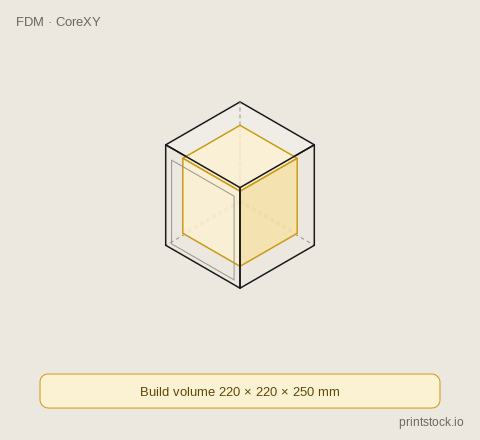
FDMCoreXYEnclosed220 × 220 × 250 mm
Creality's answer to Bambu Lab in 2023: an enclosed CoreXY with 600 mm/s, 20,000 mm/s², strain-gauge auto leveling and Klipper-based firmware on a 220 × 220 × 250 mm bed. Early units had extruder and hotend problems; the K1C replaced it.
Discontinued. Creality no longer makes this model. Compatible accessories and parts are listed below. The current model is Creality K1C.
Where to buy
Discontinued: no longer sold new, and we track no store that still has it in stock. The current model is Creality K1C.
Overview
The Creality K1, launched in 2023, was Creality's first fast enclosed CoreXY printer and its direct answer to the Bambu Lab P1 series. It promised 600 mm/s, hands-free leveling with strain gauges and Klipper-based firmware in a compact 220 mm machine, at a lower price than Bambu.
Early units struggled. The original extruder slipped and jammed and the first hotend clogged, so Creality revised both around mid-2023; owners identify the later extruder by its matte grey lever instead of a shiny one. Creality then launched the K1C with a hardened quick-swap Unicorn nozzle and an AI camera, and later the open-frame K1 SE. Printer Hub describes the original K1 as a 2023 to 2025 model.
Most parts are shared with the K1C and K1 Max, including plates, ceramic heater blocks and the AI camera, and Creality sells a CFS upgrade kit for multi-color. Heat creep in the short PTFE tube remains the most common complaint across the series.
Best for
- Owners keeping a K1 running with K-series parts
- Used buyers wanting an enclosed fast printer cheaply
- PLA, PETG and ABS printing
Look elsewhere if
- You are buying new: the K1C fixes the K1's weak points
- You print abrasive CF filaments: the stock brass nozzle wears fast
Before you buy
- On a used K1, check for the revised extruder (matte grey lever) and newer hotend.
- Print PLA with the lid open to avoid heat creep.
- Hardened Unicorn nozzles from the K1C fit after a hotend swap; check compatibility first.
- Some K1 boards changed mid-production, so match replacement parts to your revision.
Pros and cons
Pros
- Fast enclosed CoreXY
- Hands-free leveling
- Klipper-based and widely modded
Cons
- Early extruder and hotend problems
- Heat creep with PLA
- Brass nozzle not for CF
What owners like
Fast with great quality for the money
Praised by most ownersTom's Hardware calls it a fast CoreXY printer with great quality that undercuts similarly equipped rivals.
Speed that lives up to the claims
Often praisedAll3DP found the speed matched the promises, with consistent auto leveling and excellent layer uniformity.
Collected the same way as known issues: from independent reviews, owner reports and public discussions, merged and grouped.
Known issues
Last reviewed Nov 13, 2026Popular models have longer lists simply because more people own them and talk about them. Severity and status show how much each problem matters today.
Heat creep in the short PTFE tube
Moderate (affects prints)Workaround availableA short PTFE section above the hotend softens PLA in a warm chamber. Checking the hotend fan, replacing a deformed tube and opening the lid for PLA fix it.
Strain gauge leveling fault 2529
Moderate (affects prints)Workaround availableLeveling errors and bed crashes from electrical noise, debris under the bed supports or gauge drift.
Input shaper result copied to both axes
Minor (annoyance)Still reportedThe stock macro calibrates Y and copies the value to X, leaving ghosting on X; firmware updates overwrite the community fix.
Stuck on the boot logo
Minor (annoyance)Workaround availableA loose cable, flash corrupted by an interrupted update or a failed board part leaves the printer frozen at the logo; reflashing over USB recovers most units.
Slow support and warranty disputes
Minor (annoyance)Still reportedTrustpilot reviewers often describe slow replies, generic advice and trouble getting warranty claims accepted; buying from a local retailer can make returns easier.
Already fixed: 2 (show)
Early extruder slipping and hotend clogs
Major (repair or return)Fixed in a hardware revisionFirst-batch K1s had an extruder that slipped and jammed and a clog-prone hotend; Creality revised both around mid-2023, and owners swap in the newer extruder and hotend.
Ceramic heater block cracks
Moderate (affects prints)Fixed in a hardware revisionAfter long use the fragile ceramic heater can crack from thermal shock and cable strain, causing heating errors 2101 and 2102. The block has to be replaced.
How we build this list: we collect independent reviews, owner reports and public discussions on forums and social networks, merge duplicates and group them by cause. Only serious or recurring problems make the list, so a single complaint will not appear here, and a listed problem does not mean every unit is affected.
Specs
Printing
- Type
- FDM
- Build volume
- 220 × 220 × 250 mm
- Kinematics
- CoreXY
- Max speed
- 600 mm/s
- Max acceleration
- 20,000 mm/s²
- Multi-color
- No
- Nozzles / toolheads
- 1
Extruder and bed
- Extruder
- Direct drive
- Stock nozzle
- 0.4 mm
- Max nozzle temp
- 300 °C
- Filament
- 1.75 mm
- Build plate
- Flexible build plate
- Max bed temp
- 100 °C
- Bed leveling
- Automatic
- Enclosure
- Yes
Control and sensors
- Screen
- Touchscreen, 4.3 in
- Features
- Power-loss recoveryFilament runout sensorInput shapingSleep modeBuilt-in lightCamera as an add-on
Files and setup
- Files the slicer opens
- STL, OBJ, AMF
- Arrives
- Ships assembled
Motion
- Frame
- Enclosed CoreXY, die-cast frame
Features
- Camera
- Optional AI camera
Multi-color
- Multi-material
- CFS via Creality's K1 series upgrade kit
Software
- Firmware
- Creality OS (Klipper based)
From maker and store specifications, checked Nov 12, 2026. Power, size, network and warranty are in their own blocks below.
Power and setup
Electricity
- Rated power
- 350 W
Network and cloud
- Works without internet
- Yes, fully (SD card / USB / LAN)
- Maker account
- Only for cloud / remote features
- Local control for other software
- Limited or behind a special mode
- Slicers from other makers
- Supported
- Note
- Prints from USB drive or Wi-Fi; Creality Cloud is optional. An official root option in settings lets owners add Moonraker with Fluidd or Mainsail (community scripts); some newer K1C units on firmware 1.0.x ship without root or a web page.
Space and room
- Size (W × D × H)
- 355 × 355 × 480 mm
- Weight
- 12.5 kg
- Room temperature
- 10 to 30 °C
On a standard power circuit
- US 15 A / 120 V standard circuit: fine, and about 1,050 W stays free for other things on that circuit while it heats up
- EU/UK 16 A / 230 V standard circuit: fine, and about 2,550 W stays free for other things on that circuit while it heats up
Our calculation from the maker's rated power, keeping a circuit at 80% for long loads.
Safety and support
Safety
- Safety and conformity marks
- CE (EU)
Computer you need
- Runs on
- Windows, macOS (Apple silicon)
Warranty and repair
- Warranty
- 12 months; 24 months in the EU, Switzerland, Iceland and Norway; wear parts shorter
- Spare parts store
- Official page ↗
- Repair guides
- Official page ↗
Running costs
| PLA filament, per kg | Cheapest in our catalog: Elegoo PLA Basic | $9.34 |
|---|---|---|
| Spare nozzle or hotend | M6 Nozzle Kit for K1 Series | $12.90 |
| Spare build plate | K1 PEI Build Plate Kit | $25.90 |
Cheapest compatible items in our catalog, USD prices as last checked. Prices change; see each item for the date.
Software and firmware
- Slicer / control software
- Creality Print (official), OrcaSlicer
- Firmware
- Creality OS (Klipper based)
- Connectivity
- Wi-Fi, USB drive
Official firmware and downloads ↗ We never host firmware files.
Questions people ask
Creality K1 or K1C?
The K1C adds a hardened quick-swap Unicorn nozzle for CF filaments, a revised extruder and an AI camera. Buy the K1C new; a K1 only makes sense used and cheap.
Is the Creality K1 discontinued?
Yes. The K1C replaced it, with the K1 SE as the open-frame budget option.
How do I tell an updated K1?
The revised extruder from mid-2023 has a matte grey lever instead of a shiny chrome one.
Models proven to print on the Creality K1
Coming soonFilaments that fit (79)
Matched by PrintStock from published specs: filament diameter, maximum nozzle and bed temperature and enclosure. Not a print test.
- PETG
- Anycubic PETG, Bambu Lab PETG Basic, Bambu Lab PETG Matte, Creality Hyper PETG, Elegoo PETG Pro, Elegoo Rapid PETG, eSUN PETG, eSUN PETG-Matte, Overture High Speed PETG, Polymaker PETG, Polymaker PolyLite PETG, Prusament PETG, Spectrum PETG, Spectrum PETG Premium High Speed, SUNLU PETG, SUNLU PETG 2.0
- PLA
- Anycubic PLA+, Anycubic PLA Basic, Anycubic PLA High Speed, Anycubic PLA Silk, Bambu Lab PLA Basic, Bambu Lab PLA Matte, Bambu Lab PLA Silk+, Bambu Lab PLA Translucent, Creality Hyper PLA, Creality Hyper PLA RFID, Elegoo PLA, Elegoo PLA Basic, Elegoo PLA Matte, Elegoo PLA Pro, Elegoo PLA Silk, eSUN PLA+, eSUN PLA Basic, eSUN PLA+HS, eSUN PLA-Matte, eSUN PLA-Silk Rainbow, Overture Easy PLA, Overture Matte PLA Dual Colors, Overture PLA+, Overture Silk PLA Gradient, Polymaker Panchroma PLA, Polymaker Panchroma PLA Matte, Polymaker Panchroma PLA Silk, Polymaker PLA Pro, Polymaker PolyLite PLA, Polymaker PolyLite PLA Pro, Polymaker PolyLite Silk PLA, Polymaker PolyMax PLA, Polymaker PolyTerra PLA, Prusament PLA, Spectrum Huracan PLA, Spectrum PLA, Spectrum PLA Pro, Spectrum Premium PLA High Speed, SUNLU High-Speed PLA, SUNLU PLA+ 2.0, SUNLU Silk PLA+ 2.0
- ABS
- Bambu Lab ABS, Creality Hyper ABS, Elegoo ABS, Polymaker PolyLite ABS, Siraya Tech Fibreheart ABS HT HF, SUNLU ABS
Compatible accessories
Everything that fits the Creality K1
$25.99 as of Nov 11, 2026Check price
$32.99 as of Nov 11, 2026Check price
$25.90 as of Nov 11, 2026Check price
$25.60 as of Nov 11, 2026Check price
Closest alternatives by price
Compare all side by side