$61.60 as of Nov 11, 2026Check price
Bambu Lab
Bambu Lab X1-Carbon
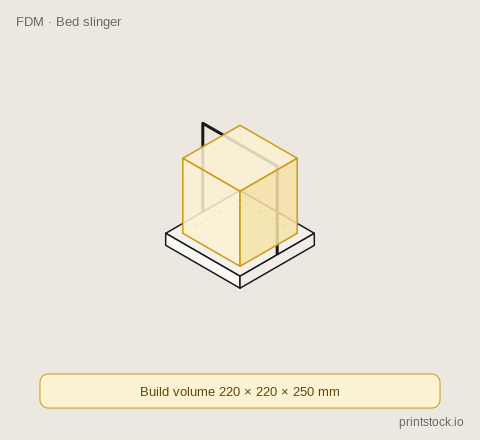
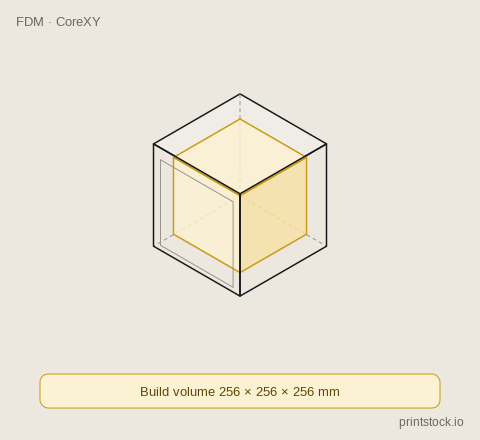
FDMCoreXYEnclosed256 × 256 × 256 mm
The 2022 printer that reset expectations for desktop FDM: enclosed CoreXY, 256 mm cube, 500 mm/s, lidar first-layer inspection, AI camera and AMS multi-color. Bambu ended production on March 31, 2026; parts and service continue to 2031.
Discontinued. Bambu Lab no longer makes this model. Compatible accessories and parts are listed below. The current model is Bambu Lab X2D.
Where to buy
Discontinued: no longer sold new, and we track no store that still has it in stock. The current model is Bambu Lab X2D.
Overview
The Bambu Lab X1 Carbon, launched on Kickstarter in 2022, is the printer that made fast, reliable, multi-color FDM mainstream. It combined an enclosed CoreXY frame, 500 mm/s speeds with vibration compensation, a hardened nozzle for carbon fiber, an AI camera, a micro lidar that inspects the first layer and the AMS that switches between four spools. For three years it was the benchmark every competitor was compared with.
Bambu ended production of the whole X1 series on March 31, 2026 and promised spare parts and service until 2031. Its slot went to the X2D, launched in April 2026 at $649, and the $549 P2S matches most of its features without the lidar. Plates, AMS units, filters and many hotend parts are shared with the P1S and P2S, so keeping an X1C running is straightforward.
After years in the field, owners know its weak spots: lidar calibration errors that do not clear after cleaning, wear on the toolhead USB-C cable and the thin heatbed signal cable, and occasional toolhead and main board failures. On a used X1C, check these before buying.
Best for
- Owners maintaining an X1C who need compatible parts and accessories
- Used buyers wanting lidar quality checks and a hardened toolhead
- Engineering filaments in an enclosed printer
Look elsewhere if
- You are buying new: the X2D replaces it and the P2S costs much less
- You need a heated chamber for nylon or PC: look at the Bambu Lab H2S or H2D
Before you buy
- On used units, check the toolhead USB-C cable and the 6-pin heatbed signal cable for wear.
- Run the full calibration and check for lidar errors before paying.
- Firmware updates for the X1 series slowed after end of life; parts are supported until 2031.
- Plates, AMS units and filters are shared with the P1S and P2S.
Pros and cons
Pros
- Lidar first-layer and flow calibration
- Hardened toolhead for CF and GF filaments
- Huge parts and accessory ecosystem
- Parts and service to 2031
Cons
- Discontinued
- Lidar errors are a long-running complaint
- Known cable wear points
What owners like
Superb print quality and reliability
Praised by most ownersTechRadar calls the prints superb and the machine very reliable across many materials.
Just works out of the box
Praised by most ownersOwners repeatedly describe it as a printer that just works.
Collected the same way as known issues: from independent reviews, owner reports and public discussions, merged and grouped.
Known issues
Last reviewed Nov 13, 2026Popular models have longer lists simply because more people own them and talk about them. Severity and status show how much each problem matters today.
Micro lidar calibration errors
Moderate (affects prints)Still reportedPersistent dirty lidar and calibration failures that do not clear after cleaning are a multi-year thread on Bambu's forum. Cleaning the lidar window, checking the calibration marker and replacing the lidar module are the documented fixes.
Toolhead USB-C and heatbed signal cable wear
Moderate (affects prints)Workaround availableThe USB-C cable carrying toolhead and lidar data and the thinner 6-pin heatbed signal cable wear out after several hundred hours, causing force sensor and homing errors (HMS 0300-0100-0001-0007). Replace them only with official cables.
Extruder gears wear fast on fibre-filled filament
Moderate (affects prints)Workaround availableCarbon and glass-filled filaments grind the stock gears and cause under-extrusion; owners fit a hardened extruder unit and inspect gears regularly.
Heavy purge waste on multicolor prints
Moderate (affects prints)Workaround availableReviewers note piles of purge waste on multicolor prints; one test logged 79.6 g of flush for 153 color changes.
First printer hit by authorization firmware
Moderate (affects prints)Workaround availableThe January 2025 X1 firmware added mandatory authorization; OrcaSlicer and similar tools now need Bambu Connect or LAN-only Developer Mode. The open X1Plus firmware is an alternative.
Discontinued in 2026
Minor (annoyance)Still reportedBambu ended the X1 series on March 31, 2026, with feature updates until May 2027, security patches until May 2029 and parts and support until March 2031.
Noise
Minor (annoyance)Still reportedOwners list noise as a con; the moving toolhead is audible even with the door shut.
Slow bed heating on 110 V
Minor (annoyance)Still reportedOne owner measured about 6 minutes from 28 C to 90 C on 110 V against under a minute on 220 V.
Already fixed: 1 (show)
Toolhead and mainboard failures
Moderate (affects prints)Fixed in a hardware revisionToolhead or mainboard faults come from failed boards, loose connectors or a reversed MC-TH connector that shorts the board. Bambu sells the replacement board sets.
How we build this list: we collect independent reviews, owner reports and public discussions on forums and social networks, merge duplicates and group them by cause. Only serious or recurring problems make the list, so a single complaint will not appear here, and a listed problem does not mean every unit is affected.
Specs
Printing
- Type
- FDM
- Build volume
- 256 × 256 × 256 mm
- Kinematics
- CoreXY
- Max speed
- 500 mm/s
- Max acceleration
- 20,000 mm/s²
- Multi-color
- Yes
- Nozzles / toolheads
- 1
- Materials
- PLA, PETG, TPU, ABS, ASA, PVA, PET, PA, PC, PLA-CF, PETG-CF, PA-CF
Extruder and bed
- Extruder
- Direct drive
- Stock nozzle
- 0.4 mm (0.2, 0.6 and 0.8 mm)
- Nozzle / hotend
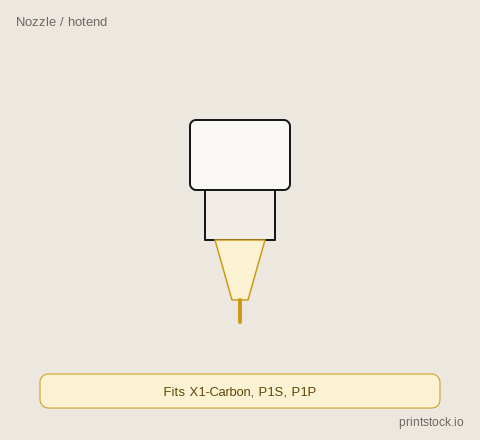
- Hardened steel nozzle, all-metal hotend
- Max nozzle temp
- 300 °C
- Filament
- 1.75 mm
- Build plate
- Flexible steel plate (textured PEI or cool plate)
- Max bed temp
- 120 °C
- Bed leveling
- Automatic
- Enclosure
- Yes
Control and sensors
- Screen
- Touchscreen, 5 in
- Features
- Lidar first-layer scanAI print failure detectionFilament runout sensorAir filter
Extrusion
- Materials
- PLA, PETG, TPU, ABS, ASA, PA, PC, carbon and glass fiber filaments
Features
- Sensors
- Micro lidar for first-layer inspection and flow calibration; force sensors in the bed
- Camera
- 1080p chamber camera with AI spaghetti detection
Multi-color
- Multi-material
- AMS, AMS 2 Pro and AMS HT; up to 16 colors with the AMS hub
Status
- Support
- Production ended March 31, 2026; spare parts and service until 2031
From maker and store specifications, checked Nov 12, 2026. Power, size, network and warranty are in their own blocks below.
Power and setup
Electricity
- Mains input
- 100 to 240 V (universal)
- Rated power
- 1,100 W at 220 to 240 V, 350 W at 110 to 120 V
- Average while printing
- 105 W
- Idle
- 10 W
- Note
- ABS about 150 W on average (maker test)
Network and cloud
- Works without internet
- Yes, fully (SD card / USB / LAN)
- Maker account
- Only for cloud / remote features
- Local control for other software
- Limited or behind a special mode
- Slicers from other makers
- Supported
- Built-in camera
- Yes
- Note
- Full control from third-party software needs LAN-only mode with Developer Mode (firmware since 2025)
Space and room
- Size (W × D × H)
- 389 × 389 × 457 mm
- Weight
- 14.13 kg
On a standard power circuit
- US 15 A / 120 V standard circuit: fine, and about 1,050 W stays free for other things on that circuit while it heats up
- EU/UK 16 A / 230 V standard circuit: fine, and about 1,800 W stays free for other things on that circuit while it heats up
- A 10-hour run (for example, several figures printed one after another): about 1.1 kWh. Multiply by your price per kWh for the cost.
Our calculation from the maker's rated power and average power while printing, keeping a circuit at 80% for long loads.
Safety and support
Safety
- Air filtration
- Activated carbon filter
- Safety and conformity marks
- CE (EU), UKCA (UK), FCC (US radio)
Warranty and repair
- Warranty
- 24 months; for consumers in the EU, Switzerland, Norway, Iceland, the US and Canada (US and Canada extended from 12 months in 2026); receipts only from Bambu Lab or authorized resellers
- Spare parts store
- Official page ↗
- Repair guides
- Official page ↗
- Open source
- No
Running costs
| PLA filament, per kg | Cheapest in our catalog: Elegoo PLA Basic | $9.34 |
|---|---|---|
| Spare nozzle or hotend | Bambu Hotend - X1C | $14.99 |
| Spare build plate | Bambu 3D Effect Plate | $11.99 |
Cheapest compatible items in our catalog, USD prices as last checked. Prices change; see each item for the date.
Software and firmware
- Slicer / control software
- Bambu Studio (official), OrcaSlicer
- Firmware
- Bambu firmware; last X1 update in December 2025 according to owners
- Connectivity
- Wi-Fi, LAN mode, microSD
Official firmware and downloads ↗ We never host firmware files.
Questions people ask
Is the Bambu Lab X1 Carbon discontinued?
Yes. Bambu ended production of the X1, X1 Carbon and X1E on March 31, 2026, and promises spare parts and service until 2031.
What replaced the X1 Carbon?
The X2D, launched in April 2026 at $649, takes its place. The $549 P2S offers most X1C features except the lidar.
X1C or P1S?
The X1C adds lidar first-layer checks, a hardened toolhead as standard and a better camera. The P1S prints just as fast and costs much less; both are now superseded by the P2S.
Is a used X1 Carbon worth buying?
It can be at a low enough price, since parts are supported until 2031. Check the toolhead cable, heatbed cable and lidar calibration first, and compare with a new P2S.
Models proven to print on the Bambu Lab X1-Carbon
Coming soonFilaments that fit (93)
Matched by PrintStock from published specs: filament diameter, the materials Bambu Lab lists for this printer. Not a print test.
- PETG
- Anycubic PETG, Bambu Lab PETG Basic, Bambu Lab PETG Matte, Creality Hyper PETG, Elegoo PETG Pro, Elegoo Rapid PETG, eSUN PETG, eSUN PETG-Matte, Overture High Speed PETG, Polymaker PETG, Polymaker PolyLite PETG, Prusament PETG, Spectrum PETG, Spectrum PETG Premium High Speed, SUNLU PETG, SUNLU PETG 2.0
- PLA
- Anycubic PLA+, Anycubic PLA Basic, Anycubic PLA High Speed, Anycubic PLA Silk, Bambu Lab PLA Basic, Bambu Lab PLA Matte, Bambu Lab PLA Silk+, Bambu Lab PLA Translucent, Creality Hyper PLA, Creality Hyper PLA RFID, Elegoo PLA, Elegoo PLA Basic, Elegoo PLA Matte, Elegoo PLA Pro, Elegoo PLA Silk, eSUN PLA+, eSUN PLA Basic, eSUN PLA+HS, eSUN PLA-Matte, eSUN PLA-Silk Rainbow, Overture Easy PLA, Overture Matte PLA Dual Colors, Overture PLA+, Overture Silk PLA Gradient, Polymaker Panchroma PLA, Polymaker Panchroma PLA Matte, Polymaker Panchroma PLA Silk, Polymaker PLA Pro, Polymaker PolyLite PLA, Polymaker PolyLite PLA Pro, Polymaker PolyLite Silk PLA, Polymaker PolyMax PLA, Polymaker PolyTerra PLA, Prusament PLA, Spectrum Huracan PLA, Spectrum PLA, Spectrum PLA Pro, Spectrum Premium PLA High Speed, SUNLU High-Speed PLA, SUNLU PLA+ 2.0, SUNLU Silk PLA+ 2.0
- ABS
- Bambu Lab ABS, Creality Hyper ABS, Elegoo ABS, Polymaker PolyLite ABS, Siraya Tech Fibreheart ABS HT HF, SUNLU ABS
- PA-CF
- Bambu Lab PA6-CF, Bambu Lab PAHT-CF, eSUN PA-CF, Polymaker Fiberon PA6-CF20, Prusament PA11 Carbon Fiber, SUNLU PA12-CF, SUNLU PA6-CF
Compatible accessories
Everything that fits the Bambu Lab X1-Carbon
$21.58 as of Nov 11, 2026Check price
$14.99 as of Nov 11, 2026Check price
$11.99 as of Nov 11, 2026Check price
$23.99 as of Nov 11, 2026Check price
$24.49 as of Nov 11, 2026Check price
Closest alternatives by price
Compare all side by side