$21.58 as of Nov 11, 2026Check price
Bambu Lab
Bambu Lab A1
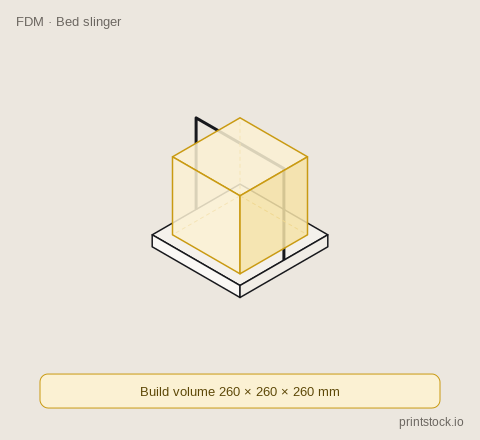
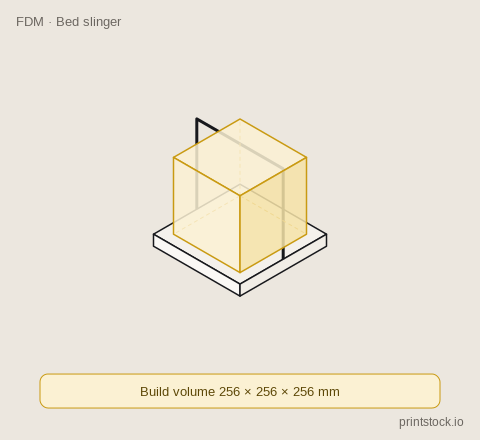
FDMBed slinger256 × 256 × 256 mm
Bambu Lab's full-size open-frame printer: 256 mm cube build volume, full auto-calibration and optional 4-color printing with the AMS lite. Built for PLA, PETG and TPU, not for ABS or nylon.
- Most nozzles of the 21 FDM printers under $300 we list
Where to buy
Prices as of Nov 11, 2026Taxes, shipping and any import duties are worked out by the store at checkout and depend on your country; ask the store if in doubt.
Store links may be affiliate links: we may earn a commission, and it does not change your price. Affiliate disclosure
Price history, 90 days
Lowest: $259 · Highest: $359Overview
The A1 is Bambu Lab's full-size printer for home users: an open-frame bed slinger (the bed moves front to back, the print head moves side to side) with a 256 mm cube build volume, the same build volume as the enclosed P1S and P2S. It calibrates itself before a print, so most owners never level a bed or tune flow by hand.
The A1 Combo adds the AMS lite, a four-spool feeder that swaps filament automatically for multi-color prints. The AMS lite sits next to the printer or on top of it and leaves spools open to the air, unlike the sealed AMS used on Bambu's enclosed printers.
The trade-off is materials. Bambu lists PLA, PETG, TPU and PVA as ideal and advises against ABS, ASA, nylon and fiber-filled filaments. Without an enclosure those warp, and the stainless steel nozzle wears quickly on abrasive filaments. If you only print PLA and PETG, the A1 gives you the same build volume as the P1S for less money; if you want engineering materials, the enclosed P2S is the step up within the same brand.
Best for
- First printer for PLA, PETG and TPU with little setup or tuning
- Multi-color hobby prints on a budget (A1 Combo with AMS lite)
- Owners who want a full 256 mm build volume without paying for an enclosure
Look elsewhere if
- You plan to print ABS, ASA, nylon or carbon fiber filaments: look at an enclosed printer
- You want a fully open, cloud-free ecosystem: Bambu restricts third-party software (see Software)
- Desk space is tight: the moving bed needs clearance behind and in front of the machine
Before you buy
- The A1 Combo is the A1 plus the AMS lite. Buying the AMS lite later usually costs more than the Combo price difference.
- The AMS lite does not dry or seal filament. Store PETG and TPU dry, or use a separate filament dryer.
- Multi-color prints purge filament at every color change, so a multi-color part uses noticeably more filament than the same part in one color.
- Units sold in early 2024 were part of a heatbed cable recall. When buying used, check the serial number and the replaced heatbed (see Known issues).
- Bambu's printer software prompts for regular maintenance, such as lubricating the Y-axis rail.
Pros and cons
Pros
- Full auto-calibration: bed leveling, flow and vibration compensation
- Same 256 mm build volume as Bambu's enclosed P-series
- Tool-free hotend swap and a choice of nozzle sizes
- Four-color printing at a low price with the A1 Combo
Cons
- Not suited to ABS, ASA, nylon or abrasive filaments
- AMS lite leaves spools open to moisture
- Third-party slicers need Bambu Connect or LAN Developer Mode to send prints
Maker's test data
- Noise
- Under 48 dB in Silent mode, per Bambu Lab.
Published by the manufacturer from its own tests. PrintStock has not verified these figures; owner reports below may confirm or contradict them.
What owners like
Quiet for its class
Often praisedRated at 49 dB and quieter than most printers in its class.
Print quality matching the P1S
Often praisedSeveral reviews found layer consistency, overhangs and accuracy on par with the P1S.
Remarkably well built
Often praisedTom's Hardware calls it a remarkably well-built high-speed bed slinger.
Accurate parts
Noted by some ownersTechRadar measured about 0.1 to 0.17 mm error on a 25 mm test.
Collected the same way as known issues: from independent reviews, owner reports and public discussions, merged and grouped.
Known issues
Last reviewed Nov 13, 2026Popular models have longer lists simply because more people own them and talk about them. Severity and status show how much each problem matters today.
AMS lite fails to feed or load filament
Moderate (affects prints)Workaround availableA recurring complaint on the official forum: one AMS lite slot stops feeding or the printer reports a load failure. The filament hub leaning or the AMS lite being placed too far from the printer is a common cause; owners also report slot-specific feeder faults that needed support or replacement parts.
Toolhead screws work loose
Moderate (affects prints)Workaround availableOwners of both the A1 and A1 mini report screws behind the hotend loosening, causing a shifting first layer, extrusion problems or clicking. Re-tightening them fixes it; one owner reported heat damage to the toolhead housing after the hotend assembly sagged, so it is worth checking during maintenance.
Heavy purge waste on multicolor prints
Moderate (affects prints)Workaround availableTeaching Tech calls purge waste the A1's main weakness in multicolor work; lower flushing volumes help.
Third-party control limited by authorization firmware
Moderate (affects prints)Workaround availableFrom A-series firmware 01.05.00.00 unofficial software needs Bambu Connect or LAN-only Developer Mode.
"Failed to extrude" errors from the filament sensor
Minor (annoyance)Workaround availableSome owners get repeated filament load or extrusion errors that trace back to a stuck filament or tangle sensor rather than a clog. Turning off tangle detection is a workaround reported on the forum, at the cost of losing that protection.
Belt and rail noise, ringing on walls
Minor (annoyance)Workaround availableLoose belts and dry linear guides cause squeaks, rattles and ghosting. The printer can flag a loose belt with an HMS notice; retensioning, lubrication and vibration compensation fix most cases.
Slow color swaps
Minor (annoyance)Still reportedIn a Tom's Hardware test with 776 color changes, an Anycubic Kobra 3 Combo finished about 10 hours sooner because its swap is quicker.
Closed hardware and firmware, big footprint
Minor (annoyance)Still reportedCNC Kitchen notes the closed design is not for tinkerers, and Tom's Hardware notes the large footprint.
Already fixed: 2 (show)
Heatbed cable recall (2024)
Major (repair or return)Fixed in a hardware revisionIn early 2024 Bambu Lab recalled all A1 printers sold at the time because the heatbed cable could be damaged where it bends, causing unstable bed temperature and, in rare cases, a short circuit. Owners could return the printer for a refund or replace the heatbed with a revised one. Printers built after the recall ship with the revised heatbed and cable.
Power board NTC overheating
Major (repair or return)Fixed in a hardware revisionIn 2025 owners showed melted power boards on some A1 units. Bambu traced it to an NTC thermistor on the AC power board, said the risk of fire was extremely low, removed the part in a redesigned board and replaced or repaired affected units.
How we build this list: we collect independent reviews, owner reports and public discussions on forums and social networks, merge duplicates and group them by cause. Only serious or recurring problems make the list, so a single complaint will not appear here, and a listed problem does not mean every unit is affected.
Specs
Printing
- Type
- FDM
- Build volume
- 256 × 256 × 256 mm
- Kinematics
- Bed slinger
- Max speed
- 500 mm/s
- Max acceleration
- 10,000 mm/s²
- Multi-color
- Yes
- Nozzles / toolheads
- 1
- Materials
- PLA, PETG, TPU, PVA
- Max toolhead speed
- 500 mm/s
- Max hotend flow
- 28 mm³/s (ABS, 280 °C, manufacturer test)
- Filament diameter
- 1.75 mm
- Recommended materials
- PLA, PETG, TPU, PVA
- Not recommended
- ABS, ASA, PC, PA, PET, carbon or glass fiber filaments
Extruder and bed
- Extruder
- Direct drive
- Stock nozzle
- 0.4 mm
- Nozzle / hotend
- Quick-swap hotend, stainless steel nozzle
- Max nozzle temp
- 300 °C
- Filament
- 1.75 mm
- Max bed temp
- 100 °C
- Bed leveling
- Automatic
- Enclosure
- No
Control and sensors
- Screen
- Touchscreen, 3.5 in
- Features
- Filament runout sensorFilament tangle or clog detectionPower-loss recoveryFlow calibrationSilent mode
Files and setup
- Files the slicer opens
- STL, OBJ, PLY
- Variants
- A1, A1 Combo
Hotend
- Extruder gears
- Hardened steel
Bed
- Max bed temperature
- 100 °C
- Compatible plates
- Textured PEI, Cool Plate, High Temperature, Dual-Texture PEI
Features
- Sensors
- Filament run-out, tangle detection, filament odometry, power loss recovery
- Camera
- Low-rate, up to 1080p, timelapse
- Filament cutter
- Yes
Physical
- Frame
- Steel and extruded aluminum, open frame
- Max power draw
- 1300 W at 220 V; 350 W at 110 V
From maker and store specifications, checked Nov 12, 2026. Power, size, network and warranty are in their own blocks below.
Power and setup
Electricity
- Mains input
- 100 to 240 V (universal)
- Rated power
- 1,300 W at 220 to 240 V, 350 W at 110 to 120 V
- Average while printing
- 95 W
- Idle
- 5 W
- Note
- ABS about 200 W on average (maker test)
Network and cloud
- Works without internet
- Yes, fully (SD card / USB / LAN)
- Maker account
- Only for cloud / remote features
- Local control for other software
- Limited or behind a special mode
- Slicers from other makers
- Supported
- Built-in camera
- Yes
- Note
- Full control from third-party software needs LAN-only mode with Developer Mode (firmware since 2025)
Space and room
- Size (W × D × H)
- 465 × 410 × 430 mm
- Weight
- 8.3 kg
On a standard power circuit
- US 15 A / 120 V standard circuit: fine, and about 1,050 W stays free for other things on that circuit while it heats up
- EU/UK 16 A / 230 V standard circuit: fine, and about 1,600 W stays free for other things on that circuit while it heats up
- A 10-hour run (for example, several figures printed one after another): about 1 kWh. Multiply by your price per kWh for the cost.
Our calculation from the maker's rated power and average power while printing, keeping a circuit at 80% for long loads.
Safety and support
Safety
- Noise (maker figure)
- 48 dB, under 48 dB (maker)
Computer you need
- Runs on
- Windows, macOS (Apple silicon)
Warranty and repair
- Warranty
- 24 months; for consumers in the EU, Switzerland, Norway, Iceland, the US and Canada (US and Canada extended from 12 months in 2026); receipts only from Bambu Lab or authorized resellers
- Spare parts store
- Official page ↗
- Repair guides
- Official page ↗
- Open source
- No
Running costs
| PLA filament, per kg | Cheapest in our catalog: Elegoo PLA Basic | $9.34 |
|---|---|---|
| Spare nozzle or hotend | Bambu Hotend - A1/A2 | $9.99 |
| Spare build plate | Bambu 3D Effect Plate | $11.99 |
Starter budget: about $278 for the printer at its best listed price, 1 kg of PLA and a spare nozzle.
Cheapest compatible items in our catalog, USD prices as last checked. Prices change; see each item for the date.
Software and firmware
- Slicer / control software
- Bambu Studio (official); OrcaSlicer, PrusaSlicer and Cura via exported G-code or Bambu Connect
- Firmware
- Closed source; Authorization Control since A-series firmware 01.05.00.00, with an optional LAN-only Developer Mode
- Connectivity
- Wi-Fi, Bambu Handy app and cloud, LAN mode, microSD card
Official firmware and downloads ↗ We never host firmware files.
Questions people ask
What is the difference between the Bambu Lab A1 and the A1 Combo?
The printer is the same. The A1 Combo adds the AMS lite, a four-spool feeder for multi-color printing. At our last check the Bambu Lab US store listed the A1 at $259 and the A1 Combo at $359.
Does the Bambu Lab A1 need an enclosure?
Not for the materials it is built for: PLA, PETG, TPU and PVA print fine in the open. Bambu advises against ABS, ASA, nylon and PC on the A1, and adding an enclosure does not change that recommendation.
Bambu Lab A1 or P1S?
Both have a 256 mm cube build volume. The A1 is an open bed slinger for PLA, PETG and TPU. The P1S is enclosed with CoreXY motion and also handles ABS and ASA. Pick the P1S if you need those materials; otherwise the A1 costs less.
How big is the Bambu Lab A1?
The build volume is 256 × 256 × 256 mm. The machine itself measures 465 × 410 × 430 mm and weighs 8.3 kg, and the bed travels front to back, so leave extra space in front of and behind it.
Can you use OrcaSlicer with the Bambu Lab A1?
Yes for slicing. Since A-series firmware 01.05.00.00, third-party slicers send prints through Bambu Connect, or directly if the printer runs in LAN-only Developer Mode, which turns off cloud features.
Models proven to print on the Bambu Lab A1
Coming soonFilaments that fit (64)
Matched by PrintStock from published specs: filament diameter, the materials Bambu Lab lists for this printer. Not a print test.
- PETG
- Anycubic PETG, Bambu Lab PETG Basic, Bambu Lab PETG Matte, Creality Hyper PETG, Elegoo PETG Pro, Elegoo Rapid PETG, eSUN PETG, eSUN PETG-Matte, Overture High Speed PETG, Polymaker PETG, Polymaker PolyLite PETG, Prusament PETG, Spectrum PETG, Spectrum PETG Premium High Speed, SUNLU PETG, SUNLU PETG 2.0
- PLA
- Anycubic PLA+, Anycubic PLA Basic, Anycubic PLA High Speed, Anycubic PLA Silk, Bambu Lab PLA Basic, Bambu Lab PLA Matte, Bambu Lab PLA Silk+, Bambu Lab PLA Translucent, Creality Hyper PLA, Creality Hyper PLA RFID, Elegoo PLA, Elegoo PLA Basic, Elegoo PLA Matte, Elegoo PLA Pro, Elegoo PLA Silk, eSUN PLA+, eSUN PLA Basic, eSUN PLA+HS, eSUN PLA-Matte, eSUN PLA-Silk Rainbow, Overture Easy PLA, Overture Matte PLA Dual Colors, Overture PLA+, Overture Silk PLA Gradient, Polymaker Panchroma PLA, Polymaker Panchroma PLA Matte, Polymaker Panchroma PLA Silk, Polymaker PLA Pro, Polymaker PolyLite PLA, Polymaker PolyLite PLA Pro, Polymaker PolyLite Silk PLA, Polymaker PolyMax PLA, Polymaker PolyTerra PLA, Prusament PLA, Spectrum Huracan PLA, Spectrum PLA, Spectrum PLA Pro, Spectrum Premium PLA High Speed, SUNLU High-Speed PLA, SUNLU PLA+ 2.0, SUNLU Silk PLA+ 2.0
Compatible accessories
Everything that fits the Bambu Lab A1
$9.99 as of Nov 11, 2026Check price
$11.99 as of Nov 11, 2026Check price
$23.99 as of Nov 11, 2026Check price
$24.49 as of Nov 11, 2026Check price
$17.49 as of Nov 11, 2026Check price
Closest alternatives by price
Compare all side by side