$15 as of Nov 11, 2026Check price
Anycubic
Anycubic Kobra X
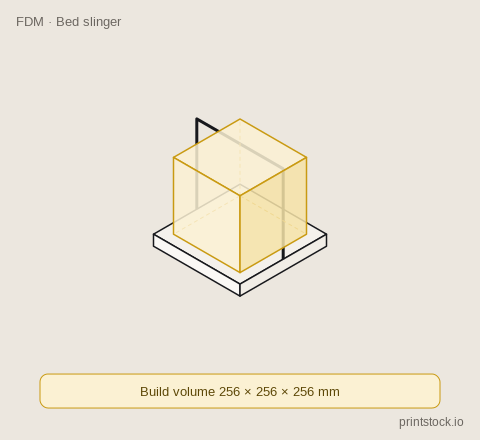
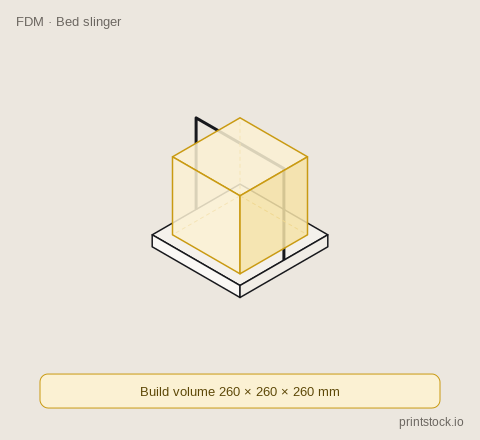
FDMBed slinger260 × 260 × 260 mm
Budget open bed slinger with Anycubic's ACE Gen2 four-color system built into the print head: 260 mm cube build volume, up to 600 mm/s, and up to 19 colors with extra ACE 2 Pro units.
- Highest rated speed of the 20 FDM printers under $300 we list
- Most nozzles of the 21 FDM printers under $300 we list
Where to buy
Prices as of Nov 11, 2026Taxes, shipping and any import duties are worked out by the store at checkout and depend on your country; ask the store if in doubt.
Store links may be affiliate links: we may earn a commission, and it does not change your price. Affiliate disclosure
Overview
The Kobra X takes a different route to cheap multi-color printing. Instead of an external box like Bambu's AMS lite, Anycubic put the color-switching mechanism, ACE Gen2, inside the print head: four filament channels, a cutter about 10 mm from the nozzle and short retractions. That means no extra unit on the desk for four colors, and less filament purged per change than many external systems.
Underneath it is a fast open bed slinger with a 260 mm cube build volume, slightly larger than the Bambu A1, a 300 °C quick-swap nozzle and a 100 °C bed. It is meant for PLA, PETG and TPU; ASA is listed but the open frame makes larger ASA parts difficult. Adding ACE 2 Pro units expands it to as many as 19 colors and adds filament drying.
Anycubic's list price is $399 to $459 depending on store, but it has sold for $279 to $344 for much of 2026. Reviewers rate print quality highly; the most common owner complaint is a false clog error (see Known issues).
Best for
- Four-color printing on a budget without an external feeder
- Beginners and families printing PLA toys, figures and gifts
- Owners who want a 260 mm build volume in an open printer
Look elsewhere if
- You want ABS or large ASA parts: it is open-frame
- You need filament drying out of the box
- You prefer a long-proven multi-color system over a new design
Before you buy
- Four colors work without extra hardware; more colors and drying need ACE 2 Pro units.
- The bed moves front to back, so leave space in front of and behind the printer.
- Check the firmware version: a 1.2.0.2 release caused first-layer problems for some owners.
- Anycubic publishes TPU hardness limits for the in-head feeder; very soft TPU may not feed.
Pros and cons
Pros
- Four colors built into the print head
- Less purge waste per color change than many external systems
- 260 mm cube build volume at a low price
- Quiet, beginner-friendly
Cons
- False clog errors are a common complaint
- Open frame, no drying without an ACE 2 Pro
- New design with a short track record
Maker's test data
- Purge waste
- Anycubic Lab: 81.25% shorter purge length than the Kobra 3 V2 (30 mm retraction vs 160 mm); in internal four-color tests, about 30 to 50% less color-switch time and a similar cut in purge waste.
- Noise
- Silent mode at 45 dB or less with active noise reduction, per Anycubic.
Published by the manufacturer from its own tests. PrintStock has not verified these figures; owner reports below may confirm or contradict them.
What owners like
Multicolor at a budget price
Praised by most ownersReviewers call it one of the best printers in a long time for its price, with four colors built in.
Less purge waste
Often praisedColor changes at the toolhead waste less filament than typical systems.
Flawless leveling, perfect prints out of the box
Often praisedTom's Hardware found the LeviQ 3.0 leveling flawless and the first prints perfect, with a slicer familiar to OrcaSlicer users.
Collected the same way as known issues: from independent reviews, owner reports and public discussions, merged and grouped.
Known issues
Last reviewed Nov 13, 2026Popular models have longer lists simply because more people own them and talk about them. Severity and status show how much each problem matters today.
False clog error 11518
Major (repair or return)Workaround availablePrints abort although filament flows, likely because clog detection is on by default in firmware 1.2.0.2 or the damping plate is worn.
Print head wears out around 500 hours
Major (repair or return)Still reportedOne channel starts throwing retraction errors as its spring weakens; owners get replacements under warranty.
Channel jams and snapped filament
Moderate (affects prints)Workaround availableFilament snaps and the gears grind it on long prints; brittle, over-dried spools break inside the head (10107).
First layer problems
Moderate (affects prints)Workaround availableFirmware 1.2.0.2 made the nozzle scrape the plate, and nozzle residue skews auto-leveling. Rolling back to 1.1.5.9 and cleaning the wiper help.
Nozzle slides down and leaks
Moderate (affects prints)Workaround availableAn improperly seated nozzle drops and oozes from the block seam; Anycubic ships replacement parts free.
Nozzle presses into the bed (10120)
Moderate (affects prints)Workaround availableWith no Z endstop, a faulty strain gauge or cable lets the head crash during homing.
Color bleed at default purge; fixing it eats the waste savings
Moderate (affects prints)Workaround availableDark-to-light changes smear because the default purge volumes are too small. All3DP found the stock flushing values lean but not enough to stop colors and materials bleeding into each other; raising them in the slicer fixes it, but then the printer no longer reaches Anycubic's claimed halving of purge waste, though it still wastes less than a typical single-nozzle system.
Camera misses failures
Minor (annoyance)Still reportedThe steep camera angle and cloud-based AI miss dark objects and early layers.
Locked firmware and loud loading beep
Minor (annoyance)Still reportedEncrypted firmware blocks Klipper edits and OctoPrint, and the filament loading beep is loud.
How we build this list: we collect independent reviews, owner reports and public discussions on forums and social networks, merge duplicates and group them by cause. Only serious or recurring problems make the list, so a single complaint will not appear here, and a listed problem does not mean every unit is affected.
Specs
Printing
- Type
- FDM
- Build volume
- 260 × 260 × 260 mm
- Kinematics
- Bed slinger
- Max speed
- 600 mm/s
- Max acceleration
- 20,000 mm/s²
- Multi-color
- Yes
- Nozzles / toolheads
- 1
- Materials
- PLA, PETG, TPU, PVA, PLA-CF, PETG-CF, ASA
- Layer height
- 0.05 to 0.30 mm
- Materials
- PLA, PETG, TPU, PVA, PLA-CF, PETG-CF, ASA
Extruder and bed
- Extruder
- Direct drive
- Stock nozzle
- 0.4 mm
- Nozzle / hotend
- Hardened steel quick-swap hotend
- Max nozzle temp
- 300 °C
- Filament
- 1.75 mm
- Build plate
- Magnetic PEI spring steel plate
- Max bed temp
- 100 °C
- Bed leveling
- Automatic, 49 points
- Enclosure
- No
Control and sensors
- Screen
- Touchscreen, 3.5 in
- Features
- Flow calibrationPower-loss recoveryFilament runout sensorFilament tangle or clog detectionAI print failure detection
- Screen languages
- EnglishChineseGermanFrenchItalianSpanishRussianJapanese
Toolhead
- Multi-color
- ACE Gen2 built into the print head: 4 colors natively, up to 19 with ACE 2 Pro units
Bed
- Max bed temperature
- 100 °C
Features
- Filament drying
- Not built in; requires an ACE 2 Pro
- Camera
- AI camera
Connectivity
- Interfaces
- Wi-Fi, cloud and LAN modes
From maker and store specifications, checked Nov 12, 2026. Power, size, network and warranty are in their own blocks below.
Power and setup
Electricity
- Rated power
- 1,450 W
- Note
- 1,450 W on 220 V, 475 W on 110 V
Network and cloud
- Works without internet
- Yes, fully (SD card / USB / LAN)
- Maker account
- Only for cloud / remote features
- Local control for other software
- Limited or behind a special mode
- Built-in camera
- Yes
- Note
- LAN mode sends prints from Anycubic Slicer Next, shows progress and video without an account; in LAN mode the cloud, the app and AI detection are off.
Space and room
- Size (W × D × H)
- 455.4 × 445.3 × 461.3 mm
- Weight
- 9.5 kg
On a standard power circuit
- US 15 A / 120 V standard circuit: too much while heating; give it its own 20 A circuit
- EU/UK 16 A / 230 V standard circuit: fine, and about 1,450 W stays free for other things on that circuit while it heats up
Our calculation from the maker's rated power, keeping a circuit at 80% for long loads.
Safety and support
Safety
- Noise (maker figure)
- 48 dB, maker figure
Warranty and repair
- Warranty
- 12 months; 12 months on main parts; print head, extruder, belts, motors, camera and screens 3 months; nozzles, PTFE and FEP not covered
- Spare parts store
- Official page ↗
- Repair guides
- Official page ↗
Running costs
| PLA filament, per kg | Cheapest in our catalog: Elegoo PLA Basic | $9.34 |
|---|---|---|
| Spare nozzle or hotend | Nozzle | $15 |
| Spare build plate | Spring Steel Magnetic Platform | $32.99 |
Starter budget: about $285 for the printer at its best listed price, 1 kg of PLA and a spare nozzle.
Cheapest compatible items in our catalog, USD prices as last checked. Prices change; see each item for the date.
Software and firmware
- Slicer / control software
- Anycubic Slicer Next (official, OrcaSlicer-based)
- Firmware
- Anycubic firmware (closed)
- Connectivity
- Wi-Fi, cloud and LAN modes, Anycubic app
Official firmware and downloads ↗ We never host firmware files.
Questions people ask
How much does the Anycubic Kobra X cost?
Anycubic lists it at $399 to $459 depending on store, but it has frequently sold for $279 to $344 in 2026. Bundles with extra ACE 2 Pro units cost more.
Anycubic Kobra X or Bambu Lab A1?
Both are open bed slingers for PLA, PETG and TPU. The Kobra X has four colors built into the head and a slightly larger 260 mm build volume; the A1 needs the external AMS lite (A1 Combo) for four colors but has a longer track record and Bambu's ecosystem.
How many colors can the Kobra X print?
Four out of the box. With up to four ACE 2 Pro units Anycubic says it can reach 19 colors.
Does the Kobra X have an enclosure?
No, it is an open bed slinger. Third-party enclosures exist, but it is designed for PLA, PETG and TPU.
Models proven to print on the Anycubic Kobra X
Coming soonFilaments that fit (74)
Matched by PrintStock from published specs: filament diameter, the materials Anycubic lists for this printer. Not a print test.
- PETG
- Anycubic PETG, Bambu Lab PETG Basic, Bambu Lab PETG Matte, Creality Hyper PETG, Elegoo PETG Pro, Elegoo Rapid PETG, eSUN PETG, eSUN PETG-Matte, Overture High Speed PETG, Polymaker PETG, Polymaker PolyLite PETG, Prusament PETG, Spectrum PETG, Spectrum PETG Premium High Speed, SUNLU PETG, SUNLU PETG 2.0
- PLA
- Anycubic PLA+, Anycubic PLA Basic, Anycubic PLA High Speed, Anycubic PLA Silk, Bambu Lab PLA Basic, Bambu Lab PLA Matte, Bambu Lab PLA Silk+, Bambu Lab PLA Translucent, Creality Hyper PLA, Creality Hyper PLA RFID, Elegoo PLA, Elegoo PLA Basic, Elegoo PLA Matte, Elegoo PLA Pro, Elegoo PLA Silk, eSUN PLA+, eSUN PLA Basic, eSUN PLA+HS, eSUN PLA-Matte, eSUN PLA-Silk Rainbow, Overture Easy PLA, Overture Matte PLA Dual Colors, Overture PLA+, Overture Silk PLA Gradient, Polymaker Panchroma PLA, Polymaker Panchroma PLA Matte, Polymaker Panchroma PLA Silk, Polymaker PLA Pro, Polymaker PolyLite PLA, Polymaker PolyLite PLA Pro, Polymaker PolyLite Silk PLA, Polymaker PolyMax PLA, Polymaker PolyTerra PLA, Prusament PLA, Spectrum Huracan PLA, Spectrum PLA, Spectrum PLA Pro, Spectrum Premium PLA High Speed, SUNLU High-Speed PLA, SUNLU PLA+ 2.0, SUNLU Silk PLA+ 2.0
Compatible accessories
Everything that fits the Anycubic Kobra X
$34.99 as of Nov 11, 2026Check price
$34.99 as of Nov 11, 2026Check price
$34.99 as of Nov 11, 2026Check price
$32.99 as of Nov 11, 2026Check price
$13.99 as of Nov 11, 2026Check price
Closest alternatives by price
Compare all side by side