$16.99 as of Nov 12, 2026Check price
Artillery
Artillery M1 Pro
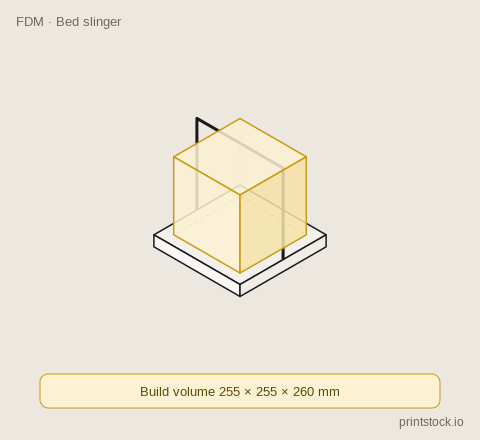
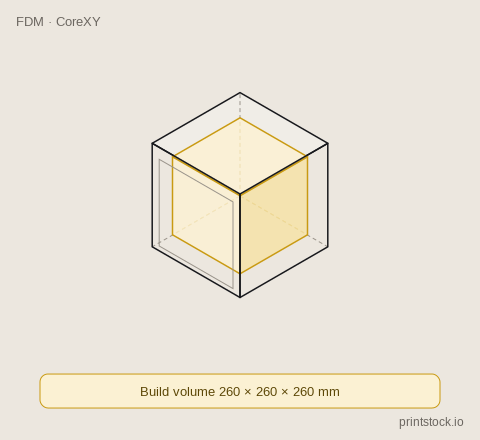
FDMCoreXYEnclosed260 × 260 × 260 mm
Artillery's enclosed CoreXY: 260 × 260 × 260 mm, 600 mm/s, 320 °C hardened nozzle, 120 °C bed, active chamber heating to 60 °C, AI camera, carbon filter; launched March 2025, superseded by the M1 Pro S1.
Discontinued. Artillery no longer makes this model. Some stores still list it; see where to buy. Compatible accessories and parts are listed below.
Where to buy
Prices as of Nov 12, 2026Taxes, shipping and any import duties are worked out by the store at checkout and depend on your country; ask the store if in doubt.
Store links may be affiliate links: we may earn a commission, and it does not change your price. Affiliate disclosure
Overview
The M1 Pro, launched in March 2025, was Artillery's attempt to offer an enclosed, actively heated CoreXY for engineering filaments at a fraction of big-brand prices, from $349 at launch. On paper it covers a lot: 600 mm/s, a 320 °C hardened nozzle, a 120 °C bed, a chamber heater reaching 60 °C for ABS, ASA and PA-CF, activated carbon filtering, an AI camera and pressure-sensor leveling.
It runs Artillery OS, a closed Klipper-based system without SSH access, with Wi-Fi limited to 2.4 GHz. A multicolor system was promised for later and its timing slipped. SimplyPrint found no independent review of the M1 Pro, and at least one reseller placed it in a do-not-recommend tier.
Artillery's store shows it sold out, with the M1 Pro S1 listed as its improved successor, so we treat the original as discontinued. If you buy one discounted, expect to tune it.
Best for
- Bargain hunters wanting a heated chamber
- ABS and ASA on a budget
- Tinkerers comfortable tuning
Look elsewhere if
- Beginners wanting polish
- You need multicolor now
Before you buy
- Prefer the M1 Pro S1, which fixes several issues.
- Check Wi-Fi is 2.4 GHz.
- Do not count on the promised multicolor box.
- Budget time for calibration.
Pros and cons
Pros
- Heated chamber at low price
- 320 °C hardened nozzle
- AI camera
Cons
- Discontinued
- Closed firmware
- Few independent reviews
Known issues
Last reviewed Nov 13, 2026Popular models have longer lists simply because more people own them and talk about them. Severity and status show how much each problem matters today.
Tingling from the frame
Moderate (affects prints)Still reportedSome owners reported feeling electricity on the printer. Artillery says it is induced current from the heated bed, not 220 V leakage, and that the printer passed CE certification.
Problems out of the box
Moderate (affects prints)Still reportedOwner reviews on the official store include units with many problems on arrival.
More failures at high speed
Minor (annoyance)Workaround availableOwners report more failures on complex layers at top speed.
Custom firmware and slicer fork
Minor (annoyance)Still reportedThe printer runs Artillery OS, a customized Klipper, with its own OrcaSlicer fork rather than stock versions.
Already fixed: 1 (show)
Enough problems for a free upgrade kit
Major (repair or return)Fixed in a hardware revisionArtillery said it had collected numerous user reports of issues with the M1 Pro and offers a free accessory upgrade package to existing owners (second-hand machines excluded).
How we build this list: we collect independent reviews, owner reports and public discussions on forums and social networks, merge duplicates and group them by cause. Only serious or recurring problems make the list, so a single complaint will not appear here, and a listed problem does not mean every unit is affected.
Specs
Printing
- Type
- FDM
- Build volume
- 260 × 260 × 260 mm
- Kinematics
- CoreXY
- Max speed
- 600 mm/s
- Max acceleration
- 20,000 mm/s²
- Multi-color
- No
- Nozzles / toolheads
- 1
Extruder and bed
- Extruder
- Direct drive
- Stock nozzle
- 0.4 mm
- Nozzle / hotend
- Hardened steel nozzle
- Max nozzle temp
- 320 °C
- Filament
- 1.75 mm
- Build plate
- Textured PEI plate (cool, engineering or high-temperature)
- Max bed temp
- 120 °C
- Bed leveling
- Automatic
- Enclosure
- Yes
- Heated chamber
- Up to 60 °C
Control and sensors
- Screen
- Touchscreen, 4.3 in
- Features
- AI print failure detectionAir filterSilent mode
Files and setup
- Arrives
- Ships assembled
Monitoring
- Camera
- AI spaghetti and foreign object detection
From maker and store specifications, checked Nov 12, 2026. Power, size, network and warranty are in their own blocks below.
Power and setup
Electricity
- Rated power
- 1,150 W
- Note
- Rated power per the manual; mains-heated bed, the 24 V supply itself is 150 W
Network and cloud
- Built-in camera
- Yes
- Note
- Runs Artillery OS, a customised Klipper; prints over Wi-Fi or from an SD card, and Artillery's guides refer to a Fluidd web page.
Space and room
- Size (W × D × H)
- 437 × 389 × 494 mm
On a standard power circuit
- US 15 A / 120 V standard circuit: fine, and about 250 W stays free for other things on that circuit while it heats up
- EU/UK 16 A / 230 V standard circuit: fine, and about 1,750 W stays free for other things on that circuit while it heats up
Our calculation from the maker's rated power, keeping a circuit at 80% for long loads.
Safety and support
Safety
- Noise (maker figure)
- 55 dB, door closed; about 59 dB open, under 45 dB in silent mode (maker)
Running costs
| PLA filament, per kg | Cheapest in our catalog: Elegoo PLA Basic | $9.34 |
|---|---|---|
| Spare nozzle or hotend | Artillery M1 Ceramic Heater and Thermistor | $16.99 |
| Spare build plate | Artillery M1 Golden Double-Sided PEI Plate | $13.99 |
Starter budget: about $226 for the printer at its best listed price, 1 kg of PLA and a spare nozzle.
Cheapest compatible items in our catalog, USD prices as last checked. Prices change; see each item for the date.
Software and firmware
- Slicer / control software
- Artillery Studio, OrcaSlicer
- Firmware
- Artillery OS (closed, Klipper based)
- Connectivity
- Wi-Fi 2.4 GHz, LAN, USB
Official firmware and downloads ↗ We never host firmware files.
Questions people ask
Does the M1 Pro have a heated chamber?
Yes, active heating to 60 °C.
Is it still sold?
Artillery lists it as sold out; the M1 Pro S1 replaces it.
Is the firmware open?
No, Artillery OS is a closed Klipper-based system.
Models proven to print on the Artillery M1 Pro
Coming soonFilaments that fit (80)
Matched by PrintStock from published specs: filament diameter, maximum nozzle and bed temperature and enclosure. Not a print test.
- PETG
- Anycubic PETG, Bambu Lab PETG Basic, Bambu Lab PETG Matte, Creality Hyper PETG, Elegoo PETG Pro, Elegoo Rapid PETG, eSUN PETG, eSUN PETG-Matte, Overture High Speed PETG, Polymaker PETG, Polymaker PolyLite PETG, Prusament PETG, Spectrum PETG, Spectrum PETG Premium High Speed, SUNLU PETG, SUNLU PETG 2.0
- PLA
- Anycubic PLA+, Anycubic PLA Basic, Anycubic PLA High Speed, Anycubic PLA Silk, Bambu Lab PLA Basic, Bambu Lab PLA Matte, Bambu Lab PLA Silk+, Bambu Lab PLA Translucent, Creality Hyper PLA, Creality Hyper PLA RFID, Elegoo PLA, Elegoo PLA Basic, Elegoo PLA Matte, Elegoo PLA Pro, Elegoo PLA Silk, eSUN PLA+, eSUN PLA Basic, eSUN PLA+HS, eSUN PLA-Matte, eSUN PLA-Silk Rainbow, Overture Easy PLA, Overture Matte PLA Dual Colors, Overture PLA+, Overture Silk PLA Gradient, Polymaker Panchroma PLA, Polymaker Panchroma PLA Matte, Polymaker Panchroma PLA Silk, Polymaker PLA Pro, Polymaker PolyLite PLA, Polymaker PolyLite PLA Pro, Polymaker PolyLite Silk PLA, Polymaker PolyMax PLA, Polymaker PolyTerra PLA, Prusament PLA, Spectrum Huracan PLA, Spectrum PLA, Spectrum PLA Pro, Spectrum Premium PLA High Speed, SUNLU High-Speed PLA, SUNLU PLA+ 2.0, SUNLU Silk PLA+ 2.0
- ABS
- Bambu Lab ABS, Creality Hyper ABS, Elegoo ABS, Polymaker PolyLite ABS, Siraya Tech Fibreheart ABS HT HF, SUNLU ABS
Compatible accessories
Everything that fits the Artillery M1 Pro
$14.99 as of Nov 12, 2026Check price
$14.99 as of Nov 12, 2026Check price
$19.99 as of Nov 12, 2026Check price
$24.99 as of Nov 12, 2026Check price
$13.99 as of Nov 12, 2026Check price
Closest alternatives by price
Compare all side by side