
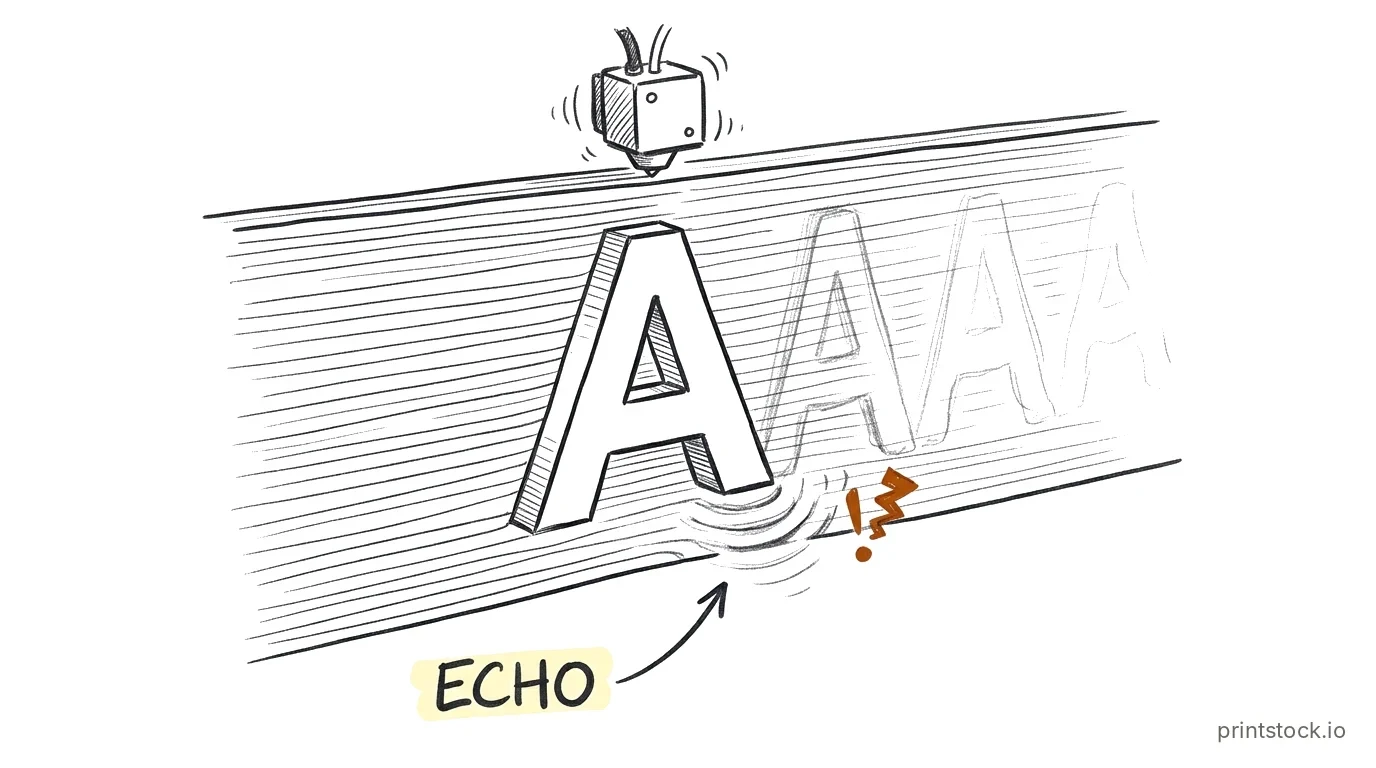
Hold a print up to the light at an angle and look just past a corner or a letter. If you see faint waves, like the echo of the edge repeated two or three times along the wall, that is ghosting. It does not weaken the part, but it is the most visible quality flaw on smooth walls and the first thing people notice in a photo.
What is ghosting (ringing) in 3D printing?
Ghosting, also called ringing, is a pattern of faint ripples that repeats after a sharp feature on the wall of a print. It appears after corners, around holes and next to embossed or engraved text, and fades out a few millimetres away from the feature.
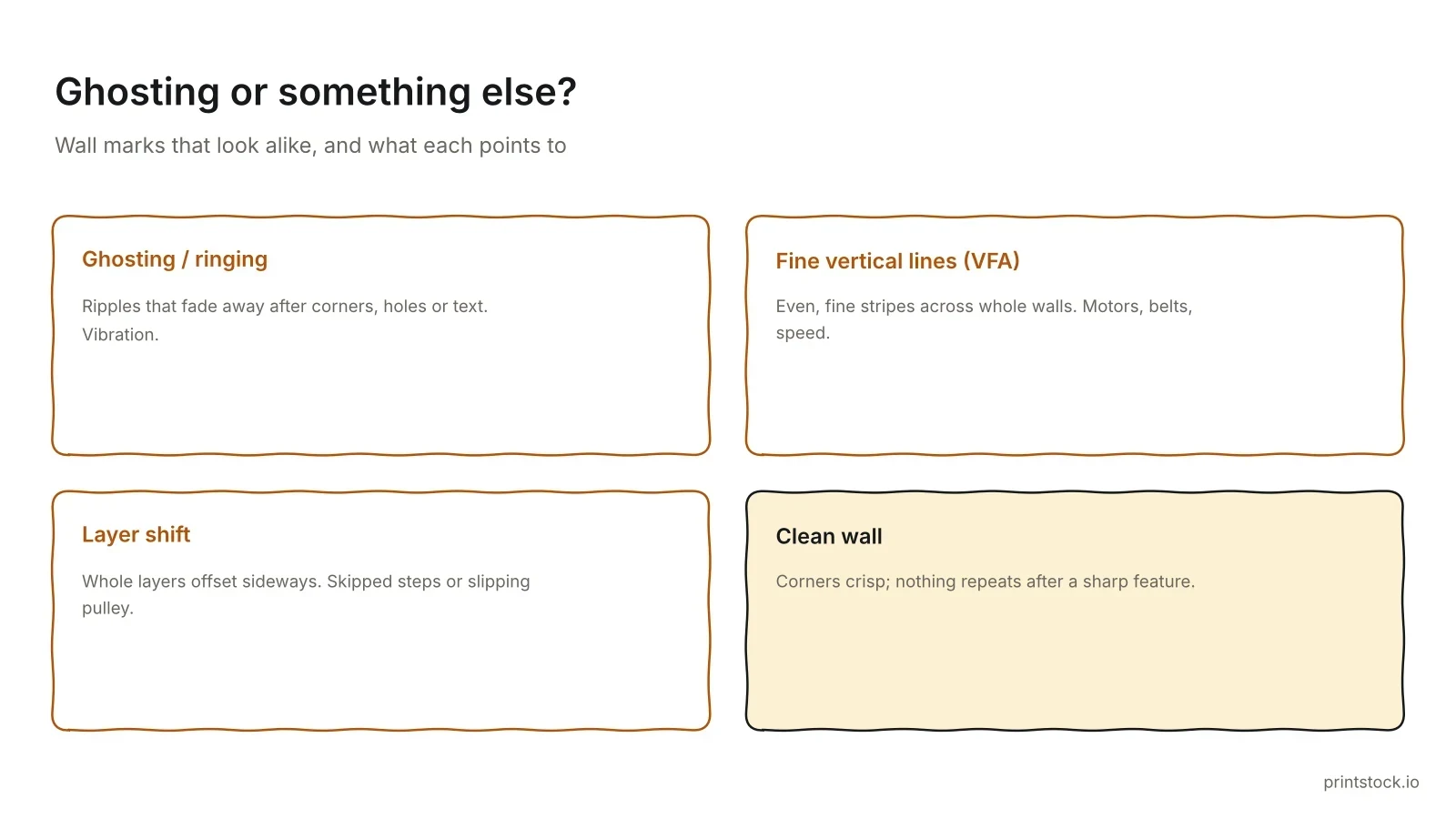
Two other wall marks are easy to confuse with it:
- Fine vertical lines (VFA, vertical fine artefacts) are even, closely spaced stripes across whole walls, not just after features. They come from motors, belts and pulleys at certain speeds, and fixes are usually printer-specific.
- A layer shift moves whole layers sideways, leaving a step in the wall. That is skipped motor steps or a slipping pulley; see our layer shifting guide.
Why does a 3D printer ghost?
The print head vibrates after every sudden change of direction, and the nozzle draws that vibration into the wall. At a corner the head decelerates hard, turns and accelerates again. The belts, the frame and the head itself keep shaking for a moment, like a ruler twanged on a desk.
What makes it worse:
- High acceleration. How hard the head starts and stops matters more than its top speed.
- Loose or unevenly tensioned belts. A slack belt acts like a spring.
- Loose pulleys, screws or frame parts. Any play adds wobble.
- A light or wobbly surface. A table that flexes moves with the printer; this is common with bed slinger printers, where the whole bed moves back and forth.
- A heavy print head or a tall, unbraced gantry.
How to fix ghosting, in order
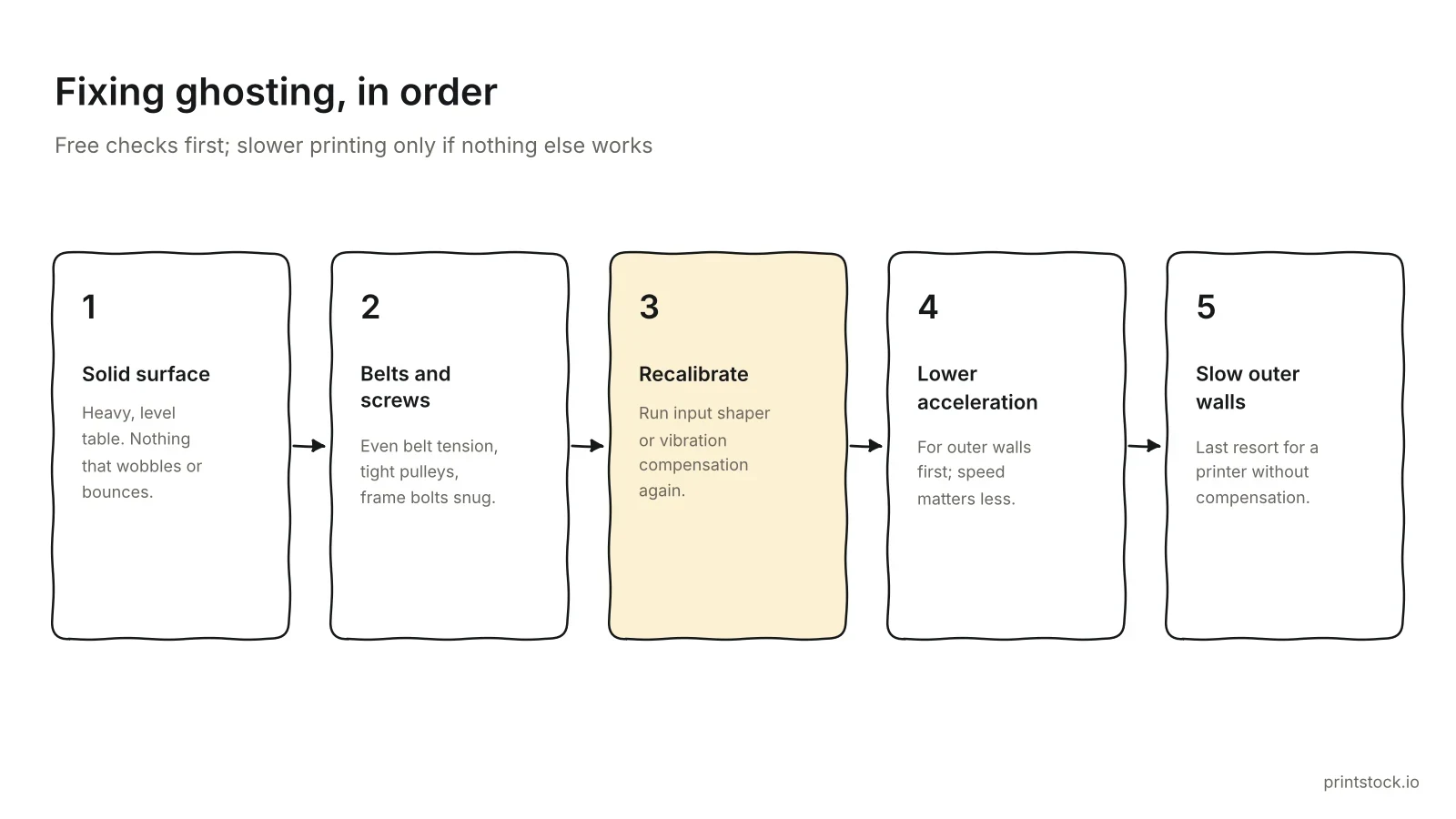
Start with the free checks, then recalibrate, and only then slow the printer down.
1. Put the printer on a solid surface
A heavy, level table or a stone or concrete slab under the printer reduces ringing at no cost. If you have just moved the printer, rerun its calibration (step 3), because the surface changes how it vibrates.
2. Check belts, pulleys and screws
- Belts: both belts should feel firm and evenly tensioned. Follow your printer maker's tension procedure where there is one; some printers have a belt tension tool or a tensioning routine in their menu.
- Pulleys: the grub screws that hold the pulleys on the motor shafts must be tight.
- Frame: snug the frame and gantry screws, and check that nothing on the print head rattles.
3. Rerun input shaping or vibration compensation
Most current printers can measure their own vibration and cancel it in firmware.
- Prusa: Input Shaper is built into the firmware of the CORE One, MK4S, MK3.9S, MK3.5S, XL and MINI. Calibration cannot make up for loose hardware, so fix step 2 first.
- Bambu Lab: vibration compensation is one of the printer's calibration items, and you can rerun it from the printer screen, Bambu Studio or Bambu Handy.
- Klipper printers: Klipper's resonance compensation is tuned with an accelerometer or a test print.
Rerun the calibration after tightening belts, moving the printer or replacing motion parts.
4. Lower acceleration for outer walls
If ripples remain, reduce acceleration rather than speed, and only where it shows. Most slicers let you set acceleration for outer walls separately from infill. Lowering it there removes ringing on visible surfaces while the inside of the part still prints fast.
5. Slow down outer walls
On older printers without input shaping, slower outer walls are the main fix. Printing outer walls before inner walls can also give cleaner corners on some printers. Keep the rest of the print at normal speed.
Does the filament matter?
Filament does not cause ghosting, but it changes how much you see. Glossy, dark and silk filaments show every ripple; matte and light colours hide them. Prusa's Input Shaper article also points out that the printing material is one of the limits on how fast a printer can go. If ghosting appears with a new filament, check whether it was simply hidden before.
Where to go from here
If whole layers move, not just ripple, see layer shifting. For other wall flaws, our under-extrusion guide covers thin or gappy walls, and the stringing guide covers hairs between parts.