$69 as of Nov 11, 2026Check price
xTool
xTool P2
LaserEnclosed
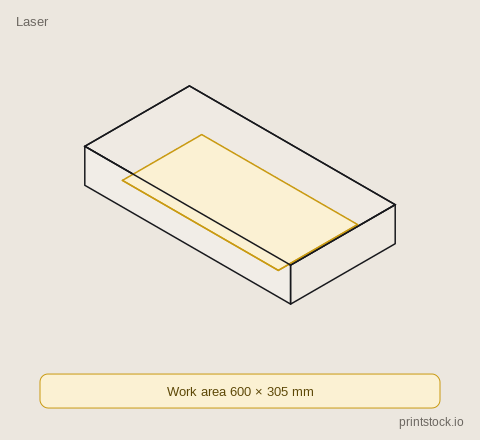
xTool's first desktop CO2 laser: 55 W tube, 600 × 305 mm working area with passthrough, 600 mm/s, dual 16 MP cameras for curved-surface engraving. Replaced by the P2S, which shares the platform; refurbished P2 units appear in xTool's store.
Discontinued. xTool no longer makes this model. Compatible accessories and parts are listed below. The current model is xTool P2S.
Where to buy
Discontinued: no longer sold new, and we track no store that still has it in stock. The current model is xTool P2S.
Overview
The xTool P2, launched in 2023, brought xTool's camera-first, beginner-friendly approach to a 55 W CO2 laser. Unlike diode lasers, a CO2 tube cuts acrylic of any color, including clear, and cuts wood and acrylic much faster. Dual 16 MP cameras map the material and even curved surfaces, and a passthrough slot handles long boards.
In 2024 xTool replaced it with the P2S, which keeps the same 55 W tube, 600 × 305 mm area and 600 mm/s top speed, but doubles X acceleration to 6,400 mm/s², raises air assist from about 150 to 200 kPa, adds a second exhaust fan and improves AI camera alignment. Reviewers describe the P2 as still fine for hobby use, while the P2S suits higher-volume production.
Because the P2S builds on the P2's hardware, most P2-branded accessories such as honeycomb panels, lenses, mirrors, the riser base and the conveyor feeder are listed for both machines. The tube is the main consumable on any CO2 laser.
Best for
- Owners looking for compatible lenses, mirrors and panels
- Used or refurbished buyers wanting a CO2 laser at a lower price
- Cutting acrylic of any color
Look elsewhere if
- You are buying new: the P2S fixes the P2's weaker air assist and acceleration
- You need a bigger bed: the xTool P3 has 915 × 458 mm
Before you buy
- Check the tube's hours and cutting power on a used machine.
- Plan venting outdoors or an air purifier.
- Refurbished P2 and P2S units from xTool come with a warranty.
- Clean lenses and mirrors regularly; they are cheap consumables.
Pros and cons
Pros
- 55 W CO2 cuts any color acrylic
- Dual cameras with curved-surface engraving
- Passthrough for long pieces
- Accessories shared with the P2S
Cons
- Weaker air assist than the P2S
- Lower acceleration
- Heavy at about 45 kg
Maker's test data
- One-pass cutting
- 18 mm black walnut and 20 mm clear acrylic in a single pass at 55 W, per xTool.
Published by the manufacturer from its own tests. PrintStock has not verified these figures; owner reports below may confirm or contradict them.
What owners like
Very clean cuts and robust build
Praised by most ownersTechRadar calls it an industry standard with some of the cleanest cuts it has seen, unmatched flexibility and robust build quality.
Fast 55W tube, large bed, simple software
Often praisedSlashGear rates it 9 out of 10, praising easy setup, a large working area, simple software and surprisingly fast work.
Built-in cameras make placement accurate
Often praisedReviewers single out the dual HD cameras as one of its most impressive features.
Collected the same way as known issues: from independent reviews, owner reports and public discussions, merged and grouped.
Known issues
Last reviewed Nov 13, 2026Popular models have longer lists simply because more people own them and talk about them. Severity and status show how much each problem matters today.
Very large and heavy
Minor (annoyance)Still reportedThe machine is extremely large and heavy and needs two people to set up.
Fire safety features cost extra
Minor (annoyance)Still reportedFire suppression and similar safety add-ons are sold separately.
Software lighter than LightBurn
Minor (annoyance)Still reportedxTool Creative Space lacks features experienced LightBurn users expect, and native connectivity is limited.
Already fixed: 1 (show)
Smoke residue from weaker air assist
Minor (annoyance)Fixed in a hardware revisionThe P2's single internal fan and roughly 150 kPa air assist leave more residue and fume buildup; the P2S raised airflow by about a third with a dual-fan setup. Clean optics often and use external exhaust.
How we build this list: we collect independent reviews, owner reports and public discussions on forums and social networks, merge duplicates and group them by cause. Only serious or recurring problems make the list, so a single complaint will not appear here, and a listed problem does not mean every unit is affected.
Specs
Printing
- Type
- Laser
- Max speed
- 600 mm/s
- Laser type
- CO2
- Laser output
- 55 W
- Cuts through
- WoodPlywoodMDFBambooAcrylicclearAcrylicdark or opaqueOther plasticsLeatherPaper and cardboardFabric and feltCorkRubberFoam
- Engraves or marks
- WoodPlywoodMDFBambooAcrylicclearAcrylicdark or opaqueOther plasticsLeatherPaper and cardboardFabric and feltCorkRubberFoamGlassStone and slateCeramic tileAnodized aluminiumPainted or coated metal
Hardware
- Enclosure
- Yes
Control and sensors
- Features
- Built-in camera
Laser
- Laser
- 55 W CO2 glass tube
- Cutting capacity
- Cuts clear acrylic in any color; up to 20 mm acrylic in one pass
- Safety class
- Class 1 enclosed (Class 4 with passthrough or conveyor)
Work area
- Working area
- 600 × 305 mm; bed 680 × 360 mm; passthrough for long material
Features
- Cameras
- Dual 16 MP cameras, curved-surface engraving
- Air assist
- Built-in, about 150 kPa
Software
- Software
- xTool Creative Space, LightBurn
From maker and store specifications, checked Nov 12, 2026. Power, size, network and warranty are in their own blocks below.
Power and setup
Electricity
- Rated power
- 700 W
- Note
- Max machine input power 700 W.
Network and cloud
- Software from other makers
- Supported
- Built-in camera
- Yes
- Note
- Runs from xTool Creative Space over USB or the network; a double press of the button repeats the last job without a computer. LightBurn handles flat jobs only and cannot use the cameras.
Space and room
- Size (W × D × H)
- 1,000 × 639 × 268 mm
- Weight
- 45 kg
On a standard power circuit
- US 15 A / 120 V standard circuit: fine, and about 700 W stays free for other things on that circuit while it heats up
- EU/UK 16 A / 230 V standard circuit: fine, and about 2,200 W stays free for other things on that circuit while it heats up
Our calculation from the maker's rated power, keeping a circuit at 80% for long loads.
Safety and support
Safety
- Laser class
- Class 1 laser product (a Class 4 laser fully enclosed)
- Laser safety features
- Air assist
- Note
- Class 4 when used with the passthrough or conveyor open
Warranty and repair
- Warranty
- 12 months; 12 months on main parts; CO2 laser tube 6 months, mirrors and lenses 3 months; xToolCare extends cover to 24 or 36 months
- Spare parts store
- Official page ↗
- Repair guides
- Official page ↗
Software and firmware
- Slicer / control software
- xTool Creative Space, xTool Studio, LightBurn
- Firmware
- Updated through xTool software
- Connectivity
- Wi-Fi, USB, Ethernet
Official firmware and downloads ↗ We never host firmware files.
Questions people ask
xTool P2 or P2S?
Same 55 W tube, area and top speed. The P2S doubles X acceleration, adds stronger air assist and better AI camera alignment. The P2 is still fine for hobby work.
Is the xTool P2 discontinued?
Yes, the P2S replaced it. xTool's store has listed refurbished P2 and P2S units.
Can the xTool P2 cut clear acrylic?
Yes. Unlike diode lasers, its CO2 tube cuts acrylic of any color, including clear.
Compatible accessories
Everything that fits the xTool P2
$59 as of Nov 11, 2026Check price
$129 as of Nov 11, 2026Check price
$499 as of Nov 11, 2026Check price
$139 as of Nov 11, 2026Check price
Closest alternatives by price
Compare all side by side