$69 as of Nov 11, 2026Check price
xTool
xTool P2S
LaserEnclosed
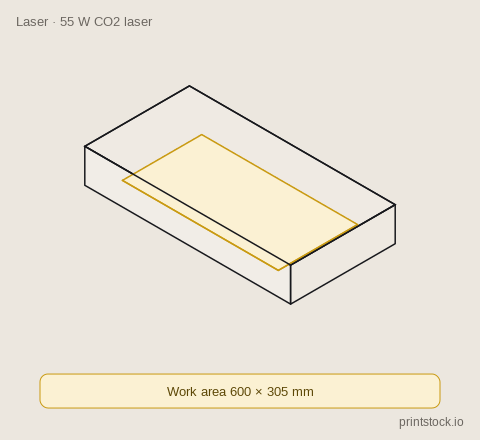
xTool's best-selling desktop CO2 laser: 55 W tube, 600 × 305 mm working area on a 680 × 360 mm bed, 600 mm/s, dual 16 MP cameras, LiDAR autofocus, passthrough and conveyor support.
Where to buy
Prices as of Nov 11, 2026Taxes, shipping and any import duties are worked out by the store at checkout and depend on your country; ask the store if in doubt.
Store links may be affiliate links: we may earn a commission, and it does not change your price. Affiliate disclosure
Overview
The xTool P2S is the 2024 update of the P2 and the CO2 laser most small craft businesses compare everything else against. A 55 W tube cuts wood and acrylic of any color, including clear, far faster than a diode laser; reviewers note it handles about 18 mm basswood in one pass, where a 40 W diode needs several. Dual 16 MP cameras show the whole bed and let you place designs precisely, LiDAR sets the focus, and a passthrough slot and conveyor handle long boards.
Compared with the P2 it keeps the same 55 W tube, 600 × 305 mm area and 600 mm/s, but doubles X acceleration to 6,400 mm/s², adds a dual-fan exhaust and stronger 200 kPa air assist, and improves camera alignment, so real jobs finish faster and cleaner. At our last check xTool listed it at $2,999 standalone, with bundles adding the riser, rotary, conveyor and fire safety set.
It is a 45 kg machine that needs a sturdy table, a window or purifier for fumes and a water-cooling routine. Above it sits the P3 with 80 W and a 915 × 458 mm bed for heavier production.
Best for
- Etsy and small-business products in wood and acrylic
- Cutting clear acrylic, which diode lasers cannot
- Classrooms and makerspaces wanting camera-guided placement
Look elsewhere if
- You only engrave small items: a galvo laser like the xTool F2 is far faster
- You need large sheets and heavy production: the xTool P3 has 80 W and a 915 × 458 mm bed
Before you buy
- Vent fumes outdoors or buy an air purifier.
- Use distilled water and antifreeze in cold rooms for the cooling loop.
- The tube is a consumable rated for 6,000 to 8,000 hours.
- The Class 1 rating changes with the passthrough or conveyor open; follow xTool's safety guidance.
Pros and cons
Pros
- 55 W CO2 cuts any color acrylic
- Excellent dual-camera alignment
- LiDAR autofocus and curved surfaces
- Large accessory ecosystem
Cons
- Heavy at 45 kg
- Needs ventilation and water care
- Pricier than diode lasers
Maker's test data
- One-pass cutting
- 18 mm black walnut and 20 mm clear acrylic in a single pass at 55 W, per xTool.
Published by the manufacturer from its own tests. PrintStock has not verified these figures; owner reports below may confirm or contradict them.
Known issues
Last reviewed Nov 12, 2026Popular models have longer lists simply because more people own them and talk about them. Severity and status show how much each problem matters today.
Smoke residue and optics cleaning
Minor (annoyance)Workaround availableLike any CO2 laser, lenses and mirrors collect residue; the P2S improved airflow over the P2 with dual fans and 33% more air pressure, but optics still need routine cleaning.
How we build this list: we collect independent reviews, owner reports and public discussions on forums and social networks, merge duplicates and group them by cause. Only serious or recurring problems make the list, so a single complaint will not appear here, and a listed problem does not mean every unit is affected.
Specs
Printing
- Type
- Laser
- Max speed
- 600 mm/s
- Laser
- 55 W CO2 laser
- Laser type
- CO2
- Laser output
- 55 W
- Cuts through
- WoodPlywoodMDFBambooAcrylicclearAcrylicdark or opaqueOther plasticsLeatherPaper and cardboardFabric and feltCorkRubberFoam
- Engraves or marks
- WoodPlywoodMDFBambooAcrylicclearAcrylicdark or opaqueOther plasticsLeatherPaper and cardboardFabric and feltCorkRubberFoamGlassStone and slateCeramic tileAnodized aluminiumPainted or coated metal
Hardware
- Enclosure
- Yes
Control and sensors
- Features
- Built-in cameraAutofocus
Files and setup
- Files the software opens
- SVG, DXF, JPG, PNG, BMP
Laser
- Laser
- 55 W CO2 glass tube, 6,000 to 8,000 h rated life
- Spot size
- 0.15 × 0.2 mm
- Cutting capacity
- About 18 mm basswood and 20 mm acrylic (including clear) in one pass
Work area
- Working area
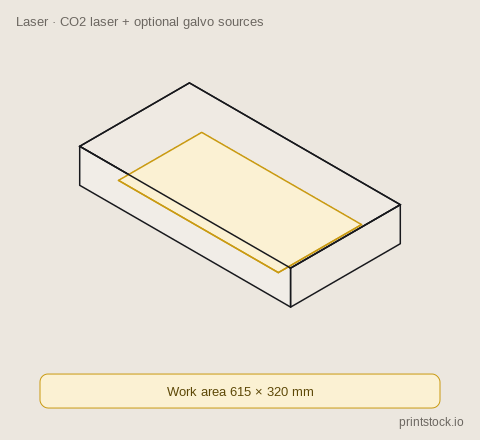
- 600 × 305 mm; bed 680 × 360 mm; passthrough and conveyor for long material
Motion
- Precision
- 0.01 mm
Features
- Cameras
- Dual 16 MP (panoramic and close-range), 1000 DPI capture, curved-surface engraving
- Autofocus
- LiDAR autofocus
- Cooling and air
- 1.4 L water cooling, 200 kPa air assist, dual-blade exhaust fan
Software
- Software
- xTool Creative Space, xTool Studio, LightBurn
From maker and store specifications, checked Nov 12, 2026. Power, size, network and warranty are in their own blocks below.
Power and setup
Electricity
- Rated power
- 700 W
Network and cloud
- Software from other makers
- Supported
- Built-in camera
- Yes
- Note
- Runs from xTool Creative Space and supports offline processing. LightBurn handles flat jobs only and cannot use the cameras.
Space and room
- Size (W × D × H)
- 1,000 × 639 × 268 mm
- Weight
- 45 kg
On a standard power circuit
- US 15 A / 120 V standard circuit: fine, and about 700 W stays free for other things on that circuit while it heats up
- EU/UK 16 A / 230 V standard circuit: fine, and about 2,200 W stays free for other things on that circuit while it heats up
Our calculation from the maker's rated power, keeping a circuit at 80% for long loads.
Safety and support
Safety
- Laser class
- Class 1 laser product (a Class 4 laser fully enclosed)
- Laser safety features
- Lid or door interlock, Emergency stop button, Flame detection, Air assist, Built-in exhaust fan
- Note
- Class 4 when used with the passthrough or conveyor open
Warranty and repair
- Warranty
- 12 months; 12 months on main parts; CO2 laser tube 6 months, mirrors and lenses 3 months; xToolCare extends cover to 24 or 36 months
- Spare parts store
- Official page ↗
- Repair guides
- Official page ↗
Software and firmware
- Slicer / control software
- xTool Creative Space, xTool Studio, LightBurn
- Firmware
- Updated through xTool software
- Connectivity
- Wi-Fi, USB, Ethernet
Official firmware and downloads ↗ We never host firmware files.
Questions people ask
xTool P2S or P2?
Same 55 W tube, area and top speed. The P2S doubles X acceleration, adds dual exhaust fans and 200 kPa air assist, and improves camera alignment.
How thick can the xTool P2S cut?
Reviewers report about 18 mm basswood in one pass, and xTool lists up to 20 mm acrylic, including clear.
xTool P2S or P3?
The P3 has an 80 W tube, a 915 × 458 mm bed and a built-in chiller but costs more than twice as much and weighs 105 kg. The P2S suits most small businesses.
Does the P2S work with LightBurn?
Yes, alongside xTool Creative Space and xTool Studio.
Compatible accessories
Everything that fits the xTool P2S
$59 as of Nov 11, 2026Check price
$129 as of Nov 11, 2026Check price
$499 as of Nov 11, 2026Check price
$139 as of Nov 11, 2026Check price
Closest alternatives by price
Compare all side by side