$169 as of Nov 11, 2026Check price
xTool
xTool F2 Ultra
LaserEnclosed
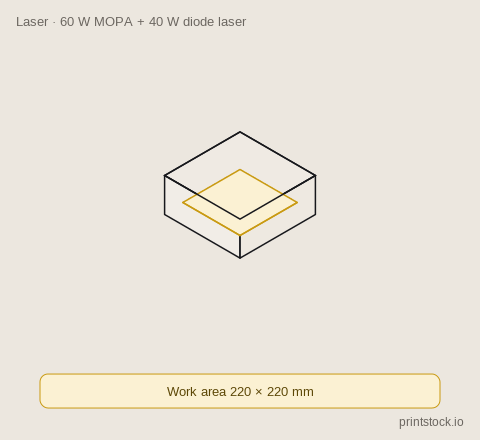
Galvo laser for metal-focused businesses: 60 W MOPA fiber source for color and deep metal engraving plus an optional 40 W diode, 220 × 220 mm area (220 × 500 mm with conveyor), up to 15,000 mm/s, dual 48 MP cameras.
- Highest rated speed of the 55 Laser engravers we list
Where to buy
Prices as of Nov 11, 2026Taxes, shipping and any import duties are worked out by the store at checkout and depend on your country; ask the store if in doubt.
Store links may be affiliate links: we may earn a commission, and it does not change your price. Affiliate disclosure
Price history, 90 days
Lowest: $4,299 · Highest: $5,299Overview
The xTool F2 Ultra replaced the F1 Ultra as xTool's flagship galvo laser. Its headline is a 60 W MOPA fiber source. MOPA lets the software vary pulse length and frequency, which is what produces color marking on stainless steel and titanium, deep engraving in brass and aluminum, and cutting of thin metal sheet. The dual version adds a 40 W diode for wood, leather and acrylic; the single version is MOPA only and is better value if you work mostly in metal.
The working area stays at 220 × 220 mm like the F1 Ultra, with an optional conveyor for 500 mm long pieces and batches. Dual 48 MP cameras handle alignment, and the enclosure has a shield, fire stop and emergency stop, though it remains a Class 4 laser.
At our last check xTool listed the single 60 W MOPA at $4,299 and the dual laser at $5,299; prices outside the US are much higher. Do not confuse it with the F2 Ultra UV, a separate machine with a UV source for fine marking on glass and plastics. Reviewers praise the speed and software but note the built-in material library needs tuning for some metals.
Best for
- Businesses selling engraved metal goods: jewelry, tags, tumblers, tools
- Color marking on stainless steel and titanium
- Batch production with the conveyor
Look elsewhere if
- You mostly engrave wood and leather: the xTool F2 does it for about a quarter of the price
- You need large sheet cutting: buy a gantry laser
- You want fine marking on glass and plastic: the F2 Ultra UV suits that better
Before you buy
- Choose single (MOPA only) or dual (MOPA plus 40 W diode) based on how much non-metal work you do.
- It is a Class 4 laser: vent fumes outside and keep the shield closed.
- Expect to run your own parameter tests on metals; the material library is a starting point.
- The conveyor is a separate purchase or bundle option.
Pros and cons
Pros
- 60 W MOPA for color and deep metal engraving
- Very fast galvo processing
- Optional conveyor for long items and batches
- Mature xTool software with camera alignment
Cons
- Expensive
- Working area unchanged from the F1 Ultra
- Material presets need tuning on some metals
Known issues
Last reviewed Nov 12, 2026Popular models have longer lists simply because more people own them and talk about them. Severity and status show how much each problem matters today.
Eye-protection shield does not stay fully closed
Minor (annoyance)Still reportedAn owner who upgraded from the F1 Ultra reported on xTool's community forum that the F2 Ultra shield will not stay fully closed. It is cosmetic but matters for a Class 4 laser; check the hinge on delivery.
Material library presets need adjustment on metals
Minor (annoyance)Workaround availableHackster's review found the built-in material settings were not always right for deep engraving and recommended running your own test grids. Expect a learning curve with MOPA parameters.
Autofocus and access-key errors
Minor (annoyance)Workaround availablexTool support documents autofocus failures and access-control key errors on the F2 Ultra. Reseating the USB key and cleaning the sensor area usually fixes them; faulty keys are replaced.
How we build this list: we collect independent reviews, owner reports and public discussions on forums and social networks, merge duplicates and group them by cause. Only serious or recurring problems make the list, so a single complaint will not appear here, and a listed problem does not mean every unit is affected.
Specs
Printing
- Type
- Laser
- Max speed
- 15,000 mm/s
- Laser
- 60 W MOPA + 40 W diode laser
- Laser type
- Hybrid (several sources)
- Laser output
- 60 W
- Cuts through
- Paper and cardboardLeatherFabric and felt
- Engraves or marks
- WoodPlywoodMDFBambooLeatherPaper and cardboardFabric and feltCorkRubberAcrylicdark or opaqueStone and slateAnodized aluminiumPainted or coated metalStainless steelSteelBare aluminiumBrassCopperGold and silverOther plastics
Hardware
- Enclosure
- Yes
Control and sensors
- Screen
- Touchscreen
- Features
- Built-in cameraAutofocus
Files and setup
- Files the software opens
- SVG, DXF, JPG, PNG, BMP
- Variants
- Single laser (60W MOPA), Dual laser (60W MOPA + 40W diode)
Laser
- Laser sources
- 60 W MOPA fiber; dual version adds a 40 W diode
- Spot size
- MOPA 0.03 × 0.03 mm; diode 0.09 × 0.1 mm
- Safety class
- Class 4 laser product with enclosed cover and eye-protection shield
- Cutting capacity
- Basswood 23 mm, acrylic 20 mm (diode, multiple passes); MOPA cuts thin metal sheet
- Color marking
- 100+ colors on stainless steel and titanium (MOPA pulse control)
Work area
- Working area
- 220 × 220 mm; 220 × 500 mm with conveyor
- Max processing height
- 150 mm
- Max rotary diameter
- 150 mm
Features
- Cameras
- Dual 48 MP cameras with auto positioning; touchscreen controller
Software
- Supported files
- SVG, DXF, JPG, JPEG, PNG, BMP
From maker and store specifications, checked Nov 12, 2026. Power, size, network and warranty are in their own blocks below.
Power and setup
Electricity
- Rated power
- 400 W
Network and cloud
- Works without internet
- Yes, fully (SD card / USB / LAN)
- Built-in camera
- Yes
- Note
- Runs from xTool Studio over USB or 2.4 or 5 GHz Wi-Fi, or offline from an exported job file. xTool lists it as not supported by LightBurn.
Space and room
- Size (W × D × H)
- 294 × 429 × 521 mm
- Weight
- 21.6 kg
On a standard power circuit
- US 15 A / 120 V standard circuit: fine, and about 1,000 W stays free for other things on that circuit while it heats up
- EU/UK 16 A / 230 V standard circuit: fine, and about 2,500 W stays free for other things on that circuit while it heats up
Our calculation from the maker's rated power, keeping a circuit at 80% for long loads.
Safety and support
Safety
- Laser class
- Class 4 laser product
- Laser safety features
- Emergency stop button, Flame detection
- Note
- Wear laser safety glasses rated for the wavelength
Warranty and repair
- Warranty
- 12 months; 12 months on main parts; CO2 laser tube 6 months, mirrors and lenses 3 months; xToolCare extends cover to 24 or 36 months
- Spare parts store
- Official page ↗
- Repair guides
- Official page ↗
Software and firmware
- Slicer / control software
- xTool Studio (official); xTool Creative Space 2.7 or newer for older setups
- Firmware
- Updated through xTool software
- Connectivity
- Wi-Fi, USB, touchscreen controller
Official firmware and downloads ↗ We never host firmware files.
Questions people ask
How much does the xTool F2 Ultra cost?
At our last check xTool listed the single 60 W MOPA version at $4,299 and the dual 60 W MOPA plus 40 W diode at $5,299 in the US. Conveyor bundles cost more.
What is the difference between the F2 Ultra and the F2 Ultra UV?
They are different machines. The F2 Ultra uses a 60 W MOPA fiber laser for metals plus an optional diode. The F2 Ultra UV uses a UV source for very fine, cold marking on glass, plastics and delicate materials, and is weaker on deep metal work.
F2 Ultra single or dual?
The single version has only the MOPA laser and suits metal-only work. The dual adds a 40 W diode that cuts wood up to 23 mm and engraves organics, for $1,000 more.
xTool F2 Ultra or F1 Ultra?
The F2 Ultra has a 60 W MOPA instead of a 20 W fiber and a 40 W diode instead of 20 W, with faster speed and dual cameras. The working area is the same 220 × 220 mm.
Compatible accessories
Everything that fits the xTool F2 Ultra
$25 as of Nov 11, 2026Check price
$499 as of Nov 11, 2026Check price
$79 as of Nov 11, 2026Check price
Closest alternatives by price
Compare all side by side