Glowforge Plus HD
Glowforge Performance Series CO2 laser: 40 W tube, 20 × 12 in material area, HD camera and Preview mode. Cloud-based software.
Where to buy
Prices as of Nov 12, 2026Taxes, shipping and any import duties are worked out by the store at checkout and depend on your country; ask the store if in doubt.
Store links may be affiliate links: we may earn a commission, and it does not change your price. Affiliate disclosure
Price history, 90 days
Lowest: $4,999 · Highest: $6,999Overview
The Glowforge Plus HD belongs to Glowforge's Performance Series, the 40 to 45 W CO2 lasers aimed at businesses, entrepreneurs and schools. Like all Glowforges it is a closed box with cameras in the lid: you drop in material, see it on screen in a web browser, place designs on it and press print. A CO2 tube cuts wood, acrylic of any color including clear, leather and paper much faster than the 6 W Aura. The Plus models skip the Passthrough slot, so material is limited to the bed size. The HD models, launched as brand-new hardware, add enhanced optics and image processing for HD live view and a Preview mode, and are Glowforge's fastest lasers.
Glowforge's shop lists the Plus HD at $4,999 new. On its own speed scale Glowforge rates the Pro HD at 12x, Pro at 10x, Plus HD at 8x and Plus at 6x relative to the Spark.
The trade-offs are the same across Glowforge's range: jobs are processed in Glowforge's cloud, so the machine needs internet, there is no offline mode or LightBurn support, and there is no rotary. After a restructuring in late 2025 the co-founders bought back the company and kept the cloud running.
Best for
- Businesses and schools wanting a simple camera-guided CO2 laser
- Cutting clear and colored acrylic
- Users who prefer a browser workflow
Look elsewhere if
- You want offline control, LightBurn or a rotary: open CO2 lasers such as the xTool P2S offer them
- You only engrave small items: a galvo laser is faster
Before you buy
- The machine needs Wi-Fi and internet to run any job.
- Plan a 4 in exhaust to a window or buy the Glowforge filter.
- Budget for Proofgrade materials or learn manual settings for generic stock.
- Compare against xTool's P2S for price and offline use.
Pros and cons
Pros
- 40 W CO2 cuts any color acrylic
- Very easy camera workflow
- Enclosed and safe for classrooms
Cons
- Cloud-only, no offline mode
- No rotary or LightBurn
- Expensive for its power
Known issues
Last reviewed Nov 12, 2026Popular models have longer lists simply because more people own them and talk about them. Severity and status show how much each problem matters today.
Cloud dependence and processing delays
Moderate (affects prints)Still reportedEvery job is prepared on Glowforge's servers; owners report long processing for complex files and no way to print offline.
How we build this list: we collect independent reviews, owner reports and public discussions on forums and social networks, merge duplicates and group them by cause. Only serious or recurring problems make the list, so a single complaint will not appear here, and a listed problem does not mean every unit is affected.
Specs
Printing
- Type
- Laser
- Laser
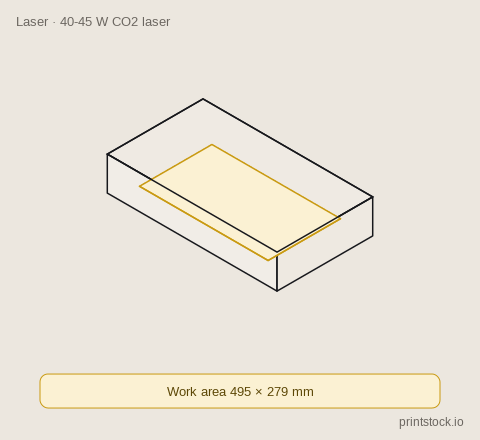
- 40-45 W CO2 laser
- Laser type
- CO2
- Laser output
- 40 W
- Cuts through
- WoodPlywoodMDFBambooAcrylicclearAcrylicdark or opaqueOther plasticsLeatherPaper and cardboardFabric and feltCorkRubberFoam
- Engraves or marks
- WoodPlywoodMDFBambooAcrylicclearAcrylicdark or opaqueOther plasticsLeatherPaper and cardboardFabric and feltCorkRubberFoamGlassStone and slateCeramic tileAnodized aluminiumPainted or coated metal
Hardware
- Enclosure
- Yes
Control and sensors
- Features
- Built-in cameraAutofocusBuilt-in light
Files and setup
- Files the software opens
- JPG, PNG, SVG, PDF
Laser
- Laser
- 40 W CO2 glass tube, 10,600 nm
- Speed rating
- 8x top speed (Glowforge scale)
Work area
- Material size
- 20 × 12 in material; about 19.5 × 11 in printable
- Max cutting
- About 1/4 in (6.35 mm) in one pass
Features
- Cameras
- Lid and head cameras; HD live view and Preview mode
- Focus
- Autofocus; precise to 1/1000 in
Cooling
- Cooling
- Solid-state thermoelectric cooling
Software
- Software
- Glowforge web app (cloud); Glowforge Premium optional
Physical
- Ventilation
- 4 in exhaust hose or Glowforge filter
From maker and store specifications, checked Nov 12, 2026. Power, size, network and warranty are in their own blocks below.
Power and setup
Network and cloud
- Works without internet
- No, needs internet
- Maker account
- Required
- Local control for other software
- None
- Note
- Works only through Glowforge's web app and cloud: it needs Wi-Fi with internet access to start a job, though a job already sent finishes if the connection drops. Other programs can make the artwork, but only Glowforge's app runs the laser.
Space and room
- Size (W × D × H)
- 965 × 527 × 210 mm
Safety and support
Warranty and repair
- Warranty
- 12 months; One year from purchase for Plus, Pro and Aura models (UK limited warranty); the Basic model gets 6 months; paid extended plans available
Software and firmware
- Slicer / control software
- Glowforge web app (cloud); Glowforge Premium optional
- Firmware
- Updated automatically from Glowforge's cloud
- Connectivity
- Wi-Fi only
Official firmware and downloads ↗ We never host firmware files.
Questions people ask
Glowforge Pro or Plus?
The Pro has a 45 W tube, the Passthrough slot for unlimited length and upgraded cooling; the Plus has 40 W and no Passthrough.
What do the HD models add?
Pro HD and Plus HD are new hardware with enhanced optics and image processing, HD live view, Preview mode and higher top speeds.
How much does the Glowforge Plus HD cost?
Glowforge's shop lists the Plus HD at $4,999 new.
Can a Glowforge cut clear acrylic?
Yes, the Performance Series CO2 lasers cut clear and colored acrylic, unlike the diode-based Aura and Spark.
Closest alternatives by price
Compare all side by side