$25 as of Nov 11, 2026Check price
xTool
xTool F1
LaserEnclosed
The portable dual laser that started the on-site engraving trend: 10 W blue diode plus 2 W infrared in a 4.6 kg galvo unit, 115 × 115 mm area, 4,000 mm/s. The F2 replaced it at the top, but xTool still sells the F1 and F1 Lite.
Where to buy
Prices as of Nov 12, 2026Taxes, shipping and any import duties are worked out by the store at checkout and depend on your country; ask the store if in doubt.
Store links may be affiliate links: we may earn a commission, and it does not change your price. Affiliate disclosure
Overview
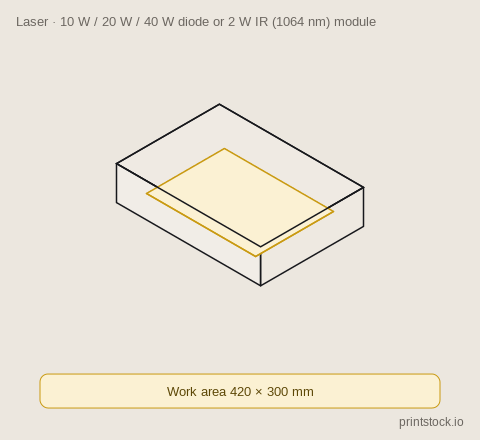
The xTool F1, launched in 2023, made portable laser engraving a business: owners carry it to markets and events and personalize tumblers, jewelry, leather and wood on the spot. It is a galvo laser, which steers the beam with fast mirrors, so it engraves small items in seconds but has a small 115 × 115 mm area. A 10 W blue diode handles wood, leather and dark acrylic, and a 2 W infrared laser marks bare metal and plastics.
The F2 replaced it as xTool's main portable laser with 15 W and 5 W sources, a 50 MP camera and 6,000 mm/s, and xTool says the F1's accessories fit the F2. The F1 is still in xTool's lineup as the entry model, and Maker Shed listed the F1 and F1 Lite from $1,099 at our last check. The F1 Lite drops the infrared laser.
The weak point is the 2 W infrared source. Owners on xTool's forum report unpredictable or weak metal engraving, and some received replacement units for weak lasers. If metal is your main business, the F2 or a fiber laser does it much faster.
Best for
- Market and event personalization on a budget
- Engraving wood, leather and coated tumblers
- Light metal marking such as tags and jewelry
Look elsewhere if
- Metal engraving is your main product: the F2's 5 W IR is two to eight times faster
- You need to cut sheets for signs or boxes: a gantry laser has far more area
Before you buy
- Decide between F1 and F1 Lite: only the F1 can mark bare metal.
- Compare with the F2; the price gap is small at times and the F2 adds a camera and autofocus.
- Wear eye protection when the shield is lifted and ventilate the fumes.
- Update firmware before troubleshooting framing or weak output.
Pros and cons
Pros
- Very portable and quick to set up
- Fast galvo engraving
- Dual laser for organics and metal
- Large accessory range shared with the F2
Cons
- Weak 2 W infrared for metal
- Small work area
- No camera
Known issues
Last reviewed Nov 13, 2026Popular models have longer lists simply because more people own them and talk about them. Severity and status show how much each problem matters today.
Weak or inconsistent infrared engraving
Moderate (affects prints)Still reportedOwners on xTool's community forum report unpredictable IR results on metal and weak lasers that led to replacements. xTool's guide for faint marks covers focus, power settings, lens cleaning and using the right laser for the material.
Framing does not appear or is off center
Minor (annoyance)Workaround availableIf framing shows nothing, xTool's guide lists the connection, a closed shield blocking the view, outdated firmware and low framing power. Owners also report off-center framing that needs calibration.
Small work area and lower power
Minor (annoyance)Still reportedThe F1's work area is small and its laser power lower than larger machines.
How we build this list: we collect independent reviews, owner reports and public discussions on forums and social networks, merge duplicates and group them by cause. Only serious or recurring problems make the list, so a single complaint will not appear here, and a listed problem does not mean every unit is affected.
Specs
Printing
- Type
- Laser
- Max speed
- 4,000 mm/s
- Laser type
- Hybrid (several sources)
- Laser output
- 10 W
- Cuts through
- Paper and cardboardLeatherFabric and felt
- Engraves or marks
- WoodPlywoodMDFBambooLeatherPaper and cardboardFabric and feltCorkRubberAcrylicdark or opaqueStone and slateAnodized aluminiumPainted or coated metalStainless steelSteelBare aluminiumBrassCopperOther plastics
Hardware
- Enclosure
- Yes
Control and sensors
- Features
- Autofocus
Files and setup
- Files the software opens
- SVG, DXF, JPG, PNG, BMP
Laser
- Laser sources
- 10 W blue diode (455 nm) + 2 W infrared (1064 nm)
- F1 Lite
- 10 W diode only, no infrared
- Cutting capacity
- Basswood up to 8 mm in multiple passes; IR marks metal, does not cut it
Work area
- Working area
- 115 × 115 mm; 400 × 115 mm with the Slide Extension
Features
- Positioning
- Live framing preview with the blue laser; no camera
Physical
- Form factor
- Handheld, top handle, pre-assembled
Software
- Software
- xTool Creative Space, xTool Studio, LightBurn
From maker and store specifications, checked Nov 12, 2026. Power, size, network and warranty are in their own blocks below.
Power and setup
Electricity
- Rated power
- 120 W
- Note
- 24 V, 5 A power adapter
Network and cloud
- Software from other makers
- Supported
- Note
- Runs from xTool Creative Space or xTool Studio over USB, Wi-Fi or the machine's IP address; LightBurn works with it over USB only, using xTool's device file.
Space and room
- Size (W × D × H)
- 179 × 235 × 334 mm
- Weight
- 4.6 kg
On a standard power circuit
- US 15 A / 120 V standard circuit: fine, and about 1,300 W stays free for other things on that circuit while it heats up
- EU/UK 16 A / 230 V standard circuit: fine, and about 2,800 W stays free for other things on that circuit while it heats up
Our calculation from the maker's rated power, keeping a circuit at 80% for long loads.
Safety and support
Safety
- Laser safety features
- Emergency stop button, Built-in exhaust fan
Warranty and repair
- Warranty
- 12 months; 12 months on main parts; CO2 laser tube 6 months, mirrors and lenses 3 months; xToolCare extends cover to 24 or 36 months
- Spare parts store
- Official page ↗
- Repair guides
- Official page ↗
Software and firmware
- Slicer / control software
- xTool Creative Space, xTool Studio, LightBurn
- Firmware
- Updated through xTool software
- Connectivity
- Wi-Fi, USB
Official firmware and downloads ↗ We never host firmware files.
Questions people ask
xTool F1 or F2?
The F2 has a 15 W diode and 5 W infrared versus 10 W and 2 W, runs at 6,000 mm/s instead of 4,000, and adds a 50 MP camera and autofocus. The F1 is cheaper and fine for wood, leather and light metal marking.
What is the difference between the xTool F1 and F1 Lite?
The F1 has a 10 W diode and a 2 W infrared laser. The F1 Lite has only the 10 W diode, so it cannot mark bare metal.
Is the xTool F1 discontinued?
No. The F2 replaced it as the flagship portable model, but xTool still lists the F1 and F1 Lite as entry options.
Can the xTool F1 cut metal?
No. The 2 W infrared laser marks metal surfaces but cannot cut through metal.
Compatible accessories
Everything that fits the xTool F1
$219 as of Nov 11, 2026Check price
Closest alternatives by price
Compare all side by side