Glowforge Aura
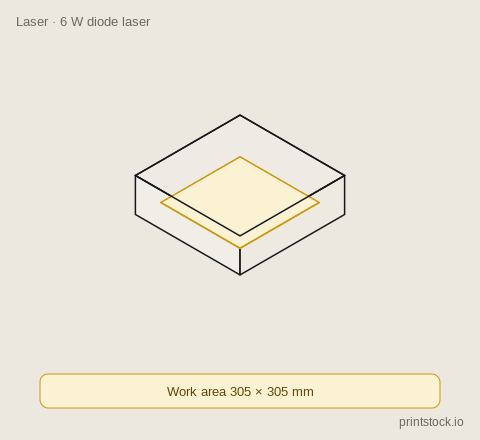
Beginner craft laser: enclosed Class 1 machine with a 6 W blue diode, 12 × 12 in (305 × 305 mm) work area with passthrough, browser-based cloud software and a large design catalog. Cuts up to 1/4 in (6.35 mm).
Where to buy
Prices as of Nov 11, 2026Taxes, shipping and any import duties are worked out by the store at checkout and depend on your country; ask the store if in doubt.
Store links may be affiliate links: we may earn a commission, and it does not change your price. Affiliate disclosure
Overview
The Glowforge Aura is the cheapest machine from the brand that made home laser cutting mainstream. It is a fully enclosed Class 1 craft laser with a 6 W blue diode, so it is safe to run without goggles, and it ships assembled: drop in the tray, connect to Wi-Fi and print from a web browser. It launched in 2023 at $1,199; at our last check Glowforge listed it at $999.
The trade-offs are power and openness. A 6 W diode is slow next to Glowforge's own 40 to 45 W CO2 machines and next to xTool's 20 to 40 W diodes, it cuts at most 1/4 in, and it cannot cut white, clear or blue acrylic. All jobs are processed in Glowforge's cloud, so the machine needs an internet connection. The optional Premium subscription unlocks the design catalog, larger files and extra tools; without it the Aura still works, but owners report a 100 KB upload limit on Aura files.
In November 2025 Glowforge went through an Assignment for the Benefit of Creditors, and its co-founders bought back the assets. The cloud service kept running and new purchases can add an extended warranty through 2029, but anyone buying a cloud-dependent machine should weigh that history.
Best for
- Complete beginners who want a safe, assembled, enclosed laser
- Crafters who value a ready design catalog over raw speed
- Homes and classrooms where Class 1 safety matters
Look elsewhere if
- You want speed or thicker cuts: an xTool S1 or M2 offers more power for similar money
- You need offline operation or LightBurn: the Aura only runs through Glowforge's cloud app
- You plan to cut clear or white acrylic
Before you buy
- Budget for ventilation: a window exhaust or the separate Glowforge filter (about $400).
- Decide whether you need Premium; the machine runs without it, but large files and the catalog need it.
- Proofgrade materials are convenient but expensive; generic basswood and acrylic work with manual settings.
- The machine requires a stable Wi-Fi and internet connection to run any job.
Pros and cons
Pros
- Very easy setup and use
- Class 1 enclosed, safe for homes and classrooms
- Passthrough slot for long material
- Huge catalog of ready projects
Cons
- Only 6 W: slow cutting and 1/4 in limit
- Cloud-only software, no offline mode
- Subscription and Proofgrade costs add up
- Cannot cut clear, white or blue acrylic
What owners like
Easy and safe for crafters
Praised by most ownersTom's Hardware praises the full enclosure, positioning camera and easy software; it cannot fire with the lid open.
Short path from idea to product
Often praisedSlashGear highlights easy setup, safe operation, a wide range of materials and a short time from idea to finished piece.
Collected the same way as known issues: from independent reviews, owner reports and public discussions, merged and grouped.
Known issues
Last reviewed Nov 13, 2026Popular models have longer lists simply because more people own them and talk about them. Severity and status show how much each problem matters today.
Cloud processing delays and dependence
Moderate (affects prints)Still reportedEvery job is prepared on Glowforge's servers. Owners on the official forum report long processing times for larger SVG files, and reviewers had designs fail to load during outages. Simplifying files helps; there is no offline fallback.
Company restructuring in 2025
Moderate (affects prints)Still reportedGlowforge filed for an Assignment for the Benefit of Creditors in late 2025 and the co-founders reacquired the brand and platform. Service continued, but the machine depends on that company keeping its cloud running.
100 KB file limit without Premium
Minor (annoyance)Workaround availableForum members note that the Aura accepts uploads only up to about 100 KB unless you subscribe to Premium, which surprises new owners. Simplify or compress designs, or budget for Premium.
Low power and small bed
Minor (annoyance)Still reportedThe 6W diode limits cutting speed and thickness and the 12 inch width constrains projects.
Rails need regular cleaning and oil
Minor (annoyance)Workaround availableOwners clean and oil the rails regularly to stop the head jumping.
Pricey materials and extras
Minor (annoyance)Still reportedProofgrade materials are expensive and the air filter is a separate $399 purchase.
How we build this list: we collect independent reviews, owner reports and public discussions on forums and social networks, merge duplicates and group them by cause. Only serious or recurring problems make the list, so a single complaint will not appear here, and a listed problem does not mean every unit is affected.
Specs
Printing
- Type
- Laser
- Laser
- 6 W diode laser
- Laser type
- Diode
- Laser output
- 6 W
- Cuts through
- WoodPlywoodLeatherPaper and cardboardFabric and feltCorkFoam
- Engraves or marks
- WoodPlywoodMDFBambooLeatherPaper and cardboardFabric and feltCorkRubberAcrylicdark or opaqueStone and slateAnodized aluminiumPainted or coated metal
Hardware
- Enclosure
- Yes
Control and sensors
- Features
- Built-in camera
Laser
- Laser
- 6 W blue diode, 450 nm
- Safety class
- Class 1 laser product with an embedded Class 4 laser; will not run with the lid open
- Alignment
- Factory calibrated, no user alignment
Work area
- Max material size
- 12 × 12 in (305 × 305 mm); 12 in × unlimited length with passthrough
- Max cutting thickness
- 1/4 in (6.35 mm)
- Max material height
- 3/4 in (19 mm) without the tray; 1/4 in with the tray
Materials
- Not recommended
- White, clear and blue acrylic (a blue diode passes through them)
Features
- Camera
- Lid camera for placing designs on the material
Software
- Interface
- Wi-Fi only, browser app (Mac, Windows, Chromebook, iOS, Android)
From maker and store specifications, checked Nov 12, 2026. Power, size, network and warranty are in their own blocks below.
Power and setup
Electricity
- Rated power
- 84 W
- Note
- Peak power
Network and cloud
- Works without internet
- No, needs internet
- Maker account
- Required
- Local control for other software
- None
- Note
- Works only through Glowforge's web app and cloud: it needs Wi-Fi with internet access to start a job, though a job already sent finishes if the connection drops. Other programs can make the artwork, but only Glowforge's app runs the laser.
Space and room
- Size (W × D × H)
- 559 × 521 × 127 mm
- Weight
- 8.6 kg
On a standard power circuit
- US 15 A / 120 V standard circuit: fine, and about 1,350 W stays free for other things on that circuit while it heats up
- EU/UK 16 A / 230 V standard circuit: fine, and about 2,850 W stays free for other things on that circuit while it heats up
Our calculation from the maker's rated power, keeping a circuit at 80% for long loads.
Safety and support
Safety
- Laser class
- Class 1 laser product
- Laser safety features
- Lid or door interlock
Warranty and repair
- Warranty
- 12 months; One year from purchase for Plus, Pro and Aura models (UK limited warranty); the Basic model gets 6 months; paid extended plans available
Software and firmware
- Slicer / control software
- Glowforge web app (cloud); Glowforge Premium subscription optional
- Firmware
- Updated automatically from Glowforge's cloud
- Connectivity
- Wi-Fi only
Official firmware and downloads ↗ We never host firmware files.
Questions people ask
Do you need a subscription for the Glowforge Aura?
No. The Aura runs without Glowforge Premium. Premium adds the design catalog, larger uploads (Aura files are limited to about 100 KB without it), extra design tools and faster processing.
What can the Glowforge Aura cut?
Wood, plywood, leather, paper, cardstock, felt and dark or opaque acrylic up to 1/4 in thick. It engraves stone, coated metal and items up to 3/4 in tall with the tray removed. It cannot cut white, clear or blue acrylic.
Glowforge Aura or xTool?
The Aura is simpler and has the bigger ready-made catalog. xTool's M2 and S1 offer much more laser power, larger areas and offline software for similar or lower prices.
Glowforge Aura or Glowforge Pro?
The Pro uses a 45 W CO2 laser, has a 12 × 20 in area with passthrough and cuts clear acrylic, but costs several times more. The Aura is for hobby use; the Pro is for production.
Is Glowforge still in business?
Yes. After a restructuring in late 2025 the co-founders bought the company's assets and continue to run the cloud service, sell machines and release software updates.
Closest alternatives by price
Compare all side by side