xTool D1 Pro
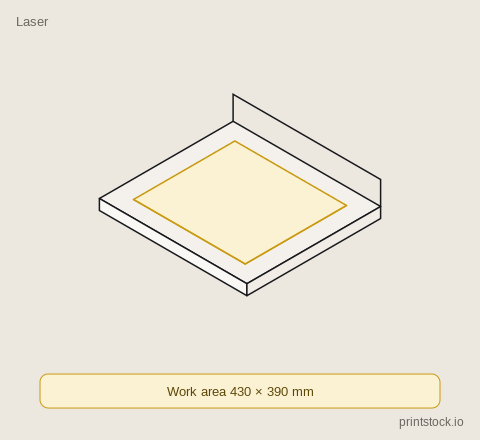
One of the most popular open-frame diode lasers: swappable 5, 10, 20 or 40 W modules plus an optional IR module, 430 × 390 mm area, 400 mm/s, expandable with risers and an extension kit. xTool has discontinued the D series and promised accessories for one year.
Where to buy
Discontinued: no longer sold new, and we track no store that still has it in stock. The current model is xTool S1.
Overview
The xTool D1 Pro was the open-frame diode laser that many hobbyists started with. Its gantry frame sits on top of the material, which allows big pieces and risers for tall items, and its laser modules swap between 5, 10, 20 and later 40 W, with an IR module for metal and plastic marking. Owners report the 20 W as the sweet spot: slightly larger spot, much faster cutting.
xTool has discontinued the whole D series. Its announcement promised exclusive D1 Pro accessories, including extension kits, 20 and 40 W modules, the IR module and lenses, for one year, and retailers now list the D1 Pro as discontinued. The enclosed xTool S1 and M2 are the closest current machines, with Class 1 safety that an open frame cannot offer.
Because many D1 Pros are still in use and sell second-hand, the practical questions are parts and repairs. Owners on Reddit report difficulty finding control boards and fans after the end of production, and the 10 W and 20 W modules need the matching firmware and settings.
Best for
- Owners maintaining a D1 Pro who need modules, lenses and fixes
- Used buyers wanting a large open-frame diode laser cheaply
- Engraving large or tall items with risers
Look elsewhere if
- You are buying new: the xTool S1 is enclosed and Class 1
- You need guaranteed parts for years: D-series supply is time-limited
Before you buy
- Stock up on lenses and a spare module while xTool still supplies them.
- An open-frame laser needs certified goggles and an enclosure or ventilation.
- Check which module is fitted; 10 W and 20 W heads are not simply interchangeable.
- Ask for the purchase date on used units; the warranty may have ended.
Pros and cons
Pros
- Swappable 5 to 40 W modules
- Large, expandable work area
- LightBurn support
- Cheap on the used market
Cons
- Open frame, not Class 1
- Discontinued with time-limited parts
- No camera
Known issues
Last reviewed Nov 12, 2026Popular models have longer lists simply because more people own them and talk about them. Severity and status show how much each problem matters today.
Parts availability after discontinuation
Moderate (affects prints)Still reportedxTool promised D1 Pro accessories for one year after announcing the end of the D series. Owners on Reddit already report trouble finding control boards and module fans.
LightBurn and XCS job quirks
Minor (annoyance)Workaround availableLightBurn's forum has D1 Pro threads on jobs that home before burning, mirrored output and files that work in XCS but not LightBurn. Matching the device profile and origin settings fixes most of them.
How we build this list: we collect independent reviews, owner reports and public discussions on forums and social networks, merge duplicates and group them by cause. Only serious or recurring problems make the list, so a single complaint will not appear here, and a listed problem does not mean every unit is affected.
Specs
Printing
- Type
- Laser
- Max speed
- 400 mm/s
- Laser type
- Diode
- Laser output
- 20 W
- Cuts through
- WoodPlywoodLeatherPaper and cardboardFabric and feltCorkFoamMDFBambooAcrylicdark or opaqueRubber
- Engraves or marks
- WoodPlywoodMDFBambooLeatherPaper and cardboardFabric and feltCorkRubberAcrylicdark or opaqueStone and slateAnodized aluminiumPainted or coated metalStainless steel
Hardware
- Enclosure
- No
Files and setup
- Files the software opens
- SVG, DXF, JPG, PNG, BMP
Laser
- Laser modules
- 5, 10, 20 or 40 W blue diode; optional 1064 nm IR module
- Spot size
- 0.08 × 0.10 mm (20 W)
- Power draw
- 120 W machine, 84 W laser electrical (20 W version)
Work area
- Working area
- 430 × 390 mm with the 20 W module; extension kit available
- Max workpiece height
- 50 mm, plus 45 mm per riser set
Frame
- Frame
- Open gantry; optional enclosure
Software
- Software
- xTool Creative Space, LightBurn
Features
- Rotary
- RA2 Pro rotary supported
From maker and store specifications, checked Nov 12, 2026. Power, size, network and warranty are in their own blocks below.
Power and setup
Electricity
- Mains input
- 100 to 240 V (universal)
- Note
- Machine power by laser module: 36 W (5 W), 60 W (10 W), 120 W (20 W). Adapters: 24 V 2.5 A, 24 V 3.5 A, 25 V 6 A (20 W and 2 W IR), 25 V 8 A (40 W).
Network and cloud
- Software from other makers
- Supported
- Note
- Runs from xTool Creative Space or LightBurn, which has a native device type for it over USB since version 1.7.
Space and room
- Size (W × D × H)
- 600 × 590 × 150 mm
Safety and support
Safety
- Laser class
- Class 4 laser product
- Laser safety features
- Flame detection, Tilt or movement stop
Warranty and repair
- Warranty
- 12 months; 12 months on main parts; CO2 laser tube 6 months, mirrors and lenses 3 months; xToolCare extends cover to 24 or 36 months
- Spare parts store
- Official page ↗
- Repair guides
- Official page ↗
Software and firmware
- Slicer / control software
- xTool Creative Space, LightBurn
- Firmware
- Updated through xTool Creative Space
- Connectivity
- Wi-Fi, USB
Official firmware and downloads ↗ We never host firmware files.
Questions people ask
Is the xTool D1 Pro discontinued?
Yes. xTool discontinued the D series and committed to supplying D1 Pro accessories for one year.
What replaced the xTool D1 Pro?
The enclosed xTool S1 (10, 20 or 40 W) is the closest current machine, and the M2 is a cheaper enclosed craft laser.
D1 Pro 10 W or 20 W?
The 10 W gives slightly finer engraving; the 20 W cuts much faster and thicker. Most owners prefer the 20 W.
Closest alternatives by price
Compare all side by side