MakerBot Sketch Sprint
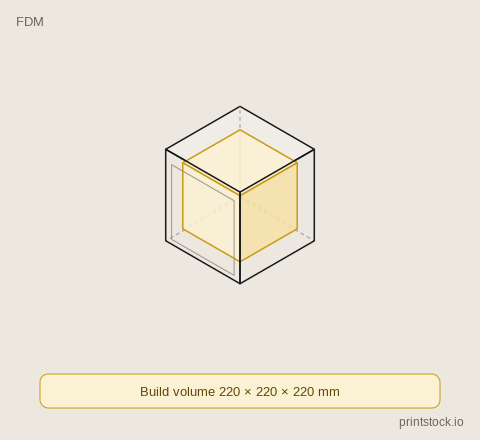
MakerBot's classroom printer: enclosed, 220 × 220 × 220 mm, 250 mm/s, HEPA filter, 2 MP camera, Link Share for student submissions, lesson plans and teacher training; launched November 2024.
Where to buy
Prices as of Nov 11, 2026Taxes, shipping and any import duties are worked out by the store at checkout and depend on your country; ask the store if in doubt.
Store links may be affiliate links: we may earn a commission, and it does not change your price. Affiliate disclosure
Overview
The Sketch Sprint, launched in November 2024, is MakerBot's faster classroom printer. It prints at 250 mm/s, about five times the older Sketch, in a 220 × 220 × 220 mm enclosed build with HEPA filtration, a 2 MP camera and Wi-Fi. MakerBot is part of UltiMaker, so slicing runs through UltiMaker Cura and fleets are managed in Digital Factory.
The point is the ecosystem for schools: lesson plans, teacher training and certifications, and Link Share, which lets students submit STL files for teacher approval without accounts. Safety features and closed operation make it acceptable in K-12 classrooms.
It is a closed system: MakerBot lists only its own PLA and Tough PLA and its own Sketch extruder, and the firmware is proprietary. For a home user, open printers costing a fraction more offer far more flexibility, but for a district buying with support contracts it is a sensible choice.
Best for
- K-12 classrooms
- Schools wanting lesson plans and training
- Teacher-managed print queues
Look elsewhere if
- Home users
- You want third-party filament
Before you buy
- Budget MakerBot-brand PLA.
- Use Link Share for student submissions.
- Check education pricing with resellers.
- Plan Wi-Fi access in the classroom.
Pros and cons
Pros
- Classroom ecosystem
- Enclosed with HEPA
- Fast for education
- Camera
Cons
- Proprietary filament
- Closed firmware
- Expensive per spec
Known issues
Last reviewed Nov 13, 2026We have not found serious or recurring problems with this model so far.
How we build this list: we collect independent reviews, owner reports and public discussions on forums and social networks, merge duplicates and group them by cause. Only serious or recurring problems make the list, so a single complaint will not appear here, and a listed problem does not mean every unit is affected.
Specs
Printing
- Type
- FDM
- Build volume
- 220 × 220 × 220 mm
- Kinematics
- Other
- Multi-color
- No
- Nozzles / toolheads
- 1
- Materials
- PLA
Extruder and bed
- Extruder
- Direct drive
- Stock nozzle
- 0.4 mm
- Nozzle / hotend
- Hardened steel nozzle
- Max nozzle temp
- 280 °C
- Filament
- 1.75 mm
- Max bed temp
- 110 °C
- Enclosure
- Yes
Motion
- Print speed
- 250 mm/s
Monitoring
- Camera
- 2 MP
Materials
- Materials
- MakerBot PLA, Tough PLA
Software
- Workflow
- Cura and Digital Factory, Link Share
Education
- Education
- Lesson plans, teacher and student certifications
From maker and store specifications, checked Nov 12, 2026. Power, size, network and warranty are in their own blocks below.
Power and setup
Network and cloud
- Works without internet
- Yes, fully (SD card / USB / LAN)
- Maker account
- Only for cloud / remote features
- Local control for other software
- None
- Built-in camera
- Yes
- Note
- Prints over Wi-Fi or Ethernet from UltiMaker Cura or Digital Factory, or from a USB stick. Classroom management and remote monitoring run in UltiMaker's Digital Factory cloud, which needs an account; no documented local interface. Takes MakerBot print files rather than standard G-code. Built-in 2 MP camera.
Space and room
- Size (W × D × H)
- 452 × 400 × 466 mm
- Weight
- 16 kg
Safety and support
Computer you need
- Runs on
- Windows, macOS (Apple silicon)
Running costs
| PLA filament, per kg | Cheapest in our catalog: Elegoo PLA Basic | $9.34 |
|---|
Cheapest compatible items in our catalog, USD prices as last checked. Prices change; see each item for the date.
Software and firmware
- Slicer / control software
- UltiMaker Cura, Cura Cloud
- Firmware
- MakerBot firmware, closed
- Connectivity
- Wi-Fi, USB; Digital Factory
Official firmware and downloads ↗ We never host firmware files.
Questions people ask
How fast is the Sketch Sprint?
250 mm/s.
Can I use third-party filament?
MakerBot lists only its own PLA and Tough PLA.
How do students submit prints?
Through Link Share in Digital Factory, without accounts.
Models proven to print on the MakerBot Sketch Sprint
Coming soonFilaments that fit (41)
Matched by PrintStock from published specs: filament diameter, the materials UltiMaker lists for this printer. Not a print test.
- PLA
- Anycubic PLA+, Anycubic PLA Basic, Anycubic PLA High Speed, Anycubic PLA Silk, Bambu Lab PLA Basic, Bambu Lab PLA Matte, Bambu Lab PLA Silk+, Bambu Lab PLA Translucent, Creality Hyper PLA, Creality Hyper PLA RFID, Elegoo PLA, Elegoo PLA Basic, Elegoo PLA Matte, Elegoo PLA Pro, Elegoo PLA Silk, eSUN PLA+, eSUN PLA Basic, eSUN PLA+HS, eSUN PLA-Matte, eSUN PLA-Silk Rainbow, Overture Easy PLA, Overture Matte PLA Dual Colors, Overture PLA+, Overture Silk PLA Gradient, Polymaker Panchroma PLA, Polymaker Panchroma PLA Matte, Polymaker Panchroma PLA Silk, Polymaker PLA Pro, Polymaker PolyLite PLA, Polymaker PolyLite PLA Pro, Polymaker PolyLite Silk PLA, Polymaker PolyMax PLA, Polymaker PolyTerra PLA, Prusament PLA, Spectrum Huracan PLA, Spectrum PLA, Spectrum PLA Pro, Spectrum Premium PLA High Speed, SUNLU High-Speed PLA, SUNLU PLA+ 2.0, SUNLU Silk PLA+ 2.0
Closest alternatives by price
Compare all side by side