$199.99 as of Nov 11, 2026Check price
Prusa Research
Prusa CORE One L+
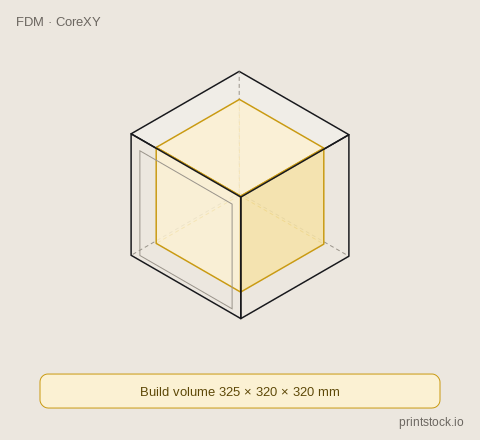
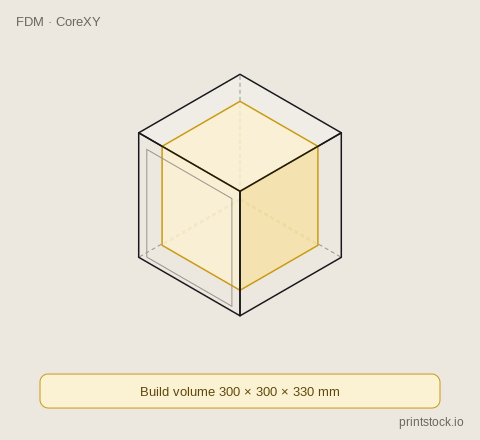
FDMCoreXYEnclosed300 × 300 × 330 mm
Prusa's large enclosed CoreXY: 300 × 300 × 330 mm, 60 °C heated chamber, AC convection bed, Nextruder; the 2026 L+ adds a nozzle wiper, GT1.5 belts and a 1080p chamber camera, and is ready for the INDX tool changer.
Where to buy
Prices as of Nov 11, 2026Taxes, shipping and any import duties are worked out by the store at checkout and depend on your country; ask the store if in doubt.
Store links may be affiliate links: we may earn a commission, and it does not change your price. Affiliate disclosure
Price history, 90 days
Lowest: $1,728.82 · Highest: $2,989Overview
Prusa launched the CORE One L in October 2025 as a larger version of its enclosed CoreXY CORE One: the build volume grows from 250 × 220 × 270 mm to 300 × 300 × 330 mm, about 30 liters, while the machine is only about 10 percent bigger. It keeps the steel exoskeleton, the Nextruder with load cell first-layer calibration and the MMU3 support, and adds an AC convection heatbed and active chamber heating to 60 °C, which heat up much faster than on the CORE One. TechRadar called it one of the best 3D printers on the market.
In 2026 it was replaced by the CORE One L+ at the same price. The L+ folds in Prusa's latest hardware: an integrated nozzle wiper for cleaner starts, GT1.5 belts for smoother surfaces and a detachable 1080p night-vision chamber camera. Upgrade kits are offered to CORE One L owners.
The L+ is designed for INDX, the eight-tool changer Prusa developed with Bondtech, which is sold as a separate bundle and upgrade. Without it, multicolor means the MMU3 with its purge waste. It is fully open: open-source firmware, published CAD files and no mandatory cloud, and it ships assembled and calibrated.
Best for
- Large engineering and functional parts in ABS, ASA and PC
- Print farms and workshops wanting a repairable enclosed printer
- Buyers planning to add the INDX tool changer
Look elsewhere if
- You need multicolor out of the box at low cost: the INDX bundle is expensive
- You need a hotter chamber for PEEK-class materials: look at the Prusa Pro HT90
Before you buy
- Decide whether to buy the INDX bundle now or upgrade later.
- Plan ventilation or the HEPA and carbon filter add-on for ABS and ASA.
- CORE One L owners can upgrade to L+ parts instead of replacing the printer.
- Check delivery times; new Prusa models are often backordered.
Pros and cons
Pros
- Large enclosed volume in a compact frame
- Fast-heating chamber and AC bed
- Open and repairable
- INDX tool changer upgrade path
Cons
- Multicolor without INDX means MMU3 purge
- Not cheap
- Lead times for new releases
What owners like
Reliable and plug and play
Praised by most ownersTom's Hardware says its reliability, plug-and-play ease and security features make it easy to recommend; it arrives fully assembled and calibrated.
Nearly double the volume for 10% more footprint
Often praisedTechRadar notes it almost doubles the print volume while adding only about 10% to the footprint.
Ready for batches of functional parts
Often praisedReviewers praise print quality, reliability, upgradeability and repairability for end-use parts.
Collected the same way as known issues: from independent reviews, owner reports and public discussions, merged and grouped.
Known issues
Last reviewed Nov 13, 2026Popular models have longer lists simply because more people own them and talk about them. Severity and status show how much each problem matters today.
"Link lost" errors on recent firmware (CORE One L)
Moderate (affects prints)Still reportedOwners of the original CORE One L report Link lost #35331 errors on firmware 6.5.x, and some downgraded while Prusa investigated. The L+ shares the platform and firmware line, so check the release notes before updating.
Rubber feet come unstuck
Minor (annoyance)Workaround availableOwners note the adhesive rubber feet, carried over from the CORE One, tend to detach; printed squash-ball feet are a popular replacement that also damps vibration.
290 degrees C nozzle limit
Minor (annoyance)Still reportedThe hotend is limited to 290 degrees C, which rules out some high-temperature materials.
Buddy camera awkward for timelapses
Minor (annoyance)Still reportedThe camera placement makes timelapses awkward.
Expensive, no multi-material by default
Minor (annoyance)Still reportedThe printer is expensive and multi-material needs the separate INDX kit.
How we build this list: we collect independent reviews, owner reports and public discussions on forums and social networks, merge duplicates and group them by cause. Only serious or recurring problems make the list, so a single complaint will not appear here, and a listed problem does not mean every unit is affected.
Specs
Printing
- Type
- FDM
- Build volume
- 300 × 300 × 330 mm
- Kinematics
- CoreXY
- Multi-color
- Yes
- Nozzles / toolheads
- 1
Extruder and bed
- Extruder
- Direct drive
- Stock nozzle
- 0.4 mm (0.4 mm abrasive-resistant nozzle)
- Nozzle / hotend
- High-flow brass CHT nozzle (Nextruder)
- Max nozzle temp
- 290 °C
- Filament
- 1.75 mm
- Build plate
- Removable PEI spring steel sheets on an AC convection bed
- Max bed temp
- 120 °C
- Bed leveling
- Automatic
- Enclosure
- Yes
- Heated chamber
- Up to 60 °C
Control and sensors
- Screen
- Touchscreen, 3.5 in
Files and setup
- Arrives
- Ships assembled
- Variants
- Assembled, INDX 8-Tool
Hardware
- L+ changes
- Integrated nozzle wiper, GT1.5 belts
Monitoring
- Camera
- 1080p night-vision chamber camera
Multi-color
- Multi-material
- MMU3; INDX tool changer upgrade
Delivery
- Delivery
- Fully assembled and factory calibrated
From maker and store specifications, checked Nov 12, 2026. Power, size, network and warranty are in their own blocks below.
Power and setup
Electricity
- Rated power
- 240 W
- Average while printing
- 90 W
Network and cloud
- Works without internet
- Yes, fully (SD card / USB / LAN)
- Maker account
- Only for cloud / remote features
- Local control for other software
- Open (documented or open source)
- Note
- PrusaLink web interface and API on the local network; Prusa Connect cloud is optional
Space and room
- Size (W × D × H)
- 469 × 521 × 635 mm
- Weight
- 21.9 kg
On a standard power circuit
- US 15 A / 120 V standard circuit: fine, and about 1,200 W stays free for other things on that circuit while it heats up
- EU/UK 16 A / 230 V standard circuit: fine, and about 2,700 W stays free for other things on that circuit while it heats up
- A 10-hour run (for example, several figures printed one after another): about 0.9 kWh. Multiply by your price per kWh for the cost.
Our calculation from the maker's rated power and average power while printing, keeping a circuit at 80% for long loads.
Safety and support
Safety
- Safety and conformity marks
- CE (EU)
Warranty and repair
- Warranty
- 12 months; optional +1 or +2 year extension for MK4S, +1 year for MINI+; printers bought from third parties: one year from delivery
- Repair guides
- Official page ↗
- Open source
- Firmware
Running costs
| PLA filament, per kg | Cheapest in our catalog: Elegoo PLA Basic | $9.34 |
|---|---|---|
| Spare nozzle or hotend | HT Hotend Upgrade (for CORE One/+ and CORE One L/+) | $199.99 |
| Spare build plate | CORE One L Smooth PEI Print Sheet | $59.99 |
Starter budget: about $1,938 for the printer at its best listed price, 1 kg of PLA and a spare nozzle.
Cheapest compatible items in our catalog, USD prices as last checked. Prices change; see each item for the date.
Software and firmware
- Slicer / control software
- PrusaSlicer, OrcaSlicer
- Firmware
- Prusa firmware (open source)
- Connectivity
- USB drive, Ethernet, Wi-Fi, Prusa Connect
Official firmware and downloads ↗ We never host firmware files.
Questions people ask
What is the difference between CORE One L and L+?
The L+ adds an integrated nozzle wiper, GT1.5 belts and a 1080p chamber camera at the same price; L owners can buy upgrade parts.
Can it use the INDX tool changer?
Yes, it is designed for the INDX upgrade, sold as a bundle or separately.
How hot does the chamber get?
Active heating reaches 60 °C.
Models proven to print on the Prusa CORE One L+
Coming soonFilaments that fit (79)
Matched by PrintStock from published specs: filament diameter, maximum nozzle and bed temperature and enclosure. Not a print test.
- PETG
- Anycubic PETG, Bambu Lab PETG Basic, Bambu Lab PETG Matte, Creality Hyper PETG, Elegoo PETG Pro, Elegoo Rapid PETG, eSUN PETG, eSUN PETG-Matte, Overture High Speed PETG, Polymaker PETG, Polymaker PolyLite PETG, Prusament PETG, Spectrum PETG, Spectrum PETG Premium High Speed, SUNLU PETG, SUNLU PETG 2.0
- PLA
- Anycubic PLA+, Anycubic PLA Basic, Anycubic PLA High Speed, Anycubic PLA Silk, Bambu Lab PLA Basic, Bambu Lab PLA Matte, Bambu Lab PLA Silk+, Bambu Lab PLA Translucent, Creality Hyper PLA, Creality Hyper PLA RFID, Elegoo PLA, Elegoo PLA Basic, Elegoo PLA Matte, Elegoo PLA Pro, Elegoo PLA Silk, eSUN PLA+, eSUN PLA Basic, eSUN PLA+HS, eSUN PLA-Matte, eSUN PLA-Silk Rainbow, Overture Easy PLA, Overture Matte PLA Dual Colors, Overture PLA+, Overture Silk PLA Gradient, Polymaker Panchroma PLA, Polymaker Panchroma PLA Matte, Polymaker Panchroma PLA Silk, Polymaker PLA Pro, Polymaker PolyLite PLA, Polymaker PolyLite PLA Pro, Polymaker PolyLite Silk PLA, Polymaker PolyMax PLA, Polymaker PolyTerra PLA, Prusament PLA, Spectrum Huracan PLA, Spectrum PLA, Spectrum PLA Pro, Spectrum Premium PLA High Speed, SUNLU High-Speed PLA, SUNLU PLA+ 2.0, SUNLU Silk PLA+ 2.0
- ABS
- Bambu Lab ABS, Creality Hyper ABS, Elegoo ABS, Polymaker PolyLite ABS, Siraya Tech Fibreheart ABS HT HF, SUNLU ABS
Compatible accessories
Everything that fits the Prusa CORE One L+
$109.99 as of Nov 11, 2026Check price
$61.99 as of Nov 11, 2026Check price
$59.99 as of Nov 11, 2026Check price
$21.99 as of Nov 11, 2026Check price
$1,079 as of Nov 11, 2026Check price
Closest alternatives by price
Compare all side by side