$115.96 as of Nov 11, 2026Check price
Bambu Lab
Bambu Lab H2C
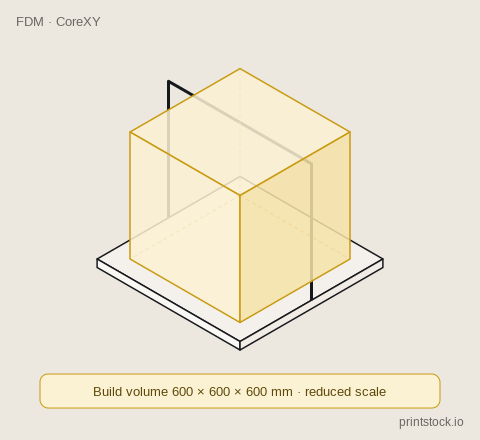
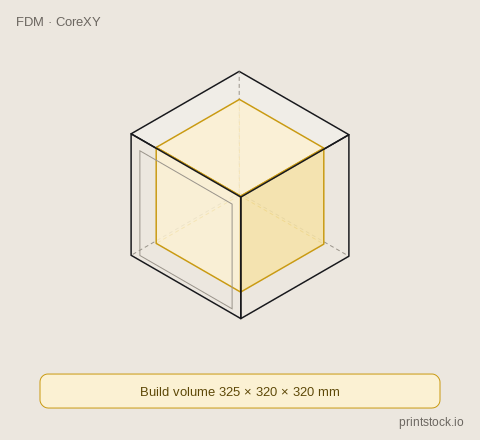
FDMCoreXYEnclosed325 × 320 × 320 mm
Bambu Lab's multi-material flagship: the Vortek system swaps between up to seven induction-heated hotends, cutting purge waste on multi-color prints. 65 °C heated chamber, 350 °C nozzles, about 330 × 320 × 325 mm.
- Most nozzles of the 68 FDM printers under $2,000 we list
Where to buy
Prices as of Nov 11, 2026Taxes, shipping and any import duties are worked out by the store at checkout and depend on your country; ask the store if in doubt.
Store links may be affiliate links: we may earn a commission, and it does not change your price. Affiliate disclosure
Price history, 90 days
Lowest: $1,899 · Highest: $2,699Overview
The H2C is the H2 platform built around one idea: stop wasting filament on color changes. Single-nozzle printers with an AMS flush the old color out at every change. The H2C's Vortek system instead keeps up to six spare hotends in a rack and swaps them onto the right side of the toolhead, heating each one by induction in about eight seconds, while a fixed left nozzle handles a seventh material. With AMS units it can feed up to 24 filaments.
Reviewers found it swaps colors much faster and wastes far less filament than single-nozzle Bambu printers, though it is not a full toolchanger like the Snapmaker U1 or Prusa XL: only the hotend changes, not the whole toolhead. The rest is H2 hardware: 350 °C nozzles, a 65 °C heated chamber, a servo extruder and optional laser modules.
It is expensive and complex. Each Vortek hotend has its own induction coil and electronics, so spare hotends cost more than standard H2 nozzles, and the rack takes some width from the build area. At our last check the Bambu Lab US store listed the H2C AMS Combo at $1,899 and Laser Full Combos at $2,249 (10 W) and $2,699 (40 W).
Best for
- Frequent multi-color or multi-material prints where purge waste matters
- Print farms and small businesses making colored products
- Engineering filaments in a heated chamber, plus optional laser work
Look elsewhere if
- You rarely print in more than one color: the H2S is larger and cheaper
- You want a simpler machine with fewer parts to maintain
- Budget is a concern: a Snapmaker U1 also cuts purge waste for far less
Before you buy
- Spare Vortek hotends cost more than regular H2 nozzles because each has induction electronics.
- Dual-nozzle prints use a 300 mm wide area, not the full 330 mm.
- TPU on the H2C had a known extruder bug at our last review; check current firmware notes if you print flexibles.
- Plan for a 30+ kg printer and a large footprint, like the rest of the H2 series.
Pros and cons
Pros
- Up to seven hotends with little purge waste
- Fast induction heating of swapped hotends
- 65 °C heated chamber and 350 °C nozzles
- Optional laser and cutting modules
Cons
- High price and costly spare hotends
- Complex mechanism with several new failure points
- Not a full toolchanger; slightly smaller build area than the H2S
Maker's test data
- Motion accuracy
- Below 50 microns across the whole bed with the optional Vision Encoder, which calibrates against 10,000 markers read at 5 micron optical resolution.
- Purge waste
- Up to 58% less purge waste than a traditional single-nozzle AMS setup in multicolor printing.
Published by the manufacturer from its own tests. PrintStock has not verified these figures; owner reports below may confirm or contradict them.
Known issues
Last reviewed Nov 13, 2026Popular models have longer lists simply because more people own them and talk about them. Severity and status show how much each problem matters today.
Vortek hotend not detected during swaps
Moderate (affects prints)Workaround availableDebris on the heatsink or a damaged magnet can stop the sensor detecting a hotend during a swap. Cleaning and checking the latches usually fixes it; some docks needed replacing.
Induction hotend authentication failures
Moderate (affects prints)Workaround availableDirty contacts or a damaged authentication chip can make the printer reject a hotend (HMS 0500-0500-0001-0020). Cleaning and reseating helps; persistent cases need a new hotend.
TPU printing problems
Moderate (affects prints)Still reportedTPU can cause extruder overload, under-extrusion and filament wrapping. Bambu has acknowledged a bug; slower speeds and a 0.6 mm nozzle are the workaround until a fix ships.
False "update firmware" message blocks prints
Moderate (affects prints)Still reportedA version-check bug makes the printer reject jobs after some updates; printing from SD or rolling back works around it.
Servo extruder overload
Moderate (affects prints)Workaround availableThe PMSM extruder stops on overload, most often on the right side, from clogs, kinked PTFE or stuck filament.
Already fixed: 2 (show)
Nozzle offset calibration failures
Minor (annoyance)Fixed in firmwareFilament residue or low color contrast can make the nozzle offset calibration fail. Bambu reportedly changed the calibration algorithm in firmware V01.01.05.00.
High peak power at bed heat-up
Minor (annoyance)Fixed in firmwareFast bed heating draws a lot of power at once and can overload UPS units or shared circuits; Bambu added a Low-Power Mode that heats more slowly.
How we build this list: we collect independent reviews, owner reports and public discussions on forums and social networks, merge duplicates and group them by cause. Only serious or recurring problems make the list, so a single complaint will not appear here, and a listed problem does not mean every unit is affected.
Specs
Printing
- Type
- FDM
- Build volume
- 325 × 320 × 320 mm
- Kinematics
- CoreXY
- Max speed
- 1,000 mm/s
- Multi-color
- Yes
- Nozzles / toolheads
- 7
- Materials
- PLA, PETG, TPU, PVA, PLA-CF, PETG-CF, ABS, ASA, PA, PC, PET, PPA, PPS, PA-CF
- Build volume (total, two nozzles)
- 330 × 320 × 325 mm
- Build volume (dual-nozzle printing)
- 300 × 320 × 325 mm
- Build volume (single nozzle)
- 325 × 320 × 320 mm (left) or 305 × 320 × 325 mm (right)
- Max travel speed
- 1000 mm/s
- Materials
- PLA, PETG, TPU, PVA, BVOH, ABS, ASA, PC, PA, PET, PPS and fiber-reinforced versions
Extruder and bed
- Extruder
- Direct drive
- Stock nozzle
- 0.4 mm (0.2, 0.4, 0.6 and 0.8 mm)
- Nozzle / hotend
- Vortek induction-heated hotend changer plus a fixed nozzle
- Max nozzle temp
- 350 °C
- Filament
- 1.75 mm
- Build plate
- Double-sided magnetic PEI steel plate
- Max bed temp
- 120 °C
- Enclosure
- Yes
- Heated chamber
- Up to 65 °C
Control and sensors
- Screen
- Touchscreen, 5 in
- Features
- Air filterAI print failure detectionFilament tangle or clog detection
Files and setup
- Variants
- H2C AMS Combo, H2C Laser Full Combo 10W, H2C Laser Full Combo 40W
Toolhead
- Nozzle sizes
- 0.2, 0.4, 0.6, 0.8 mm
Features
- Laser option
- 10 W or 40 W laser and cutting module
From maker and store specifications, checked Nov 12, 2026. Power, size, network and warranty are in their own blocks below.
Power and setup
Electricity
- Rated power
- 1,800 W
- Average while printing
- 200 W
Network and cloud
- Works without internet
- Yes, fully (SD card / USB / LAN)
- Maker account
- Only for cloud / remote features
- Local control for other software
- Limited or behind a special mode
- Slicers from other makers
- Supported
- Note
- Ships with Bambu's authorization control: full control from third-party software needs LAN-only mode with Developer Mode, which turns off the Handy app and cloud.
Space and room
- Size (W × D × H)
- 492 × 514 × 626 mm
- Weight
- 32.5 kg
On a standard power circuit
- US 15 A / 120 V standard circuit: too much while heating; give it its own 20 A circuit
- EU/UK 16 A / 230 V standard circuit: fine, and about 1,100 W stays free for other things on that circuit while it heats up
- A 10-hour run (for example, several figures printed one after another): about 2 kWh. Multiply by your price per kWh for the cost.
Our calculation from the maker's rated power and average power while printing, keeping a circuit at 80% for long loads.
Safety and support
Safety
- Air filtration
- Pre-filter + HEPA filter + Activated carbon filter
Warranty and repair
- Warranty
- 24 months; for consumers in the EU, Switzerland, Norway, Iceland, the US and Canada (US and Canada extended from 12 months in 2026); receipts only from Bambu Lab or authorized resellers
- Repair guides
- Official page ↗
- Open source
- No
Running costs
| PLA filament, per kg | Cheapest in our catalog: Elegoo PLA Basic | $9.34 |
|---|---|---|
| Spare nozzle or hotend | Bambu Hotend - H2/P2S/X2D | $17.99 |
| Spare build plate | Bambu Textured PEI Plate | $15.99 |
Starter budget: about $1,926 for the printer at its best listed price, 1 kg of PLA and a spare nozzle.
Cheapest compatible items in our catalog, USD prices as last checked. Prices change; see each item for the date.
Software and firmware
- Slicer / control software
- Bambu Studio (official); other slicers via Bambu Connect or Developer Mode
- Firmware
- Closed source, with Bambu's Authorization Control and LAN Developer Mode
- Connectivity
- Wi-Fi, Ethernet, USB, Bambu Handy app and cloud, LAN mode
Official firmware and downloads ↗ We never host firmware files.
Questions people ask
How does the Bambu Lab H2C Vortek system work?
Up to six hotends sit in a rack. When the print needs another color, the right side of the toolhead swaps hotends and heats the new one by induction in about eight seconds, instead of flushing the old color through one nozzle. A fixed left nozzle adds a seventh material.
How much does the H2C cost?
At our last check the Bambu Lab US store listed the H2C AMS Combo at $1,899, the Laser Full Combo 10 W at $2,249 and the Laser Full Combo 40 W at $2,699. Bambu's launch list price for the AMS Combo was $2,399.
Bambu Lab H2C or Snapmaker U1?
Both cut purge waste with multiple nozzles. The U1 is a four-head toolchanger, open frame, for PLA, PETG and TPU at a much lower price. The H2C has a 65 °C heated chamber, 350 °C nozzles and up to seven hotends, so it handles engineering filaments the U1 cannot.
Bambu Lab H2C or H2D?
The H2D has two fixed nozzles; the H2C adds the Vortek rack so the right nozzle can swap between six hotends. Choose the H2C if most of your prints use more than two colors.
Models proven to print on the Bambu Lab H2C
Coming soonFilaments that fit (97)
Matched by PrintStock from published specs: filament diameter, the materials Bambu Lab lists for this printer. Not a print test.
- PETG
- Anycubic PETG, Bambu Lab PETG Basic, Bambu Lab PETG Matte, Creality Hyper PETG, Elegoo PETG Pro, Elegoo Rapid PETG, eSUN PETG, eSUN PETG-Matte, Overture High Speed PETG, Polymaker PETG, Polymaker PolyLite PETG, Prusament PETG, Spectrum PETG, Spectrum PETG Premium High Speed, SUNLU PETG, SUNLU PETG 2.0
- PLA
- Anycubic PLA+, Anycubic PLA Basic, Anycubic PLA High Speed, Anycubic PLA Silk, Bambu Lab PLA Basic, Bambu Lab PLA Matte, Bambu Lab PLA Silk+, Bambu Lab PLA Translucent, Creality Hyper PLA, Creality Hyper PLA RFID, Elegoo PLA, Elegoo PLA Basic, Elegoo PLA Matte, Elegoo PLA Pro, Elegoo PLA Silk, eSUN PLA+, eSUN PLA Basic, eSUN PLA+HS, eSUN PLA-Matte, eSUN PLA-Silk Rainbow, Overture Easy PLA, Overture Matte PLA Dual Colors, Overture PLA+, Overture Silk PLA Gradient, Polymaker Panchroma PLA, Polymaker Panchroma PLA Matte, Polymaker Panchroma PLA Silk, Polymaker PLA Pro, Polymaker PolyLite PLA, Polymaker PolyLite PLA Pro, Polymaker PolyLite Silk PLA, Polymaker PolyMax PLA, Polymaker PolyTerra PLA, Prusament PLA, Spectrum Huracan PLA, Spectrum PLA, Spectrum PLA Pro, Spectrum Premium PLA High Speed, SUNLU High-Speed PLA, SUNLU PLA+ 2.0, SUNLU Silk PLA+ 2.0
- ABS
- Bambu Lab ABS, Creality Hyper ABS, Elegoo ABS, Polymaker PolyLite ABS, Siraya Tech Fibreheart ABS HT HF, SUNLU ABS
- PA-CF
- Bambu Lab PA6-CF, Bambu Lab PAHT-CF, eSUN PA-CF, Polymaker Fiberon PA6-CF20, Prusament PA11 Carbon Fiber, SUNLU PA12-CF, SUNLU PA6-CF
Compatible accessories
Everything that fits the Bambu Lab H2C
$21.58 as of Nov 11, 2026Check price
$41.98 as of Nov 11, 2026Check price
$47.99 as of Nov 11, 2026Check price
$39.99 as of Nov 11, 2026Check price
$17.99 as of Nov 11, 2026Check price
Closest alternatives by price
Compare all side by side