$99.99 as of Nov 12, 2026Check price
Ortur
Ortur Laser Master 3
Laser
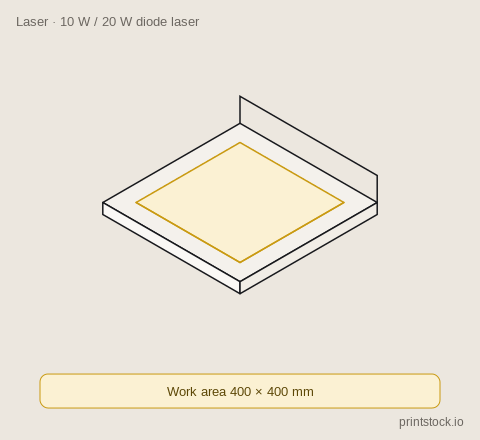
Ortur's flagship open-frame diode laser: 10 W or 20 W module, 400 × 400 mm area, 20,000 mm/min, built-in Wi-Fi and air assist, 8 safety functions; compatible with most Ortur accessories.
- Largest working area of the 16 Laser engravers under $300 we list
Where to buy
Prices as of Nov 11, 2026Taxes, shipping and any import duties are worked out by the store at checkout and depend on your country; ask the store if in doubt.
Store links may be affiliate links: we may earn a commission, and it does not change your price. Affiliate disclosure
Overview
The Laser Master 3, launched in 2022, was Ortur's answer to xTool's D1: a fast open-frame diode laser engraver with a 400 × 400 mm work area and a top speed of 20,000 mm/min, roughly double many rivals at the time. It ships with a 10 W LU2-10A module with integrated air assist, and a 20 W version and upgrade module followed.
It adds built-in Wi-Fi and the Ortur app alongside LightBurn and LaserGRBL, eight safety functions including an emergency stop and key lock, and compatibility with nearly every Ortur accessory: rotaries, extension kit, enclosure and smoke purifier. Reviewers praised its engraving quality and precision; CNCSourced preferred the xTool D1 Pro's protected belts and slightly larger area.
As an open-frame diode laser it needs eye protection, ventilation and supervision, and dark or reflective materials behave differently from wood. The LE version trims speed and safety features for a lower price.
Best for
- Hobbyists and Etsy sellers engraving wood and leather
- Users wanting a big open work area
- Owners of Ortur accessories
Look elsewhere if
- Indoor use without ventilation: consider an enclosed R2 or H20
- Metal cutting
Before you buy
- Wear laser safety glasses rated for the wavelength unless the machine is a certified Class 1 enclosure.
- Plan ventilation or a fume purifier; never cut PVC or vinyl.
- Choose 10 W for detail or 20 W for faster cutting.
- Add a honeycomb bed for cleaner cuts.
Pros and cons
Pros
- 20,000 mm/min
- Large area
- Wi-Fi and app
- Accessory ecosystem
Cons
- Open frame
- Exposed belts
- Needs ventilation
What owners like
Precise with a large work area
Praised by most ownersCNCSourced praises its 400 x 400 mm area, high precision and many upgrade options.
Quality engravings
Often praisedReviewers found engraving quality strong out of the box with the preinstalled firmware.
Collected the same way as known issues: from independent reviews, owner reports and public discussions, merged and grouped.
Known issues
Last reviewed Nov 13, 2026Popular models have longer lists simply because more people own them and talk about them. Severity and status show how much each problem matters today.
Jobs stopping partway through
Moderate (affects prints)Still reportedSeveral LightBurn forum threads report the LM3 stopping mid-burn, in one case about 35 minutes into every job.
Wi-Fi connection trouble
Minor (annoyance)Workaround availableGetting LightBurn to work with the LM3 over Wi-Fi is a frequent topic, with one thread passing 40 replies and others about busy states and IP conflicts.
How we build this list: we collect independent reviews, owner reports and public discussions on forums and social networks, merge duplicates and group them by cause. Only serious or recurring problems make the list, so a single complaint will not appear here, and a listed problem does not mean every unit is affected.
Specs
Printing
- Type
- Laser
- Max speed
- 333 mm/s
- Laser
- 10 W / 20 W diode laser
- Laser type
- Diode
- Laser output
- 10 W
- Cuts through
- WoodPlywoodLeatherPaper and cardboardFabric and feltCorkFoamMDFBambooAcrylicdark or opaqueRubber
- Engraves or marks
- WoodPlywoodMDFBambooLeatherPaper and cardboardFabric and feltCorkRubberAcrylicdark or opaqueStone and slateAnodized aluminiumPainted or coated metal
Hardware
- Enclosure
- No
Laser
- Module
- LU2-10A 10 W or LU3-20A 20 W diode
- Wavelength
- 455 ±5 nm
- Spot
- 0.05 × 0.1 mm (10 W)
Area
- Work area
- 400 × 400 mm (20 W: 400 × 380 mm)
Features
- Air assist
- Integrated
Safety
- Safety
- Emergency stop, key lock, position and exposure protection
From maker and store specifications, checked Nov 12, 2026. Power, size, network and warranty are in their own blocks below.
Power and setup
Electricity
- Mains input
- 100 to 240 V (universal)
- Rated power
- 96 W
- Note
- 100-240 V AC adapter with 24 V 4 A output.
Network and cloud
- Works without internet
- Yes, fully (SD card / USB / LAN)
- Local control for other software
- Open (documented or open source)
- Software from other makers
- Supported
- Note
- Runs grblHAL with built-in Wi-Fi and a web page; jobs come from LightBurn or LaserGRBL over USB or the network, from the Ortur app, or offline from a TF card.
Space and room
- Size (W × D × H)
- 580 × 550 × 150 mm
On a standard power circuit
- US 15 A / 120 V standard circuit: fine, and about 1,300 W stays free for other things on that circuit while it heats up
- EU/UK 16 A / 230 V standard circuit: fine, and about 2,800 W stays free for other things on that circuit while it heats up
Our calculation from the maker's rated power, keeping a circuit at 80% for long loads.
Safety and support
Safety
- Laser class
- Class 4 laser product
- Laser safety features
- Emergency stop button, Tilt or movement stop, Safety glasses included, Air assist
Warranty and repair
- Warranty
- 12 months; One-year warranty on the engraver (Ortur official store statement)
Software and firmware
- Slicer / control software
- LightBurn, LaserGRBL, Ortur Laser Engraver app
- Firmware
- Ortur OLF firmware
- Connectivity
- Wi-Fi, USB, app
Official firmware and downloads ↗ We never host firmware files.
Questions people ask
How fast is the Laser Master 3?
Up to 20,000 mm/min.
What is the work area?
400 × 400 mm with the 10 W module.
What is the LE version?
A cheaper model with 15,000 mm/min and fewer safety functions.
Compatible accessories
Everything that fits the Ortur Laser Master 3
$39.99 as of Nov 12, 2026Check price
$39 as of Nov 12, 2026Check price
$259.99 as of Nov 12, 2026Check price
$49.99 as of Nov 12, 2026Check price
$79.99 as of Nov 12, 2026Check price
Closest alternatives by price
Compare all side by side