$49.99 as of Nov 12, 2026Check price
Makera
Makera Z1
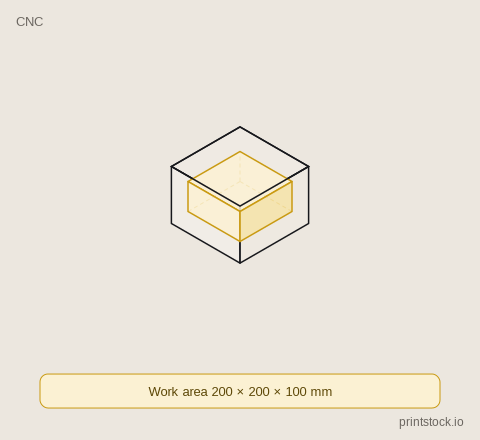
CNCOtherEnclosed200 × 200 × 100 mm
Makera's entry CNC: 200 × 200 × 100 mm, 150 W spindle to 13,000 rpm, quick tool changer, linear rails, integrated AeroDust extraction and camera, 0.02 mm claimed accuracy, about 17 kg; Kickstarter raised over $10 million.
Where to buy
Prices as of Nov 11, 2026Taxes, shipping and any import duties are worked out by the store at checkout and depend on your country; ask the store if in doubt.
Store links may be affiliate links: we may earn a commission, and it does not change your price. Affiliate disclosure
Overview
The Z1 is Makera's beginner CNC, aiming to do for milling what Bambu Lab did for 3D printing. Its 2025 Kickstarter raised over $10 million, and it began shipping widely in 2026. It keeps the auto-leveling, quick tool changer and claimed 0.02 mm precision of the Carvera Air at less than half the price, in a 17 kg enclosed machine with a 200 × 200 × 100 mm work area.
It adds features the Air lacks: an integrated AeroDust extraction system instead of external air and vacuum, and a built-in camera for monitoring jobs. Makera Studio 2026 combines CAM and control with a guided wizard and AI Craft tools for generating designs. OC3D said Makera succeeded in making CNC easier and more affordable.
The trade-offs are a smaller area, a 150 W spindle and Acme lead screws rather than ball screws, so metal work needs light passes. It is a learning and small-part machine first.
Best for
- Beginners and families learning CNC
- Classrooms and home studios
- Small wood, acrylic and PCB projects
Look elsewhere if
- Larger parts or heavy aluminum work
- Production work
Before you buy
- Start with the included wizard projects.
- Use light passes in metal.
- Consider the 4th axis add-on later.
- Compare work area against your project sizes.
Pros and cons
Pros
- Affordable
- Built-in dust extraction and camera
- Easy software
Cons
- Small area
- 150 W spindle
- Lead screws
Known issues
Last reviewed Nov 13, 2026Popular models have longer lists simply because more people own them and talk about them. Severity and status show how much each problem matters today.
Software still maturing
Moderate (affects prints)Still reportedEarly reviewers including Teaching Tech called the Z1 capable but rushed, with firmware and Makera Studio maturity issues on launch units.
Vice eats into Z height
Minor (annoyance)Still reportedThe optional low-profile vice reduces the usable Z travel of the 100 mm work area.
How we build this list: we collect independent reviews, owner reports and public discussions on forums and social networks, merge duplicates and group them by cause. Only serious or recurring problems make the list, so a single complaint will not appear here, and a listed problem does not mean every unit is affected.
Specs
Printing
- Type
- CNC
- Build volume
- 200 × 200 × 100 mm
- Nozzles / toolheads
- 1
- Mills
- WoodPlywoodMDFBambooAcrylicclearAcrylicdark or opaqueOther plasticsFoamPCB (copper clad board)Bare aluminiumBrassCopper
Hardware
- Enclosure
- Yes
Work area
- Work area
- 200 × 200 × 100 mm
Spindle
- Spindle
- 150 W, up to 13,000 rpm
Tooling
- Tool change
- Quick manual tool changer
Motion
- Motion
- Linear rails with Acme lead screws
Dust
- Dust control
- Integrated AeroDust system
Monitoring
- Camera
- Built-in job camera
Precision
- Accuracy
- 0.02 mm (Makera)
Options
- 4th axis
- Ø80 × 150 mm optional
Physical
- Weight
- About 17 kg
From maker and store specifications, checked Nov 12, 2026. Power, size, network and warranty are in their own blocks below.
Power and setup
Network and cloud
- Works without internet
- Yes, fully (SD card / USB / LAN)
- Note
- USB-C (needed once to set up Wi-Fi), Wi-Fi and a microSD slot for job files; Makera Studio combines CAM and machine control on a computer, and the Makera App controls it from a phone.
Safety and support
Machining
- Spindle
- 150 W
- Max speed
- 13,000 rpm
- Metals
- Aluminium and brass (maker states)
Warranty and repair
- Warranty
- 12 months; One-year warranty with free replacement parts for manufacturing defects; valid for Makera or authorised dealer purchases
- Repair guides
- Official page ↗
Software and firmware
- Slicer / control software
- Makera Studio (CAM and control), Fusion, VCarve
- Firmware
- Makera firmware via Makera Studio
- Connectivity
- Wi-Fi, USB
Official firmware and downloads ↗ We never host firmware files.
Questions people ask
How big is the Z1's work area?
200 × 200 × 100 mm.
Does it have a camera?
Yes, a built-in job camera.
Can it cut metal?
Light aluminum and brass work is possible with careful settings.
Compatible accessories
Everything that fits the Makera Z1
$599 as of Nov 12, 2026Check price
$399 as of Nov 12, 2026Check price
$9.90 as of Nov 12, 2026Check price
$159 as of Nov 12, 2026Check price
$99 as of Nov 12, 2026Check price
Closest alternatives by price
Compare all side by side