$49.99 as of Nov 12, 2026Check price
Makera
Makera Carvera Air
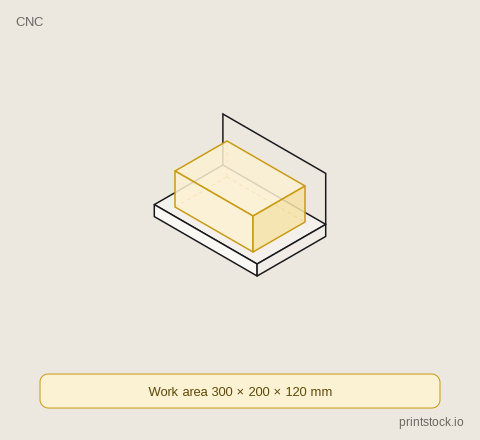
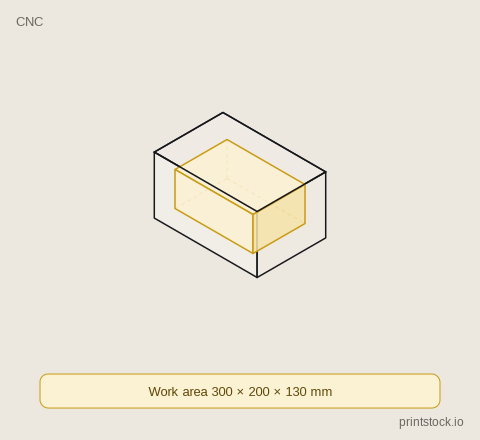
CNCOtherEnclosed300 × 200 × 130 mm
Makera's value desktop CNC: 300 × 200 × 130 mm, 200 W closed-loop spindle to 13,000 rpm, quick manual tool changer, ball screws, auto probing, enclosed, optional 4th axis and 5 W laser.
Where to buy
Prices as of Nov 11, 2026Taxes, shipping and any import duties are worked out by the store at checkout and depend on your country; ask the store if in doubt.
Store links may be affiliate links: we may earn a commission, and it does not change your price. Affiliate disclosure
Price history, 90 days
Lowest: $1,999 · Highest: $2,088Overview
The Carvera Air brings Makera's approachable CNC experience to a lower price by dropping the automatic tool changer and shrinking the work area slightly to 300 × 200 × 130 mm. It keeps quick manual tool changes, automatic probing, an enclosure, ball screws and a 200 W closed-loop spindle, and Hackster's reviewer liked it enough to sell his other CNC mill.
Optional modules add a harmonic-drive fourth axis, a 5 W diode laser and a Cyclone dust collector. Makera Studio handles CAM and control with guided workflows aimed at newcomers, and it suits wood, plastics, PCBs and aluminum in light passes.
The Z1 now offers most of the experience in a smaller format for less than half the price, adding a camera, while the Carvera adds automation and space. The Air sits between them for makers with a dedicated workshop.
Best for
- Makers moving from 3D printing to CNC
- Small business and education
- Wood, plastic, PCB and light aluminum
Look elsewhere if
- Unattended multi-tool jobs: Carvera
- Tight budgets: Z1
Before you buy
- Add an air compressor for chip clearing.
- Budget for the fourth axis or laser if needed.
- Plan a 30 kg setup.
- Compare with the Z1 for small parts.
Pros and cons
Pros
- Enclosed and easy
- Ball screws
- Good upgrade options
Cons
- Manual tool changes
- 200 W spindle
- Pricier than Z1
What owners like
Simple CAM that beginners learn fast
Praised by most ownersMake: found Makera CAM measurably simpler than Fusion 360, opening machining to first-timers, with getting started projects included.
Thoughtfully designed
Often praisedHackster's reviewer kept noticing how well the Makera team thought everything out compared with cheap 30xx machines.
Serious CNC for small spaces
Noted by some ownersThe Gadgeteer sees it as full CNC capability for makers without a large workshop.
Collected the same way as known issues: from independent reviews, owner reports and public discussions, merged and grouped.
Known issues
Last reviewed Nov 13, 2026Popular models have longer lists simply because more people own them and talk about them. Severity and status show how much each problem matters today.
Makera CAM needs an internet connection
Moderate (affects prints)Still reportedMakera CAM does not work offline, which reviewers found frustrating; Hackster also found it oversimplified for anything beyond basics.
Makera CAM can crash
Minor (annoyance)Workaround availableMakera CAM, used with both Carvera models, is known to be buggy and to crash in a hands-on test, so save often.
Rods instead of rails on X and Y
Minor (annoyance)Still reportedOnly the Z axis has linear rails; X and Y run on hardened rods, and tool changes are manual.
Already fixed: 1 (show)
Inaccurate job time estimates
Minor (annoyance)Fixed in firmwareEstimated machining times were noticeably off and jumped by hours mid-job; updates improved them during testing.
How we build this list: we collect independent reviews, owner reports and public discussions on forums and social networks, merge duplicates and group them by cause. Only serious or recurring problems make the list, so a single complaint will not appear here, and a listed problem does not mean every unit is affected.
Specs
Printing
- Type
- CNC
- Build volume
- 300 × 200 × 130 mm
- Nozzles / toolheads
- 1
- Mills
- WoodPlywoodMDFBambooAcrylicclearAcrylicdark or opaqueOther plasticsFoamPCB (copper clad board)Bare aluminiumBrassCopper
Hardware
- Enclosure
- Yes
Files and setup
- Files the software opens
- G-code
- Variants
- Standalone, Laser Bundle
Work area
- Work area
- 300 × 200 × 130 mm
Spindle
- Spindle
- 200 W, 0 to 13,000 rpm, closed loop
Tooling
- Tool change
- Quick manual tool changer
Motion
- Drive
- 20 mm linear rods with ball screws
Precision
- Runout
- Under 0.01 mm
Collet
- Collet
- 1/8 in integrated; 1/4 in, 6 mm, 4 mm optional
Options
- Options
- 4th axis (Ø92 × 200 mm), 5 W laser, Cyclone dust collector
From maker and store specifications, checked Nov 12, 2026. Power, size, network and warranty are in their own blocks below.
Power and setup
Network and cloud
- Works without internet
- Yes, fully (SD card / USB / LAN)
- Local control for other software
- Limited or behind a special mode
- Software from other makers
- Supported
- Note
- Connects over USB or Wi-Fi to Makera's Controller app on a computer, tablet or phone. Jobs are uploaded and run from the machine's own storage, so a dropped connection does not stop a cut. Takes standard G-code from most CAM software, such as Fusion and VCarve.
Space and room
- Size (W × D × H)
- 500 × 450 × 450 mm
- Weight
- 30 kg
Safety and support
Machining
- Spindle
- 200 W
- Max speed
- 13,000 rpm
- Metals
- Aluminium and brass (maker states)
Warranty and repair
- Warranty
- 12 months; One-year warranty with free replacement parts for manufacturing defects; valid for Makera or authorised dealer purchases
- Spare parts store
- Official page ↗
- Repair guides
- Official page ↗
Software and firmware
- Slicer / control software
- Makera Studio (CAM and control), Fusion, VCarve
- Firmware
- Makera firmware via Makera Studio
- Connectivity
- Wi-Fi, USB
Official firmware and downloads ↗ We never host firmware files.
Questions people ask
Does the Carvera Air have an automatic tool changer?
No, it uses a quick manual tool changer.
What is the work area?
300 × 200 × 130 mm.
Can it engrave with a laser?
Yes, with the optional 5 W laser module.
Compatible accessories
Everything that fits the Makera Carvera Air
$599 as of Nov 12, 2026Check price
$399 as of Nov 12, 2026Check price
$99 as of Nov 12, 2026Check price
$39.99 as of Nov 12, 2026Check price
$129 as of Nov 12, 2026Check price
Closest alternatives by price
Compare all side by side