$49.99 as of Nov 12, 2026Check price
Makera
Makera Carvera
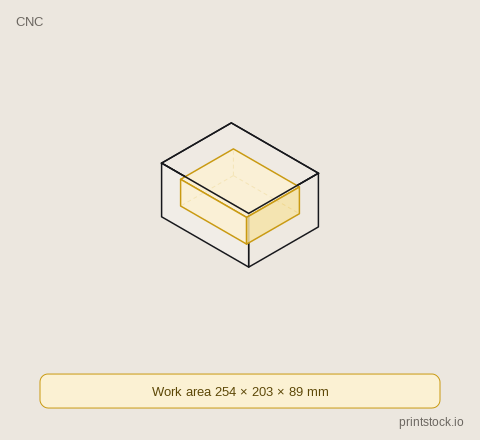
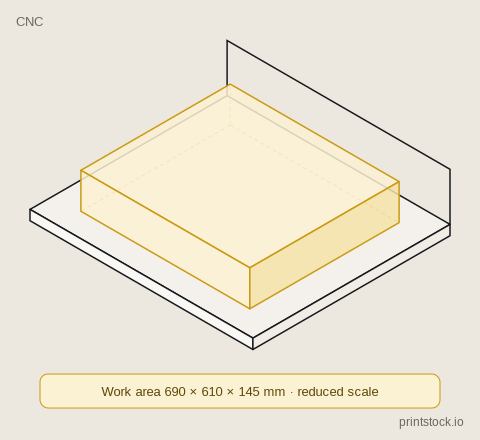
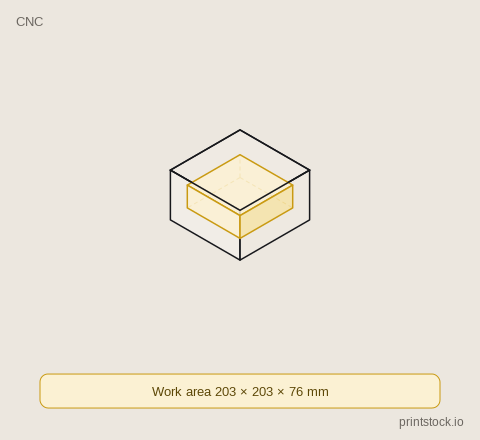
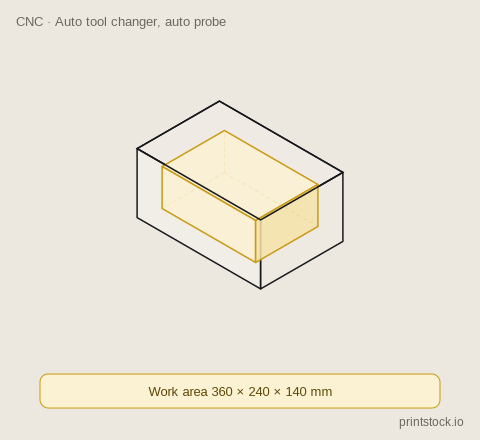
CNCOtherEnclosed360 × 240 × 140 mm
Makera's flagship smart desktop CNC: 360 × 240 × 140 mm, six-tool automatic tool changer, auto probing and leveling, closed-loop spindle to 15,000 rpm, enclosed, about 50 kg.
Where to buy
Prices as of Nov 11, 2026Taxes, shipping and any import duties are worked out by the store at checkout and depend on your country; ask the store if in doubt.
Store links may be affiliate links: we may earn a commission, and it does not change your price. Affiliate disclosure
Price history, 90 days
Lowest: $4,799 · Highest: $5,079Overview
The Carvera is the machine that made Makera a leading name in consumer desktop CNC. Its signature feature is a six-tool automatic tool changer, rare at this price, combined with automatic probing and leveling, so multi-tool jobs such as PCBs, aluminum enclosures and detailed relief carvings can run with little intervention.
The 360 × 240 × 140 mm area is the largest in Makera's lineup, the enclosure contains chips, and the closed-loop spindle reaches 15,000 rpm. Optional modules add a harmonic-drive fourth axis and a laser. Makera Studio combines CAM and machine control, aimed at people coming from 3D printing.
It is expensive, heavy at about 50 kg, and the spindle is modest for heavy metal cutting compared with VFD-equipped routers. Makera itself positions the Carvera for automated, repeatable, multi-tool workflows and the Carvera Air for value.
Best for
- Multi-tool jobs: PCBs, enclosures, jewelry
- Small businesses wanting automation
- Beginners willing to pay for ease
Look elsewhere if
- Large panels
- Budget buyers: Carvera Air or Z1
Before you buy
- Budget for bits and fourth-axis modules.
- Plan for 50 kg on a sturdy bench.
- Use Makera Studio tutorials.
- Compare with the Carvera Air if you can change tools by hand.
Pros and cons
Pros
- Six-tool ATC
- Auto probing
- Enclosed
- Easy software
Cons
- Expensive
- Heavy
- Modest spindle for metal
What owners like
Automatic tool changer and probing
Often praisedReviewers highlight the automatic tool changer that brought ATC to small desktop CNC, plus automatic probing.
Collected the same way as known issues: from independent reviews, owner reports and public discussions, merged and grouped.
Known issues
Last reviewed Nov 13, 2026Popular models have longer lists simply because more people own them and talk about them. Severity and status show how much each problem matters today.
Makera CAM can crash
Minor (annoyance)Workaround availableA hands-on overview found Makera Controller solid but Makera CAM known to be buggy and to crash, so save often.
How we build this list: we collect independent reviews, owner reports and public discussions on forums and social networks, merge duplicates and group them by cause. Only serious or recurring problems make the list, so a single complaint will not appear here, and a listed problem does not mean every unit is affected.
Specs
Printing
- Type
- CNC
- Build volume
- 360 × 240 × 140 mm
- Resolution
- Auto tool changer, auto probe
- Nozzles / toolheads
- 1
- Mills
- WoodPlywoodMDFBambooAcrylicclearAcrylicdark or opaqueOther plasticsFoamPCB (copper clad board)Bare aluminiumBrassCopper
Hardware
- Enclosure
- Yes
Files and setup
- Files the software opens
- G-code
- Arrives
- Ships assembled
- Variants
- Standalone, 4th Axis Bundle
Work area
- Work area
- 360 × 240 × 140 mm
Tooling
- Tool changer
- Automatic, six tools
Spindle
- Spindle
- Closed-loop, up to 15,000 rpm
Probing
- Probing
- Automatic tool length and workpiece probing, auto leveling
Options
- Options
- 4th axis (harmonic drive), laser module
Dust
- Dust control
- Enclosed with dust extraction
From maker and store specifications, checked Nov 12, 2026. Power, size, network and warranty are in their own blocks below.
Power and setup
Network and cloud
- Works without internet
- Yes, fully (SD card / USB / LAN)
- Local control for other software
- Limited or behind a special mode
- Software from other makers
- Supported
- Note
- Connects over USB or Wi-Fi to Makera's Controller app on a computer, tablet or phone. Jobs are uploaded and run from the machine's own storage, so a dropped connection does not stop a cut. Takes standard G-code from most CAM software, such as Fusion and VCarve.
Space and room
- Size (W × D × H)
- 580 × 520 × 540 mm
- Weight
- 50 kg
Safety and support
Machining
- Spindle
- 200 W
- Max speed
- 15,000 rpm
- Metals
- Aluminium and brass (maker states)
Warranty and repair
- Warranty
- 12 months; One-year warranty with free replacement parts for manufacturing defects; valid for Makera or authorised dealer purchases
- Spare parts store
- Official page ↗
- Repair guides
- Official page ↗
Software and firmware
- Slicer / control software
- Makera Studio (CAM and control), Fusion, VCarve
- Firmware
- Makera firmware via Makera Studio
- Connectivity
- Wi-Fi, USB
Official firmware and downloads ↗ We never host firmware files.
Questions people ask
What does the Carvera have that the Air lacks?
A six-tool automatic tool changer and a larger work area.
How big is the work area?
360 × 240 × 140 mm.
Can it cut aluminum?
Yes, with appropriate tools and settings.
Compatible accessories
Everything that fits the Makera Carvera
$599 as of Nov 12, 2026Check price
$399 as of Nov 12, 2026Check price
$39.99 as of Nov 12, 2026Check price
$149 as of Nov 12, 2026Check price
$219 as of Nov 12, 2026Check price
Closest alternatives by price
Compare all side by side