$25 as of Nov 12, 2026Check price
Carbide 3D
Carbide 3D Nomad 3
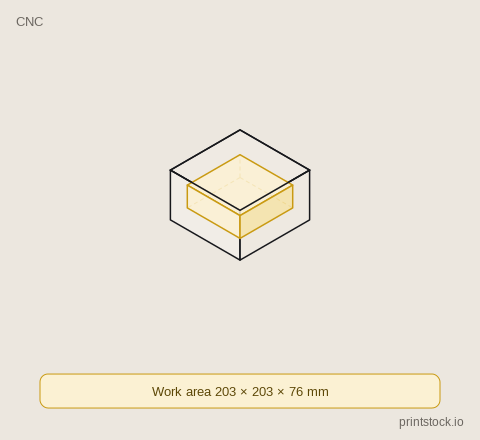
CNCOtherEnclosed203 × 203 × 76 mm
Carbide 3D's classic enclosed desktop mill: 8 × 8 × 3 in, 130 W spindle up to 24,000 rpm, ER-11, made in California, includes Carbide Create, MeshCAM and Carbide Copper for PCBs.
Where to buy
Prices as of Nov 11, 2026Taxes, shipping and any import duties are worked out by the store at checkout and depend on your country; ask the store if in doubt.
Store links may be affiliate links: we may earn a commission, and it does not change your price. Affiliate disclosure
Overview
The Nomad 3 is the third major revision of the Nomad 883, Carbide 3D's first machine, and for years it was the default enclosed desktop CNC for precision work in wood, plastic, PCBs and non-ferrous metals. Its 130 W spindle with angular contact bearings is quiet compared with trim routers, the frame is machined in California, and the enclosure keeps chips and noise contained.
It ships fully assembled with a generous software bundle: Carbide Create for 2D, MeshCAM for 3D, Carbide Motion to run jobs and Carbide Copper for milling circuit boards, plus a BitZero probe.
The 8 × 8 × 3 inch area and low-power spindle mean light cuts and patience in aluminum. The Nomad 4 now offers far more power and rigidity at about twice the price; the Nomad 3 remains a sensible, quiet small-part machine.
Best for
- Small precise parts and PCBs
- Quiet enclosed machining indoors
- Beginners wanting an assembled machine
Look elsewhere if
- Aggressive aluminum cutting: Nomad 4
- Large parts
Before you buy
- Use small end mills and light passes.
- Compare with the Nomad 4 for metal work.
- Buy a threaded table or vise for workholding.
- Learn MeshCAM for 3D carving.
Pros and cons
Pros
- Quiet
- Assembled and enclosed
- Great software bundle
Cons
- Low spindle power
- Small area
- Pricey for size
Known issues
Last reviewed Nov 13, 2026Popular models have longer lists simply because more people own them and talk about them. Severity and status show how much each problem matters today.
Spindle cutting out or underpowered
Moderate (affects prints)Still reportedSpindle problems are the main Nomad 3 topic on Carbide 3D's forum, including a 41-reply spindle thread, an under-power thread, and an owner whose spindle stopped three times in under three months.
How we build this list: we collect independent reviews, owner reports and public discussions on forums and social networks, merge duplicates and group them by cause. Only serious or recurring problems make the list, so a single complaint will not appear here, and a listed problem does not mean every unit is affected.
Specs
Printing
- Type
- CNC
- Build volume
- 203 × 203 × 76 mm
- Nozzles / toolheads
- 1
- Mills
- WoodPlywoodMDFBambooAcrylicclearAcrylicdark or opaqueOther plasticsFoamPCB (copper clad board)Bare aluminiumBrassCopper
Hardware
- Enclosure
- Yes
Files and setup
- Arrives
- Ships assembled
Work area
- Cutting area
- 8 × 8 × 3 in (203 × 203 × 76 mm)
Spindle
- Spindle
- 130 W, 9,000 to 24,000 rpm, ER-11
- Bearings
- Angular contact
Frame
- Frame
- Machined in California
Probing
- Probe
- BitZero V2
Software
- Included software
- Carbide Create, MeshCAM, Carbide Motion, Carbide Copper
From maker and store specifications, checked Nov 12, 2026. Power, size, network and warranty are in their own blocks below.
Power and setup
Network and cloud
- Works without internet
- Yes, fully (SD card / USB / LAN)
- Software from other makers
- Supported
- Note
- Runs from Carbide Motion on a computer over USB and takes G-code from other CAM software such as Fusion. Third-party senders like gSender work but Carbide 3D does not support them.
Space and room
- Size (W × D × H)
- 445 × 483 × 432 mm
- Weight
- 27.2 kg
Safety and support
Machining
- Spindle
- 130 W
- Max speed
- 24,000 rpm
- Metals
- Aluminium and brass (maker states)
Warranty and repair
- Warranty
- 18 months; 18-month defect warranty on the Nomad, plus a 60-day cover for damage caused by user mistakes
- Repair guides
- Official page ↗
Software and firmware
- Slicer / control software
- Carbide Create (CAD/CAM), MeshCAM, Fusion; Carbide Motion sender
- Firmware
- Carbide 3D GRBL-based controller
- Connectivity
- USB
Official firmware and downloads ↗ We never host firmware files.
Questions people ask
Can the Nomad 3 cut aluminum?
Yes, with light passes and small tools.
What software is included?
Carbide Create, MeshCAM, Carbide Motion and Carbide Copper.
What replaced it?
The Nomad 4 is the more powerful successor.
Compatible accessories
Everything that fits the Carbide 3D Nomad 3
$120 as of Nov 12, 2026Check price
$150 as of Nov 12, 2026Check price
$120 as of Nov 12, 2026Check price
$120 as of Nov 12, 2026Check price
$120 as of Nov 12, 2026Check price
Closest alternatives by price
Compare all side by side