$149.99 as of Nov 12, 2026Check price
Longer
Longer Ray5
Laser
Longer's popular open-frame diode laser: 5 W, 10 W or 20 W, 3.5-inch touchscreen for offline jobs, Wi-Fi, TF card, LightBurn and LaserGRBL; recommended for beginners by LaserGRBL's creator.
- Largest working area of the 16 Laser engravers under $300 we list
Where to buy
Prices as of Nov 11, 2026Taxes, shipping and any import duties are worked out by the store at checkout and depend on your country; ask the store if in doubt.
Store links may be affiliate links: we may earn a commission, and it does not change your price. Affiliate disclosure
Price history, 90 days
Lowest: $159.99 · Highest: $359.99Overview
The Ray5 is Longer's best-known laser, a gantry engraver with a built-in 3.5-inch touchscreen and TF card slot so jobs can run without a computer, plus Wi-Fi. It comes in 5 W, 10 W and 20 W versions, with the 10 W and 20 W modules delivering 10 to 12 W and 22 to 24 W of output by Longer's figures.
LaserGRBL's creator called the series perfect for beginners and 100 percent compatible with LaserGRBL; Longer says it became the top-selling laser engraver on Amazon US in 2024. Owners report cutting plywood in a few passes with the 10 W.
The frame is open, so goggles, ventilation and fire watch are essential. Longer's B1 series offers more power, speed and safety, and the Ray5 40 W adds dual-axis extension.
Best for
- Beginners
- Small Etsy businesses
- Offline operation without a PC
Look elsewhere if
- Indoor use without ventilation
- Users wanting an enclosure
Before you buy
- Wear laser safety glasses rated for the wavelength unless the machine is a certified Class 1 enclosure.
- Plan ventilation or a fume purifier; never cut PVC or vinyl.
- Pick 10 W for detail, 20 W for cutting.
- The Pro Max bundle adds useful accessories.
Pros and cons
Pros
- Touchscreen offline use
- Great software support
- Cheap
Cons
- Open frame
- Assembly needed
- Power output varies by version
What owners like
Straightforward setup
Often praisedReviewers found assembly easy thanks to clearly illustrated instructions.
Works offline from touchscreen or card
Noted by some ownersOwners can run jobs from the touchscreen and TF card without a computer connected.
Collected the same way as known issues: from independent reviews, owner reports and public discussions, merged and grouped.
Known issues
Last reviewed Nov 13, 2026Popular models have longer lists simply because more people own them and talk about them. Severity and status show how much each problem matters today.
Connection problems with LightBurn
Moderate (affects prints)Workaround availableA long-running complaint: LightBurn will not connect to or move the Ray5 even though LaserGRBL works. Fixes owners report include installing the correct driver and device file, and a better USB cable with ferrite cores against random disconnects.
10 W module losing power
Moderate (affects prints)Still reportedSeveral Ray5 10W owners report the laser getting noticeably weaker, in one case after about five hours of use. The reports sit across several LightBurn forum threads, with no single confirmed cause.
Manual height adjustment
Minor (annoyance)Still reportedLaser height is set by loosening two knobs and moving the module by hand.
Slower and limited on thick material
Minor (annoyance)Still reportedCompared with premium machines it engraves slower and struggles with thicker materials.
How we build this list: we collect independent reviews, owner reports and public discussions on forums and social networks, merge duplicates and group them by cause. Only serious or recurring problems make the list, so a single complaint will not appear here, and a listed problem does not mean every unit is affected.
Specs
Printing
- Type
- Laser
- Max speed
- 167 mm/s
- Laser
- 5-20 W diode laser
- Laser type
- Diode
- Laser output
- 20 W
- Cuts through
- WoodPlywoodLeatherPaper and cardboardFabric and feltCorkFoam
- Engraves or marks
- WoodPlywoodMDFBambooLeatherPaper and cardboardFabric and feltCorkRubberAcrylicdark or opaqueStone and slateAnodized aluminiumPainted or coated metal
Hardware
- Enclosure
- No
Control and sensors
- Screen
- Touchscreen, 3.5 in
Files and setup
- Variants
- 5W, 10W, 20W
Laser
- Power
- 5 W, 10 W (10 to 12 W output) or 20 W (22 to 24 W output)
Area
- Work area
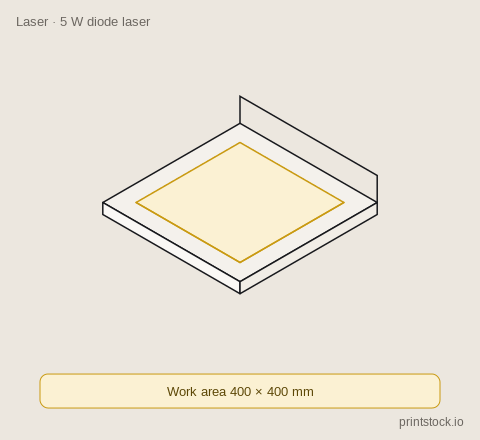
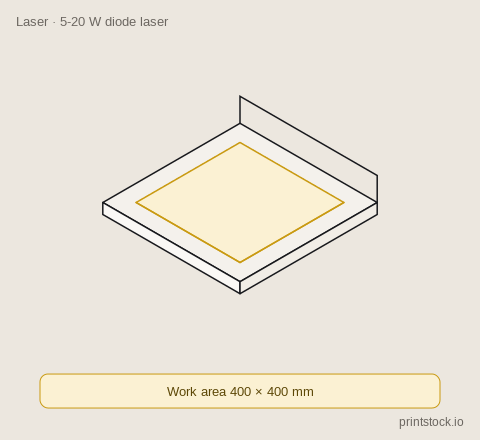
- About 400 × 400 mm
Software
- Software
- LightBurn, LaserGRBL, LaserBurn app
Bundles
- Pro Max bundle
- Honeycomb, air assist, roller
Safety
- Safety
- Goggles included
From maker and store specifications, checked Nov 12, 2026. Power, size, network and warranty are in their own blocks below.
Power and setup
Electricity
- Mains input
- 100 to 240 V (universal)
- Note
- Max power consumption by laser module: 120 W (20 W), 60 W (10 W), 40 W (5 W).
Network and cloud
- Works without internet
- Yes, fully (SD card / USB / LAN)
- Local control for other software
- Open (documented or open source)
- Software from other makers
- Supported
- Note
- USB, Wi-Fi, TF card or the app; LightBurn and LaserGRBL work over USB, and LightBurn also over Wi-Fi. The touchscreen runs jobs without a computer, and the machine's IP address opens a control page in a browser.
Safety and support
Safety
- Laser class
- Class 4 laser product
- Laser safety features
- Emergency stop button, Flame detection, Tilt or movement stop, Safety glasses included
Warranty and repair
- Warranty
- 12 months; One-year warranty; consumables, accessories and wearing parts excluded from extended cover
Software and firmware
- Slicer / control software
- LightBurn, LaserGRBL, LaserBurn app
- Firmware
- Longer firmware
- Connectivity
- Wi-Fi, USB, TF card
Official firmware and downloads ↗ We never host firmware files.
Questions people ask
Which versions exist?
5 W, 10 W and 20 W.
Can it run without a computer?
Yes, from its touchscreen and TF card.
What software works?
LightBurn, LaserGRBL and the LaserBurn app.
Compatible accessories
Everything that fits the Longer Ray5
$89.99 as of Nov 12, 2026Check price
$79.99 as of Nov 12, 2026Check price
$19.99 as of Nov 12, 2026Check price
$15.99 as of Nov 12, 2026Check price
$99.99 as of Nov 12, 2026Check price
Closest alternatives by price
Compare all side by side