$119 as of Nov 12, 2026Check price
AtomStack
AtomStack Swift
Laser
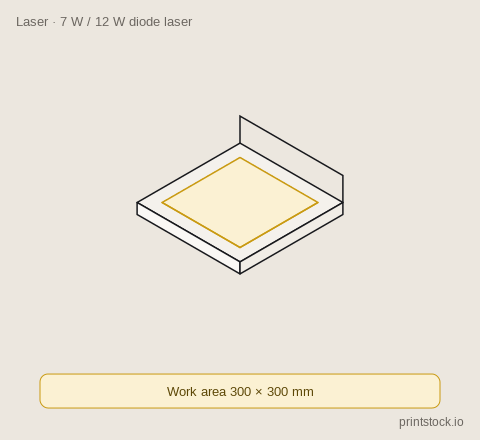
AtomStack's beginner laser: 7 W or 12 W diode (12 W from two 7 W diodes with spot compression), 300 × 300 mm area, pre-assembled, Wi-Fi, LightBurn and AtomStack Studio; about 2.2 kg.
Where to buy
Prices as of Nov 11, 2026Taxes, shipping and any import duties are worked out by the store at checkout and depend on your country; ask the store if in doubt.
Store links may be affiliate links: we may earn a commission, and it does not change your price. Affiliate disclosure
Overview
The Swift is AtomStack's entry laser, designed to be ready in minutes from pre-assembled modules. The 12 W version combines two 7 W diodes with spot compression; a 7 W version is cheaper. It engraves wood, leather, acrylic and slate, and Hoffman Engineering's review even tested stainless steel marking.
It connects over Wi-Fi, hotspot or USB and works with LightBurn, LaserGRBL, AtomStack Studio and the app. Add-ons include an F40 air assist set, an area extension kit and a 1.8 W 1064 nm IR module for metals.
The 300 × 300 mm open frame is light at about 2.2 kg, which helps portability but limits rigidity. It is a good first laser at around $169 for 12 W; serious cutters should look at 20 W and up.
Best for
- First laser for beginners
- Gifts and crafts
- Portable use
Look elsewhere if
- Thick cutting
- Large signs
Before you buy
- Wear laser safety glasses rated for the wavelength unless the machine is a certified Class 1 enclosure.
- Plan ventilation or a fume purifier; never cut PVC or vinyl.
- Add the F40 air assist for cutting.
- Consider the extension kit for longer items.
Pros and cons
Pros
- Cheap
- Easy setup
- Good software support
Cons
- Light frame
- Moderate power
- Open frame
Known issues
Last reviewed Nov 13, 2026Popular models have longer lists simply because more people own them and talk about them. Severity and status show how much each problem matters today.
LightBurn will not detect or connect
Moderate (affects prints)Workaround availableA long LightBurn forum thread (40 replies) covers Swift 7W owners unable to connect to LightBurn 2.0, with more reports of LightBurn not detecting the Swift at all. The forum threads collect the fixes owners used.
How we build this list: we collect independent reviews, owner reports and public discussions on forums and social networks, merge duplicates and group them by cause. Only serious or recurring problems make the list, so a single complaint will not appear here, and a listed problem does not mean every unit is affected.
Specs
Printing
- Type
- Laser
- Max speed
- 167 mm/s
- Laser
- 7 W / 12 W diode laser
- Laser type
- Diode
- Laser output
- 12 W
- Cuts through
- WoodPlywoodLeatherPaper and cardboardFabric and feltCorkFoam
- Engraves or marks
- WoodPlywoodMDFBambooLeatherPaper and cardboardFabric and feltCorkRubberAcrylicdark or opaqueStone and slateAnodized aluminiumPainted or coated metal
Hardware
- Enclosure
- No
Files and setup
- Variants
- 7W, 12W
Laser
- Power
- 7 W or 12 W diode (455 nm)
- 12 W design
- Two 7 W diodes with spot compression
Area
- Work area
- 300 × 300 mm
Setup
- Setup
- Pre-assembled modules
Software
- Software
- LightBurn, LaserGRBL, AtomStack Studio, app
Physical
- Weight
- About 2.2 kg
Options
- Accessories
- F40 air assist, extension kit, R20-A IR module
From maker and store specifications, checked Nov 12, 2026. Power, size, network and warranty are in their own blocks below.
Safety and support
Safety
- Laser class
- Class 4 laser product
Warranty and repair
- Warranty
- 12 months; 12 months on main parts of machines bought through AtomStack authorised channels; optional accessories also 12 months
Software and firmware
- Slicer / control software
- LightBurn, LaserGRBL, AtomStack Studio, AtomStack app
- Firmware
- AtomStack firmware
- Connectivity
- Wi-Fi, USB, app
Official firmware and downloads ↗ We never host firmware files.
Questions people ask
How is 12 W achieved?
Two 7 W diodes with spot compression.
What is the work area?
300 × 300 mm.
Can it mark metal?
Coated metals; an IR module is available for more.
Compatible accessories
Everything that fits the AtomStack Swift
$100 as of Nov 12, 2026Check price
$119 as of Nov 12, 2026Check price
$99 as of Nov 12, 2026Check price
$299 as of Nov 12, 2026Check price
$199 as of Nov 12, 2026Check price
Closest alternatives by price
Compare all side by side