INTAMSYS FUNMAT PRO 410
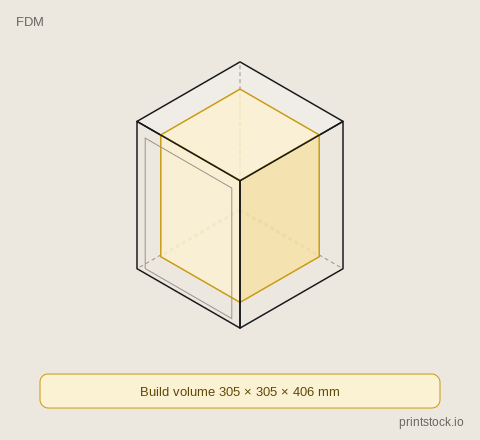
Dual-extruder PEEK printer: 305 × 305 × 406 mm, 500 °C liquid-cooled nozzles, 160 °C bed, 90 °C chamber, 70 °C filament box, soluble support.
- Hottest nozzle of the 21 FDM printers we list
- Most nozzles of the 30 FDM printers we list
Where to buy
Prices as of Nov 15, 2026Taxes, shipping and any import duties are worked out by the store at checkout and depend on your country; ask the store if in doubt.
Store links may be affiliate links: we may earn a commission, and it does not change your price. Affiliate disclosure
Overview
The FUNMAT PRO 410 is the dual-extruder step up from the FUNMAT HT: a floor-standing cabinet with a taller 305 × 305 × 406 mm build, 500 °C liquid-cooled nozzles, a 160 °C bed, a 90 °C chamber and a 70 °C heated filament chamber.
The second nozzle is the reason to buy it. With a breakaway or soluble support material such as INTAMSYS SP5000, complex PEEK parts can be printed with supports that come off cleanly, which is hard with a single nozzle. Independent testing by 3D Printing Industry found clean overhangs up to about 50 degrees in PEEK.
Like the HT, its 90 °C chamber is the limiting factor: INTAMSYS says the PRO 410 is not suited to PEI (ULTEM) or PPSU. For those, look at the PRO 610HT or other machines with much hotter chambers.
Best for
- PEEK and PEKK parts that need support material
- Taller parts than the HT can fit
- Engineering teams standardising on open 1.75 mm materials
Look elsewhere if
- You need PEI (ULTEM) or PPSU
- Bench space only: it is a floor cabinet
Before you buy
- Ask the reseller for a demo part in your material.
- Budget for the support material as well as PEEK.
- Nozzles wear at high temperatures; keep spares.
Pros and cons
Pros
- 500 °C dual nozzles
- Heated filament chamber
- Tall build volume
Cons
- No PEI or PPSU
- Floor-standing size
- Reseller prices vary widely
Known issues
Last reviewed Nov 15, 2026Popular models have longer lists simply because more people own them and talk about them. Severity and status show how much each problem matters today.
PEEK has a learning curve
Moderate (affects prints)Workaround availableReviewers new to PEEK report many failed prints before getting good parts, and burned through material while tuning temperatures and cooling. Budget spare material and time for tuning, or use the maker's tested profiles.
Nozzles clog from carbonised material
Moderate (affects prints)Workaround availableAt PEEK temperatures, burnt material builds up inside the nozzle and narrows it until it clogs. INTAMSYS's service guide treats nozzles as wear parts and recommends cleaning and timely replacement; crystallised PEEK is hard to remove once it sets.
How we build this list: we collect independent reviews, owner reports and public discussions on forums and social networks, merge duplicates and group them by cause. Only serious or recurring problems make the list, so a single complaint will not appear here, and a listed problem does not mean every unit is affected.
Specs
Printing
- Type
- FDM
- Process
- FDM (filament)
- Made for
- Professional
- Build volume
- 305 × 305 × 406 mm
- Kinematics
- Cartesian gantry
- Max speed
- 300 mm/s
- Multi-color
- No
- Nozzles / toolheads
- 2
- Materials
- PEEK, PEKK, PC, PA, PA-CF, ABS, PETG, PLA, PVA
- Layer thickness
- 0.05 to 0.5 mm
- Travel speed
- XY 300 mm/s, Z 50 mm/s
- Accuracy
- ±0.15 mm per 100 mm (maker figure)
Extruder and bed
- Extruder
- Direct drive
- Stock nozzle
- 0.4 mm
- Nozzle / hotend
- Scratch-resistant nozzles, high-temperature dual extruder
- Max nozzle temp
- 500 °C
- Filament
- 1.75 mm
- Build plate
- PI sheet on ceramic glass
- Max bed temp
- 160 °C
- Bed leveling
- Automatic
- Enclosure
- Yes
- Heated chamber
- Up to 90 °C
Control and sensors
- Screen
- Touchscreen, 7 in
- Features
- Filament tangle or clog detectionFilament runout sensorPower-loss recoveryNozzle wiper or cleaner
Files and setup
- Files the slicer opens
- STL, OBJ
Extrusion
- Nozzles
- 2, liquid-cooled, auto-cleaning
From maker and store specifications, checked Nov 15, 2026. Power, size, network and warranty are in their own blocks below.
Power and setup
Network and cloud
- Works without internet
- Yes, fully (SD card / USB / LAN)
- Built-in camera
- Yes
- Note
- Wi-Fi, Ethernet or USB; INTAMSUITE on the local network uploads G-code, monitors the printer and starts, pauses or stops jobs by the printer's IP address. Built-in camera.
Space and room
- Size (W × D × H)
- 728 × 684 × 1,480 mm
For business buyers
Certifications and validated workflows
- FCC, SGS and CE marked (reseller listing)
What the room needs
- Liquid-cooled extruders
Software and firmware
- Slicer / control software
- INTAMSUITE NEO
- Connectivity
- Wi-Fi, Ethernet, USB
Questions people ask
Can the PRO 410 print ULTEM?
INTAMSYS says the FUNMAT HT and PRO 410 are not capable of printing PEI and PPSU.
Why two nozzles?
One prints the part, the other prints support material that is easier to remove, or a second colour of the same material.
How hot do the nozzles get?
Up to 500 °C, liquid-cooled.
Models proven to print on the INTAMSYS FUNMAT PRO 410
Coming soonClosest alternatives by price
Compare all side by side