Creality SPARKX i7 Nano
SparkX i7 bundled with the compact CFS nano: same 260 × 260 × 255 mm, 500 mm/s printer with four-color printing for $299. The 445 g CFS nano also retrofits existing i7s for $69.
- Most nozzles of the 21 FDM printers under $300 we list
Where to buy
Prices as of Nov 11, 2026Taxes, shipping and any import duties are worked out by the store at checkout and depend on your country; ask the store if in doubt.
Store links may be affiliate links: we may earn a commission, and it does not change your price. Affiliate disclosure
Overview
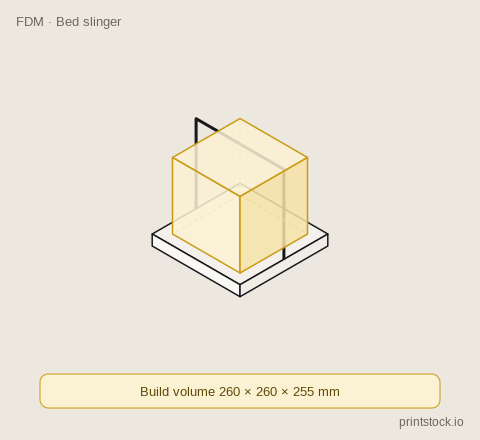
The SparkX i7 Nano, launched in August 2026, is not a smaller printer despite the name. It is the same SparkX i7 bed slinger, with a 260 × 260 × 255 mm volume and 500 mm/s rating, bundled with a new and much lighter multicolor feeder, the CFS nano. Where the original Color Combo used the boxed CFS Lite, the CFS nano is a 445 g unit that pushes and pulls filament from four spools bolted to the sides of the frame, cutting the footprint of the multicolor setup considerably.
The result is four-color printing for $299, one of the cheapest multicolor packages from a major brand, and Creality claims about half the waste of earlier systems on multicolor prints. Existing i7 owners can add the same feeder with a $69 kit without modifying the printer. The printer keeps its 2.85-inch touchscreen, 720p AI camera and quick-swap hotend.
The savings come from what the CFS nano leaves out. Spools sit in the open, so moisture-sensitive filament needs drying, there is no tangle detection, RFID recognition is optional, and flexible materials such as TPU are not supported through the feeder. For PLA multicolor prints on a budget it is a strong value; for reliability with many materials, the CFS Lite version or a Bambu Lab A1 Combo is safer.
Best for
- Cheapest route to four-color PLA prints
- Existing SparkX i7 owners adding multicolor
- Beginners with limited desk space
Look elsewhere if
- You print TPU in multicolor or use damp-prone filament
- You want tangle detection and sealed storage: choose the CFS Lite version
Before you buy
- Dry filament before multicolor jobs; spools are not enclosed.
- TPU is not supported through the CFS nano.
- Existing i7 owners can buy just the $69 CFS nano kit.
- Check which bundle the store ships: some ship as i7 plus a separate nano kit.
Pros and cons
Pros
- Four colors for $299
- Light, compact feeder
- Retrofits existing i7s
- Same easy i7 printer
Cons
- Open spools
- No tangle detection
- No TPU through the feeder
Known issues
Last reviewed Nov 13, 2026Popular models have longer lists simply because more people own them and talk about them. Severity and status show how much each problem matters today.
FO0528: filament movement not detected
Moderate (affects prints)Workaround availableThe SparkX i7's most common hardware error also affects Nano bundles: the printer thinks filament is not moving. Check the feeder path, PTFE tubes and sensor.
Wi-Fi drops
Moderate (affects prints)Still reportedThe printer lost its wireless connection several times during testing.
Purge settings need tuning
Minor (annoyance)Workaround availableMulticolor prints may show color bleed until the purge settings in the slicer are increased.
Open frame limits materials
Minor (annoyance)Still reportedThe open bed-slinger design is less suited to high-temperature filaments such as ABS and ASA.
Already fixed: 1 (show)
CFS Nano not recognized until a firmware update
Minor (annoyance)Fixed in firmwareIf the printer does not detect the CFS Nano, the multicolor option only appears after a firmware update.
How we build this list: we collect independent reviews, owner reports and public discussions on forums and social networks, merge duplicates and group them by cause. Only serious or recurring problems make the list, so a single complaint will not appear here, and a listed problem does not mean every unit is affected.
Specs
Printing
- Type
- FDM
- Build volume
- 260 × 260 × 255 mm
- Kinematics
- Bed slinger
- Max speed
- 500 mm/s
- Max acceleration
- 10,000 mm/s²
- Multi-color
- Yes
- Nozzles / toolheads
- 1
Extruder and bed
- Extruder
- Direct drive
- Stock nozzle
- 0.4 mm (0.2, 0.6 and 0.8 mm available)
- Max nozzle temp
- 300 °C
- Filament
- 1.75 mm
- Build plate
- Double-sided textured PEI plate
- Max bed temp
- 100 °C
- Bed leveling
- Automatic
- Enclosure
- No
Control and sensors
- Screen
- Touchscreen, 2.85 in
- Features
- Power-loss recoveryFilament runout sensorFilament tangle or clog detectionInput shapingFlow calibrationAutomatic filament loadingAI print failure detectionBuilt-in lightSilent mode
Files and setup
- Files the slicer opens
- STL, OBJ, PLY, 3MF, G-code
Multi-color
- Feeder
- CFS nano, 4 spools mounted on the frame
- CFS nano weight
- 445 g (CFS Lite: 3.42 kg)
- Tangle detection
- No (CFS Lite: yes)
Monitoring
- Camera
- 720p AI camera
From maker and store specifications, checked Nov 12, 2026. Power, size, network and warranty are in their own blocks below.
Power and setup
Electricity
- Mains input
- 100 to 240 V (universal)
- Rated power
- 700 W at 220 to 240 V, 400 W at 110 to 120 V
Network and cloud
- Works without internet
- Yes, fully (SD card / USB / LAN)
- Maker account
- Only for cloud / remote features
- Built-in camera
- Yes
- Note
- Prints over 2.4 GHz Wi-Fi or from a USB drive; Creality Print sends jobs and the Creality Cloud app adds remote control and monitoring, which needs an account. Built-in 720p AI camera.
Space and room
- Size (W × D × H)
- 470 × 423 × 456 mm
- Weight
- 9.12 kg
On a standard power circuit
- US 15 A / 120 V standard circuit: fine, and about 1,000 W stays free for other things on that circuit while it heats up
- EU/UK 16 A / 230 V standard circuit: fine, and about 2,200 W stays free for other things on that circuit while it heats up
Our calculation from the maker's rated power, keeping a circuit at 80% for long loads.
Safety and support
Computer you need
- Runs on
- Windows, macOS (Apple silicon)
Warranty and repair
- Warranty
- 12 months; 24 months in the EU, Switzerland, Iceland and Norway; wear parts shorter
- Spare parts store
- Official page ↗
- Repair guides
- Official page ↗
Running costs
| PLA filament, per kg | Cheapest in our catalog: Elegoo PLA Basic | $9.34 |
|---|
Cheapest compatible items in our catalog, USD prices as last checked. Prices change; see each item for the date.
Software and firmware
- Slicer / control software
- Creality Print (official), OrcaSlicer
- Firmware
- Creality OS
- Connectivity
- Wi-Fi, Creality Cloud app, USB
Official firmware and downloads ↗ We never host firmware files.
Questions people ask
Is the SparkX i7 Nano smaller than the i7?
No, it is the same printer and build volume; Nano refers to the CFS nano feeder.
Can I add the CFS nano to my existing i7?
Yes, Creality sells a $69 CFS nano kit that installs without major modification.
CFS nano or CFS Lite?
The CFS Lite stores spools in a box with tangle detection and RFID; the CFS nano is lighter and cheaper but leaves spools open.
Models proven to print on the Creality SPARKX i7 Nano
Coming soonFilaments that fit (67)
Matched by PrintStock from published specs: filament diameter, maximum nozzle and bed temperature and enclosure. Not a print test.
- PETG
- Anycubic PETG, Bambu Lab PETG Basic, Bambu Lab PETG Matte, Creality Hyper PETG, Elegoo PETG Pro, Elegoo Rapid PETG, eSUN PETG, eSUN PETG-Matte, Overture High Speed PETG, Polymaker PETG, Polymaker PolyLite PETG, Prusament PETG, Spectrum PETG, Spectrum PETG Premium High Speed, SUNLU PETG, SUNLU PETG 2.0
- PLA
- Anycubic PLA+, Anycubic PLA Basic, Anycubic PLA High Speed, Anycubic PLA Silk, Bambu Lab PLA Basic, Bambu Lab PLA Matte, Bambu Lab PLA Silk+, Bambu Lab PLA Translucent, Creality Hyper PLA, Creality Hyper PLA RFID, Elegoo PLA, Elegoo PLA Basic, Elegoo PLA Matte, Elegoo PLA Pro, Elegoo PLA Silk, eSUN PLA+, eSUN PLA Basic, eSUN PLA+HS, eSUN PLA-Matte, eSUN PLA-Silk Rainbow, Overture Easy PLA, Overture Matte PLA Dual Colors, Overture PLA+, Overture Silk PLA Gradient, Polymaker Panchroma PLA, Polymaker Panchroma PLA Matte, Polymaker Panchroma PLA Silk, Polymaker PLA Pro, Polymaker PolyLite PLA, Polymaker PolyLite PLA Pro, Polymaker PolyLite Silk PLA, Polymaker PolyMax PLA, Polymaker PolyTerra PLA, Prusament PLA, Spectrum Huracan PLA, Spectrum PLA, Spectrum PLA Pro, Spectrum Premium PLA High Speed, SUNLU High-Speed PLA, SUNLU PLA+ 2.0, SUNLU Silk PLA+ 2.0
Closest alternatives by price
Compare all side by side