$59.99 as of Nov 11, 2026Check price
Creality
Creality K2 SE
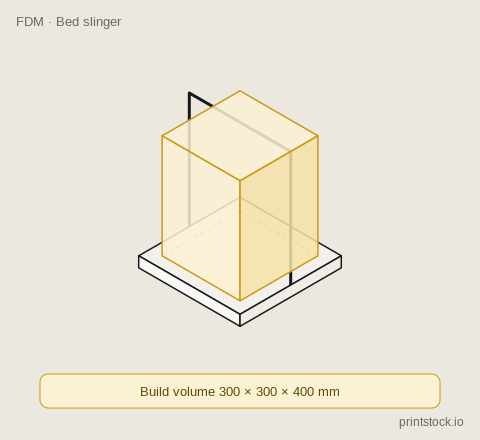
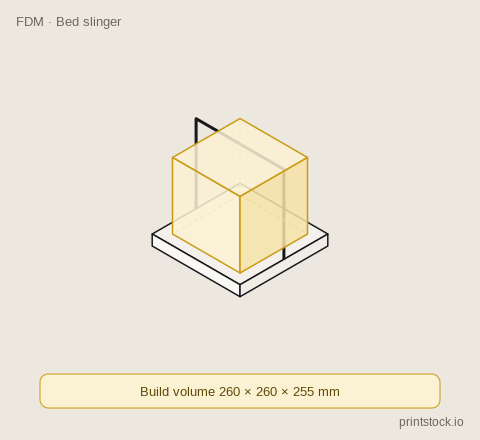
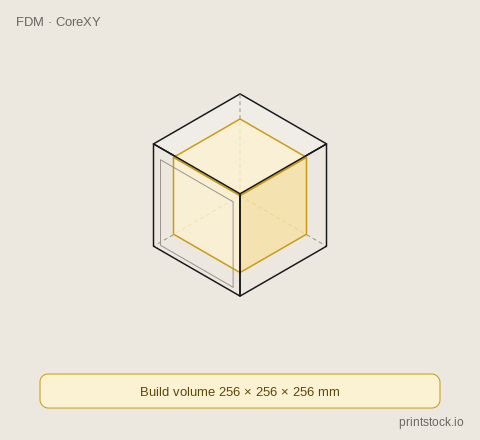
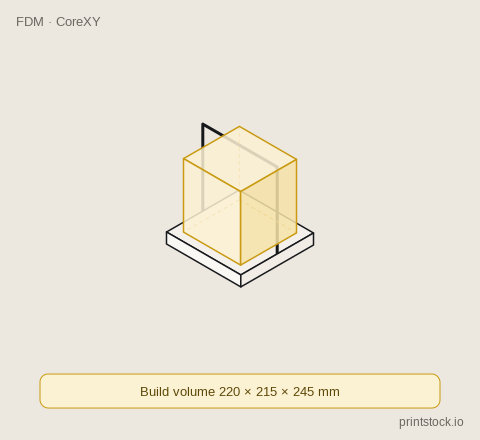
FDMCoreXY220 × 215 × 245 mm
Cheapest K2: open-frame CoreXY with a 220 × 215 × 245 mm volume, 500 mm/s, 20,000 mm/s², quick-swap nozzle and full CFS support for up to 16 colors. Launched March 2026.
- Most nozzles of the 21 FDM printers under $300 we list
Where to buy
Prices as of Nov 11, 2026Taxes, shipping and any import duties are worked out by the store at checkout and depend on your country; ask the store if in doubt.
Store links may be affiliate links: we may earn a commission, and it does not change your price. Affiliate disclosure
Overview
The K2 SE is the entry point to Creality's K2 family, launched in March 2026 after being shown at IFA. It keeps the K2 series' CoreXY motion, rated at 500 mm/s with 20,000 mm/s² acceleration, but drops the walls and door, and it shrinks the volume to 220 × 215 × 245 mm. In exchange it is far cheaper: around $299 for the printer and under $500 for the Combo with a CFS filament system, which made it the new floor for Creality's CoreXY multicolor hardware.
It works with the full-size CFS, the same sealed, drying-friendly filament box used on the K2, K2 Pro and K2 Plus, and like them it can chain up to four CFS units for 16 filaments. The extruder has hardened steel gears and a quick-swap nozzle, and it ships assembled with automatic calibration.
The open frame is the main trade-off: ABS, ASA and other warping materials are hard without an enclosure, and noise and fumes are not contained. For PLA and PETG multicolor printing it is one of the cheapest CoreXY options, and deals have taken it below $250. Buyers who want an enclosure should compare the K2 or a Bambu Lab P2S.
Best for
- Budget multicolor printing with the full CFS
- PLA and PETG users who want CoreXY speed
- Creality owners adding a second fast printer
Look elsewhere if
- You print ABS or ASA: pick an enclosed K2 or similar
- You need a large build plate
Before you buy
- Decide between printer only and Combo; adding a CFS later costs more than the Combo difference.
- Do not confuse the Combo with the K2 SE 4C bundle, which uses an open spool rack, not a CFS.
- Plan space for the CFS on top or beside the printer.
- Use Creality Print for multicolor profiles.
Pros and cons
Pros
- CoreXY speed at a low price
- Full CFS support up to 16 colors
- Quick-swap nozzle
- Ships assembled
Cons
- Open frame
- Smaller build volume
- Confusing bundle names
Known issues
Last reviewed Nov 13, 2026Popular models have longer lists simply because more people own them and talk about them. Severity and status show how much each problem matters today.
Nozzle crashes into the bed at print start
Major (repair or return)Still reportedThe nozzle can gouge the plate after leveling. Foreign-object detection on firmware older than 2.3.6.73 is one confirmed cause and is fixed; Z-belt slip and other causes still produce crashes for some owners.
CZ2768 Z homing errors
Moderate (affects prints)Workaround availableResidue or interference on the Z axis makes homing fail, sometimes every one or two prints; cleaning, lubrication and isolating vibration help, and a board swap if it persists.
Klipper drops out on firmware 2.3.6.73
Moderate (affects prints)Still reportedOn some machines Klipper crashes mid-calibration (XS3001) after this update, and rolling back brings the bed-scraping bug back.
Cutter calibration failures
Moderate (affects prints)Workaround availableA jammed or misaligned cutter, or a missing small steel guide sleeve, stops retraction and calibration; support does not stock the sleeve.
Clogged jobs reported as complete
Moderate (affects prints)Workaround availableWith the bundled PLA some owners saw the nozzle clog while the printer ran the whole job and reported success with nothing on the plate.
Firmware 2.3.6.66 locks the screen in Chinese
Minor (annoyance)Workaround availableThe update removed the language option; support can provide an older firmware link.
Already fixed: 1 (show)
OrcaSlicer files would not start
Minor (annoyance)Fixed in firmwareFirmware 2.3.6.73 misread OrcaSlicer G-code headers so prints never started; firmware 2.3.6.77 fixed it.
How we build this list: we collect independent reviews, owner reports and public discussions on forums and social networks, merge duplicates and group them by cause. Only serious or recurring problems make the list, so a single complaint will not appear here, and a listed problem does not mean every unit is affected.
Specs
Printing
- Type
- FDM
- Build volume
- 220 × 215 × 245 mm
- Kinematics
- CoreXY
- Max speed
- 500 mm/s
- Max acceleration
- 20,000 mm/s²
- Multi-color
- Yes
- Nozzles / toolheads
- 1
- Frame
- Open-frame CoreXY, metal frame
Extruder and bed
- Extruder
- Direct drive
- Stock nozzle
- 0.4 mm
- Nozzle / hotend
- Quick-swap nozzle
- Max nozzle temp
- 300 °C
- Filament
- 1.75 mm
- Build plate
- Epoxy-coated plate
- Max bed temp
- 100 °C
- Bed leveling
- Automatic
- Enclosure
- No
Control and sensors
- Screen
- Touchscreen, 3.97 in
- Features
- Power-loss recoveryFilament runout sensorInput shapingBuilt-in lightAir filter
- Screen languages
- EnglishGermanSpanishFrenchItalianPortugueseRussianTurkishJapaneseKoreanChinese
Files and setup
- Files the slicer opens
- 3MF, G-code
- Arrives
- Partly assembled (quick setup)
- Variants
- Standard, Combo
Multi-color
- Multi-material
- CFS: 4 colors per unit, up to 4 units for 16 colors
Software
- Setup
- Ships assembled, on-screen auto calibration
- Slicer
- Creality Print
From maker and store specifications, checked Nov 12, 2026. Power, size, network and warranty are in their own blocks below.
Power and setup
Electricity
- Rated power
- 350 W
Network and cloud
- Works without internet
- Yes, fully (SD card / USB / LAN)
- Maker account
- Only for cloud / remote features
- Local control for other software
- Open (documented or open source)
- Slicers from other makers
- Supported
- Note
- Klipper-based Creality OS with Fluidd support and an official root option; it can run on the local network without an account. No camera, 2.4 GHz Wi-Fi only.
Space and room
- Size (W × D × H)
- 355 × 355 × 482 mm
- Weight
- 10.58 kg
On a standard power circuit
- US 15 A / 120 V standard circuit: fine, and about 1,050 W stays free for other things on that circuit while it heats up
- EU/UK 16 A / 230 V standard circuit: fine, and about 2,550 W stays free for other things on that circuit while it heats up
Our calculation from the maker's rated power, keeping a circuit at 80% for long loads.
Safety and support
Warranty and repair
- Warranty
- 12 months; 24 months in the EU, Switzerland, Iceland and Norway; wear parts shorter
- Spare parts store
- Official page ↗
- Repair guides
- Official page ↗
Running costs
| PLA filament, per kg | Cheapest in our catalog: Elegoo PLA Basic | $9.34 |
|---|
Starter budget: about $288 for the printer at its best listed price, 1 kg of PLA.
Cheapest compatible items in our catalog, USD prices as last checked. Prices change; see each item for the date.
Software and firmware
- Slicer / control software
- Creality Print (official), OrcaSlicer
- Firmware
- Creality OS (Klipper based)
- Connectivity
- Wi-Fi, Creality Cloud, USB
Official firmware and downloads ↗ We never host firmware files.
Questions people ask
What is the difference between the K2 SE and the K2?
The K2 SE is open-frame with a smaller 220 × 215 × 245 mm volume; the K2 is enclosed and larger.
Does the K2 SE work with the CFS?
Yes, it supports the standard CFS and up to four units for 16 colors.
What is the K2 SE 4C?
A bundle with an open four-spool rack instead of a sealed CFS; it does not dry or protect filament.
Models proven to print on the Creality K2 SE
Coming soonFilaments that fit (67)
Matched by PrintStock from published specs: filament diameter, maximum nozzle and bed temperature and enclosure. Not a print test.
- PETG
- Anycubic PETG, Bambu Lab PETG Basic, Bambu Lab PETG Matte, Creality Hyper PETG, Elegoo PETG Pro, Elegoo Rapid PETG, eSUN PETG, eSUN PETG-Matte, Overture High Speed PETG, Polymaker PETG, Polymaker PolyLite PETG, Prusament PETG, Spectrum PETG, Spectrum PETG Premium High Speed, SUNLU PETG, SUNLU PETG 2.0
- PLA
- Anycubic PLA+, Anycubic PLA Basic, Anycubic PLA High Speed, Anycubic PLA Silk, Bambu Lab PLA Basic, Bambu Lab PLA Matte, Bambu Lab PLA Silk+, Bambu Lab PLA Translucent, Creality Hyper PLA, Creality Hyper PLA RFID, Elegoo PLA, Elegoo PLA Basic, Elegoo PLA Matte, Elegoo PLA Pro, Elegoo PLA Silk, eSUN PLA+, eSUN PLA Basic, eSUN PLA+HS, eSUN PLA-Matte, eSUN PLA-Silk Rainbow, Overture Easy PLA, Overture Matte PLA Dual Colors, Overture PLA+, Overture Silk PLA Gradient, Polymaker Panchroma PLA, Polymaker Panchroma PLA Matte, Polymaker Panchroma PLA Silk, Polymaker PLA Pro, Polymaker PolyLite PLA, Polymaker PolyLite PLA Pro, Polymaker PolyLite Silk PLA, Polymaker PolyMax PLA, Polymaker PolyTerra PLA, Prusament PLA, Spectrum Huracan PLA, Spectrum PLA, Spectrum PLA Pro, Spectrum Premium PLA High Speed, SUNLU High-Speed PLA, SUNLU PLA+ 2.0, SUNLU Silk PLA+ 2.0
Compatible accessories
Everything that fits the Creality K2 SEClosest alternatives by price
Compare all side by side